
1. Product Overview
The GLOBAL Air 10,000 BTU Portable Air Conditioner is a versatile 3-in-1 unit designed to provide cooling, dehumidification, and fan functions for rooms up to 300+ sq ft. It features digital controls, a remote control, and a self-evaporative system for enhanced convenience.
Key Features:
- 10,000 BTU (ASHRAE) / 6,000 BTU (SACC) Cooling Capacity: Effectively cools areas up to 300+ sq ft.
- 3-in-1 Functionality: Operates as an Air Conditioner, Dehumidifier, and Fan with 3-speed settings.
- Low Noise Operation: Designed for quiet performance with noise levels between 52-56 dB.
- Convenient Controls: Includes an automatic swing mode, built-in 24-hour timer, remote control, and push-button control panel.
- Easy Installation & Maintenance: Comes with a window mount exhaust kit and features a removable, washable air filter.

2. Components and Controls
Control Panel:
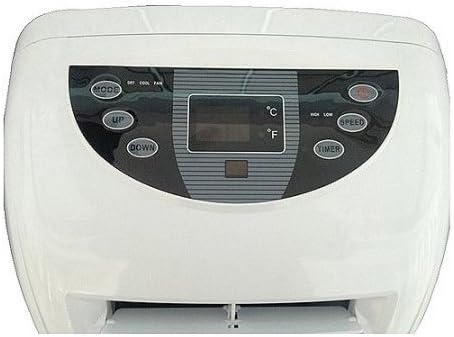
- MODE Button: Cycles through Cool, Dry (Dehumidifier), and Fan modes.
- UP/DOWN Buttons: Adjust temperature settings and timer duration.
- SPEED Button: Selects fan speed (High, Low).
- TIMER Button: Sets the 24-hour timer for automatic on/off operation.
- POWER Button: Turns the unit on or off.
Official Product Video:
3. Setup and Installation
Setting up your portable air conditioner is straightforward with the included window mount exhaust kit and exhaust hose. Follow these steps for optimal performance:
- Positioning: Place the unit on a stable, level surface near a window. Ensure there is adequate space around the unit for proper airflow.
- Window Kit Assembly: Assemble the window slide kit according to the instructions provided in the separate user guide. Adjust it to fit your window opening.
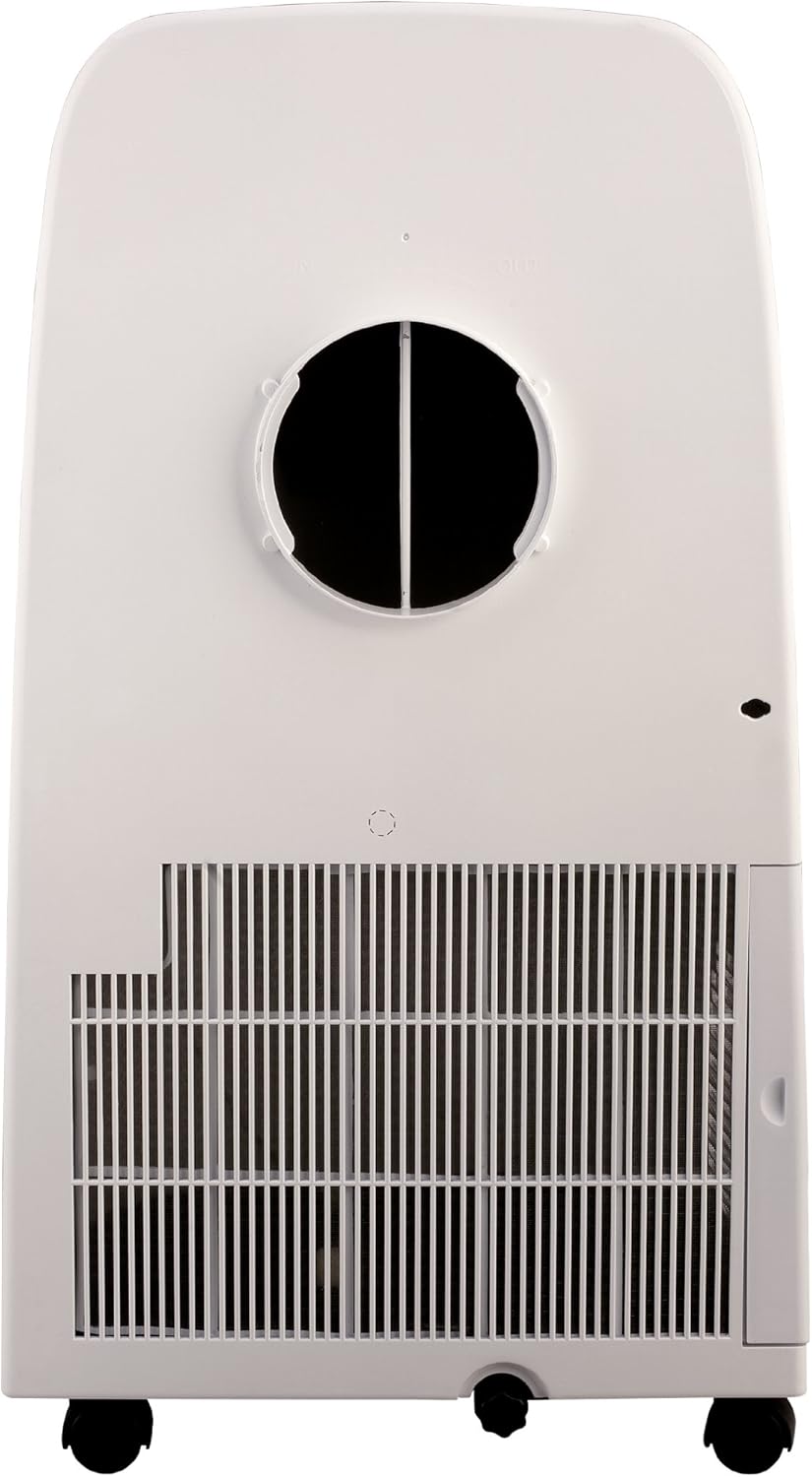
- Exhaust Hose Connection: Connect one end of the exhaust hose to the air outlet on the back of the unit and the other end to the adapter in the window slide kit. Ensure a secure fit to prevent air leakage.
- Power Connection: Plug the unit into a grounded electrical outlet.

4. Operation
The GLOBAL Air Portable Air Conditioner offers multiple operating modes to suit your comfort needs.
Operating Modes:
- Cool Mode: Provides powerful cooling to lower room temperature. Adjust the desired temperature using the UP/DOWN buttons.
- Dehumidifier Mode: Removes excess moisture from the air, ideal for humid conditions.
- Fan Mode: Circulates air without cooling, offering a refreshing breeze. Select fan speed (High/Low) using the SPEED button.
Cooling Capacity Guide:

5. Maintenance
Regular maintenance ensures the longevity and efficient operation of your air conditioner.
Air Filter Cleaning:
- The unit features a removable air filter that should be cleaned regularly (e.g., every two weeks or more often depending on usage and air quality).
- To clean, gently remove the filter, wash it with warm, soapy water, rinse thoroughly, and allow it to air dry completely before reinserting.
Water Drainage:
This unit features a self-evaporative system, which typically means you won't need to drain water frequently. However, in very humid conditions, the internal water tank may fill up. If the unit stops operating and displays a 'W' or similar indicator, it may require manual drainage. Refer to the full user guide for detailed instructions on manual drainage procedures.
6. Troubleshooting
If your air conditioner is not functioning as expected, refer to the following common issues and solutions:
- Unit is loud: Ensure the unit is placed on a stable and level surface. Check for any obstructions in the air intake or output.
- Air is not cold in cooling mode: Verify that the air intake or output is not blocked. Clean the air filters if they are dirty. Check for any heat sources near the unit. Confirm the temperature setting is lower than the ambient room temperature and that the fan speed is appropriate.
- Unit stops operating: If a 'W' or similar indicator appears, the internal water tank may be full and require drainage.
For more detailed troubleshooting steps, please consult the complete User Manual PDF linked in the support section.
7. Specifications
| Specification | Value |
|---|---|
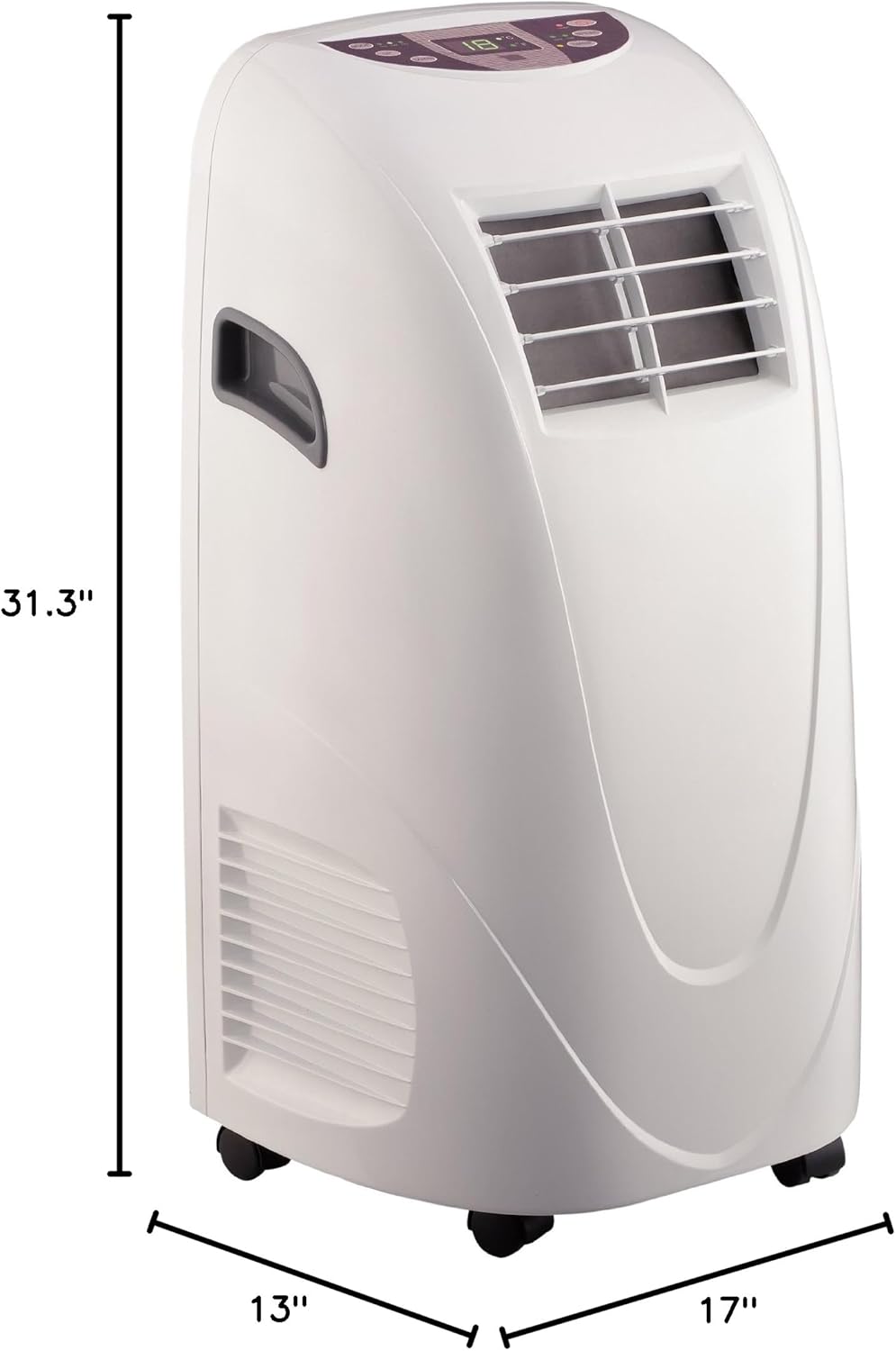
| Product Dimensions | 17 x 13 x 31.3 inches (13"D x 17"W x 31.3"H) |
| Item Weight | 54 pounds (28 Kilograms) |
| Model Number | YPL310C |
| Cooling Power | 10000 BTU |
| Floor Area Coverage | 300 sq ft |
| Voltage | 115 Volts |
| Noise Level | 55 dB |
| Color | White |
| Refrigerant | R 410A |
| Special Feature | Remote Controlled |
8. Warranty and Support
For detailed warranty information and customer support, please refer to the official user guide.
- User Guide (PDF): Download User Guide
- Customer Support: For further assistance, please visit the product page on Amazon or contact GLOBAL Air customer service.