
Introduction
This manual provides essential information for the safe and efficient use of the Schneider Electric ATV212HD11M3X Speeddrive. This device is a 200-240Vac, 15Hp electrical box designed for precise motor control in various industrial applications. It is engineered for reliability and performance, contributing to sustainable energy management solutions.
Important Safety Information
Always adhere to local and national electrical codes and safety regulations when installing, operating, or maintaining this equipment. Failure to do so may result in serious injury, death, or equipment damage. Only qualified personnel should perform installation and service.
- Disconnect all power before working on the drive or connected equipment.
- Ensure proper grounding of the equipment.
- Do not operate the drive with covers removed.
- Protect against accidental startup.
- Use appropriate personal protective equipment (PPE).
Product Overview
The ATV212HD11M3X is a compact variable speed drive designed for HVAC applications, pumps, and fans. It offers advanced control features and energy efficiency. The unit is housed in a durable enclosure, providing protection for its internal components.
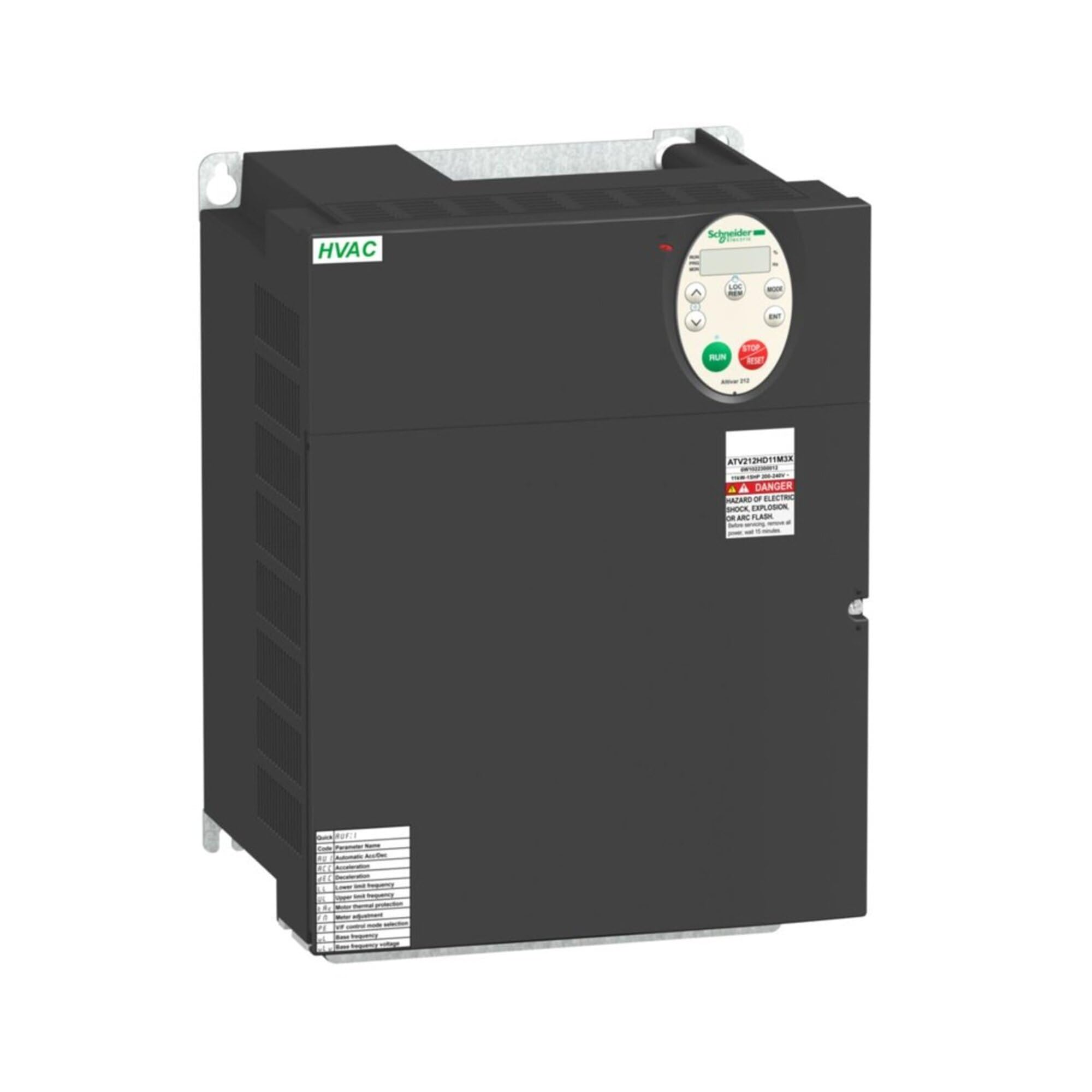
This image displays the Schneider Electric ATV212HD11M3X Speeddrive, an industrial electrical box. It features a robust, rectangular enclosure with various control interfaces and connection points visible on its front panel, indicating its function as a motor control device.
Setup and Installation
Installation of the ATV212HD11M3X Speeddrive requires professional expertise. Ensure the installation environment meets the specified conditions for temperature, humidity, and ventilation. Refer to the detailed wiring diagrams provided with the product packaging for specific connection instructions.
- Mounting: Securely mount the drive in a vertical position on a flat, non-combustible surface, ensuring adequate clearance for ventilation.
- Power Wiring: Connect the main power supply (200-240Vac) to the designated input terminals. Ensure correct phase sequence and proper grounding.
- Motor Wiring: Connect the motor leads to the output terminals (U, V, W). Verify that the motor's voltage and current ratings are compatible with the drive.
- Control Wiring: Connect control signals, such as start/stop commands, speed references, and feedback, to the appropriate control terminals.
- Initial Power-Up: After all connections are verified, apply power and observe the drive's status indicators.
- Parameter Configuration: Configure the drive parameters according to the specific application requirements using the integrated display or programming tools.
Operating Instructions
Once installed and configured, the ATV212HD11M3X Speeddrive can be operated via its control panel, remote I/O, or communication network. The drive provides precise control over motor speed and torque.
- Start/Stop: Use the designated start/stop inputs or control panel buttons to initiate and halt motor operation.
- Speed Control: Adjust the motor speed using the analog input, digital inputs, or communication commands as configured.
- Monitoring: The drive's display provides real-time information on motor speed, current, voltage, and fault status.
- Fault Handling: In case of a fault, the drive will trip and display an error code. Refer to the troubleshooting section for guidance.
Maintenance
Regular maintenance ensures the longevity and optimal performance of your Speeddrive. Always disconnect power before performing any maintenance tasks.
- Cleaning: Periodically clean the drive's exterior and ventilation openings to prevent dust accumulation, which can lead to overheating. Use a soft, dry cloth.
- Connections Check: Annually inspect all electrical connections for tightness and signs of corrosion. Retighten as necessary.
- Fan Inspection: Check cooling fans for proper operation and cleanliness. Replace if noisy or not functioning correctly.
- Environmental Check: Ensure the operating environment remains within specified temperature and humidity limits.
Troubleshooting
This section provides solutions for common issues encountered during the operation of the ATV212HD11M3X Speeddrive. For complex problems, contact Schneider Electric technical support.
| Problem | Possible Cause | Solution |
|---|---|---|
| Drive does not power on | No input power; Blown fuse; Incorrect wiring | Check power supply; Inspect fuses; Verify wiring connections. |
| Motor does not start | Start command not received; Fault condition; Incorrect parameters | Check control signals; Clear fault; Verify parameter settings. |
| Overcurrent fault | Motor overload; Short circuit; Incorrect acceleration time | Reduce load; Check motor and cables; Increase acceleration time. |
| Overvoltage fault | High input voltage; Regenerative braking; Incorrect deceleration time | Check input voltage; Add braking resistor; Increase deceleration time. |
Technical Specifications
Below are the key technical specifications for the Schneider Electric ATV212HD11M3X Speeddrive:
| Specification | Detail |
|---|---|
| Manufacturer | SCHNEIDER ELECTRIC |
| Part Number | ATV212HD11M3X |
| Item Model Number | ATV212HD11M3X |
| Input Voltage | 200-240Vac |
| Horsepower (Hp) | 15Hp |
| Item Weight | 0.16 ounces |
| Product Dimensions | 15.7 x 11.8 x 11.4 inches |
| Style | Compact |
| Material | Copper |
| Thickness | 11 Inches |
| Item Package Quantity | 1 |
| Included Components | CHU363AWC |
Warranty and Customer Support
Schneider Electric products are manufactured to high-quality standards and typically come with a manufacturer's warranty. For specific warranty terms and conditions, please refer to the documentation included with your product or visit the official Schneider Electric website. For technical assistance, troubleshooting beyond this manual, or to inquire about service, please contact Schneider Electric customer support through their official channels.