
Introduction
The FJM Security SX-645 is a versatile combination cable lock designed to secure a wide range of items. It features a durable vinyl-coated galvanized steel cable and a 4-digit resettable combination mechanism, offering 10,000 possible combinations for enhanced security. This manual provides detailed instructions for setting your personal combination and effectively using the lock.
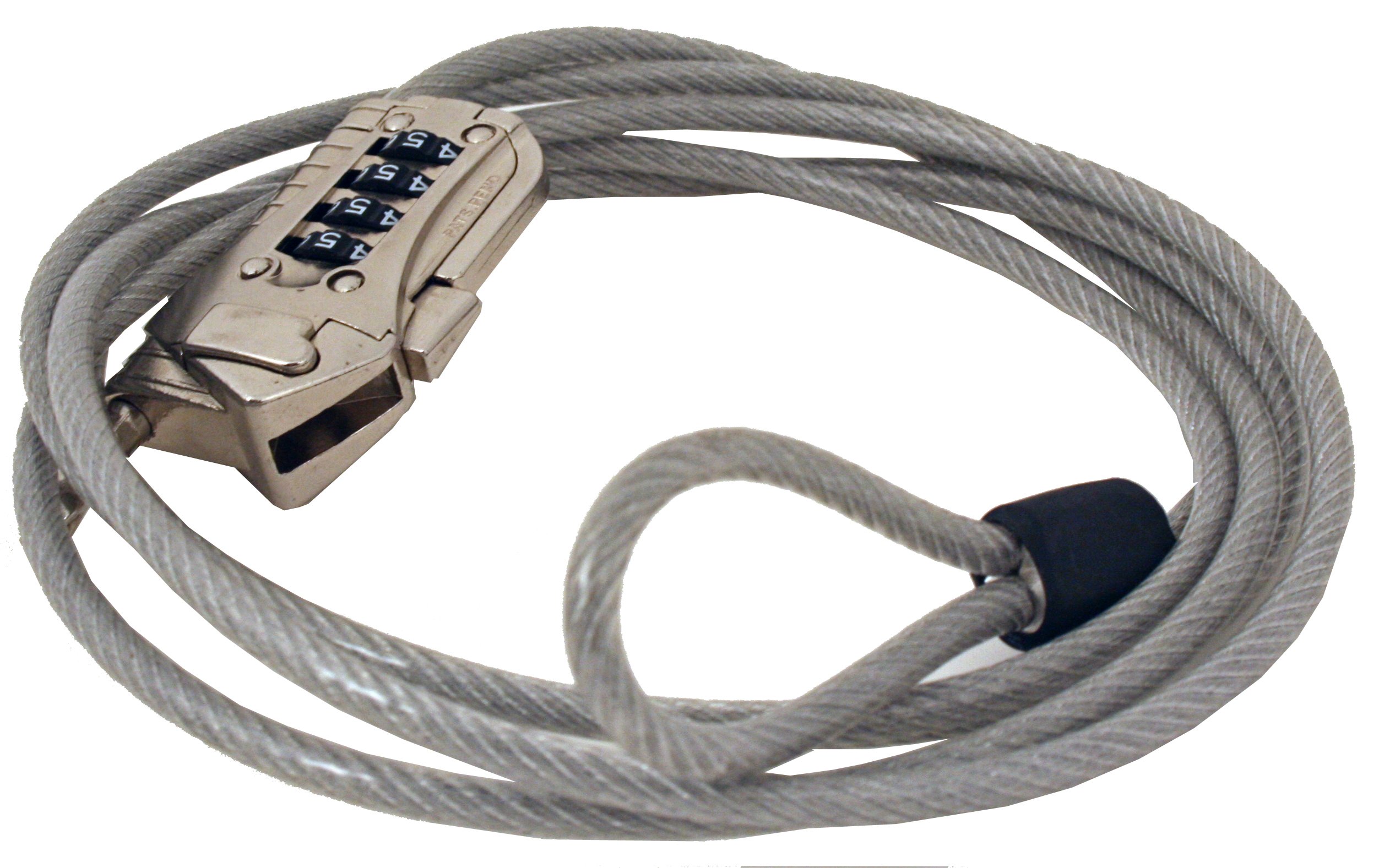
Image: The FJM Security SX-645 Combination Universal Cable Lock, showing the lock body and cable loop.
Product Features
- 4-Digit Resettable Combination: Offers 10,000 unique combinations.
- Durable Cable: 5mm (3/16 inch) diameter, 2000mm (79 inches or 6 feet 7 inches) long, vinyl-coated galvanized steel.
- Integrated Loop: One end of the cable features a fixed loop for securing to stationary objects.
- Slide-Lock Mechanism: A button on the lock body secures the cable from sliding once locked.
- Versatile Application: Suitable for securing various items such as monitors, projectors, bicycles, helmets, luggage, and outdoor equipment.
Package Contents
- 1 x FJM Security SX-645 Combination Universal Cable Lock
Setup: Setting Your Combination
The factory default combination is 0-0-0-0. Follow these steps to set your personal combination:
- Ensure the lock dials are set to the current opening code (factory default is 0-0-0-0).
- Locate the reset screw on the bottom of the lock body.
- Using a small screwdriver or pointed tool, turn the reset screw 90 degrees clockwise. You may feel a slight click.
- While the reset screw is turned, set the cable lock dials to your desired 4-digit combination. Choose a memorable but secure code.
- Turn the reset screw back 90 degrees counter-clockwise to its original position. This locks in your new combination.
- Scramble the dials to lock the mechanism. Test your new combination to ensure it opens correctly before securing any valuable items.

Image: Close-up view of the FJM Security SX-645 lock body, highlighting the reset screw on the bottom.

Image: A hand adjusting the numerical dials on the FJM Security SX-645 lock to set a new combination.
Important: Do not forget your combination. There is no master key or override function to reset the lock if the combination is lost.
Operating the Lock
The FJM Security SX-645 cable lock is designed for flexible security applications.
- To Unlock: Align the dials to your set 4-digit combination. The cable end will then be free to move.
- To Secure an Item:
- Loop the fixed end of the cable around a sturdy, stationary object (e.g., a pole, furniture leg).
- Pass the free end of the cable through the item you wish to secure (e.g., bicycle frame, helmet strap, luggage handle).
- Insert the free end of the cable into the locking mechanism.
- Press the button on the side of the lock body to engage the internal mechanism, preventing the cable from being pulled out.
- Scramble the dials to a random sequence to lock the cable.
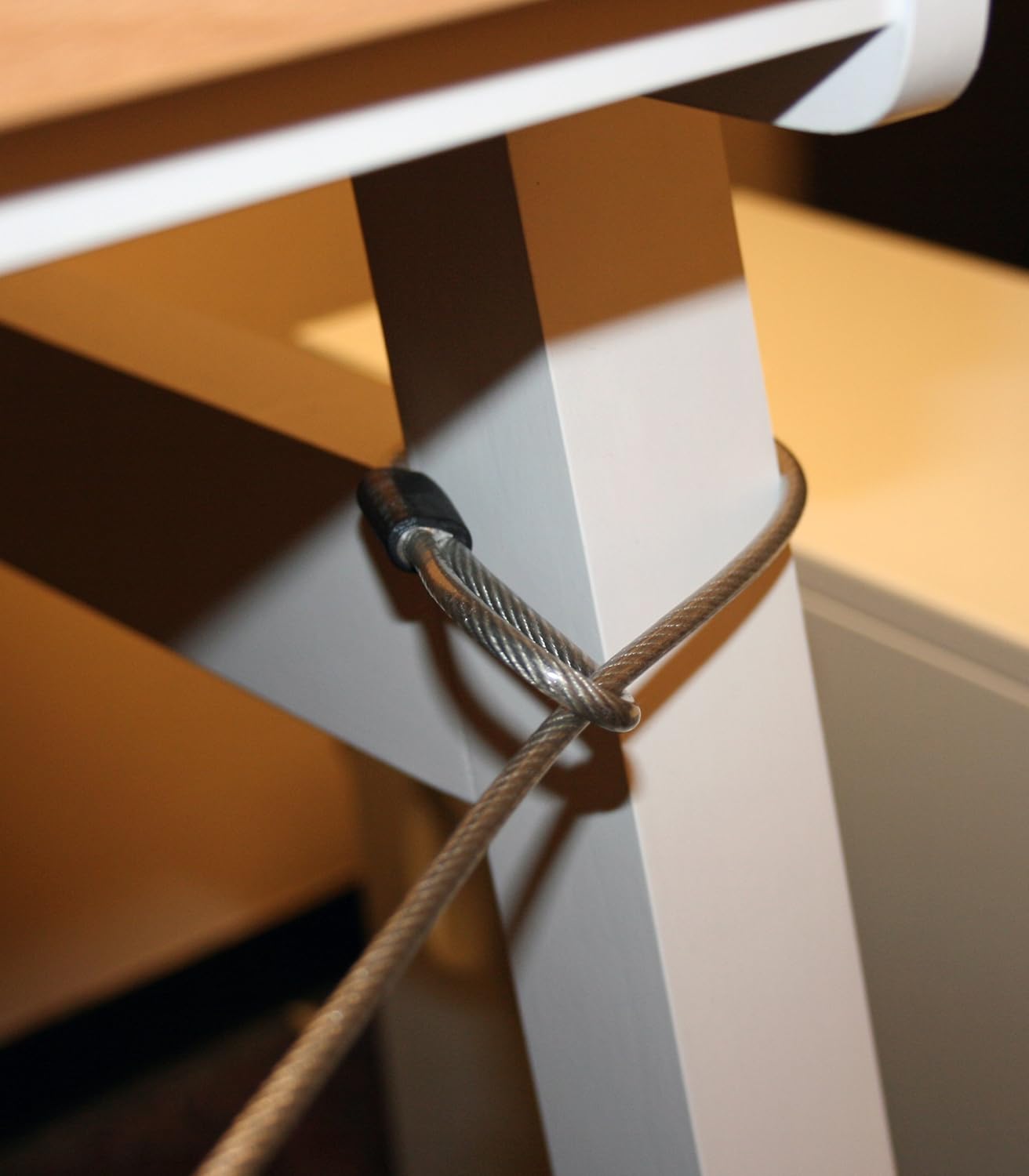
Image: The cable of the FJM Security SX-645 lock looped around the leg of a table, demonstrating how to secure it to a stationary object.
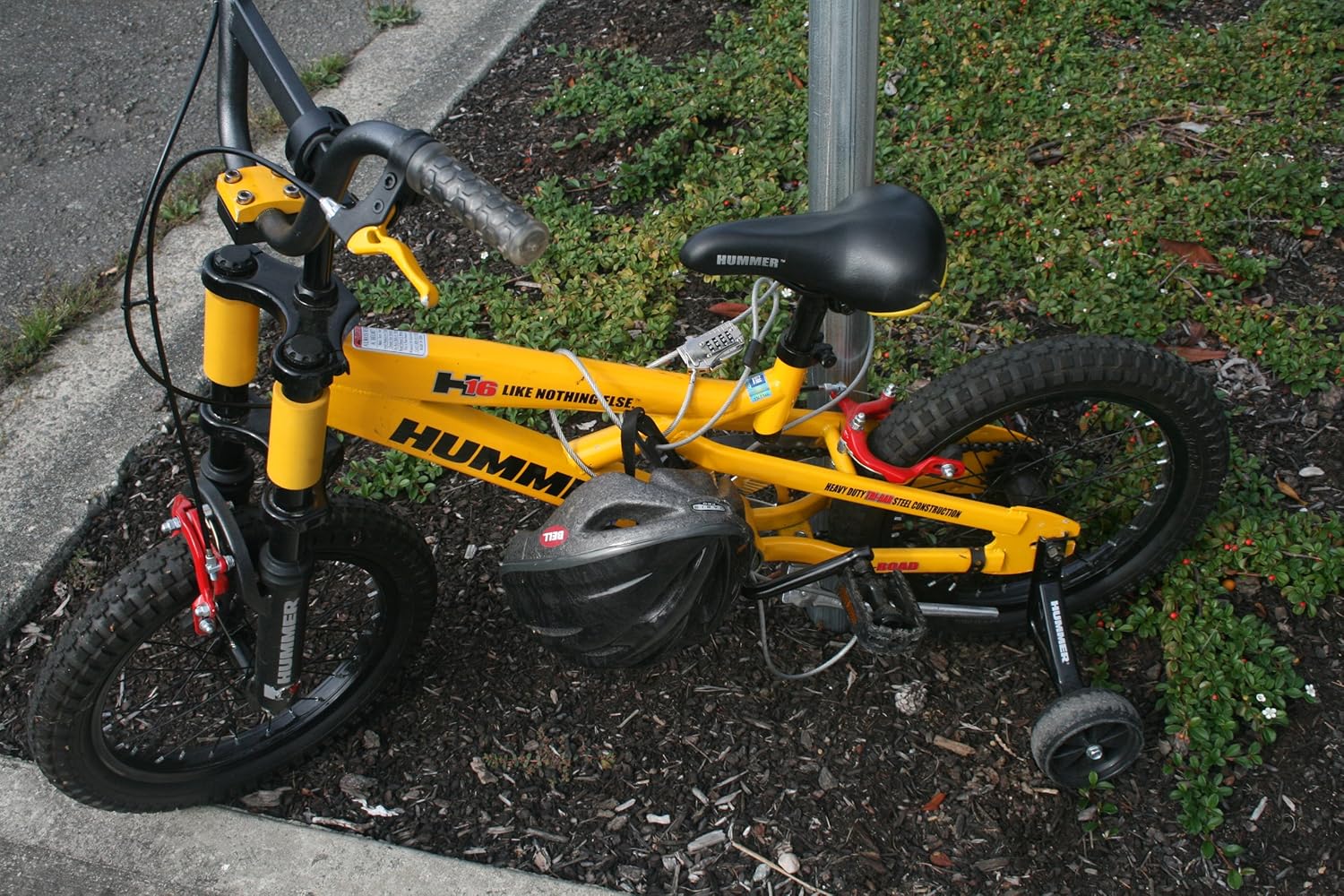
Image: A yellow child's bicycle and helmet secured to a pole using the FJM Security SX-645 cable lock.

Image: The FJM Security SX-645 cable lock securing a piece of luggage to a fixed rail, demonstrating its use for travel security.
Maintenance
The FJM Security SX-645 cable lock requires minimal maintenance to ensure long-lasting performance.
- Keep the lock mechanism clean and free from dirt and debris.
- Periodically apply a small amount of silicone-based lubricant to the dials and the cable entry point to ensure smooth operation, especially if used in outdoor or dusty environments.
- Avoid exposing the lock to extreme temperatures or harsh chemicals, which could damage the vinyl coating or internal components.
- Inspect the cable regularly for any signs of wear, fraying, or damage. If the cable is compromised, replace the lock for optimal security.
Troubleshooting
- Problem: The combination dials are stiff or difficult to turn.
Solution: Apply a small amount of silicone lubricant to the dials and rotate them several times to distribute the lubricant. Ensure no dirt or grit is lodged between the dials.
- Problem: The reset screw is stuck or difficult to turn.
Solution: Ensure you are using an appropriately sized small screwdriver or pointed tool. Do not force the screw, as this can strip it. If corrosion is present, try applying a penetrating oil, but be cautious not to get it on the dials. If the screw is stripped, the combination cannot be reset.
- Problem: The lock does not open with the correct combination.
Solution: Double-check that each digit is precisely aligned with the indicator marks. Sometimes, a dial may be slightly off. If you recently changed the combination, ensure you completed all steps of the reset procedure correctly. If the combination was not set properly, it might revert to the previous code or become unopenable if the reset screw was not fully returned.
- Problem: The cable does not slide freely into or out of the lock body.
Solution: Ensure the combination is set to the correct opening code. Check for any obstructions or debris in the cable entry point. Apply a small amount of silicone lubricant to the cable and the entry point.
Specifications
| Model Name | SX-645 |
| Lock Type | Combination Lock |
| Cable Diameter | 5 mm (3/16 inches) |
| Cable Length | 2000 mm (79 inches / 6 feet 7 inches) |
| Material | Galvanized Steel (cable), Vinyl Coating |
| Color | Silver |
| Lock Body Dimensions | Approximately 2-1/2 inches (H) x 1-1/2 inches (W) |
| Weight | Approximately 2.4 ounces (0.15 lbs) |
| GTIN/UPC | 027536962626 |

Image: Technical drawing illustrating the dimensions of the FJM Security SX-645 Combination Universal Cable Lock.
Warranty and Support
The FJM Security SX-645 Combination Universal Cable Lock comes with a 1-year warranty from the date of purchase.
For warranty claims, technical support, or further assistance, please contact FJM customer service through their official website or the retailer where the product was purchased. Please have your proof of purchase and product model number (SX-645) ready when contacting support.