
DigiCode 5070
Digi Code 5070 2-Button Garage Door Opener Remote Instruction Manual
Introduction
This instruction manual provides detailed guidance for the setup, operation, and maintenance of your Digi Code 5070 2-Button Garage Door Opener Remote. This device is designed for compatibility with all 300 MHz Digi-Code and Multi-Code radio receivers, offering convenient control over two separate garage door or gate systems.
Product Overview
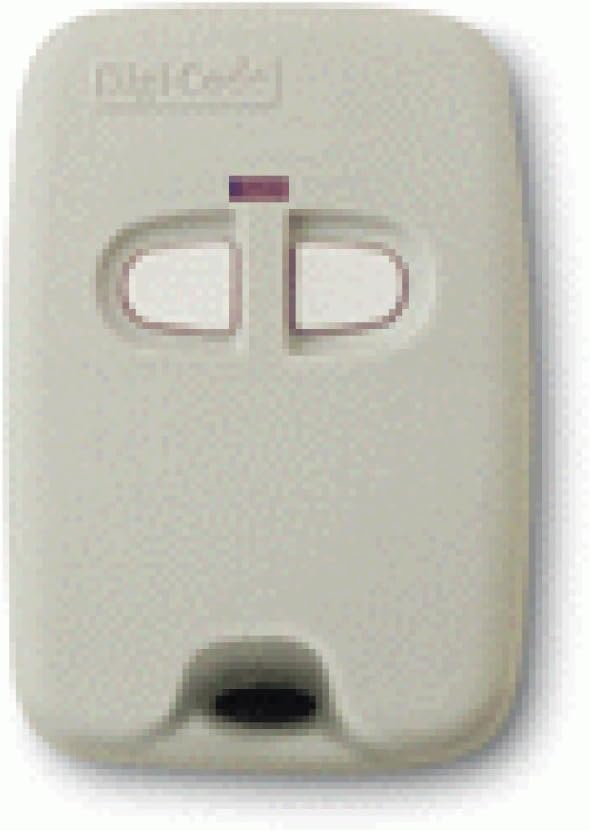
Figure 1: The Digi Code 5070 2-Button Garage Door Opener Remote. This image displays the compact, light-colored remote control with two distinct oval-shaped buttons and a small indicator light above them. A key ring loop is visible at the bottom.
The Digi Code 5070 remote features two buttons, allowing it to control two independent 300 MHz compatible receivers. Its compact design ensures portability and ease of use.
Setup and Programming
The Digi Code 5070 remote utilizes 10 ON/OFF dip switches for programming. To ensure proper operation, these switches must be set to match the corresponding dip switches on your existing garage door opener receiver.
- Access Dip Switches: Carefully open the casing of your Digi Code 5070 remote. This usually involves removing a small screw or prying open a seam. Locate the two sets of 10 ON/OFF dip switches inside.
- Identify Receiver Switches: Locate the dip switches on your garage door opener receiver. These are typically found under the light cover or on the main circuit board. Note the ON/OFF positions for each of the 10 switches.
- Match Switch Settings: For each of the two buttons on your remote, set one set of the 10 dip switches to exactly match the ON/OFF pattern of your receiver's dip switches. Ensure accuracy for reliable operation.
- Test Operation: After setting the switches, close the remote casing. Stand within range of your garage door opener and press one of the remote buttons to test its functionality. Repeat for the second button if controlling a second receiver.
- Troubleshooting: If the remote does not operate the door, re-verify that the dip switch settings on the remote precisely match those on the receiver. Ensure the remote's battery is functional.
Operating Instructions
Once programmed, operating your Digi Code 5070 remote is straightforward:
- To Open/Close Door 1: Press and release the first button on the remote. The garage door or gate linked to this button will activate.
- To Open/Close Door 2: Press and release the second button on the remote. The garage door or gate linked to this button will activate.
- Indicator Light: A small LED indicator on the remote will illuminate when a button is pressed, confirming signal transmission.
Maintenance
Battery Replacement
The remote is powered by a standard small battery (e.g., 12V A23 or similar, typically specified inside the remote). If the remote's range decreases or the indicator light dims, it is likely time to replace the battery.
- Open Remote Casing: Carefully open the remote's casing as described in the Setup section.
- Remove Old Battery: Note the orientation of the existing battery and remove it.
- Insert New Battery: Insert a new battery of the same type, ensuring correct polarity (+/-).
- Close Casing: Securely close the remote casing.
- Test: Test the remote's operation to confirm the new battery is working.
Cleaning
Wipe the remote with a soft, dry cloth. Avoid using harsh chemicals or abrasive cleaners.
Troubleshooting
| Problem | Possible Cause | Solution |
|---|---|---|
| Remote does not activate opener. | Incorrect dip switch settings. | Verify and match the remote's dip switches to the receiver's settings. |
| Remote does not activate opener. | Dead or low battery. | Replace the battery with a new one of the correct type. |
| Reduced operating range. | Low battery. | Replace the battery. |
| Remote indicator light does not illuminate. | Dead battery or internal fault. | Replace the battery. If the issue persists, contact support. |
Specifications
- Model: Digi Code 5070
- Frequency: 300 MHz
- Buttons: 2
- Coding: 10 ON/OFF Dip Switches (2 sets)
- Compatibility: All 300 MHz Digi-Code and Multi-Code radio receivers
- Manufacturer: Digi-Code
- First Available: April 9, 2013
Support and Warranty
For technical assistance or warranty inquiries, please refer to the contact information provided with your purchase or visit the official DigiCode website. Keep your proof of purchase for warranty claims.
Ask a question about this manual
Ask about setup, troubleshooting, compatibility, parts, safety, or missing instructions. Manuals+ will review the question and use this page’s manual context to help answer it.