
1. Product Overview
The StarTech.com USB 3.0 to Gigabit Ethernet NIC Network Adapter (Model USB31000NDS) provides a convenient solution for adding Gigabit Ethernet network connectivity to a laptop or desktop computer via a USB 3.0 port. This adapter is ideal for systems that lack an Ethernet port or require an additional network interface, offering reliable and high-speed wired network access.
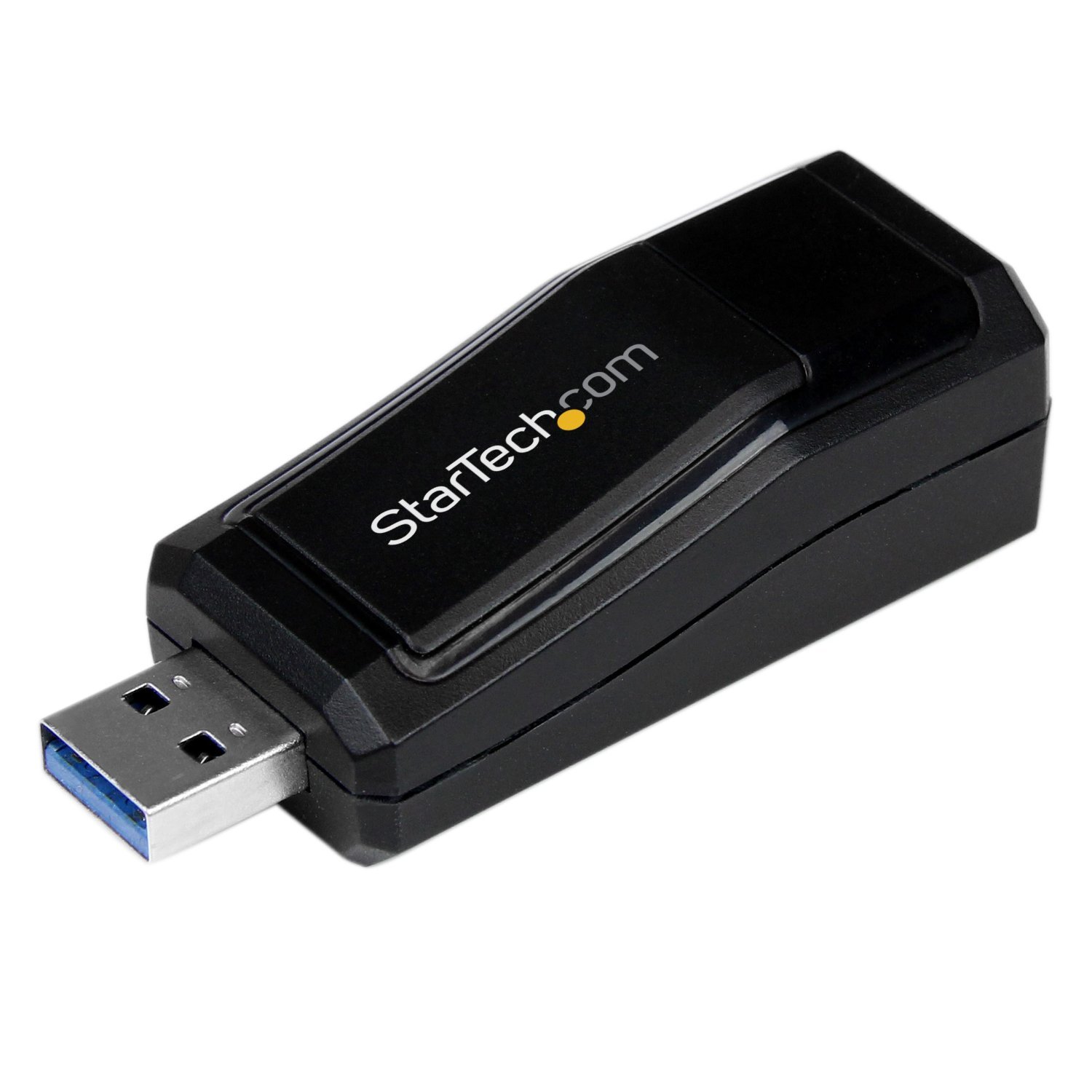
Image showing the black StarTech.com USB 3.0 to Gigabit Ethernet NIC Network Adapter. The adapter features a USB 3.0 Type-A connector on one end and an RJ45 Ethernet port on the other, with the StarTech.com logo visible on the top surface.
2. What's in the Box
- USB 3.0 to Gigabit Ethernet Adapter
- Driver CD
- Instruction Manual
3. Setup Instructions
3.1 Driver Installation
Before connecting the adapter, it is recommended to install the necessary drivers. Most modern operating systems (Windows 8/10/11, macOS, Linux) may automatically install drivers when the device is first connected. If not, follow these steps:
- Insert the provided Driver CD into your computer's optical drive.
- Follow the on-screen instructions to install the drivers.
- Alternatively, download the latest drivers from the official StarTech.com website by searching for model USB31000NDS.
3.2 Connecting the Adapter
- Ensure your computer is powered on.
- Plug the USB 3.0 connector of the adapter into an available USB 3.0 port on your computer.
- Connect a standard RJ45 Ethernet cable from your network router, switch, or modem to the RJ45 port on the adapter.
- Allow your operating system a moment to recognize the new network device.
4. Operating Instructions
Once the adapter is connected and drivers are installed, your computer should automatically detect the new wired network connection. You can verify the connection status through your operating system's network settings. Look for a new Local Area Connection or Ethernet adapter. The adapter typically features LED indicators that show link activity and connection speed (e.g., solid light for link, flashing for activity).
5. Maintenance
To ensure optimal performance and longevity of your adapter:
- Keep the adapter clean and free from dust. Use a soft, dry cloth for cleaning.
- Avoid exposing the adapter to extreme temperatures or humidity.
- Do not attempt to disassemble or modify the adapter, as this will void the warranty.
6. Troubleshooting
6.1 No Network Connection
- Check physical connections: Ensure the USB connector is fully inserted into your computer's USB 3.0 port and the Ethernet cable is securely connected to both the adapter and your network device.
- Verify drivers: Confirm that the correct drivers are installed. Reinstall drivers if necessary.
- Test another USB port: Try plugging the adapter into a different USB 3.0 port on your computer.
- Test another Ethernet cable: A faulty Ethernet cable can prevent a connection.
- Check network settings: Ensure your operating system's network settings are configured correctly (e.g., DHCP enabled, if applicable).
6.2 Slow Network Speeds
- Ensure USB 3.0 port usage: The adapter requires a USB 3.0 port for Gigabit speeds. Connecting to a USB 2.0 port will limit speeds to 10/100 Mbps.
- Check Ethernet cable category: Use a Cat5e or Cat6 Ethernet cable for optimal Gigabit performance.
- Update drivers: Ensure you have the latest drivers installed for the adapter.
- Check network infrastructure: Verify that your router, switch, and other network devices support Gigabit Ethernet.
7. Technical Specifications
| Feature | Specification |
|---|---|
| Brand | StarTech |
| Model Number | USB31000NDS |
| Hardware Interface | Ethernet, USB, USB 2.0, USB 3.0 |
| Color | Black |
| Compatible Devices | Computer, Desktop PC, Laptop |
| Data Link Protocol | Ethernet, Gigabit Ethernet |
| Data Transfer Rate | 1000 Megabits Per Second |
| Product Dimensions (L x W x H) | 17L x 14.2W x 3H centimeters |
| Manufacturer | STARTECH.COM |
8. Warranty Information
This StarTech.com USB 3.0 to Gigabit Ethernet NIC Network Adapter is covered by a 2-year warranty. For specific terms and conditions, please refer to the warranty documentation included with your product or visit the official StarTech.com website.
9. Technical Support
If you encounter any issues that cannot be resolved using the troubleshooting steps provided, please visit the StarTech.com support website for further assistance. You can find drivers, FAQs, and contact information for technical support there.


