
Introduction
This manual provides essential information for the safe installation, operation, and maintenance of your Jesco Lighting DL-R3-30 Static Series LED Beam-Spread Light. Please read thoroughly before attempting installation or use. Retain this manual for future reference.
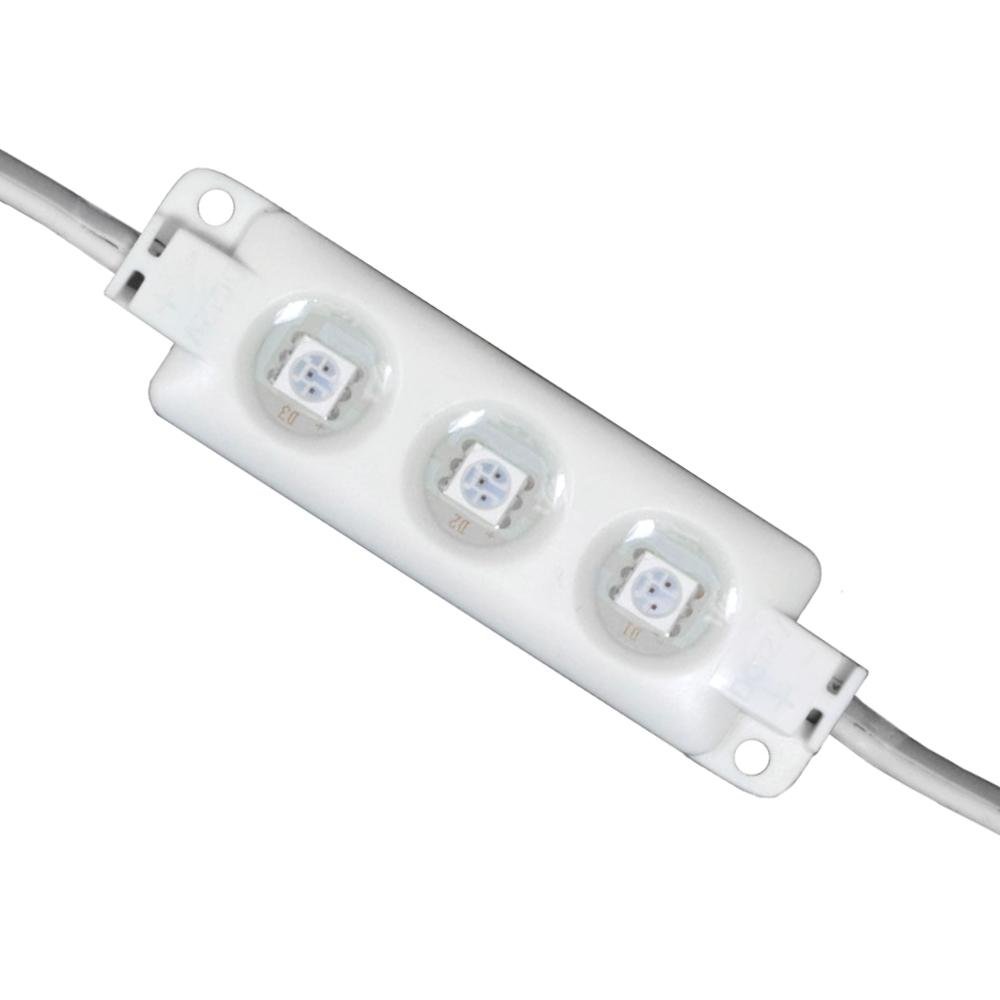
The DL-R3-30 is a compact LED module designed for various lighting applications, featuring a 140-degree beam spread and 3300K color temperature. It operates on a 12V DC power supply and is dimmable with compatible dimmers.
Safety Information
- Electrical Safety: Always disconnect power at the circuit breaker before installing, servicing, or cleaning the fixture.
- Voltage: This product is designed for 12V DC input only. Connecting to a higher voltage will damage the unit and void the warranty.
- Installation: Installation should be performed by a qualified electrician or trained professional in accordance with all local electrical codes.
- Modifications: Do not modify the product in any way. Unauthorized modifications may lead to electric shock, fire, or product damage.
- Environment: Ensure the installation environment is suitable for the product. Avoid exposure to excessive moisture or extreme temperatures unless specified for such conditions.
Package Contents
Verify that all components are present and undamaged before proceeding with installation.
- Jesco Lighting DL-R3-30 LED Module(s)
- Instruction Manual
Note: A compatible 12V DC power supply and dimmer (if dimming functionality is desired) are sold separately and are required for operation.
Setup and Installation
Follow these steps for proper installation of your DL-R3-30 LED modules.
- Plan Layout: Determine the desired placement for each LED module. The modules are designed to be connected in series, with 3 inches between each module. The maximum recommended run is 20 modules or 10 feet in total length.
- Prepare Power Supply: Ensure you have a suitable 12V DC power supply. Disconnect power to the circuit where the power supply will be connected.
- Mount Modules: Securely mount each DL-R3-30 LED module in its intended location. The compact design allows for discreet placement.
- Connect Modules: Connect the LED modules to each other using the integrated connectors. Ensure connections are firm and secure.
- Connect to Power Supply: Connect the first LED module in the series to your 12V DC power supply. Observe correct polarity (positive to positive, negative to negative).
- Dimmer Integration (Optional): If using a dimmer, connect it between the 12V DC power supply and the first LED module, following the dimmer's specific installation instructions.
- Restore Power: Once all connections are secure and verified, restore power to the circuit.
Operating Instructions
The Jesco Lighting DL-R3-30 LED modules are designed for straightforward operation.
- Power On/Off: Once properly installed and connected to a 12V DC power supply, the LED modules will illuminate when power is supplied to the circuit. To turn off, simply cut power to the circuit.
- Dimming: If a compatible 12V DC dimmer has been installed, use the dimmer control to adjust the brightness of the LED modules to your desired level.
Maintenance
The DL-R3-30 LED modules require minimal maintenance.
- Cleaning: To clean the modules, ensure power is disconnected. Use a soft, dry, or slightly damp cloth. Do not use abrasive cleaners, solvents, or harsh chemicals, as these can damage the finish or internal components.
- No User-Serviceable Parts: There are no user-serviceable parts inside the LED modules. Do not attempt to open or repair the unit. Refer all servicing to qualified personnel.
Troubleshooting
If you experience issues with your DL-R3-30 LED modules, consult the following troubleshooting guide:
| Problem | Possible Cause | Solution |
|---|---|---|
| LED modules do not illuminate. | No power to the circuit. Incorrect voltage. Loose connections. Faulty power supply. | Check circuit breaker and wall switch. Verify power supply output is 12V DC. Ensure all module and power supply connections are secure. Test power supply with a multimeter or replace if necessary. |
| LED modules flicker or dim inconsistently. | Incompatible dimmer. Loose connections. Overloaded power supply. | Ensure dimmer is compatible with 12V DC LED products. Check all electrical connections. Verify power supply wattage is sufficient for the total number of modules. |
| Some modules in a series are not working. | Faulty connection between modules. Damaged module. | Inspect connections between the working and non-working modules. Re-seat or replace connectors if needed. Isolate the faulty module by temporarily removing it or bypassing it to see if the rest of the series illuminates. Replace damaged modules. |
If troubleshooting steps do not resolve the issue, contact Jesco Lighting customer support for further assistance.
Specifications
Detailed technical specifications for the Jesco Lighting DL-R3-30 LED module:
- Product Line: STATIC SERIES
- Material: Acrylonitrile Butadiene Styrene (ABS)
- Dimensions (per module): 2.63" (L) x 0.75" (W) x 0.25" (H)
- Bulb Type: LED (Included)
- Number of LEDs: 3 per module
- Wattage (per module): 0.0544W
- Lumens (per module): 34
- Dimming: Yes (with compatible 12V DC dimmer)
- Color Temperature: 3300K
- Input Voltage: 12V DC
- Beam Angle: 140°
- Maximum Run: 20 Modules (10 feet)
- Distance Between Modules: 3 inches
- Safety Rating: c-ETL-us
- Item Weight: 4 ounces
Warranty and Support
For warranty information, technical support, or to inquire about replacement parts, please contact Jesco Lighting directly. Refer to their official website or the product packaging for the most current contact details and warranty terms.
When contacting support, please have your product model number (DL-R3-30) and purchase date available.