
1. Introduction
The TP-Link TL-SG1008P V4 is an unmanaged 8-Port Gigabit Desktop Switch with 4-Port PoE+. Designed for small office and home networks, this switch provides a simple way to expand your wired network while simultaneously supplying power to compatible Power over Ethernet (PoE) devices such as IP cameras, VoIP phones, and wireless access points. Its plug-and-play design ensures easy setup without complex configuration.
Key features include:
- Flexible Full Gigabit 8-Port PoE Configuration: 4x PoE+ (802.3at/af) 10/100/1000 Mbps RJ45 ports providing up to 30W per port and a total PoE power budget of 64W, along with 4x Gigabit Non-PoE Ports for high-speed connections.
- Plug and Play: Easy setup with no software installation or configuration needed.
- Advanced Software Features: Prioritize your traffic and guarantee high quality of video or voice data transmission with Port-based 802.1p/DSCP QoS and IGMP Snooping.
- Sturdy Metal Case: Durable metal casing and desktop/wall-mounting design are well-suited for different environments.
- Reliable and Quiet: IEEE 802.3X flow control provides reliable data transfer and a fanless design ensures quiet operation.
2. Safety Information
Please read and follow all safety instructions carefully to ensure proper operation and prevent damage to the device or injury.
- Do not use this device near water.
- Clean only with a dry cloth.
- Do not block any ventilation openings. Install in accordance with the manufacturer's instructions.
- Do not install near any heat sources such as radiators, heat registers, stoves, or other apparatus (including amplifiers) that produce heat.
- Only use attachments/accessories specified by the manufacturer.
- Refer all servicing to qualified service personnel. Servicing is required when the apparatus has been damaged in any way, such as power-supply cord or plug is damaged, liquid has been spilled or objects have fallen into the apparatus, the apparatus has been exposed to rain or moisture, does not operate normally, or has been dropped.
- Ensure the power adapter is easily accessible.
- The product is designed for desktop or wall-mounting. Ensure stable placement.
3. Package Contents
Verify that all items are present in your package:
- TP-Link TL-SG1008P Switch
- Power Adapter
- Installation Guide
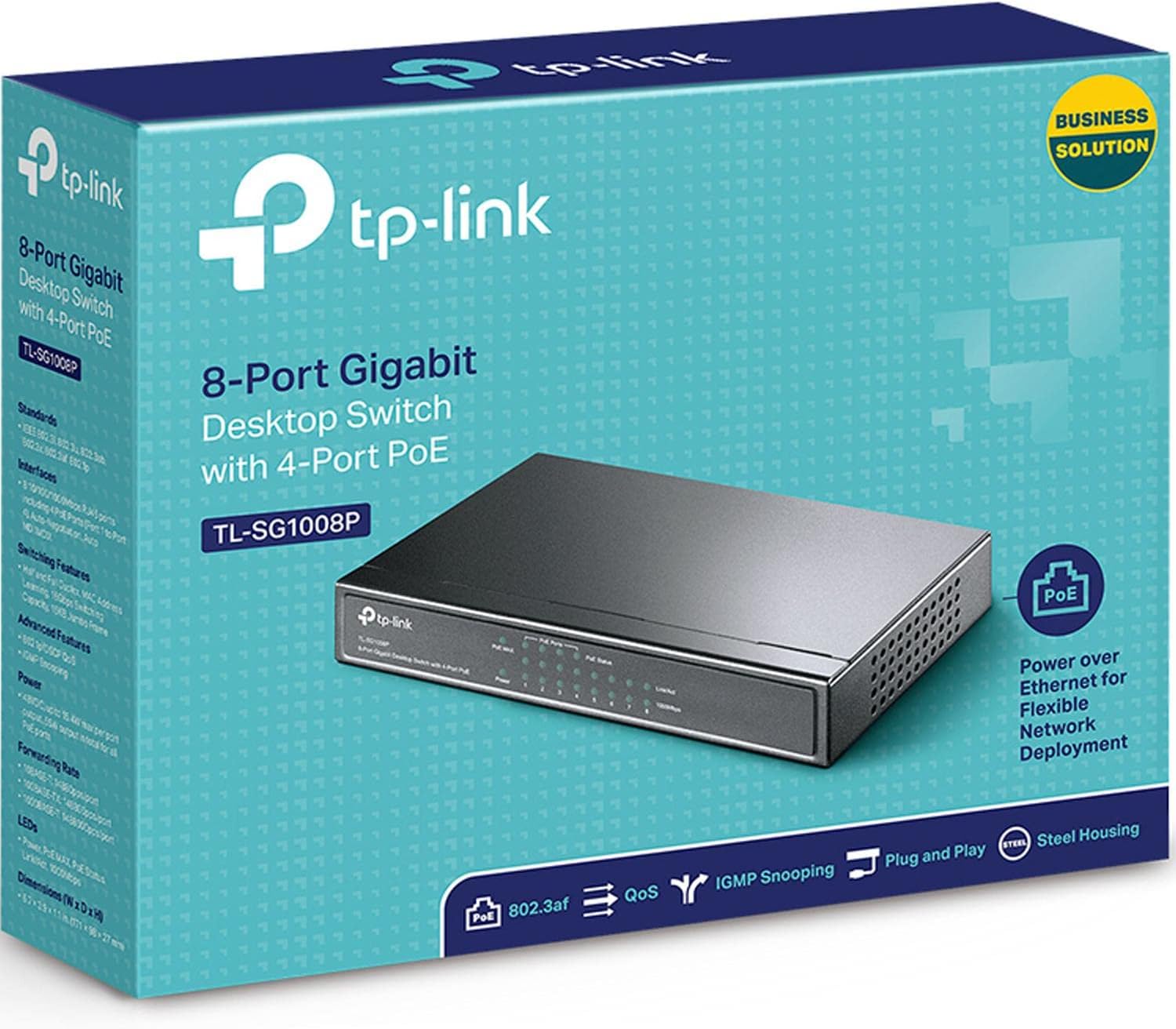
Image: The retail box for the TP-Link TL-SG1008P switch, indicating its model number and key features.
4. Product Overview
Front Panel
The front panel of the TL-SG1008P features LED indicators that provide status information for the switch and its ports.

Image: Front view of the TP-Link TL-SG1008P switch, showing the TP-Link logo, model number, and various LED indicators for power, PoE status, and link/activity for each port.
- Power LED: Indicates the power status of the switch.
- PoE MAX LED: Illuminates when the total PoE power consumption exceeds 80% of the maximum budget.
- PoE Status LEDs (Ports 1-4): Indicate the PoE power supply status for each of the four PoE+ ports.
- Link/Act LEDs (Ports 1-8): Indicate a network link and data activity for each port.
- 1000Mbps LEDs (Ports 1-8): Indicate a Gigabit (1000Mbps) connection for each port.
Rear Panel
The rear panel contains the RJ45 ports and the power input.

Image: Rear view of the TP-Link TL-SG1008P switch, displaying eight RJ45 Ethernet ports (ports 1-4 are PoE enabled) and the power input jack on the right side.
- RJ45 Ports (1-8): Connect network devices using Ethernet cables. Ports 1-4 support PoE+.
- Power Input: Connect the provided power adapter here.
Physical Dimensions
The compact design allows for flexible placement on a desktop or mounted on a wall.

Image: A diagram illustrating the dimensions of the TL-SG1008P switch, highlighting its compact desktop design, wall-mounting capability, and fanless operation.
5. Setup
The TL-SG1008P is a plug-and-play device, requiring no software configuration for basic operation.
- Connect to Power: Connect the provided power adapter to the switch's power input and then to a power outlet.
- Connect Devices:
- Connect your router or main network device to any of the 8 RJ45 ports using an Ethernet cable.
- Connect your network devices (e.g., computers, printers) to any available RJ45 ports.
- For PoE-powered devices (e.g., IP cameras, VoIP phones, access points), connect them to ports 1-4. The switch will automatically detect and provide power if the device is PoE compatible.
- Enjoy: Once connected, the switch will automatically detect and configure the connected devices.

Image: A three-step diagram showing the plug-and-play setup: 1) Connect to power, 2) Connect devices like a router, IP phone, IP camera, and access point to the switch, 3) Enjoy the network connection.
6. Operating
Power over Ethernet (PoE+)
The TL-SG1008P provides Power over Ethernet (PoE+) on ports 1 through 4, adhering to 802.3at/af standards. This allows you to power compatible devices directly through the Ethernet cable, simplifying installation and reducing cable clutter. Each PoE+ port can deliver up to 30W, with a total power budget of 64W for all PoE ports combined.

Image: A diagram illustrating the application of PoE with the TL-SG1008P, showing how it connects to a router and powers devices like surveillance IP cameras, IP phones, and Wi-Fi access points, while also connecting to a network video recorder, computer, and printer.
Quality of Service (QoS)
The switch supports Port-based 802.1p/DSCP QoS, which allows you to prioritize network traffic. This feature is crucial for applications sensitive to latency, such as voice and video communications, ensuring smooth performance even during high network utilization.

Image: An icon representing Quality of Service (QoS) overlaid on a blurred background of people playing video games, symbolizing traffic prioritization for smooth gaming and streaming.
IGMP Snooping
IGMP Snooping optimizes multicast traffic delivery, preventing unnecessary flooding of multicast packets to all ports. This is particularly beneficial for IPTV and other multicast-based applications, improving network efficiency and performance.

Image: An icon representing IGMP Snooping overlaid on a blurred background of people watching a presentation, symbolizing optimized multicast traffic for efficient video streaming.
PoE Auto Recovery
The PoE Auto Recovery feature automatically detects and reboots unresponsive PoE-powered devices (e.g., IP cameras) connected to ports 1-4, ensuring continuous operation without manual intervention.

Image: A diagram showing the PoE Auto Recovery function, where the switch automatically reboots an unresponsive IP camera connected to its PoE port.
Extend Mode
For longer cable runs, the Extend Mode allows PoE data transmission up to 820 ft (250m) at 10 Mbps per port, ideal for remote IP cameras. When Extend Mode is off, the default range is 328 ft (100m) at 10/100/1000 Mbps.

Image: A diagram explaining the Extend Mode, showing how it increases the PoE transmission distance for IP cameras up to 820 ft at 10 Mbps, compared to the default 328 ft at Gigabit speeds.
Intelligent Power Management
The switch features intelligent power management to prevent overload. If the total power consumption exceeds 64W, the system will automatically cut off power to the lowest-priority port to ensure power to higher-priority devices.

Image: A diagram demonstrating Intelligent Power Management, showing how the switch handles power overload by intelligently managing the 64W power budget across its PoE ports.
7. Maintenance
To ensure the longevity and optimal performance of your TL-SG1008P switch, follow these maintenance guidelines:
- Cleaning: Regularly wipe the exterior of the switch with a soft, dry cloth. Do not use liquid cleaners or aerosol sprays.
- Ventilation: Ensure that the switch's ventilation openings are not blocked. Although fanless, proper airflow helps dissipate heat.
- Environment: Place the switch in a cool, dry place away from direct sunlight, excessive heat, and moisture.
- Cable Management: Keep network cables neatly organized to prevent strain on ports and improve airflow.
8. Troubleshooting
If you encounter issues with your TL-SG1008P switch, refer to the following common troubleshooting steps:
- No Power: Ensure the power adapter is securely connected to the switch and a working power outlet. Check the Power LED on the front panel. If it's off, try a different outlet or power adapter.
- No Link/Activity on Port:
- Verify that the Ethernet cable is securely connected to both the switch port and the connected device.
- Try a different Ethernet cable.
- Ensure the connected device is powered on and functioning correctly.
- Check the Link/Act LED for the specific port. If it's off, there might be an issue with the cable or the connected device.
- PoE Device Not Powering On:
- Ensure the PoE device is connected to one of the PoE+ ports (1-4).
- Check the PoE Status LED for the connected port.
- Verify that the total PoE power consumption does not exceed the 64W budget (check the PoE MAX LED). If it's lit, some devices might not be receiving power due to overload. Disconnect some PoE devices or use a separate power source for them.
- Ensure the PoE device is 802.3af/at compliant.
- Try rebooting the PoE device or the switch.
- Slow Network Speed:
- Check the 1000Mbps LED for the connected port. If it's not lit, the connection might be operating at 10/100Mbps. Ensure both the switch and the connected device support Gigabit Ethernet and use a Cat5e or Cat6 Ethernet cable.
- Ensure there are no excessive network loops or broadcast storms.
If the issue persists after trying these steps, please contact TP-Link Technical Support for further assistance.
9. Specifications
Detailed technical specifications for the TP-Link TL-SG1008P switch:
| Feature | Specification |
|---|---|
| Model Number | TL-SG1008P |
| Dimensions (L x W x H) | 6.7" x 3.9" x 1.1" (170 x 99.1 x 27.9 mm) |
| Weight | 1.15 pounds (0.52 kg) |
| Interface | 8 x 10/100/1000Mbps RJ45 Ports (AUTO Negotiation/AUTO MDI/MDIX) |
| PoE Ports | Ports 1-4 (802.3af/at compliant) |
| PoE Power Budget | 64W total |
| Max Power Consumption | 65.2 Watts |
| Data Transfer Rate | 1000 Megabits Per Second (Gigabit) |
| Switching Capacity | 16 Gbps (non-blocking) |
| MAC Address Table | 4K |
| Jumbo Frame | 15 KB |
| Fan Quantity | Fanless |
| External Power Supply | 48VDC / 1.25A |
| Case Material | Metal |
| Operating Temperature | 0°C to 40°C (32°F to 104°F) |
| Storage Temperature | -40°C to 70°C (-40°F to 158°F) |
| Operating Humidity | 10% to 90% non-condensing |
| Storage Humidity | 5% to 90% non-condensing |
10. Warranty and Support
The TP-Link TL-SG1008P switch comes with a Limited Lifetime Warranty, providing peace of mind regarding the product's quality and durability.
For technical assistance, troubleshooting, or warranty claims, please contact TP-Link's 24/7 Technical Support. You can find contact information and additional resources on the official TP-Link website: www.tp-link.com/us/support/
Additional documentation, including user guides and installation manuals, can also be found online:


