Introduction
This user manual provides comprehensive instructions for the installation, operation, and maintenance of your Samsung SHS-H700 Digital Door Lock. Designed for enhanced security and convenience, this advanced lock features fingerprint recognition, a digital touchpad, and various smart functions to protect your home or office. Please read this manual thoroughly before using the product to ensure proper function and safety.

The Samsung SHS-H700 Digital Door Lock seamlessly integrates into modern home environments, providing both security and aesthetic appeal.
Product Components
Before beginning installation, ensure all components listed below are present in your package. The bolts and handle shaft are sized for doors between 40-60mm thick.

An exploded view of the Samsung SHS-H700 Digital Door Lock components, including the inner and outer bodies, mortise, and various fasteners.
- Outer Body: The exterior part of the lock with the keypad and fingerprint scanner.
- Inner Body: The interior part of the lock with the battery compartment and manual controls.
- Mortise (SHS-AML220): The internal locking mechanism that fits inside the door.
- Strike Box & Strike: Components installed on the door frame for the latch bolt to engage.
- Tail Piece: Connects the inner and outer bodies through the mortise.
- User Guide: This manual.
- Emergency Key (2 pcs): Physical keys for manual override.
- 'AA' Batteries (LR6): Power source for the lock (typically 8 batteries).
- Handle Shaft: Connects the handles to the mortise.
- Handle Shaft Spring: Ensures smooth handle operation.
- Various Fastening Bolts: For securing the outer body, inner body, and strike components.
Key Features
Fingerprint Recognition
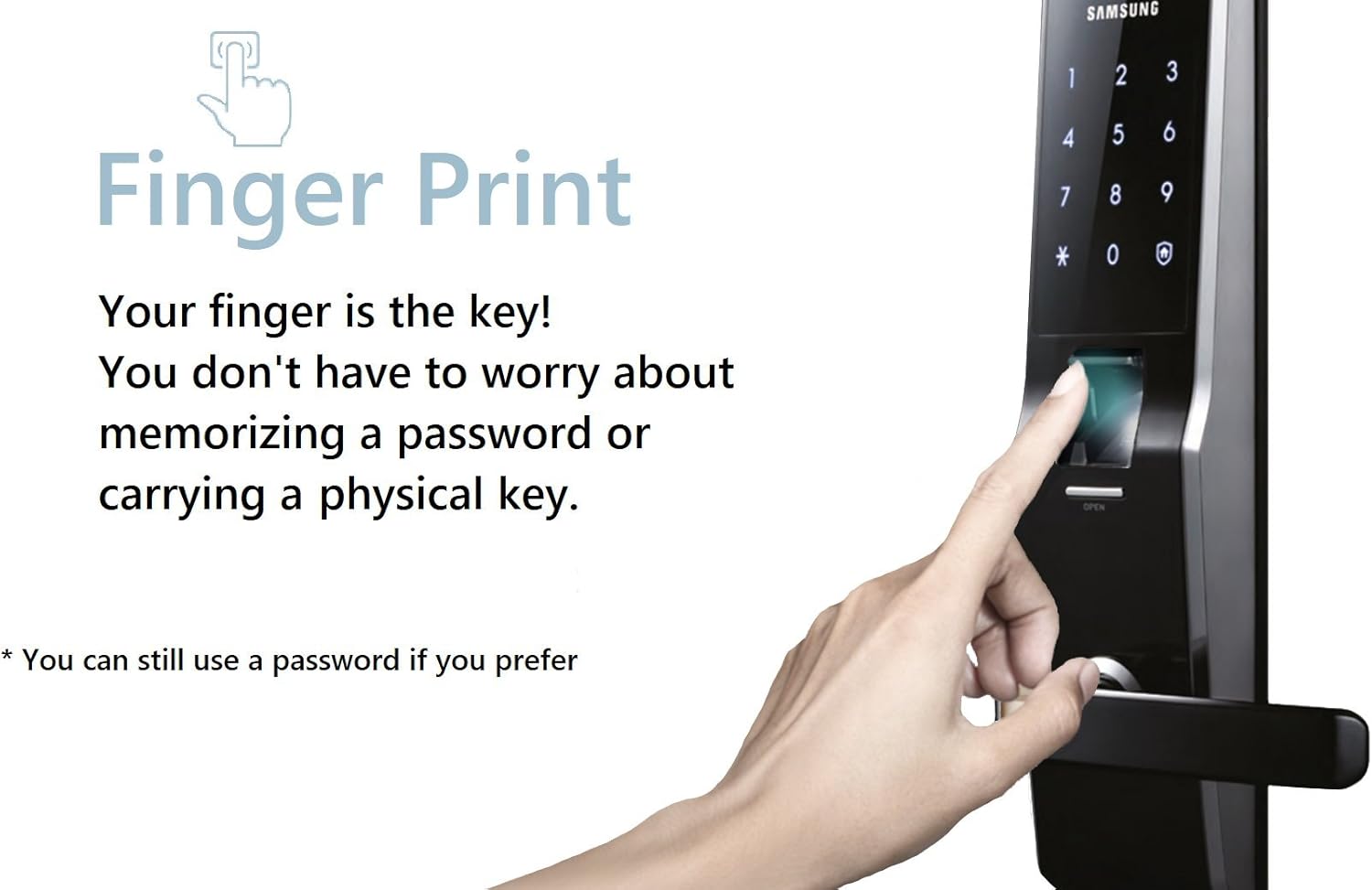
The fingerprint scanner provides quick and secure access, eliminating the need for physical keys or memorizing passwords.
Your finger is the key! The SHS-H700 allows for convenient and secure access using your unique fingerprint. This eliminates the need to carry physical keys or remember complex PIN codes. The lock can store up to 100 different fingerprints.
Touchpad and Lighting

The sleek touchpad design ensures durability, while the blue backlighting enhances visibility in low-light conditions.
The lock features a responsive touchpad for PIN code entry. You do not need to open or close a cover, reducing wear and tear. Sensuous blue backlighting illuminates the numbers, aiding entry and exit at night or in dark hallways.
Advanced Security and Convenience Functions

An overview of the smart features designed to enhance security, convenience, and user safety.
- Away Mode for Long-Term Leave: If you plan to be away for an extended period, simply push the Home button to activate Away Mode, enhancing security by disabling certain entry methods.
- Silent Mode: Ideal for households with young children or late-night entries/exits. This mode allows you to adjust the volume or mute the key tone and door opening melody.
- Battery Dead Alarm: When the batteries are running low, the door lock will sound an alarm and the keypad LED will indicate the low battery status, prompting you to replace them.
- Prank Warning: If an incorrect password is entered more than five times consecutively, the lock will sound a warning and temporarily disable key authentication for three minutes to deter unauthorized access.
- Abnormal High Temperature Warning: In case of abnormally high temperatures sensed inside the home (e.g., during a fire), a light on the interior side of the door lock will flicker, and the lock will automatically open for swift evacuation.
- Emergency Power Supply: If the batteries are completely discharged, you can still open the door by connecting a 9V emergency battery to the external emergency power terminal.
Setup and Installation
Proper installation is crucial for the optimal performance and security of your Samsung SHS-H700 Digital Door Lock. While this manual provides general guidance, it is highly recommended to consult a professional installer if you are not familiar with door lock installation procedures.
Pre-Installation Checklist:
- Ensure your door thickness is between 40mm and 60mm.
- Verify all product components are present and undamaged (refer to the 'Product Components' section).
- Gather necessary tools: screwdriver, drill, measuring tape, pencil.
General Installation Steps:
- Prepare the Door: If replacing an existing lock, remove it. Ensure the door is clean and the boreholes are correctly sized according to the installation template (not provided in this manual, typically included with the product).
- Install the Mortise: Insert the mortise into the edge of the door and secure it with screws. Ensure the latch bolt operates smoothly.
- Install the Outer Body: Pass the necessary cables and the handle shaft through the door from the exterior side. Align the outer body with the mortise and secure it.
- Install the Inner Body: Connect the cables from the outer body to the inner body. Attach the inner body to the door, ensuring it aligns correctly with the outer body and the handle shaft. Secure with the appropriate fastening bolts.
- Install Strike Box and Strike: On the door frame, install the strike box and strike plate, ensuring they align perfectly with the mortise latch bolt when the door is closed.
- Insert Batteries: Open the battery cover on the inner body and insert 8 AA alkaline batteries, observing correct polarity.
- Test Operation: After installation, test all functions: opening with PIN, fingerprint, and emergency key. Check that the latch bolt retracts and extends smoothly.
For detailed, step-by-step visual instructions, please refer to the dedicated installation guide included in your product packaging or search for official Samsung installation videos online.
Operating Instructions
Registering PIN Codes and Fingerprints
- Master PIN Code: The lock comes with a default master PIN. It is crucial to change this immediately after installation. Refer to your quick start guide for the initial setup process.
- User PIN Codes: You can register one user PIN code (4-12 digits). To register, enter the master PIN, then follow the voice prompts or LED indicators to input and confirm the new user PIN.
- Fingerprints: The lock can store up to 100 fingerprints. To register a fingerprint, enter the master PIN, then follow the prompts to place and lift your finger on the scanner multiple times until registration is complete.
Opening the Door
- By Fingerprint: Place your registered finger on the fingerprint scanner. The lock will unlock if the fingerprint is recognized.
- By PIN Code: Touch the keypad to activate it, then enter your registered PIN code followed by the '*' or '#' button (refer to specific model instructions for exact confirmation key). The lock will unlock.
- By Mechanical Key: In case of emergency or battery failure, insert the emergency key into the hidden keyhole and turn to unlock the door manually.
Activating Special Modes
- Away Mode: To activate, press the 'Home' button on the inner body. This mode enhances security by disabling certain entry methods from the outside.
- Silent Mode: To activate or deactivate, locate the volume control button or switch on the inner body and adjust as desired.
Maintenance
Battery Replacement
The Samsung SHS-H700 operates on 8 AA alkaline batteries. When the Battery Dead Alarm sounds, replace all batteries promptly to ensure continuous operation. The lock also supports a 9V emergency battery for temporary power.
- Open the battery cover on the inner body.
- Remove all old batteries.
- Insert 8 new AA alkaline batteries, ensuring correct polarity (+/-).
- Close the battery cover.
Cleaning
To maintain the appearance and functionality of your lock:
- Wipe the lock's surface with a soft, dry cloth.
- Do not use abrasive cleaners, solvents, or chemical sprays, as these can damage the finish and electronic components.
- Keep the fingerprint scanner and touchpad clean and free of dust or debris for optimal performance.
Troubleshooting
This section addresses common issues you might encounter with your Samsung SHS-H700 Digital Door Lock.
- Lock is unresponsive / No power:
- Check if batteries are correctly inserted and fully charged. Replace all 8 AA batteries if the Battery Dead Alarm has sounded.
- If completely dead, use a 9V emergency battery on the external terminal to provide temporary power and unlock the door. - Fingerprint not recognized:
- Ensure your finger is clean and dry.
- Try re-registering your fingerprint if the issue persists.
- Ensure the fingerprint scanner is clean and free of smudges or debris. - PIN code not working:
- Ensure you are entering the correct PIN code.
- If the Prank Warning has activated (after 5 incorrect attempts), wait for 3 minutes before trying again.
- Re-register the PIN code if necessary. - Door does not lock/unlock smoothly:
- Check for any obstructions in the door frame or around the latch bolt.
- Ensure the mortise and strike plate are properly aligned.
- Verify that the handle shaft is correctly installed and not binding. - Abnormal High Temperature Warning activates:
- This indicates a high temperature detected inside the home. The lock will automatically unlock for safety. Investigate the cause of the high temperature immediately.
Specifications
| Model | SHS-H700 |
| Brand | SAMSUNG |
| Door Thickness | 40mm ~ 60mm |
| Front Body Dimensions (W x H x D) | 81.3 mm x 318 mm x 75 mm |
| Main Body Dimensions (W x H x D) | 79 mm x 290 mm x 80 mm |
| Authentication Methods | PIN Code, Fingerprint, Mechanical Key |
| PIN Digits | 4 ~ 12 digits |
| Fingerprint Capacity | Up to 100 |
| Power Source | 8 x 1.5V AA Alkaline Batteries |
| Emergency Power | 9V Battery (x1) |
| Material | Reinforced Fiberglass and Plastic |
| Color | Black |
| Weight | 4.44 Kilograms |
Warranty and Support
For information regarding product warranty, technical support, or service, please refer to the warranty card included with your purchase or visit the official Samsung website for your region. Keep your proof of purchase for warranty claims.
Online Resources: For additional support, FAQs, and software updates, please visit the official Samsung support website.


