
med-fit EM6300A
Med-Fit Digital (EM6300A) EMS Electronic Sports Muscle Stimulator User Manual
Model: EM6300A
Introduction
The Med-Fit Digital (EM6300A) EMS Electronic Sports Muscle Stimulator is designed for muscle toning, re-education, and strengthening. This device provides effective muscle stimulation through its 12 preset programs and adjustable parameters, offering a versatile solution for various muscle stimulation needs. It is a medically certified device, meeting the Medical Device Directive CE2460 standards.

Image: Key features of the Med-Fit EMS stimulator, including preset programs, manual adjustment settings, prescription-free muscle stimulation, and direct muscle targeting.

Image: Benefits of muscle stimulation, such as re-education, training, strengthening, massage, toning, endurance training, and improving range of motion.
Important Safety Information
WARNING: Consult a healthcare professional before using this device, especially if you have any pre-existing medical conditions, including heart problems, or if you are pregnant. Improper use may lead to adverse effects or nerve damage. Do not use on broken skin or over areas of swelling, redness, or inflammation.
- Do not use if you have a pacemaker or other implanted electronic devices.
- Do not use over the carotid sinus nerves (front of the neck) or transcerebrally (through the head).
- Do not use over swollen, infected, or inflamed areas or skin eruptions (e.g., phlebitis, thrombophlebitis, varicose veins).
- Keep out of reach of children.
- Only use electrodes and accessories supplied or recommended by Med-Fit.
- Discontinue use if irritation or discomfort occurs.
Package Contents
Upon opening the package, verify that all components are present and undamaged:
- Med-Fit Digital (EM6300A) EMS Stimulator Unit
- 16 High-Quality Gel Electrodes (various sizes)
- Lead Wires (2 sets for dual channels)
- 9V Battery (included)
- Instruction Manual
- Mains Adapter (for charging/powering)

Image: Contents of the Med-Fit EM6300A package, showing the stimulator unit, multiple electrode pads, lead wires, and a power adapter.
Product Overview
The Med-Fit EM6300A is a compact, handheld device designed for ease of use. It features a clear digital display and intuitive controls for program selection and intensity adjustment.

Image: Front view of the Med-Fit EM6300A device, highlighting its digital display showing program and intensity settings, and the control buttons for mode, set, and intensity adjustment.
Device Components:
- Digital Display: Shows program number, intensity levels for Channel 1 (CH1) and Channel 2 (CH2), mode (EMS), and remaining time.
- MODE Button: Cycles through available programs.
- SET Button: Confirms program selection or enters parameter adjustment mode for manual programs.
- Up/Down Arrows (Intensity): Adjusts stimulation intensity for each channel independently.
- Power Button: Turns the device on/off.
- Lead Wire Ports (CH1, CH2): Connect electrode lead wires.
- Battery Compartment: Located on the back for 9V battery.
- Belt Clip: For convenient portability.

Image: The Med-Fit EM6300A device held in a user's hand, illustrating its compact and portable design.
Setup
- Install Battery: Open the battery compartment on the back of the device and insert the supplied 9V battery, ensuring correct polarity.

Image: Rear view of the Med-Fit EM6300A, showing the battery compartment and the product information label.
- Connect Lead Wires: Plug the lead wires into the CH1 and CH2 ports on the top of the device.
- Attach Electrodes: Connect the electrode pads to the pins at the end of the lead wires. Ensure a secure connection.
- Prepare Skin: Clean and dry the skin area where electrodes will be placed. Remove any lotions, oils, or excessive hair to ensure good adhesion and conductivity.
- Apply Electrodes: Firmly press the electrode pads onto the prepared skin. Ensure the entire surface of the electrode is in contact with the skin.
- Charging (Optional): The device can be powered or charged using the provided mains adapter.

Image: The Med-Fit EM6300A device connected to its mains adapter for charging or continuous power.
Operating Instructions
Turning On/Off:
- Press the Power button (⏻) to turn the device on.
- Press and hold the Power button to turn the device off.
Selecting a Program:
The EM6300A features 12 preset EMS programs (P1-P12) designed for various muscle stimulation needs.
- With the device on, press the MODE button to cycle through the available programs (P1, P2, P3, etc.). The selected program number will be displayed.
- Once your desired program is displayed, press the SET button to confirm the selection.
Adjusting Intensity:
Intensity can be adjusted independently for each channel (CH1 and CH2).
- Use the Up (▲) and Down (▼) arrow buttons on the left side of the device to adjust the intensity for Channel 1 (CH1).
- Use the Up (▲) and Down (▼) arrow buttons on the right side of the device to adjust the intensity for Channel 2 (CH2).
- Increase the intensity gradually until you feel a strong, comfortable muscle contraction. Avoid increasing intensity to a painful level.
Adjusting Manual Parameters (for specific programs):
Some programs allow for manual adjustment of parameters such as pulse width, pulse rate, contraction time, and relaxation time. Refer to your detailed instruction manual for specific program capabilities.
- After selecting a program that allows manual adjustment, press the SET button repeatedly to cycle through the adjustable parameters.
- Use the Up (▲) and Down (▼) arrow buttons to change the value of the selected parameter.
- Press SET again to move to the next parameter or to exit adjustment mode.
Electrode Placement
Correct electrode placement is crucial for effective and safe muscle stimulation. Always refer to the comprehensive user guide provided with your device for detailed diagrams and recommendations for common muscle areas.
General Guidelines:
- Place electrodes on clean, dry, intact skin.
- For muscle stimulation, electrodes are typically placed on the belly of the muscle or at the motor point.
- Ensure electrodes are not touching each other.
- Avoid placing electrodes directly over joints or bony prominences.
- Never place electrodes over the heart, across the chest, or on the head.
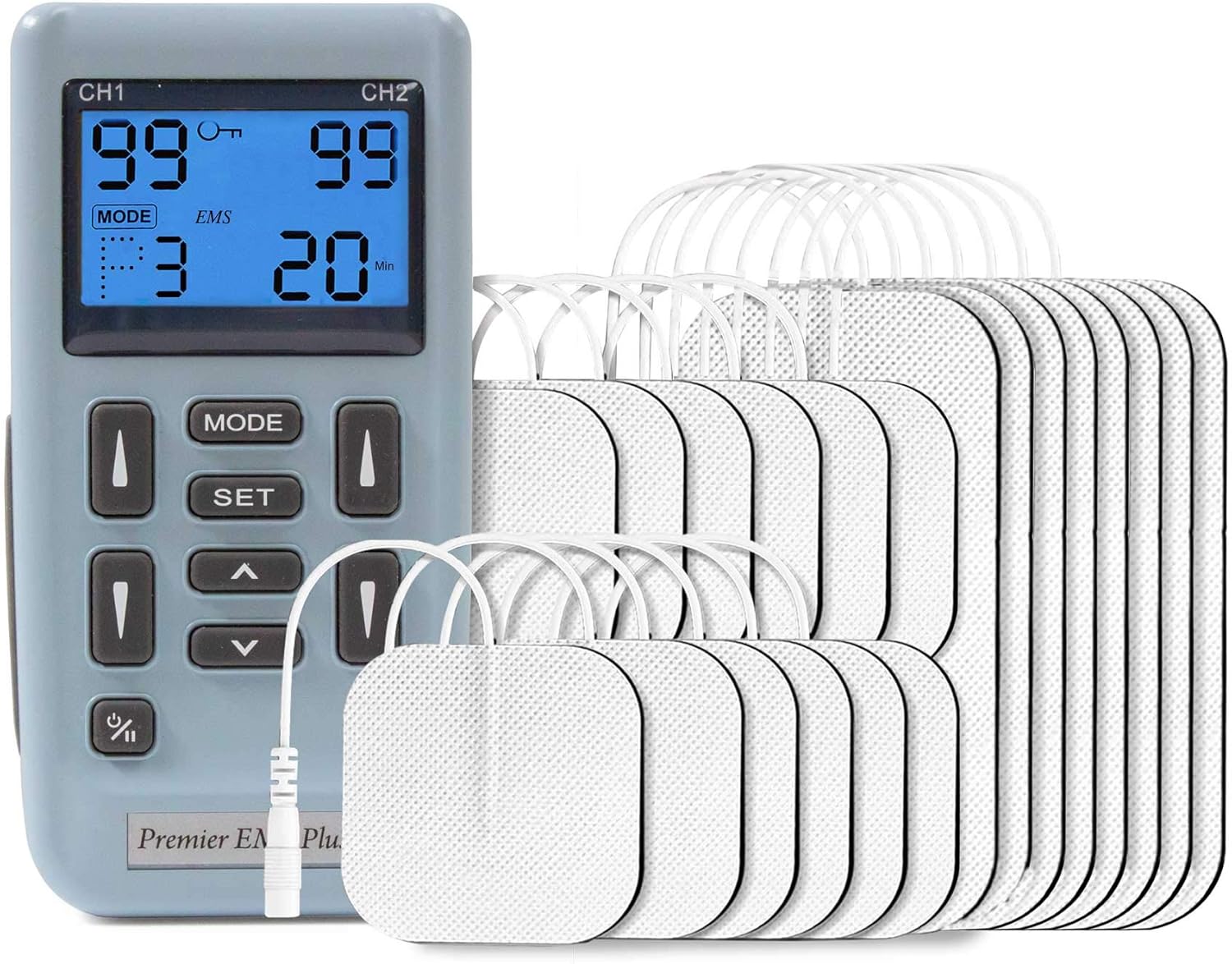
Image: The Med-Fit EM6300A device shown with its electrode pads and lead wires, illustrating the components used for muscle stimulation.
Maintenance
Cleaning the Device:
- Wipe the device with a soft, damp cloth. Do not use abrasive cleaners or immerse the device in water.
- Ensure the device is completely dry before storage.
Electrode Care:
- After each use, re-attach the electrodes to their protective plastic film.
- Store electrodes in a sealed bag to prevent drying out.
- Replace electrodes when they lose their adhesiveness or if they cause skin irritation.
Storage:
- Store the device and accessories in a cool, dry place, away from direct sunlight and extreme temperatures.
- If storing for an extended period, remove the battery to prevent leakage.
Troubleshooting
| Problem | Possible Cause | Solution |
|---|---|---|
| No sensation or weak sensation | Low intensity setting; Electrodes not properly attached; Electrodes dried out; Lead wire disconnected; Low battery. | Increase intensity gradually; Re-apply electrodes firmly; Replace electrodes; Check lead wire connections; Replace battery. |
| Device does not turn on | Battery depleted or incorrectly inserted. | Replace battery; Check battery polarity. |
| Skin irritation under electrodes | Skin not clean; Electrodes used too long; Allergic reaction to electrode gel. | Clean skin thoroughly before use; Replace electrodes; Discontinue use and consult a doctor if irritation persists. |
Specifications
| Feature | Detail |
|---|---|
| Model Number | EM6300A |
| Channels | Dual Channels |
| Pulse Amplitude | 0-80mA peak to peak into 500 ohm load |
| Pulse Rate | Adjustable, 2 ~ 150 Hz |
| Pulse Width | Selectable, 100, 200, 300 µs |
| Contraction Time | Adjustable, 1 ~ 30 sec. |
| Relaxation Time | Adjustable, 1 ~ 45 sec. |
| Ramp Time | Adjustable, 1-8 sec. |
| Wave Form | Asymmetrical Bi-Phasic Square Pulse |
| Power Supply | 9V Battery (included) |
| Colour | Light Blue & Grey |
| Material | Plastic |
| Certification | CE2460 (Medical Device Directive) |
Warranty and Support
This Med-Fit Digital (EM6300A) EMS Stimulator is manufactured to high-quality standards. For any issues or support, please contact Med-Fit UK Ltd, the seller of this product.
Return Policy: This product is eligible for a refund or replacement within 30 days of receipt, subject to the seller's return policy.
For further assistance, please refer to the contact information provided by Med-Fit UK Ltd or visit their official website.
Related documentsEM6300A

Ask a question about this manual
Ask about setup, troubleshooting, compatibility, parts, safety, or missing instructions. Manuals+ will review the question and use this page’s manual context to help answer it.