
Introduction
Thank you for choosing the Envion Allergy Pro AP200 HEPA Air Purifier. This device is designed to improve your indoor air quality by capturing 99.97% of airborne particles as small as 0.3 microns, including pollen, dust, pet dander, mold spores, and smoke. Please read this manual thoroughly before operating your air purifier to ensure safe and efficient use.

Image: Front view of the Envion Allergy Pro AP200 HEPA Air Purifier.
Important Safety Instructions
When using electrical appliances, basic precautions should always be followed to reduce the risk of fire, electric shock, and injury to persons, including the following:
- Read all instructions before using the appliance.
- Always unplug the air purifier from the power outlet before moving, cleaning, or replacing the filter.
- Do not operate any appliance with a damaged cord or plug, or if the appliance malfunctions or has been dropped or damaged in any manner.
- Keep the cord away from heated surfaces.
- Do not use outdoors.
- Never block the air openings or place on a soft surface, such as a bed or sofa, where the openings may become blocked.
- Do not place the air purifier near a heat source such as stoves, radiators, or heaters.
- This appliance is for household use only.
Product Overview
The Allergy Pro AP200 features a compact tower design with intuitive controls and a multi-stage filtration system.
Key Features:
- True HEPA Filter: Captures 99.97% of pollen, dust, pet dander, mold, odor, and smoke down to 0.3 microns.
- 3-Speed Fan: Allows selection of desired cleaning level with quiet operation.
- Portable Handle: Built-in handle for easy transport.
- Easy Filter Access: Removable rear grill panel for convenient filter changes.

Image: Diagram showing the types of allergens and irritants captured by the True HEPA filter and their relative sizes.
Setup
1. Unpacking
- Carefully remove the air purifier from its packaging.
- Remove any plastic bags or protective materials.
- Retain packaging for future storage or transport.
2. Filter Installation
The True HEPA filter may come pre-installed or require installation before first use. Follow these steps to ensure proper filter placement:
- Ensure the unit is unplugged from the power outlet.
- Locate the rear grill panel on the back of the air purifier.
- Gently pull the rear grill panel to remove it, exposing the filter compartment.
- If a new filter is being installed, remove it from its protective plastic packaging.
- Insert the True HEPA filter into the compartment, ensuring it fits snugly.
- Replace the rear grill panel by aligning it and pushing it firmly until it clicks into place.

Image: The Envion Allergy Pro AP200 with its rear grill panel removed, showing the filter compartment.
3. Placement
For optimal performance, place the air purifier on a firm, level surface in the room where air purification is desired. Ensure there is at least 6 inches of clearance from walls or furniture to allow for proper airflow.
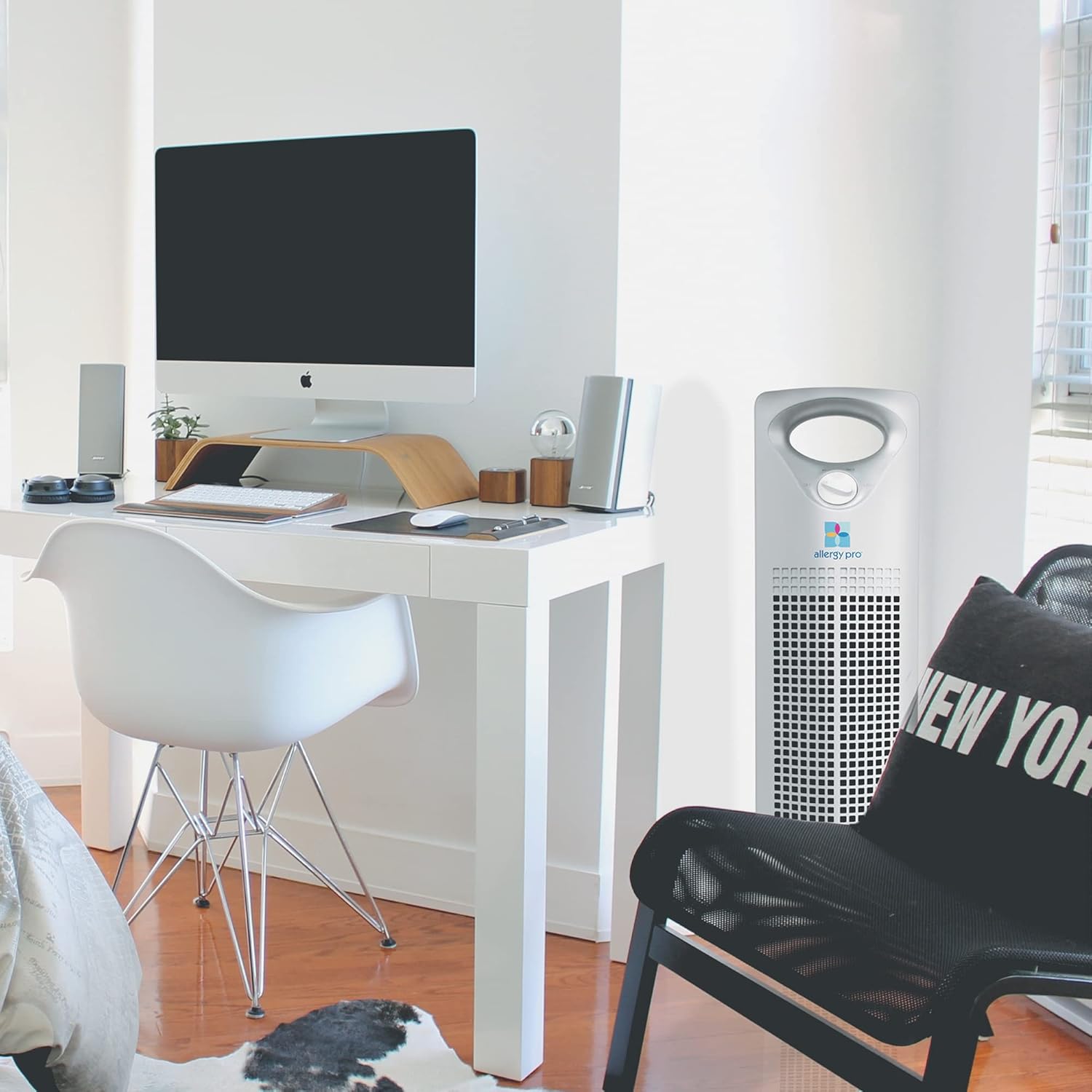
Image: The Envion Allergy Pro AP200 air purifier positioned in a room, demonstrating suitable placement.
Operation
1. Powering On/Off
- Plug the power cord into a standard 120V AC electrical outlet.
- Locate the control dial on the top of the unit.
- Turn the dial clockwise to select a fan speed (LOW, MED, HIGH) to turn the unit on.
- To turn the unit off, turn the dial counter-clockwise to the 'OFF' position.
2. Fan Speed Control
The air purifier offers three fan speed settings:
- LOW: For quiet operation and continuous air purification.
- MED: For general daily use and moderate air cleaning.
- HIGH: For rapid air cleaning or when air quality is particularly poor.
Maintenance
1. Filter Replacement
The True HEPA filter should be replaced approximately every 6-12 months, depending on usage and air quality. A dirty filter can reduce the efficiency of the air purifier.
- Ensure the air purifier is unplugged.
- Remove the rear grill panel as described in the Setup section.
- Carefully remove the old True HEPA filter from the unit. Dispose of the old filter responsibly.
- Insert a new Envion True HEPA filter (Model 49293 replacement filter) into the compartment.
- Replace the rear grill panel.
- Plug in the unit and resume operation.

Image: A close-up view of the True HEPA filter, highlighting its pleated design.
2. Cleaning the Unit
Clean the exterior of the air purifier periodically to maintain its appearance and prevent dust buildup.
- Unplug the unit before cleaning.
- Wipe the exterior surfaces with a soft, damp cloth. Do not use abrasive cleaners or solvents.
- Ensure the unit is completely dry before plugging it back in.
Troubleshooting
| Problem | Possible Cause | Solution |
|---|---|---|
| Unit does not turn on | Not plugged in; Power outlet malfunction; Control dial not set to a speed. | Ensure power cord is securely plugged in; Test outlet with another device; Turn control dial to LOW, MED, or HIGH. |
| Reduced airflow | Dirty or clogged filter; Air intake/outlet blocked. | Replace the True HEPA filter; Ensure no obstructions around the unit. |
| Unusual noise | Filter not seated correctly; Foreign object inside unit. | Check and re-seat the filter; Unplug and inspect for foreign objects (if safe to do so). |
Specifications
- Model: AP200 (49293)
- Brand: Envion
- Color: White
- Product Dimensions: 8.8"D x 6.9"W x 25.5"H
- Item Weight: 11.97 pounds
- Particle Retention Size: 0.3 Micrometer
- Controller Type: Button Control (Dial)
- Power Source: AC/DC
- UPC: 895321000316

Image: The Envion Allergy Pro AP200 air purifier with its key dimensions indicated.
Warranty & Support
Warranty Information
This product comes with a manufacturer's warranty. Please refer to the warranty card included in your product packaging for specific terms, conditions, and duration of coverage. Retain your proof of purchase for warranty claims.
Customer Support
For further assistance, troubleshooting not covered in this manual, or to inquire about replacement parts, please contact Envion customer support. Contact details can typically be found on the product packaging or the official Envion website.