
Introduction
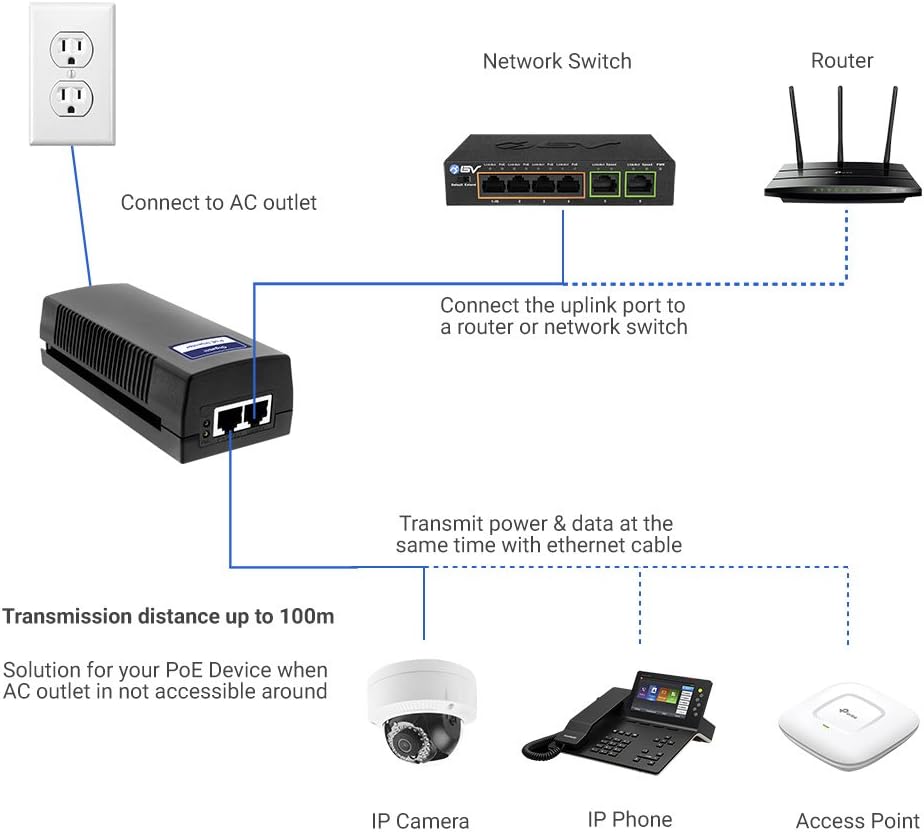
The BV-Tech 60W Gigabit PoE++ Injector (Model POE-I100G) is designed to provide both power and data to compatible devices over a single Ethernet cable. This injector supports IEEE 802.3af, 802.3at, and 802.3bt standards, delivering up to 60W of power. It is suitable for devices such as PTZ IP cameras, Wi-Fi 6 access points, and VoIP phones, extending connectivity up to 100 meters (325 feet).
Setup Instructions
What's in the Box
- BV-Tech 60W Gigabit PoE++ Injector (POE-I100G)
- Power Cord
Connection Steps
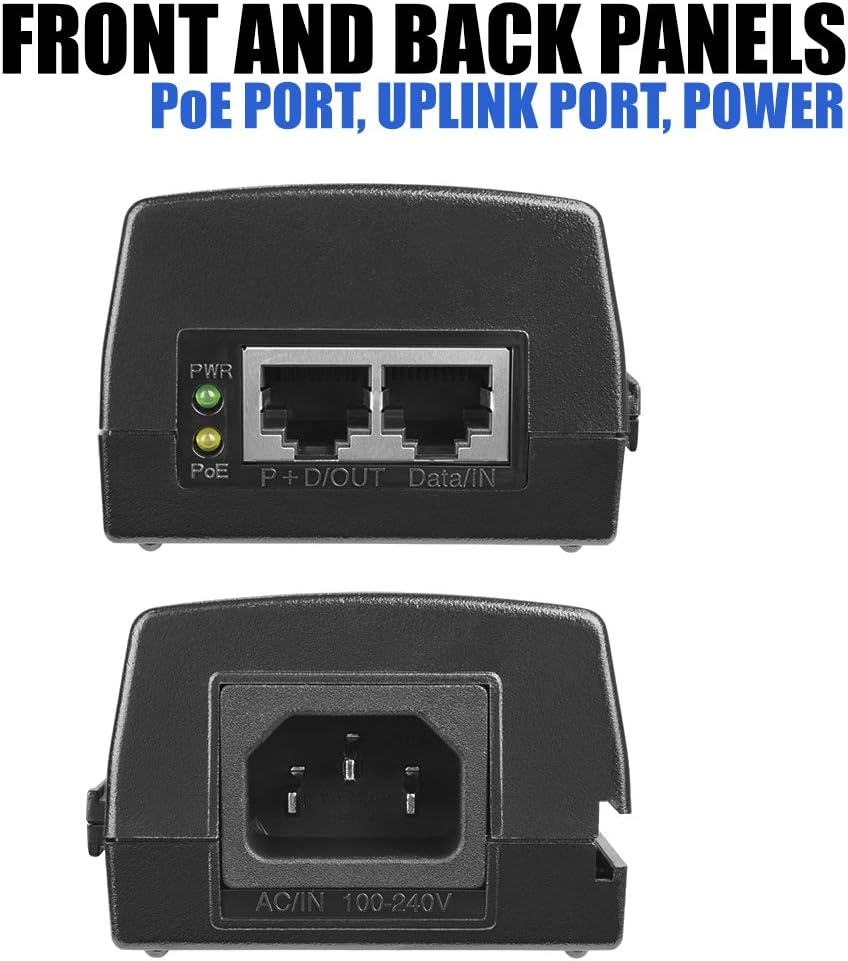
- Connect the provided power cord to the injector's AC IN port and then to a standard AC power outlet. The PWR LED on the injector should illuminate.
- Connect an Ethernet cable from your data source (e.g., router or network switch) to the injector's Data/IN port.
- Connect another Ethernet cable from the injector's P+D/OUT (PoE) port to your PoE-compatible device (e.g., IP camera, Wi-Fi access point, VoIP phone). The PoE LED should illuminate, indicating power is being supplied to the connected device.
Physical Features
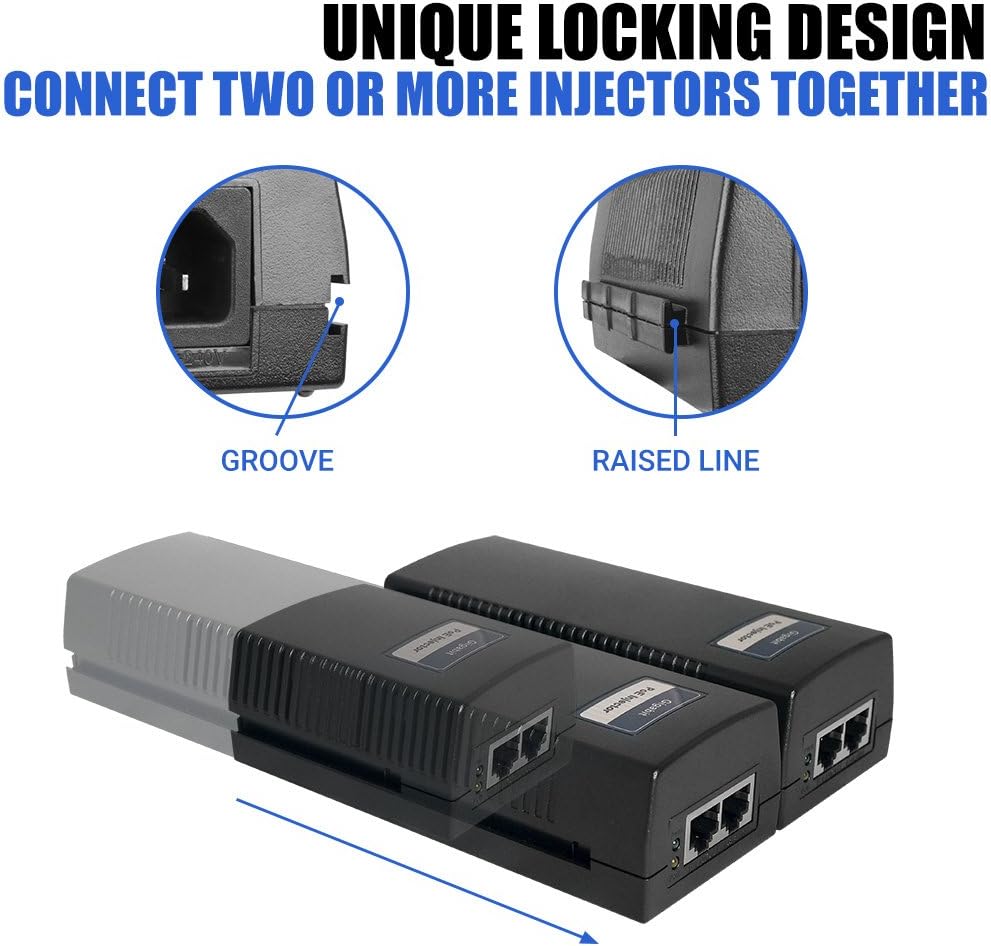
The injector features a unique locking design, allowing multiple injectors to be connected together side-by-side for organized installations. This is achieved by aligning the groove on one unit with the raised line on another.
Operating Instructions
Plug and Play Functionality
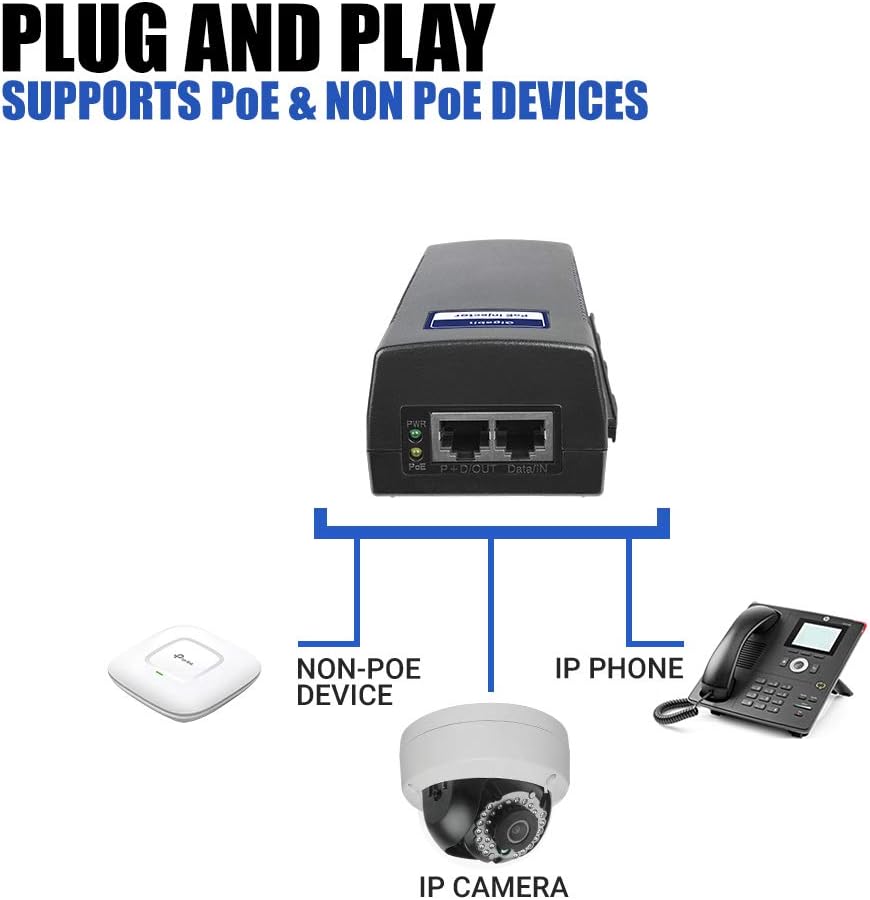
The BV-Tech 60W Gigabit PoE++ Injector is designed for plug-and-play operation. Once connected as described in the Setup section, the injector automatically detects the power requirements of the connected PoE device and supplies the necessary power. It supports both PoE and non-PoE devices, ensuring compatibility across various network components.
LED Indicators
- PWR LED (Green): Illuminates when the injector is receiving power from the AC outlet.
- PoE LED (Yellow): Illuminates when a PoE-compatible device is connected and receiving power from the injector.
Maintenance
To ensure optimal performance and longevity of your BV-Tech PoE Injector, follow these maintenance guidelines:
- Keep the device in a clean, dry environment, away from excessive dust, moisture, and direct sunlight.
- Ensure adequate ventilation around the injector to prevent overheating. Do not block ventilation openings.
- Clean the exterior of the device with a soft, dry cloth. Do not use liquid or aerosol cleaners.
- Regularly check all cable connections to ensure they are secure.
Troubleshooting
| Problem | Possible Cause | Solution |
|---|---|---|
| No Power (PWR LED Off) | Power cord not connected or faulty; AC outlet not active. | Ensure power cord is securely connected to the injector and a working AC outlet. Test the outlet with another device. |
| No PoE (PoE LED Off) | Ethernet cable to PoE device is disconnected or faulty; connected device is not PoE-compatible or requires more power than 60W; device is faulty. | Check the Ethernet cable connection between the injector's P+D/OUT port and the PoE device. Verify the device is IEEE 802.3af/at/bt compliant and its power requirements do not exceed 60W. Test with a known working PoE device and cable. |
| No Data Connection | Ethernet cables are disconnected or faulty; data source (router/switch) is not functioning. | Ensure all Ethernet cables are securely connected. Test cables for continuity. Verify the data source (router/switch) is operational. |
Specifications
- Brand: BV-Tech
- Model: POE-I100G
- Power Output: 60W (IEEE 802.3bt compliant, backward compatible with 802.3af/at)
- Data Transfer Rate: 10/100/1000Mbps Gigabit Ethernet
- Transmission Distance: Up to 100 meters (325 feet)
- Hardware Interface: Ethernet
- Color: Black
- Compatible Devices: Internet Protocol Camera, Wi-Fi 6 Access Points, VoIP Phones
- Item Weight: 0.75 Pounds
- UPC: 639767842105, 811853033219
- Manufacturer: BV-Tech
Warranty Information
This BV-Tech 60W Gigabit PoE++ Injector comes with a 1-year warranty on parts and labor from the date of purchase. Please retain your proof of purchase for warranty claims.
Customer Support
For technical assistance, troubleshooting, or warranty inquiries, please visit the official BV-Tech store or contact their customer support directly.
BV-Tech Store: https://www.amazon.com/stores/BV-Tech/page/656E77D7-BC25-4C0B-8472-D841861D8044