
Introduction
This manual provides instructions for the T POWER 9V AC DC Adapter Charger, Model SA103K-09. This power supply is designed to provide reliable power to a range of Sennheiser headphone systems and other compatible electronic devices. It features safety certifications including CE, FCC, and RoHS, ensuring safe and efficient operation.
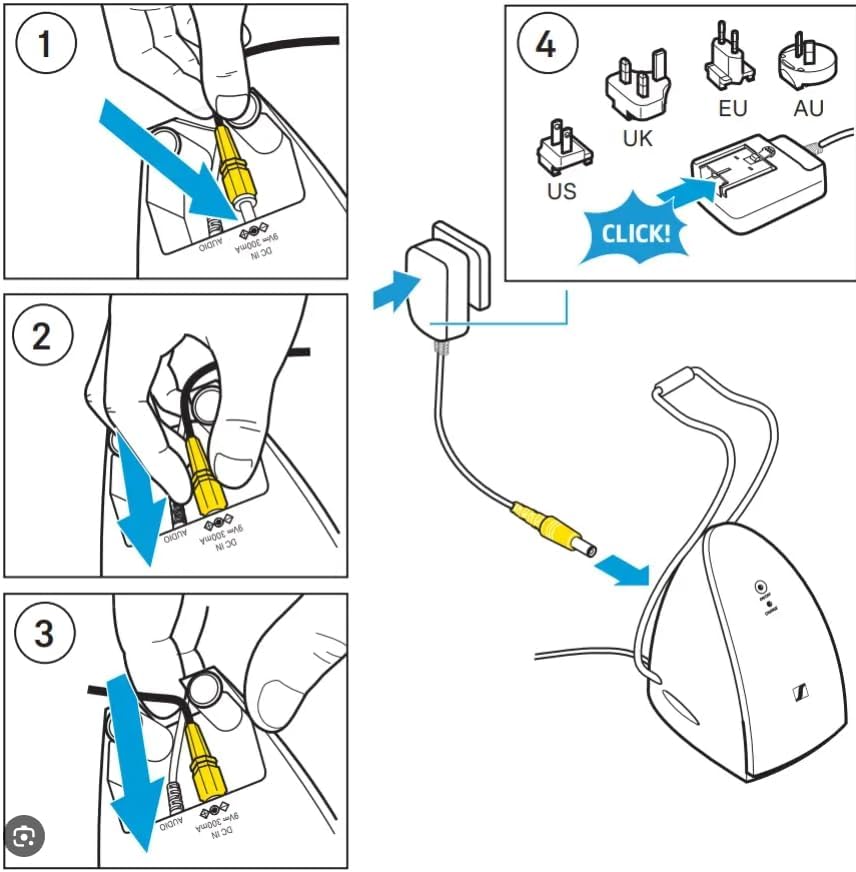
Image: The T POWER 9V AC DC Adapter Charger, showcasing its compact design and power cable.
Setup Instructions
Follow these steps to properly connect your T POWER adapter:
- Verify Compatibility: Before connecting, ensure your device requires a 9V DC input and that the barrel connector size matches. Refer to your device's specifications.
- Connect to Device: Insert the barrel connector end of the T POWER adapter cable into the DC input port of your Sennheiser headphone base or compatible device. Ensure a firm connection.
- Connect to Power Outlet: Plug the AC adapter into a standard 100-240V wall outlet.
- Power Indicator: The adapter may feature a blue LED indicator light to confirm it is receiving power.

Image: Step-by-step diagram illustrating the connection of the adapter's barrel plug into the device's DC input, and then plugging the AC adapter into a wall outlet. It also shows different regional plug types (US, UK, EU, AU) for the interchangeable wall plug.
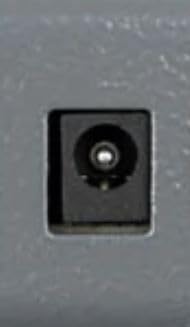
Image: A close-up view of a barrel connector port, indicating the type of input required for the adapter.
Operating Instructions
Once the T POWER adapter is correctly connected to your device and a power outlet, it will begin supplying power. Most compatible devices will indicate charging status or power reception through their own indicators. No further action is required for the adapter itself.
- Ensure the adapter is plugged into a functional power outlet.
- Confirm the device is receiving power (e.g., charging light on headphones).
- Disconnect the adapter from the power outlet when not in use for extended periods.
Maintenance
To ensure the longevity and optimal performance of your T POWER adapter, follow these maintenance guidelines:
- Keep Dry: Avoid exposing the adapter to moisture, liquids, or high humidity.
- Clean Gently: Use a dry, soft cloth to clean the adapter. Do not use harsh chemicals or abrasive materials.
- Proper Cable Handling: Do not bend, twist, or pull the cable excessively. Avoid placing heavy objects on the cable. The cable is designed for durability, tested to withstand 10,000 bends.
- Storage: Store the adapter in a cool, dry place when not in use.
- Temperature: Avoid operating or storing the adapter in extreme temperatures.

Image: Visual representation of the adapter's durable construction, including a longer bend lifespan, excellent material quality, and a robust power plug.
Troubleshooting
If you encounter issues with your T POWER adapter, refer to the following common solutions:
- Device Not Powering On/Charging:
- Ensure the adapter is fully plugged into both the device and the wall outlet.
- Test the wall outlet with another device to confirm it is functional.
- Check the cable for any visible damage or kinks.
- Adapter Overheating:
- Disconnect the adapter immediately.
- Ensure the adapter is not covered or in an enclosed space that prevents proper ventilation.
- Verify that the connected device is compatible and not drawing excessive power.
- Plug Does Not Fit Correctly:
- Confirm the barrel connector size and polarity match your device's requirements.
- Note that some devices may have specific plug orientations (e.g., straight vs. right-angle). While this adapter typically uses a standard barrel connector, ensure it aligns with your device's port.
Specifications
| Product Dimensions | 4 x 4 x 2 inches |
| Item Weight | 3.2 ounces |
| Model Number | SA103K-09 |
| Input Voltage | AC 100V - 240V |
| Output Voltage | 9V DC |
| Output Current | 1.67 Amps |
| Wattage | 15.00W |
| Connector Type | Barrel Connector |
| Special Feature | Fast Charging |
| Included Components | AC Adapter |
| Compatible Devices | Sennheiser headphone systems including:
|
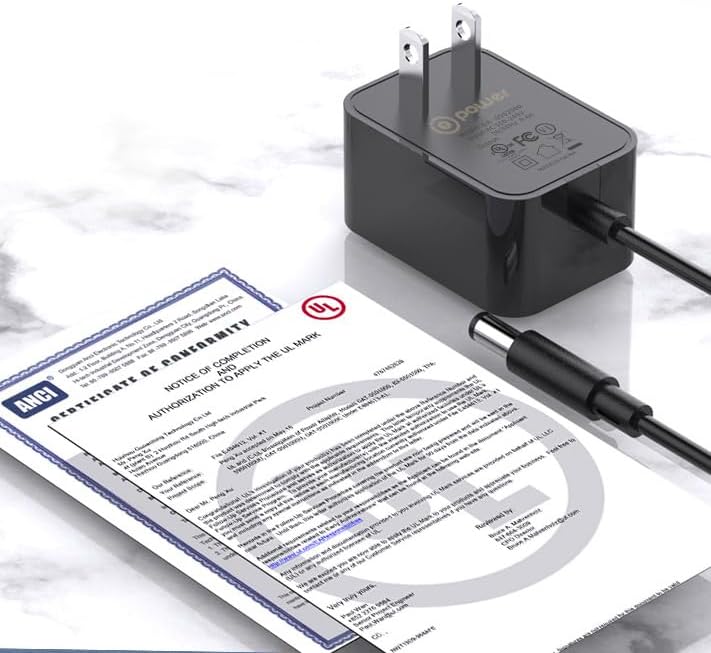
Image: The T POWER adapter shown alongside certification documents, indicating compliance with safety standards.
Warranty Information
The T POWER 9V AC DC Adapter Charger comes with a 1-Year Limited Manufacturer Warranty covering quality-related issues. Additionally, a 30-Day Return Policy is available for undamaged products returned within 30 days of purchase for a full refund.

Image: Overview of T POWER's commitment to safety, including over-current, over-temperature, over-voltage, and short circuit protection, along with details on professional adapters, safety features, reinforced power cords, and warranty/support information.
Technical Support
For technical assistance, compatibility questions, or if you received an incorrect item, please contact T POWER customer support. Ensure you have your product model number (SA103K-09) and purchase details available when contacting support.
You can find contact information on the official T POWER website or through your retailer's support channels.