
1. Introduction
This manual provides comprehensive instructions for the Cardin S476-TX4 433 MHz 4-channel remote control. Designed for ease of use, this transmitter operates at a frequency of 433.92 MHz and features four buttons for controlling various gate or garage door systems. Please read this manual carefully before installation and operation to ensure proper function and longevity of your device.
2. Product Overview and Features
The Cardin S476-TX4 is a compact and reliable remote control designed for convenient access control. Its robust design ensures durability, while its simple interface makes it user-friendly.
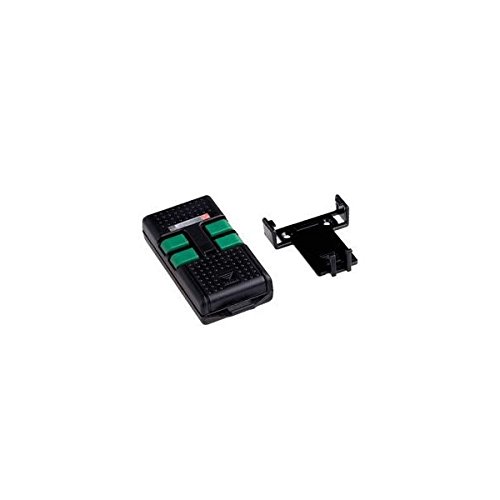
Image of the Cardin S476-TX4 remote control, showing its compact design and four distinct buttons.
Key Features:
- Frequency: Operates at 433.92 MHz for reliable signal transmission.
- Channels: Four independent buttons for controlling up to four different devices or functions.
- Programming Type: Switch-based programming for straightforward setup.
- Battery: Powered by a 12V (23A) battery (included).
- Compact Design: Dimensions of 74 mm x 39 mm x 18 mm for easy handling and portability.
3. Setup
3.1. Battery Installation
- Locate the battery compartment cover on the back of the remote control.
- Carefully slide or unclip the cover to open the compartment.
- Insert the included 12V (23A) battery, ensuring the correct polarity (+ and - terminals).
- Close the battery compartment cover securely.
3.2. Programming the Remote Control
The Cardin S476-TX4 uses a switch-based programming method, which is typically straightforward and does not require special equipment. The exact programming steps depend on the receiver unit (e.g., gate opener, garage door opener) you are pairing it with. Refer to the instruction manual of your receiver unit for specific programming details.
General Programming Steps (Consult Receiver Manual for specifics):
- Access Receiver: Open the casing of your gate or garage door receiver unit to access its programming switches or button.
- Match Switches: If your receiver has dip switches, match the switch positions on your S476-TX4 remote control to those on your receiver. Ensure they are identical.
- Pairing Button (if applicable): Some receivers have a "Learn" or "Program" button. Press this button on the receiver, then immediately press a button on your S476-TX4 remote control. The receiver's indicator light should confirm successful pairing.
- Test Operation: After programming, test the remote control to ensure it operates the intended device correctly.
If you encounter difficulties, consult the manual for your specific gate or garage door system or contact a qualified technician.
4. Operating Instructions
Once programmed, operating the Cardin S476-TX4 remote control is simple.
- Button Functionality: Each of the four buttons on the remote control corresponds to a specific function or device as programmed during setup.
- Activation: To activate a function, press and hold the corresponding button for approximately 1-2 seconds until the desired action (e.g., gate opening, garage door moving) begins.
- Range: Ensure you are within the operational range of your receiver unit for the remote control to function effectively. Obstructions can reduce the effective range.
5. Maintenance
5.1. Battery Replacement
When the remote control's range decreases significantly or it stops responding, the battery may need replacement.
- Follow the steps in Section 3.1 to open the battery compartment.
- Remove the old 12V (23A) battery.
- Insert a new 12V (23A) battery, observing correct polarity.
- Close the battery compartment securely.
- Dispose of the old battery responsibly according to local regulations.
5.2. Cleaning
Clean the remote control periodically with a soft, dry cloth. Do not use abrasive cleaners or solvents, as these can damage the casing or internal components. Keep the device dry and away from excessive dust.
6. Troubleshooting
| Problem | Possible Cause | Solution |
|---|---|---|
| Remote control not working. | Dead or low battery. Incorrect programming. Out of range. | Replace battery (Section 5.1). Re-program the remote (Section 3.2). Move closer to the receiver unit. |
| Reduced operating range. | Low battery. Signal interference. Obstructions. | Replace battery (Section 5.1). Check for sources of interference (e.g., other wireless devices). Ensure a clear line of sight to the receiver. |
| Only some buttons work. | Partial programming error. Faulty button. | Verify programming for each button (Section 3.2). If problem persists, contact support. |
If these troubleshooting steps do not resolve the issue, please contact Cardin customer support or a qualified service technician.
7. Specifications
| Feature | Detail |
|---|---|
| Model Number | S476-TX4 |
| Brand | CARDIN |
| Frequency | 433.92 MHz |
| Number of Channels | 4 |
| Battery Type | 12V (23A) (included) |
| Dimensions (L x W x H) | 74 mm x 39 mm x 18 mm |
| Weight | 60 grams |
| Programming Type | Switch |
8. Warranty and Support
8.1. Warranty Information
This Cardin S476-TX4 remote control comes with a 1-year warranty from the date of purchase. This warranty covers manufacturing defects under normal use. It does not cover damage caused by misuse, accidents, unauthorized modifications, or improper installation.
8.2. Customer Support
For technical assistance, troubleshooting beyond this manual, or warranty claims, please contact your authorized Cardin dealer or visit the official Cardin website for support contact information. Please have your product model number (S476-TX4) and proof of purchase ready when contacting support.