
1. Introduction
The Merkury Innovations M-SPW510 Amplified Stereo Speaker is designed to enhance your audio experience from various portable devices. This compact and portable speaker system provides amplified sound for your smartphone, tablet, MP3 player, laptop, and other audio sources with a 3.5mm audio jack. It operates on AAA batteries, offering convenient portability for use indoors or outdoors.
What's Included:
- Merkury Innovations Amplified Stereo Speaker (M-SPW510)
- Built-in 3.5mm audio cable
2. Safety Information
Please read and understand all safety instructions before using this product. Keep this manual for future reference.
- Battery Safety: This device requires 3 AAA batteries. Ensure correct polarity when inserting batteries. Do not mix old and new batteries, or different types of batteries. Remove batteries if the device will not be used for an extended period. Dispose of used batteries responsibly.
- Water Exposure: This product is not waterproof. Avoid exposure to water, rain, or moisture to prevent damage or electric shock.
- Temperature: Do not expose the speaker to extreme temperatures (hot or cold) or direct sunlight.
- Cleaning: Use a soft, dry cloth for cleaning. Do not use liquid cleaners or aerosols.
- Disassembly: Do not attempt to disassemble or modify the speaker. This will void the warranty and may cause damage or injury.
3. Product Overview
The Merkury Innovations M-SPW510 is a portable amplified stereo speaker designed for ease of use and enhanced audio output from your mobile devices.
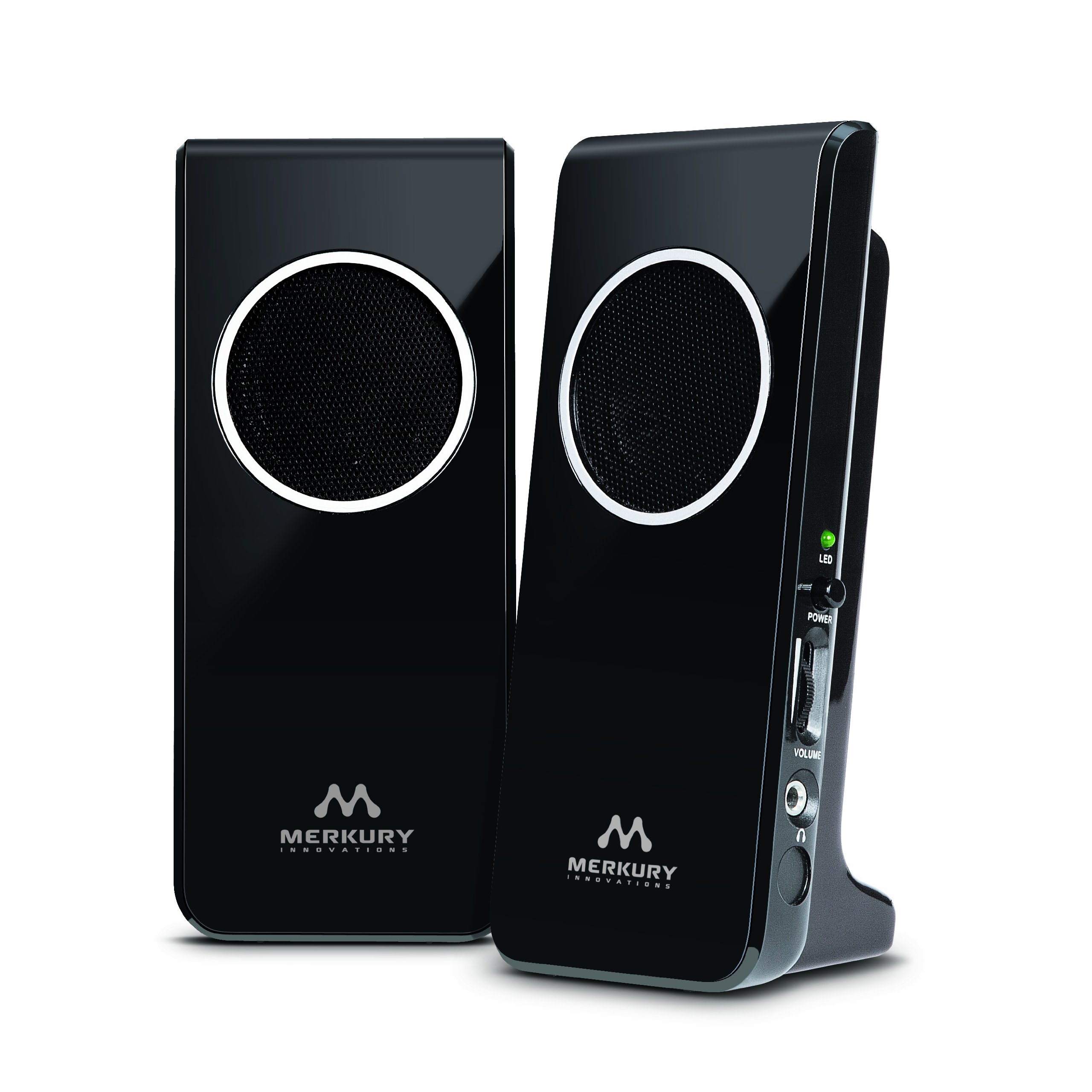
Figure 1: Front view of the Merkury Innovations M-SPW510 Amplified Stereo Speaker. This image shows the compact design with two speaker grilles and the overall black finish of the unit.
Key Features:
- High efficiency, battery-powered stereo speakers.
- Extra portable design for music on the go.
- Built-in 3.5mm cable for universal compatibility.
- Operates on 3 AAA batteries for convenient portability.
4. Setup
4.1 Battery Installation
- Locate the battery compartment on the speaker unit.
- Open the battery compartment cover.
- Insert 3 new AAA batteries, ensuring the correct positive (+) and negative (-) polarity as indicated inside the compartment.
- Close the battery compartment cover securely.
4.2 Connecting to an Audio Device
- Locate the built-in 3.5mm audio cable on the speaker.
- Plug the 3.5mm audio cable into the headphone jack or audio output port of your compatible device (e.g., smartphone, tablet, MP3 player, laptop).
5. Operating Instructions
5.1 Powering On/Off
The speaker typically powers on automatically when connected to an audio source and batteries are installed. To turn off the speaker, simply disconnect the 3.5mm audio cable from your device. For extended storage, remove the batteries.
5.2 Adjusting Volume
The volume of the amplified stereo speaker is controlled directly by the connected audio device. Adjust the volume on your smartphone, tablet, or other audio source to your desired listening level.
6. Maintenance
6.1 Cleaning
To clean the speaker, gently wipe the exterior surfaces with a soft, dry, lint-free cloth. Do not use abrasive cleaners, solvents, or chemical sprays, as these can damage the finish or internal components.
6.2 Storage
When not in use for extended periods, store the speaker in a cool, dry place away from direct sunlight and extreme temperatures. Remove the batteries before storing to prevent leakage and potential damage to the device.
7. Troubleshooting
If you encounter issues with your Merkury Innovations Amplified Stereo Speaker, please refer to the following common problems and solutions:
| Problem | Possible Cause / Solution |
|---|---|
| No sound from the speaker. |
|
| Sound is distorted or unclear. |
|
| Short battery life. |
|
8. Specifications
| Feature | Specification |
|---|---|
| Model Name | M-SPW510 |
| Brand | Merkury Innovations |
| Speaker Type | Multimedia, Portable Stereo |
| Connectivity Technology | Auxiliary (3.5mm cable) |
| Power Source | Battery Powered |
| Batteries Required | 3 AAA batteries |
| Audio Output Mode | Stereo |
| Speaker Maximum Output Power | 10 Watts |
| Impedance | 4 Ohms |
| Compatible Devices | Smartphone, Tablet, MP3 Player, Laptop |
| Product Dimensions | 7 x 5 x 3 inches |
| Item Weight | 8 ounces (0.5 Pounds) |
| Material | Plastic |
| Color | Black |
| Water Resistance Level | Not Water Resistant |
| Indoor/Outdoor Usage | Outdoor |
| UPC | 844702017146 |
9. Warranty and Support
Merkury Innovations products are designed with quality and performance in mind. For information regarding warranty coverage or technical support, please refer to the documentation provided at the time of purchase or visit the official Merkury Innovations website. Keep your proof of purchase for warranty claims.