
Whistler WIC-5200
Whistler WIC-5200 Inspection Camera User Manual
Model: WIC-5200
Introduction
The Whistler WIC-5200 Inspection Camera is a versatile tool designed for detailed visual inspection in hard-to-reach areas. It features a detachable color LCD monitor, a flexible camera tube with adjustable LEDs, and capabilities for capturing high-definition video and still images. This manual provides essential information for setting up, operating, and maintaining your inspection camera.

Image: The Whistler WIC-5200 Inspection Camera, showing the main handheld unit with a detachable monitor and the flexible camera probe.
What's Included
Your Whistler WIC-5200 Inspection Camera package includes the following components:
- 3.5" LCD Color Monitor
- Handheld Unit with Monitor Connector
- 9mm Camera with 3.3' Flexible Tube
- AC Adapter
- USB Cable
- Video Cable
- Hard Carrying Case
- Mirror Attachment
- Magnet Attachment
- Hook Clip Attachment
- User Guide

Image: All components of the WIC-5200 kit, including the main unit, monitor, flexible probe, cables, charger, and accessory attachments, neatly arranged in its hard case.
Unboxing and Initial Setup Video
Video: This video demonstrates the unboxing process of the WIC-5200 Inspection Camera, showing all included components and how to initially assemble the device.
Features
The Whistler WIC-5200 is equipped with several features to enhance your inspection capabilities:
- Full video and image recording capabilities
- Built-in Microphone
- 33 ft. Transmission Range (Wireless)
- Water, Gas, Diesel, Oil, and Alcohol Proof Camera (9mm tube)
- Up to 3x Zoom
- TV/Video Output Jack
- Internal Rechargeable Lithium-Ion Battery
- Heavy Duty Design
- Sharp Images and Vivid Colors
- Crystal Clear Lens for Better Clarity

Image: A visual representation of the WIC-5200's main features, including its recording capabilities, zoom, waterproof probe, and rechargeable battery.

Image: Demonstrates the IP67 oil and water-proof capability of the camera probe, showing it submerged in a liquid.
Setup
Follow these steps to set up your inspection camera for first use:
- Charge the Battery: Connect the AC adapter to the monitor. The internal Lithium-Ion battery requires charging before initial use.
- Attach the Camera Probe: Securely screw the flexible camera tube into the handheld unit.
- Attach the Monitor: Slide the detachable 3.5-inch LCD monitor onto the top of the handheld unit until it clicks into place. Ensure the pin connections align for proper communication and charging.
- Power On: Locate the power switch on the bottom of the handheld unit and slide it to the 'ON' position. Then, press the power button on the monitor to turn it on.

Image: A detailed diagram illustrating the various parts of the monitor and camera unit, including ports, buttons, and the camera lens.
Operating Instructions
Operating the Whistler WIC-5200 is intuitive. Here are the basic functions:
- Power On/Off: Press and hold the power button on the monitor to turn the unit on or off.
- Image Orientation: A quick press and release of the power button will cycle through four different image orientations (flips and mirrors the image).
- LED Brightness: Use the power switch on the handheld unit to adjust the brightness of the LEDs on the camera probe.
- Zoom: Utilize the zoom button on the monitor to magnify the image up to 3x.
- Capture Images/Video: Dedicated buttons on the monitor allow for instant still image capture or video recording.
- Navigation: Use the menu and navigation buttons to access settings and review captured media.
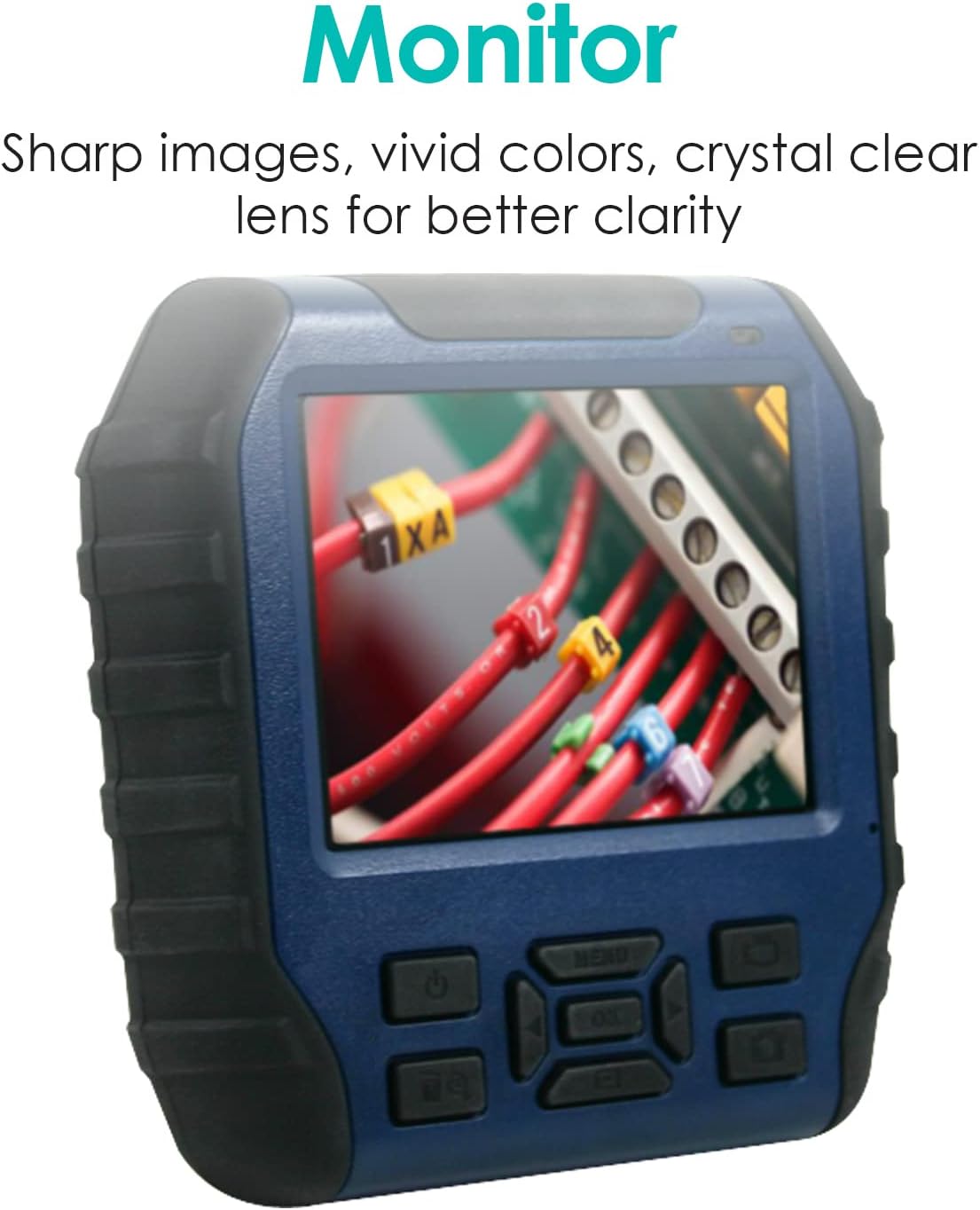
Image: A close-up view of the monitor, showcasing its sharp image quality and vivid colors, essential for clear inspections.
Applications
The WIC-5200 is ideal for a wide range of applications, both professional and DIY:
- Automotive & Diesel: Inspect engine components, locate part numbers, check for issues in tight spaces, and retrieve dropped items.
- Marine: Inspect below the waterline on boats, check fuel tanks and oil pans.
- Home Inspections: Examine walls for wiring, inspect plumbing, check for leaks, and look behind furniture or appliances.
- Wiring Installations: Ideal for running wires through conduits or behind walls without costly demolition.
- General Maintenance & Repair: Conduct general inspections in hard-to-reach or dark areas.

Image: The inspection camera being used for both home and automotive applications, demonstrating its versatility.

Image: A person using the inspection camera to examine components within a car's engine bay, highlighting its utility in automotive repair.
Product Application Video
Video: This video showcases various applications of the Whistler WIC-5200 Inspection Camera, including automotive, marine, and home inspections, demonstrating its ease of use and effectiveness in different environments.
Maintenance
To ensure the longevity and optimal performance of your Whistler WIC-5200 Inspection Camera, follow these maintenance guidelines:
- Cleaning: After each use, especially in dirty or wet environments, wipe down the camera probe and the main unit with a soft, damp cloth. For stubborn grime, use a mild detergent. Ensure the unit is dry before storing.
- Storage: Store the inspection camera and its accessories in the provided hard carrying case to protect them from dust, impacts, and extreme temperatures.
- Battery Care: Recharge the Lithium-Ion battery regularly, even if the device is not used frequently, to maintain battery health. Avoid fully discharging the battery for extended periods.
- Lens Care: Keep the camera lens clean and free of scratches. Use a soft, lint-free cloth specifically designed for optical lenses.
Troubleshooting
If you encounter issues with your Whistler WIC-5200, refer to the following common troubleshooting tips:
- No Power: Ensure the battery is charged. Connect the AC adapter and allow it to charge for at least 30 minutes before attempting to power on. Check that the power switch on the handheld unit is in the 'ON' position and the monitor's power button is pressed.
- No Image on Monitor: Verify that the camera probe is securely attached to the handheld unit and the monitor is correctly slid onto the handheld unit, ensuring proper contact with the pins.
- Poor Image Quality: Clean the camera lens. Ensure there is adequate lighting from the adjustable LEDs on the probe. Adjust the focus if applicable (though this model typically has fixed focus).
- Error Message: If an error message appears, consult the detailed user manual provided in the box for specific error codes and solutions. Often, this may indicate a connection issue or a need for a full power cycle.
- Unable to Record/Capture: Check if a Micro SD card is inserted correctly into the SD card slot. Ensure the card has sufficient free space and is not corrupted.
Specifications
| Feature | Detail |
|---|---|
| Product Dimensions | 4.5 x 15 x 11.75 inches |
| Item Weight | 4.94 pounds |
| Item Model Number | WIC-5200NUTR |
| Batteries | 2 Lithium Ion batteries required (included) |
| Shooting Modes | Automatic, Manual, Video |
| Exposure Control Type | Automatic |
| Color | Black |
| Video Capture Resolution | 1080p |
| Media Type | Micro SDHC Card, Micro SD Card |
| First Available Date | October 24, 2015 |
Warranty and Support
For detailed warranty information and customer support, please refer to the official Whistler website or the warranty card included in your product packaging. You may also contact Whistler customer service directly for assistance with product registration, technical support, or service inquiries.
Related Documents - WIC-5200
 |
Whistler WIC-1750 Wireless Inspection Camera User Guide Comprehensive user guide for the Whistler WIC-1750 Wireless Inspection Camera, detailing installation, operation, features, specifications, troubleshooting, and warranty information. |
 |
Whistler WIC2750 Wireless Inspection Camera Owner's Manual Comprehensive owner's manual for the Whistler WIC2750 Wireless Inspection Camera with Color LCD Monitor. Includes features, installation, operation, troubleshooting, specifications, and warranty information. |
 |
Whistler 900 Radar Detector Schematic and Service Information Detailed schematic and service information for the Whistler 900 radar detector, providing insights into its internal components and circuitry. |
 |
Whistler TRX-1 EZ Scan Digital Handheld Radio Scanner User Guide Comprehensive user guide for the Whistler TRX-1 EZ Scan Digital Handheld Radio Scanner, covering setup, features, programming, and maintenance for optimal radio scanning. |
 |
Whistler CR85 High Performance Laser-Radar Detector Owner's Manual Comprehensive owner's manual for the Whistler CR85 High Performance Laser-Radar Detector, detailing features, installation, operation modes, troubleshooting, legal compliance, and speed monitoring information. |
 |
Whistler Z-19R/Z-23R Laser-Radar Detector User Manual Comprehensive user manual for the Whistler Z-19R and Z-23R Laser-Radar Detectors, covering installation, operation, features, troubleshooting, and warranty information. |