
UPBRIGHT Philips Magnavox 20PF5120 20MF500 16V PS
UpBright 16V AC/DC Adapter User Manual
Model: Philips Magnavox 20PF5120 20MF500 16V PS
Introduction
This manual provides essential information for the safe and effective use of your UpBright 16V AC/DC Adapter. This power supply is designed to provide stable 16V DC power to compatible Philips and Magnavox LCD TVs and monitors, including models such as 20PF5120, 20MF500, 20MF500T/37, 20MF500T/17, 15MF605T, 17MD250V, and 20PFS120/128. Please read this manual thoroughly before operation and retain it for future reference.
Safety Information
To ensure safe operation and prevent damage, observe the following precautions:
- Indoor Use Only: This adapter is designed for indoor use in dry locations. Do not expose it to rain, moisture, or extreme temperatures.
- Voltage Compatibility: Ensure the input voltage of the adapter (100-240VAC) matches the local power supply.
- Device Compatibility: Only connect this adapter to devices that require 16V DC power and have a compatible barrel round connector. Using it with incompatible devices may cause damage.
- Ventilation: Do not cover the adapter during operation. Ensure adequate ventilation to prevent overheating.
- Cable Management: Avoid kinking, pinching, or placing heavy objects on the power cord. Inspect the cord regularly for damage.
- Disconnection: Always unplug the adapter from the power outlet before cleaning or if it will be unused for an extended period.
- Protection Features: This adapter includes Over Voltage Protection (OVP), Over Current Protection (OCP), and Short Circuit Protection (SCP) to safeguard your devices. However, do not intentionally short-circuit the output.
Product Overview
The UpBright 16V AC/DC Adapter consists of the main power brick and a detachable AC input cable. The power brick converts AC wall power to the required DC voltage for your device, while the output cable with a barrel round connector delivers power to the compatible monitor or TV.

Image: The UpBright 16V AC/DC Adapter, showing the main power brick and the detachable AC input cable with a standard US plug, and the DC output cable with a barrel round connector.
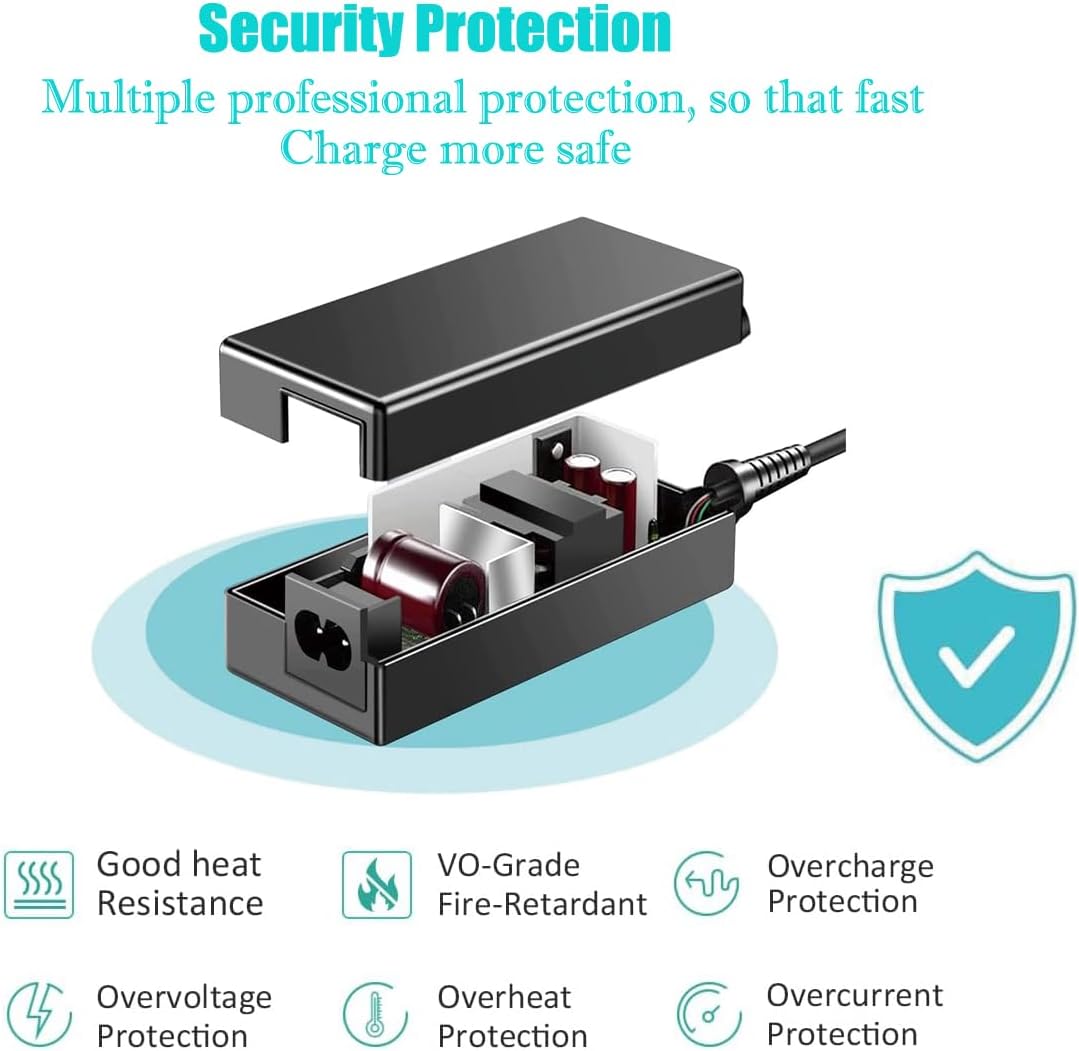
Image: An illustrative diagram highlighting the internal security protection features of the adapter, including good heat resistance, VO-grade fire-retardant materials, overcharge, overvoltage, overheat, and overcurrent protection.
Setup
- Verify Compatibility: Before connecting, confirm that your device (Philips or Magnavox LCD TV/Monitor) requires a 16V DC power input and has a compatible barrel round power input jack. Refer to your device's original power adapter or specifications.
- Connect AC Cable: Insert the detachable AC power cord firmly into the AC input port on the UpBright adapter. Ensure the correct regional plug type is used for your country.
- Connect to Device: Carefully insert the barrel round connector of the adapter's DC output cable into the power input jack of your Philips or Magnavox LCD TV/Monitor.
- Plug into Outlet: Plug the AC power cord into a standard wall outlet (100-240VAC, 50/60Hz).
- Power On Device: Once connected, you can power on your device.

Image: This image illustrates the different types of AC power cords that may be supplied with the adapter to fit various country/area electrical outlets (US, EU, UK, AU).
Operating Instructions
The UpBright 16V AC/DC Adapter operates automatically once connected to a power source and a compatible device. It provides a stable 16V DC output to power your monitor or TV.
- Ensure all connections are secure before powering on your device.
- The adapter is designed for continuous operation but should be placed in a well-ventilated area to dissipate heat.
- If the adapter feels excessively hot to the touch, disconnect it immediately and check for proper ventilation or potential issues with the connected device.
Maintenance
Proper maintenance ensures the longevity and reliable performance of your adapter:
- Cleaning: Disconnect the adapter from the power outlet and the device before cleaning. Use a soft, dry cloth to wipe the exterior. Do not use liquid cleaners or aerosols.
- Storage: When not in use, store the adapter in a cool, dry place, away from direct sunlight and moisture. Avoid tightly wrapping the cables to prevent damage.
- Inspection: Periodically inspect the adapter and cables for any signs of damage, such as cuts, fraying, or bent pins. If damage is found, discontinue use and replace the adapter.
Troubleshooting
| Problem | Possible Cause | Solution |
|---|---|---|
| Device not powering on. |
|
|
| Adapter is hot. |
|
|
| Intermittent power. |
|
|
Specifications
| Brand | UPBRIGHT |
| Model Number | Philips Magnavox 20PF5120 20MF500 16V PS |
| Input Voltage | 100-240VAC, 50/60Hz (World Wide Input Voltage) |
| Output Voltage | 16V DC |
| Connector Type | Barrel Round Connector |
| Compatible Devices | Philips and Magnavox LCD TVs/Monitors (e.g., 20PF5120, 20MF500, 15MF605T, 17MD250V) |
| Special Features | OVP (Over Voltage Protection), OCP (Over Current Protection), SCP (Short Circuit Protection) |
| Power Source | Corded Electric |
| Mounting Type | Wall Mount (referring to the plug-in nature) |
Warranty and Support
UpBright products are designed for reliability and performance. This adapter comes with the following:
- 30 Days Refund: If you are not satisfied with your purchase, you may be eligible for a refund within 30 days.
- 24 Months Exchange: UpBright offers a 24-month exchange policy for units found to be defective under normal use.
For warranty claims, technical support, or further assistance, please contact UpBright customer service through the retailer where the product was purchased or visit the official UpBright store page on Amazon.
Image: A representation of the UpBright Limited Warranty Certificate, indicating the product's warranty coverage.
Related documentsPhilips Magnavox 20PF5120 20MF500 16V PS

Ask a question about this manual
Ask about setup, troubleshooting, compatibility, parts, safety, or missing instructions. Manuals+ will review the question and use this page’s manual context to help answer it.