
Introduction
This manual provides detailed instructions for the installation, operation, and maintenance of your Signature Hardware Seattle Single Robe Hook, model SH353546. Please read these instructions carefully before beginning installation to ensure proper function and longevity of the product. Keep this manual for future reference.

Image: Signature Hardware Seattle Single Robe Hook in Chrome finish. This image displays the product's design and finish.
Safety Information
Observe the following safety guidelines during installation and use:
- Always wear appropriate safety gear, such as safety glasses, when using power tools.
- Ensure the mounting surface is structurally sound and can support the weight of the hook and any items hung on it.
- Do not overtighten screws, as this may damage the product or mounting surface.
- Keep small parts away from children to prevent choking hazards.
Package Contents
Verify that all components are present before beginning installation:
- Seattle Single Robe Hook (1)
- Mounting Hardware (screws, anchors, mounting plate)
Tools Required
The following tools are typically required for installation:
- Pencil
- Measuring Tape
- Drill
- Drill Bit (appropriate size for anchors)
- Screwdriver (Phillips head)
- Level
Setup and Installation
Follow these steps to properly install your robe hook:
- Step 1: Choose Location and Mark Holes
Select a suitable location on the wall. Use a level to ensure the mounting plate will be straight. Mark the desired screw hole positions on the wall using a pencil.
Image: Rear view of the robe hook showing the mounting plate. This illustrates how the hook attaches to the wall.
- Step 2: Drill Pilot Holes
Using a drill and an appropriately sized drill bit for the wall anchors, drill pilot holes at the marked locations. If drilling into a wall stud, pre-drilling may not be necessary, or a smaller pilot hole may be sufficient. - Step 3: Insert Wall Anchors (if needed)
If drilling into drywall or hollow walls, gently tap the wall anchors into the pilot holes until they are flush with the wall surface. - Step 4: Attach Mounting Plate
Align the mounting plate with the drilled holes (or anchors). Secure the mounting plate to the wall using the provided screws and a screwdriver. Ensure it is firmly attached and level. - Step 5: Secure Robe Hook
Position the robe hook over the mounted plate. The hook typically slides onto the plate and is secured with a small set screw located on the underside of the hook's base. Tighten this set screw with an Allen wrench (if provided) or a small screwdriver until the hook is firm and does not wobble.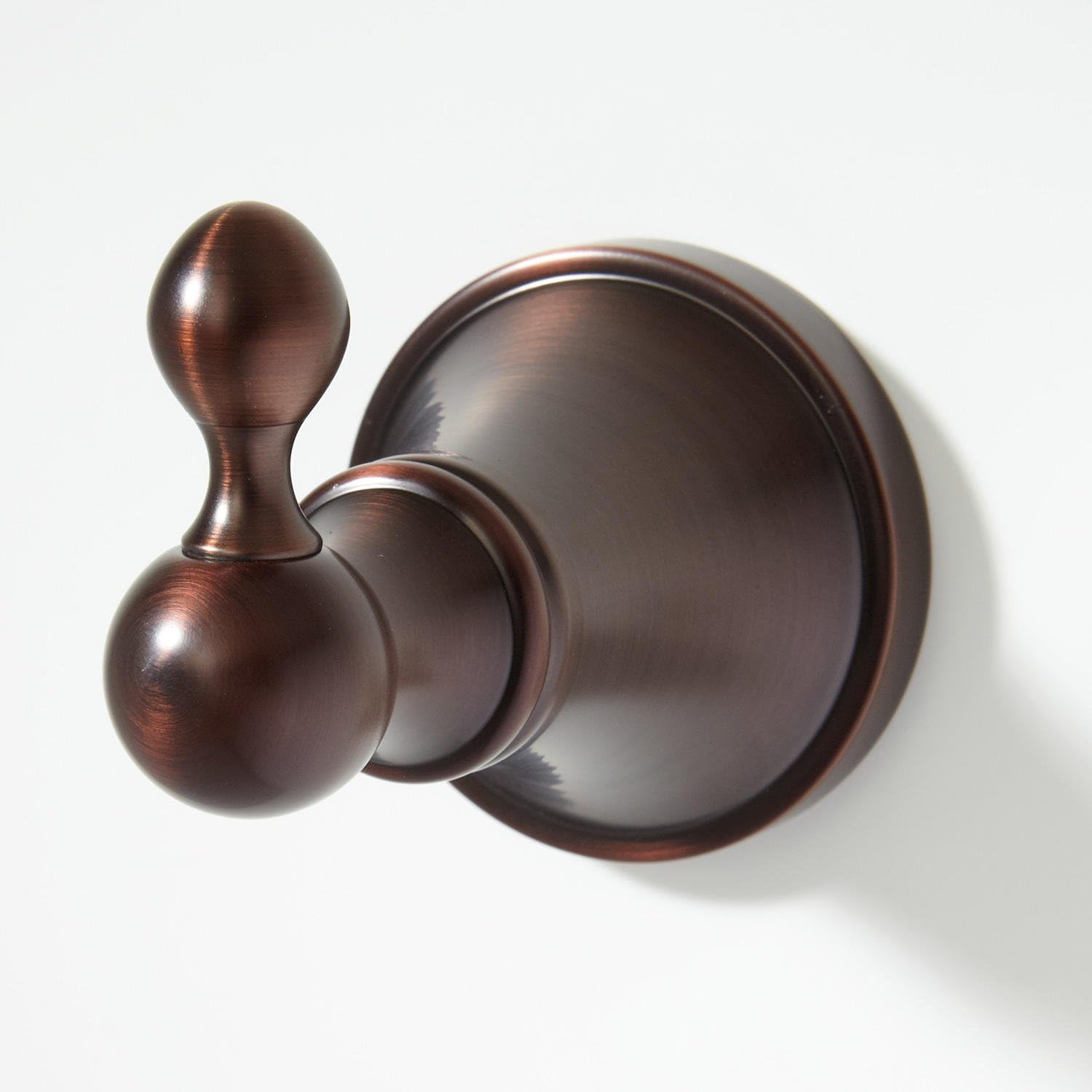
Image: Side view of the robe hook installed on a wall. This shows the hook's projection from the wall.
Operating Instructions
The Signature Hardware Seattle Single Robe Hook is designed for hanging robes, towels, and other lightweight garments. Simply place the item over the hook. Do not exceed the maximum weight recommendation of 35 pounds.
Maintenance and Care
To maintain the finish and appearance of your robe hook:
- Clean regularly with a soft, damp cloth.
- Avoid abrasive cleaners, harsh chemicals, or scouring pads, as these can damage the finish.
- Dry the hook immediately after cleaning to prevent water spots.
Troubleshooting
- Issue: Robe hook feels loose or wobbly.
- Solution: Check the set screw on the underside of the hook's base. Tighten it gently with an Allen wrench or small screwdriver. If the mounting plate itself is loose, carefully remove the hook and re-secure the mounting plate to the wall, ensuring screws are tight and anchors (if used) are properly seated.
- Issue: Finish appears dull or stained.
- Solution: Clean the hook with a soft, damp cloth and mild soap if necessary. Rinse thoroughly and dry immediately. Avoid using abrasive or chemical cleaners which can strip the finish.
Specifications
| Feature | Detail |
|---|---|
| Model Number | SH353546 |
| Material | Solid Brass |
| Finish | Chrome |
| Mounting Type | Wall Mount |
| Overall Dimensions | 2-1/4" Height x 2-1/2" Width x 3-3/8" Depth |
| Item Weight | 0.56 Pounds |
| Maximum Weight Recommendation | 35 Pounds |
Warranty Information
Signature Hardware proudly stands behind this product with a lifetime limited warranty. This warranty covers defects in material and workmanship under normal use. For full warranty details and terms, please refer to the official Signature Hardware website or contact customer support.
Customer Support
If you have any questions, require assistance with installation, or need to report a defect, please contact Signature Hardware customer support. Visit the official Signature Hardware Store for more information or to find contact details.