
Introduction
This manual provides instructions for the installation, operation, and maintenance of the Honeywell Ademco GSMVLP5-4G Internal GSM Radio. This module is designed to enhance the communication capabilities of compatible security systems, specifically the L5100 Lynx Touch, by providing a reliable cellular connection with two-way voice support.
Please read this manual thoroughly before attempting installation or operation to ensure proper functionality and safety.
Safety Information
- Power Disconnection: Always disconnect power to the main control panel before installing or removing the GSMVLP5-4G module. Failure to do so may result in damage to the device or personal injury.
- Qualified Personnel: Installation should be performed by qualified security system technicians.
- Environmental Conditions: Ensure the installation environment is dry and within recommended temperature ranges. The device is rated as waterproof, but proper installation is crucial to maintain this rating.
- Antenna Placement: Ensure the antenna is positioned for optimal signal reception.
Package Contents
Verify that all items are present in the package:
- Honeywell Ademco GSMVLP5-4G Internal GSM Radio Module
- Installation Guide (this document)
- Power Supply
Setup and Installation
The GSMVLP5-4G module is designed for internal installation within a compatible L5100 Lynx Touch control panel. Follow these steps carefully:
- Power Down the System: Before beginning, ensure the L5100 Lynx Touch control panel is completely powered off. This includes disconnecting the main power transformer and any backup battery. If an LT-cable is not available, it may be necessary to unscrew the transformer from the wall outlet.
- Locate Installation Slot: Open the L5100 Lynx Touch panel cover. Identify the designated internal slot for the GSM module.
- Insert GSM Module: Carefully align the GSMVLP5-4G module with the internal connector pins and gently press it into place until it is securely seated.
- Connect Antenna: Attach the GSM antenna to the module. Position the antenna for optimal cellular signal reception, avoiding obstructions.
- Restore Power: Reconnect the backup battery, then restore main power to the L5100 Lynx Touch control panel.
- Verify Communication Settings: Access the L5100 Lynx Touch system programming menu. Navigate to the communication settings and verify that the GSM module is recognized and configured as the primary communication method, if desired. Refer to your L5100 Lynx Touch manual for detailed programming instructions.
- Test System: Perform a system test to confirm that the GSM communication path is active and successfully transmitting signals to your monitoring station.
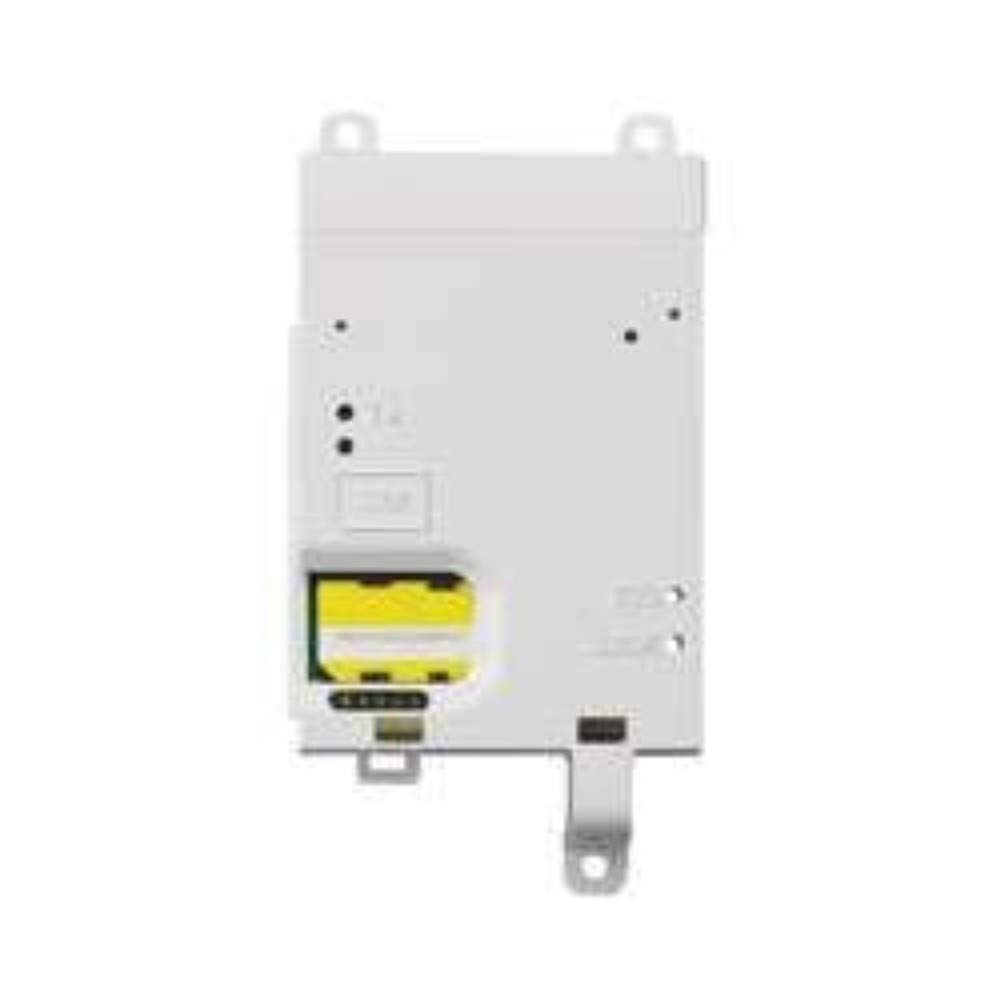
Image: The Honeywell Ademco GSMVLP5-4G Internal GSM Radio module. This image shows the compact design of the cellular communication device, which integrates into compatible security panels.
Operation
The GSMVLP5-4G module operates as an internal cellular communicator for your L5100 Lynx Touch security system. Once installed and configured, it provides the following key functionalities:
- Cellular Communication: Transmits alarm signals and system status updates to your central monitoring station via cellular networks. The module automatically adjusts its radio frequency to utilize available 2G, 3G, or 4G networks for optimal reliability.
- Two-Way Voice Support: Enables two-way voice communication between the monitoring station and the premises through the security panel, allowing for direct interaction during an alarm event.
- Remote Services (if enabled): Depending on your monitoring service plan, the GSM module may facilitate remote arming/disarming, status checks, and other interactive services via a smartphone application or web portal.
For specific operational procedures related to your security system, refer to the L5100 Lynx Touch user manual.
Maintenance
The Honeywell Ademco GSMVLP5-4G module requires minimal maintenance. Consider the following:
- Regular System Tests: Periodically test your security system's communication path to ensure the GSM module is functioning correctly. Consult your monitoring provider for recommended testing schedules.
- Software Updates: Ensure your L5100 Lynx Touch panel firmware is up-to-date, as updates may include enhancements for communication modules.
- Environmental Checks: While the device is waterproof, ensure the overall security panel environment remains free from excessive moisture or extreme temperatures.
Troubleshooting
If you encounter issues with your GSMVLP5-4G module, consider the following:
- No Communication:
- Verify that the module is securely seated in its slot.
- Check antenna connection and placement for optimal signal.
- Confirm that the L5100 Lynx Touch panel is correctly programmed to use the GSM module for communication.
- Contact your monitoring provider to ensure your account is active and configured for GSM communication.
- Check for local cellular network outages in your area.
- Two-Way Voice Issues:
- Ensure the panel's microphone and speaker are not obstructed.
- Verify that two-way voice is enabled and configured in the panel's programming.
- "Not Working" / Defective Unit: If the module consistently fails to operate after verifying installation and programming, it may indicate a hardware issue. Contact your installer or Honeywell support.
For advanced troubleshooting, consult the L5100 Lynx Touch installation and programming guide or contact a qualified technician.
Specifications
| Feature | Detail |
|---|---|
| Model Number | GSMVLP5-4G |
| Compatibility | L5100 Lynx Touch Security System |
| Communication Type | Internal GSM Radio |
| Frequency Range | 700-2200 MHz (2G to 4G automatic adjustment) |
| Special Features | Two-Way Voice Support, Waterproof |
| Voltage | 3 Volts (DC) |
| Item Weight | 0.32 ounces (9.07 g) |
| Product Dimensions | 2 x 7 x 5 inches |
| Included Components | Power Supply |
| Manufacturer | Ademco Honeywell |
Warranty Information
Honeywell products are typically covered by a limited manufacturer's warranty. For detailed information regarding the warranty period and terms for your GSMVLP5-4G module, please refer to the warranty card included with your original purchase or visit the official Honeywell security products website. Keep your proof of purchase for warranty claims.
Support
For technical assistance, installation support, or troubleshooting beyond the scope of this manual, please contact your authorized Honeywell security dealer or installer. You may also find additional resources, FAQs, and contact information on the official Honeywell security products website: