
1. Introduction
Thank you for choosing the Gemoro Platinum 600SS Pocket Scale. This precision instrument is designed for accurate weighing of small items, ideal for jewelry, precious metals, and other delicate materials. Please read this manual thoroughly before operating the scale to ensure correct usage and to achieve the best results.
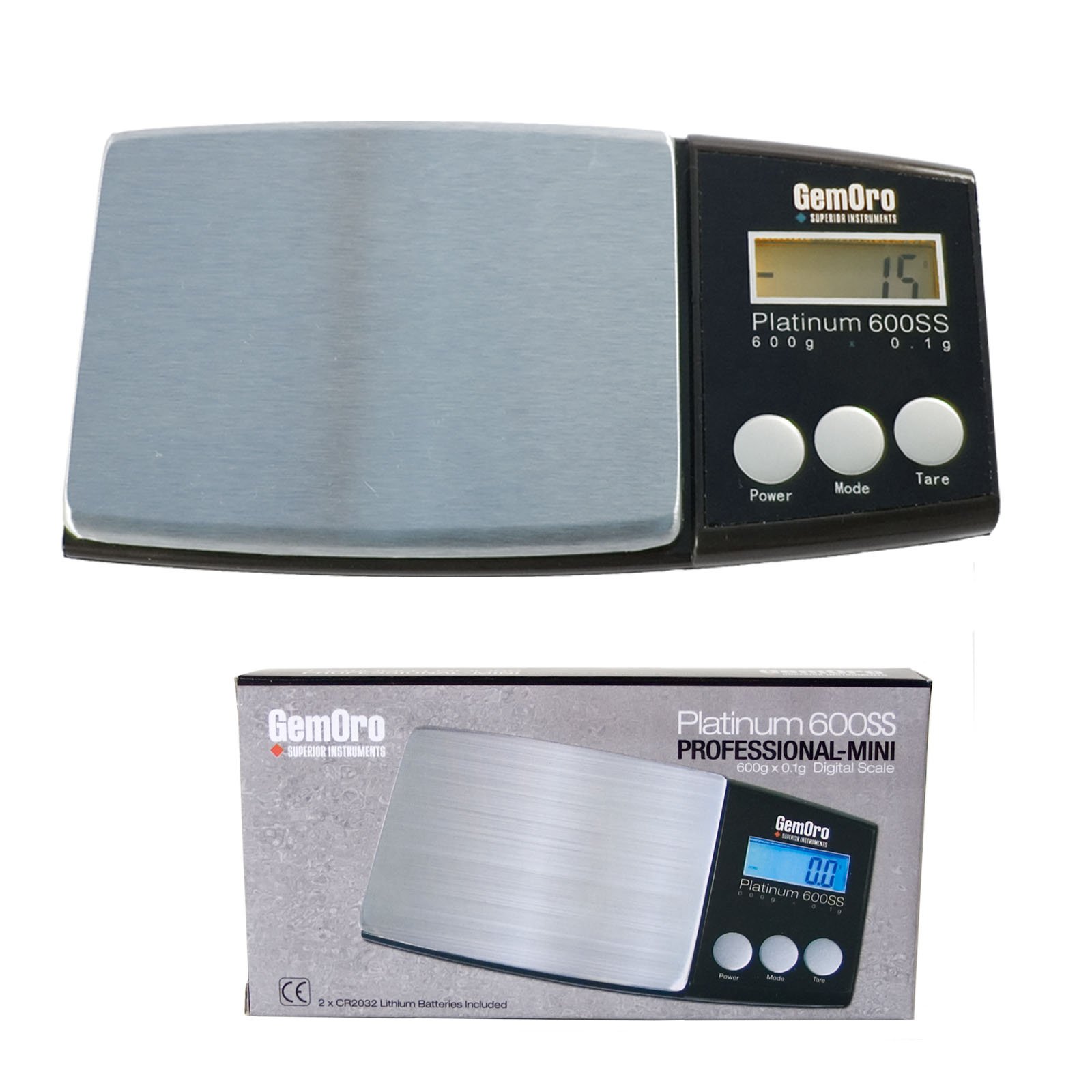
Figure 1: Gemoro Platinum 600SS Pocket Scale. This image shows the compact design of the scale, featuring its digital display and control buttons, suitable for portable use.
2. Safety Precautions
- Do not overload the scale beyond its maximum capacity of 600 grams.
- Avoid exposing the scale to extreme temperatures, humidity, or direct sunlight.
- Keep the scale away from strong electromagnetic fields.
- Handle the scale with care; avoid dropping or subjecting it to sudden impacts.
- Do not attempt to disassemble or repair the scale yourself. Contact customer support if service is required.
- Use only the specified battery type.
3. Setup
3.1 Unpacking
Carefully remove the scale from its packaging. Inspect the scale for any signs of damage. Retain the packaging for future storage or transport.
3.2 Battery Installation
- Locate the battery compartment cover on the underside of the scale.
- Slide or lift the cover to open the compartment.
- Insert the required batteries (typically AAA, refer to the compartment for specifics) ensuring correct polarity (+/-).
- Replace the battery compartment cover securely.
3.3 Initial Calibration (Recommended)
For optimal accuracy, it is recommended to perform an initial calibration. You will need a known calibration weight (e.g., 500g or 200g, check scale specifications for recommended weight). If no calibration weight is available, the scale is typically pre-calibrated from the factory.
- Place the scale on a stable, level surface.
- Press and hold the "MODE" button (or "CAL" button if present) until "CAL" appears on the display.
- Release the button. The display will show the required calibration weight (e.g., "500.00g").
- Gently place the exact calibration weight onto the center of the weighing platform.
- Wait for the display to show "PASS" or return to normal weighing mode. Remove the weight. Calibration is complete.
4. Operating Instructions
4.1 Turning On/Off
- To turn on: Press the "ON/OFF" button. The display will light up and show "0.00" or "0.000".
- To turn off: Press and hold the "ON/OFF" button for a few seconds until the display turns off. The scale also features an auto-off function to conserve battery power.
4.2 Weighing Procedure
- Place the scale on a stable, level, vibration-free surface.
- Press "ON/OFF" to turn on the scale. Ensure the display reads "0.00" before weighing.
- Gently place the item to be weighed onto the center of the weighing platform.
- Read the stable weight displayed on the screen.
4.3 Tare Function
The tare function allows you to subtract the weight of a container, so you only measure the contents.
- Place an empty container on the weighing platform.
- Press the "TARE" button. The display will reset to "0.00".
- Add the items to be weighed into the container. The display will show the net weight of the items.
4.4 Unit Conversion
The scale can measure in various units (e.g., grams, ounces, carats, grains, pennyweights). To change the weighing unit:
- With the scale on, press the "MODE" button repeatedly to cycle through the available weighing units.
- Stop when the desired unit is displayed.
5. Maintenance
5.1 Cleaning
- Wipe the scale with a soft, damp cloth. Do not use abrasive cleaners or immerse the scale in water.
- Ensure the weighing platform is clean and free of debris before each use.
5.2 Storage
- Store the scale in a cool, dry place, away from dust and vibrations.
- If storing for an extended period, remove the batteries to prevent leakage.
6. Troubleshooting
| Problem | Possible Cause | Solution |
|---|---|---|
| Scale does not turn on | Dead or incorrectly installed batteries | Replace batteries or check polarity. |
| Inaccurate readings | Unstable surface, calibration needed, overload, or dirt on platform | Place on stable surface, recalibrate, do not overload, clean platform. |
| "O-Ld" or "EEEE" displayed | Overload | Remove item immediately. Do not exceed maximum capacity. |
| Display shows "UNST" | Unstable environment | Move scale to a stable, vibration-free surface. |
7. Specifications
- Model: Gemoro Platinum 600SS
- Capacity: 600g (grams)
- Readability: 0.01g (grams)
- Units: g, oz, ct, gn, dwt
- Power: AAA Batteries (not included)
- Auto-Off: Yes
- Platform Material: Stainless Steel
Note: Specifications are subject to change without notice.
8. Warranty and Support
Gemoro products are manufactured to high-quality standards. This product comes with a limited warranty against defects in materials and workmanship. Please refer to the warranty card included in your product packaging for specific terms and conditions, including the warranty period.
For technical support, service, or warranty claims, please contact Gemoro customer service. Contact information can typically be found on the product packaging or the official Gemoro website.
Online Support: Visit the official Gemoro website for FAQs, product registration, and additional support resources.