
1. Introduction
This manual provides detailed instructions for the installation, operation, maintenance, and troubleshooting of your v4ink CRG-128 compatible black toner cartridge. This cartridge is designed to deliver reliable printing performance for compatible Canon and HP printers.
The v4ink CRG-128 toner cartridge is a compatible replacement for Canon 128 and HP 78A (CE278A) black toner cartridges. It is engineered to meet high standards of quality, reliability, and compatibility, ensuring sharp text, bold blacks, and crisp graphics.
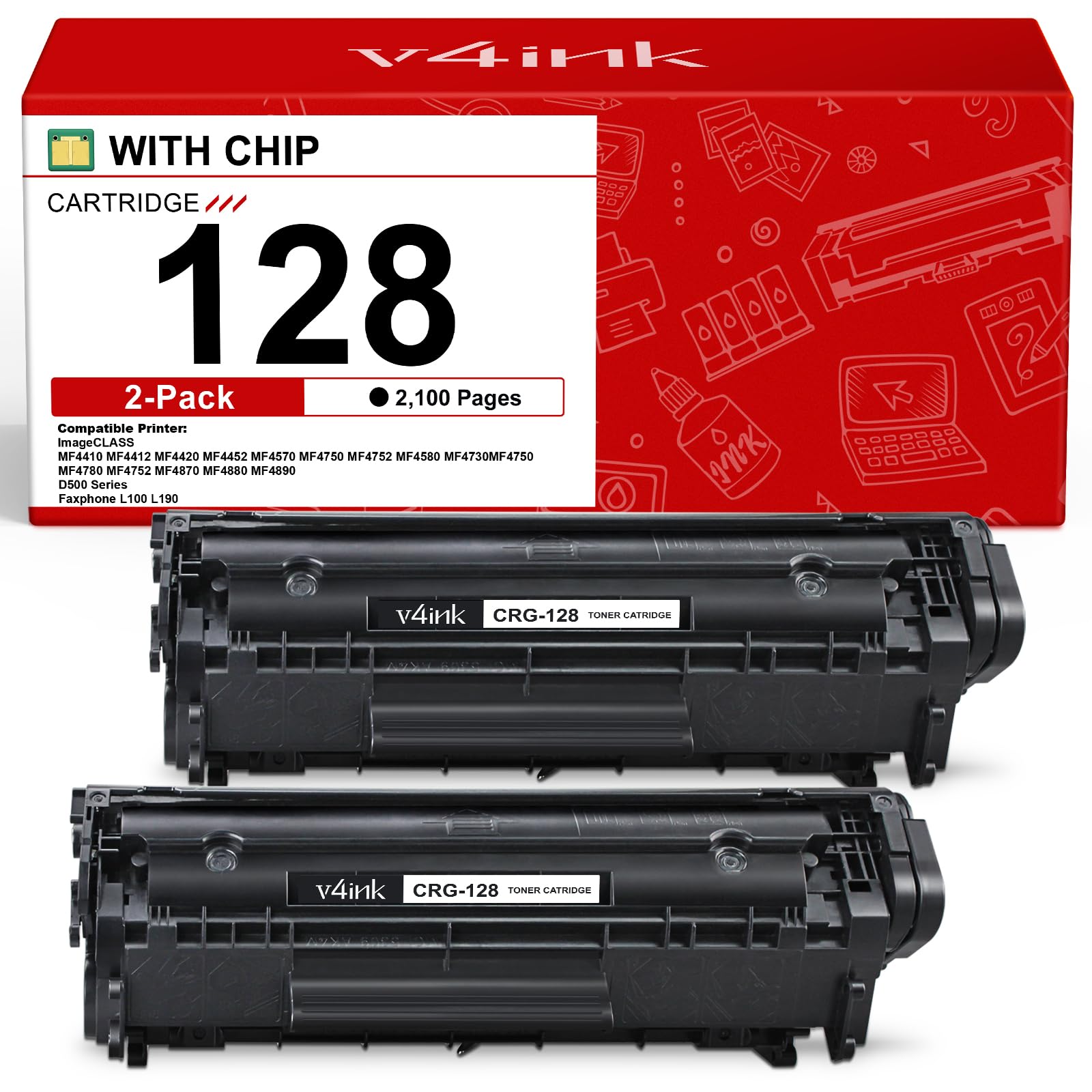
Image: Two v4ink CRG-128 black toner cartridges shown with their product packaging.
2. Compatible Printers
The v4ink CRG-128 toner cartridge is compatible with a wide range of Canon imageCLASS, Canon FAXPHONE, and HP LaserJet Pro printers. Please verify your printer model against the list below:
- Canon imageCLASS Series: D520, D530, D550, LBP6200d, LBP6230dw, MF4410, MF4412, MF4450, MF4550d, MF4570dn, MF4570dw, MF4580DN, MF4870DN, MF4880dw, MF4890DW
- Canon FAXPHONE Series: L100, L150, L170, L190
- HP LaserJet Pro Series: P1600, P1606, P1606dn, P1560, P1566, M1536dnf, M1536 MFP

Image: A graphic displaying a comprehensive list of compatible Canon and HP printer models.
3. Package Contents
Each package typically includes:
- Two (2) v4ink compatible CRG-128 / Canon 128 / HP 78A (CE278A) black toner cartridges.
- One (1) installation instruction sheet.
4. Setup and Installation
Follow these steps to properly install the toner cartridge into your printer:
- Step 1: Gently Shake the Cartridge
Gently shake the toner cartridge from side to side 5-6 times to distribute the toner evenly inside the cartridge. This helps ensure consistent print quality. - Step 2: Remove Sealing Tape
Locate the orange sealing tape on the side of the toner cartridge. Entirely pull out this sealing tape from the toner cartridge. Do not tear it. - Step 3: Remove Protective Cover and Install
Take off the orange protective cover or clip from the cartridge. Carefully align the cartridge with the corresponding slot in your printer and push it firmly until it clicks into place. Close the printer cover.

Image: Visual guide illustrating the three key steps for toner cartridge installation: shaking, tape removal, and printer insertion.
Installation Video Guide
Video: An official v4ink video demonstrating the installation process for compatible Canon 128 and HP 78A toner cartridges.
5. Operating Instructions
Once installed, the v4ink CRG-128 toner cartridge operates automatically with your compatible printer. The cartridge is designed for optimal performance and consistent output.
Page Yield
Each v4ink CRG-128 black toner cartridge is rated to produce approximately 2,100 pages based on 5% coverage (Letter/A4). Actual page yield may vary significantly depending on content of printed pages, print settings, and other factors.

Image: Illustration highlighting the consistent output of 2,100 pages per black cartridge at 5% coverage.
Print Quality
Expect reliable printing results with sharp text, bold blacks, and crisp graphics. The cartridge is manufactured to ensure high-quality prints for everyday use, whether for office documents or home printing.

Image: A magnifying glass examining printed documents, emphasizing the standout quality for everyday prints.
6. Maintenance
To ensure the longevity and optimal performance of your toner cartridges, consider the following maintenance tips:
- Storage: Store unused toner cartridges in their original sealed packaging in a cool, dry place away from direct sunlight and extreme temperatures.
- Handling: Avoid touching the drum or electrical contacts on the cartridge, as oils from your skin can affect print quality.
- Printer Cleaning: Periodically clean the inside of your printer according to your printer's manual to prevent toner buildup, which can cause print quality issues.
7. Troubleshooting
If you encounter any issues with your v4ink CRG-128 toner cartridge, refer to the common problems and solutions below:
Faded or Light Prints
- Solution: Gently remove the toner cartridge from the printer and shake it horizontally 5-6 times to redistribute the toner. Reinstall the cartridge. If the issue persists, the cartridge may be low on toner and require replacement.
Streaks or Smudges on Prints
- Solution: Check the drum unit for any visible debris or toner residue. Clean the drum unit carefully with a lint-free cloth if accessible. Ensure the sealing tape was fully removed during installation.
Printer Not Recognizing Cartridge
- Solution: Remove the cartridge and inspect the metal contacts on both the cartridge and inside the printer for any protective tape or debris. Gently wipe the contacts with a dry, lint-free cloth. Reinstall the cartridge firmly. If the problem continues, power cycle your printer (turn it off, unplug, wait 30 seconds, plug back in, and turn on).
Error Messages
If your printer displays specific error messages, consult your printer's user manual for detailed troubleshooting steps related to that error code. Ensure all protective materials were removed from the toner cartridge prior to installation.
8. Specifications
| Feature | Detail |
|---|---|
| Brand | v4ink |
| Model Number | CRG-128 |
| Color | Black |
| Cartridge Type | Compatible |
| Page Yield | 2100 pages (at 5% coverage, Letter/A4) |
| Included Components | Toner Cartridge |
| Specific Uses | Office printing, home printing, fax machine use |
9. Warranty and Support
v4ink stands behind the quality of its products. If you experience any quality issues with your CRG-128 toner cartridge within 2 years of purchase, please contact v4ink customer support for a replacement or refund.
For further assistance or inquiries, please refer to the contact information provided with your purchase or visit the official v4ink website.