
Introduction
Welcome to the user manual for your new Fossil Flight Chronograph CH2801 Men's Watch. This timepiece combines classic design with modern chronograph functionality. This manual provides essential information for setting up, operating, maintaining, and troubleshooting your watch to ensure its longevity and accurate performance.

Figure 1: Front view of the Fossil Flight Chronograph CH2801 watch.
Setup
1. Setting the Time
- Pull the crown (B) out to position 2.
- Turn the crown (B) clockwise or counter-clockwise to set the hour and minute hands to the desired time.
- Push the crown (B) back into position 1 to start the watch.
2. Setting the Date
- Pull the crown (B) out to position 1.
- Turn the crown (B) clockwise to advance the date. If the date changes during the day, advance it by 12 hours.
- Push the crown (B) back into the normal operating position.
Important: Do not set the date between 9:00 PM and 3:00 AM, as this may damage the movement. If you need to set the date during this period, first set the time outside this range, adjust the date, then reset the time.
3. Adjusting the Strap
The watch features a leather strap with a tang buckle. To adjust, simply thread the strap through the buckle and secure the pin in the desired hole for a comfortable fit.

Figure 2: Side view illustrating the crown (B) and chronograph pushers (A and C).
Operating the Chronograph
Your Fossil Flight Chronograph CH2801 is equipped with a stopwatch function.
- Start: Press pusher A (top button) to start the chronograph. The chronograph second hand will begin to move.
- Stop: Press pusher A again to stop the chronograph. The elapsed time will be indicated by the chronograph hands.
- Reset: After stopping, press pusher C (bottom button) to reset the chronograph hands to their zero positions.
- Split Time (if applicable): This model typically offers basic start/stop/reset. Refer to the specific movement manual if advanced functions like split time are desired.

Figure 3: The Fossil Flight Chronograph CH2801 worn on a wrist.
Maintenance
Cleaning
Wipe the watch case and crystal with a soft, dry cloth. For the leather strap, avoid excessive moisture and harsh chemicals. If the strap gets wet, allow it to air dry naturally.
Water Resistance
This watch is water resistant up to 100 meters (10 ATM). This means it is suitable for swimming and snorkeling, but not for diving. Do not operate the crown or pushers while the watch is wet or submerged, as this can compromise the water resistance. Ensure the crown is fully pushed in before any contact with water.
Battery Replacement
The watch is powered by a quartz movement and requires a battery. When the battery runs low, the second hand may skip seconds or stop. Battery replacement should be performed by a qualified watch technician to maintain water resistance and prevent damage to the movement.
Storage
When not wearing your watch, store it in a cool, dry place away from direct sunlight and strong magnetic fields. The original watch box is ideal for storage.

Figure 4: Rear view of the watch, displaying model number and water resistance rating.
Troubleshooting
- Watch not running: Check if the crown is fully pushed in. If the watch still does not run, the battery may need replacement.
- Chronograph hands not resetting to zero: This may require a chronograph reset procedure. Consult a professional watch repair service.
- Date changes at noon: This indicates the time is set for PM instead of AM. Advance the hour hand by 12 hours.
- Condensation under crystal: This indicates a breach in water resistance. Have the watch inspected by a professional immediately to prevent further damage.
Specifications
| Model Number | CH2801 |
| Movement Type | Quartz |
| Display Type | Chronograph |
| Case Material | Stainless Steel |
| Case Shape | Round |
| Dial Colour | Black |
| Band Material | Leather |
| Band Colour | Black |
| Clasp Type | Tang Buckle |
| Crystal Material | Mineral |
| Water Resistance Depth | 100 Metres (10 ATM) |
| Item Weight | 500 Grams |
Warranty Information
Your Fossil Flight Chronograph CH2801 watch comes with a manufacturer's warranty. The specific terms and duration of the warranty may vary by region. Please retain your proof of purchase. For detailed warranty information and to register your product, please visit the official Fossil website or contact Fossil customer service.
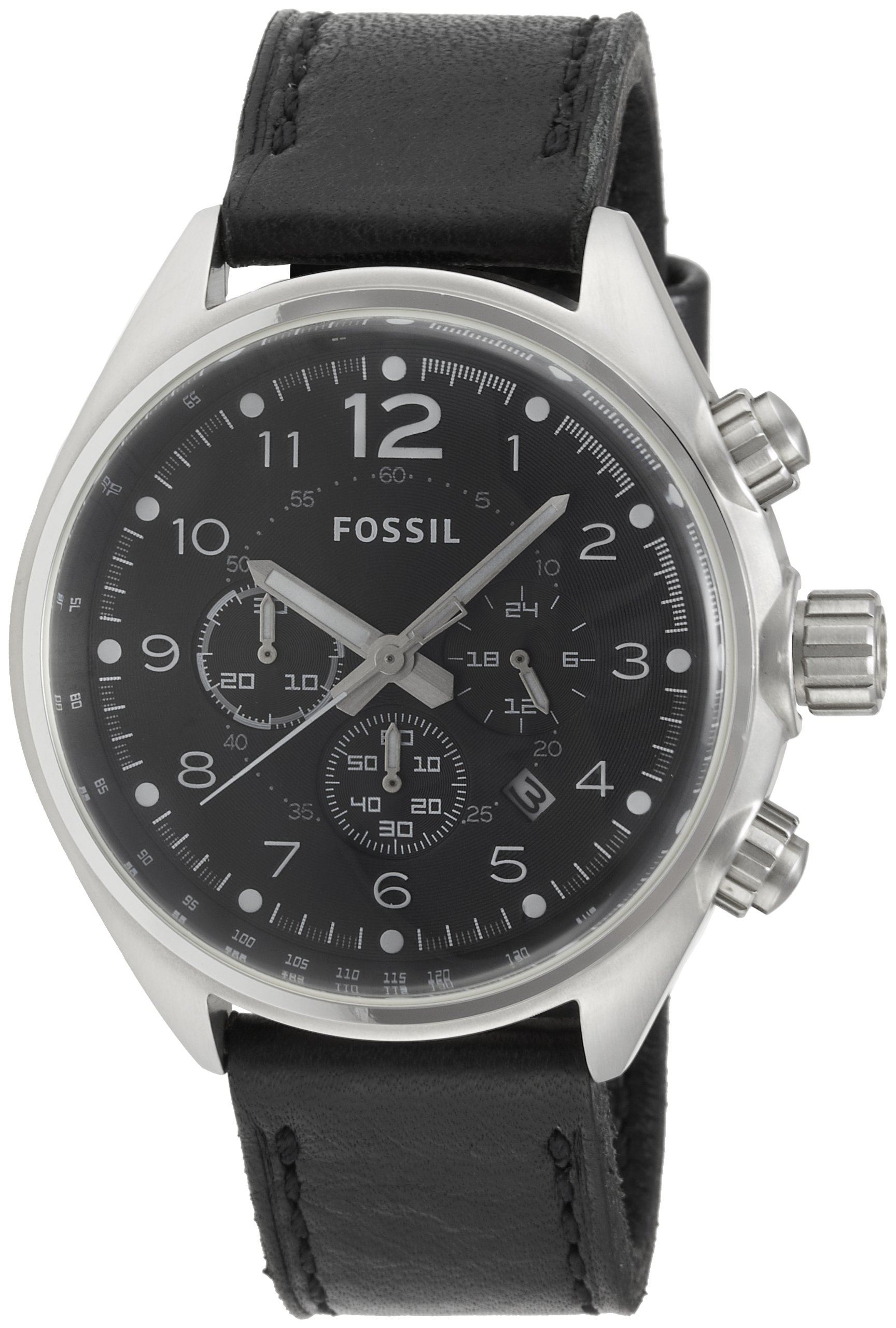
Figure 5: The Fossil watch box and accompanying manual.
Customer Support
Should you require further assistance, service, or have questions not covered in this manual, please contact Fossil customer support. You can find contact information and frequently asked questions on the official Fossil website: www.fossil.com.


