
1. Introduction
This document serves as a supplementary guide to the Roland HD-1 V-Drums Lite Manual Set. The primary resource for detailed instructions, including setup, operation, and advanced features, is provided within the official DVD and printed manuals. This overview aims to provide a structured understanding of the product and its usage.
The Roland HD-1 V-Drums Lite is an electronic drum kit designed for home use, offering a compact and quiet drumming experience. This manual set provides essential information to maximize your experience with the HD-1 kit.
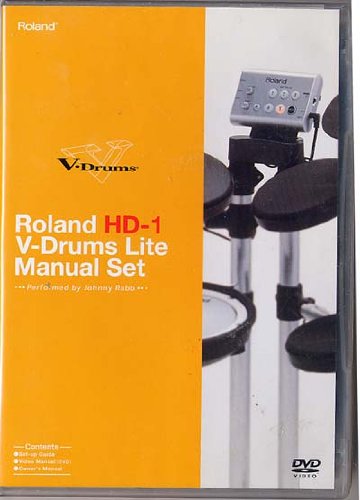
Image 1: Front cover of the Roland HD-1 V-Drums Lite Manual Set DVD. The cover is orange with the Roland logo and "V-Drums" branding, featuring a partial image of the HD-1 drum kit on the right side.
2. Setup
The Roland HD-1 V-Drums Lite Manual Set includes a dedicated "Set-up Guide" and "Video Manual" on DVD to assist with the assembly and initial configuration of your electronic drum kit. Please refer to these resources for detailed, step-by-step instructions.
2.1 Unpacking and Inventory
- Carefully unpack all components from the packaging.
- Verify that all parts listed in the packing list are present. Refer to the manual for a complete list of included items.
- Keep the packaging materials for future transport or storage.
2.2 Assembly
Follow the instructions in the "Set-up Guide" and "Video Manual" for assembling the drum rack, pads, cymbals, and pedals. Ensure all connections are secure and correctly oriented.
- Attach the drum pads (snare, tom) to the rack.
- Mount the cymbal pads (hi-hat, crash, ride).
- Connect the kick pedal and hi-hat control pedal.
- Route all cables neatly to the sound module, ensuring they are not strained or pinched.
2.3 Initial Power-Up and Connections
- Connect the AC adapter to the sound module and then to a power outlet.
- Connect headphones or an amplifier/speaker system to the output jacks of the sound module.
- Power on the unit.
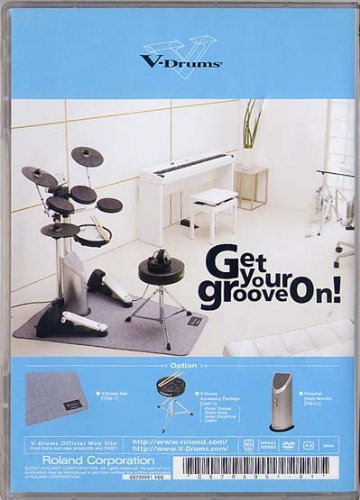
Image 2: Back cover of the Roland HD-1 V-Drums Lite Manual Set DVD. The image displays a fully assembled Roland HD-1 V-Drums Lite kit in a room setting, highlighting its compact design and various components.
3. Operating the HD-1 V-Drums Lite
The "Owner's Manual" included in the set provides comprehensive details on operating your HD-1 V-Drums Lite. This section offers a general overview of common functions.
3.1 Basic Functions
- Power On/Off: Use the dedicated power button on the sound module.
- Volume Control: Adjust the master volume knob to your desired listening level.
- Kit Selection: The HD-1 features various drum kits. Use the kit selection buttons or dial to cycle through the available sounds (e.g., Standard, Rock, Jazz, Electronic).
- Metronome: Engage the metronome function to practice with a click track. Adjust tempo and time signature as needed.
3.2 Playing the Kit
Strike the pads and cymbals with drumsticks. The HD-1 is designed to respond dynamically to your playing, producing different sounds based on strike velocity and location (for certain pads).
- Snare Drum: Strike the center for a main snare sound, or the rim for a rimshot (if supported by the kit).
- Tom Pads: Strike for tom sounds.
- Cymbal Pads: Strike for crash, ride, and hi-hat sounds. The hi-hat pedal controls open/closed sounds.
- Kick Pedal: Press the pedal to trigger the bass drum sound.
4. Maintenance
Proper maintenance ensures the longevity and optimal performance of your Roland HD-1 V-Drums Lite.
- Cleaning: Wipe down pads, cymbals, and the sound module with a soft, dry cloth. For stubborn dirt, a slightly damp cloth can be used, followed by a dry one. Avoid abrasive cleaners or solvents.
- Cable Management: Periodically check all cables for wear and tear. Ensure they are not tangled or under excessive tension.
- Storage: When not in use for extended periods, store the kit in a clean, dry environment, away from direct sunlight and extreme temperatures.
- Pad Care: Avoid striking pads with excessive force or using sharp objects, which can damage the playing surfaces.
5. Troubleshooting
Refer to the "Owner's Manual" for a comprehensive troubleshooting guide. Below are some common issues and their potential solutions.
| Problem | Possible Cause / Solution |
|---|---|
| No sound from the kit. |
|
| A specific pad is not producing sound. |
|
| Sounds are distorted or unclear. |
|
6. Specifications
The following specifications are for the Roland HD-1 V-Drums Lite Manual Set (DVD format).
- ASIN: B009KZQDHU
- Item Weight: 3.2 ounces
- Format: DVD
- Note: For detailed specifications of the Roland HD-1 V-Drums Lite electronic drum kit itself, please refer to the official owner's manual provided by Roland.
7. Warranty and Support
For information regarding the warranty of your Roland HD-1 V-Drums Lite electronic drum kit, please consult the warranty card included with your product or visit the official Roland website. Technical support and service inquiries should also be directed to Roland's customer support channels.
Official Roland Website: www.roland.com
V-Drums Official Web Site: www.v-drums.com


