1. Introduction
This user manual provides essential information for the proper installation, operation, and maintenance of the Cecilware X006A Sight Gauge Glass. This component is designed for use in commercial coffee brewing equipment and similar applications to provide a clear indication of liquid levels. Please read this manual thoroughly before installation and use to ensure safe and efficient operation.
2. Product Features
- Genuine OEM Cecilware replacement sight gauge glass.
- Measures 0.625" diameter x 8.0" length for accurate fit.
- Provides a clear and reliable view of liquid levels in tanks and brewers.
- Constructed from durable glass to withstand heat and pressure in commercial use.
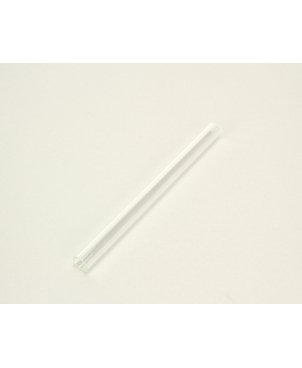
Figure 2.1: The Cecilware X006A Sight Gauge Glass, a clear cylindrical glass tube used for liquid level indication.
3. Setup and Installation
The Cecilware X006A Sight Gauge Glass is a replacement part. Installation should be performed by qualified personnel familiar with the specific equipment it is being installed into.
- Safety First: Ensure the equipment is powered off, unplugged, and completely cooled down before beginning any installation or maintenance. Drain any liquid from the system.
- Remove Old Gauge: Carefully remove the old or broken sight gauge glass. Note the orientation and any seals or gaskets that were in place.
- Inspect Seals: Inspect the existing seals and gaskets. Replace them if they show any signs of wear, cracking, or damage. Using new seals is highly recommended to prevent leaks.
- Insert New Glass: Gently insert the new Cecilware X006A Sight Gauge Glass into the designated fittings. Do not force the glass.
- Secure Fittings: Secure the fittings, ensuring they are tightened sufficiently to create a watertight seal, but avoid over-tightening which can crack the glass.
- Leak Test: After installation, slowly refill the system and carefully check for any leaks around the new sight glass. Address any leaks immediately.
4. Operating Instructions
The sight gauge glass itself does not require active operation. Its function is passive, providing a visual indication of the liquid level within the connected reservoir or tank.
- Visual Inspection: Regularly observe the sight gauge glass to monitor the liquid level. Ensure the liquid is within the recommended operating range for your equipment.
- Clarity Check: Periodically check the clarity of the glass. If it becomes cloudy or stained, it may require cleaning or replacement.
- Temperature Considerations: While the glass is designed for heat, rapid temperature changes can stress the material. Avoid pouring very cold liquids into a hot system or vice-versa if the sight glass is exposed to such changes.
5. Maintenance
Proper maintenance extends the life of the sight gauge glass and ensures accurate readings.
- Regular Cleaning: If the glass appears dirty or stained, it may need to be cleaned. For external cleaning, use a soft cloth and mild, non-abrasive cleaner. For internal cleaning, follow the cleaning procedures for your specific equipment, which may involve flushing the system.
- Inspection for Damage: Periodically inspect the glass for any signs of cracks, chips, or etching. Even small imperfections can compromise the integrity of the glass and lead to failure.
- Seal Integrity: Check the seals and gaskets around the sight glass for signs of degradation or leaks. Replace them as needed.
- Replacement: If the glass is cracked, chipped, or severely stained and cannot be cleaned, it must be replaced immediately to prevent leaks and ensure safety.
6. Troubleshooting
| Problem | Possible Cause | Solution |
|---|---|---|
| Liquid level unclear/obscured | Internal staining or mineral buildup; external dirt. | Clean the glass externally. If internal, follow equipment cleaning procedures or replace the glass. |
| Leakage around the glass | Damaged or worn seals/gaskets; improper installation/tightening. | Inspect and replace seals/gaskets. Re-tighten fittings carefully, ensuring not to over-tighten. |
| Glass is cracked or chipped | Physical impact; over-tightening during installation; thermal shock. | Immediately replace the sight gauge glass. Ensure correct installation procedures are followed. |
7. Specifications
| Attribute | Value |
|---|---|
| Model Number | 85-1155 (X006A) |
| Brand | Cecilware |
| Material | Glass |
| Dimensions (Diameter x Length) | 0.625" x 8.0" (approx. 5/8" x 8") |
| Item Weight | 2.88 ounces |
| UPC | 851155785119 |
8. Warranty and Support
Specific warranty information for the Cecilware X006A Sight Gauge Glass is not provided in this manual. For warranty details, please refer to the documentation provided with your original equipment or contact Cecilware directly.
For technical support or replacement parts, please contact your equipment supplier or the manufacturer, Cecilware, through their official website or customer service channels.
Note on Videos: No official product videos from the seller are available for this specific product at this time.


