
Introduction
This document provides comprehensive instructions for the proper installation and use of the Motorcraft WPT1212 Wiring Kit. This kit is a genuine OEM multi-function connector assembly designed for various automotive electrical applications, commonly used for integrating aftermarket components such as subwoofers into existing vehicle wiring systems, particularly in Ford F-150 models.
Please read this manual thoroughly before beginning any installation to ensure safe and correct operation.
Safety Information
- Always disconnect the vehicle's battery before performing any electrical work to prevent electrical shock or damage to the vehicle's electrical system.
- Ensure all connections are secure and properly insulated to prevent short circuits.
- Consult a professional automotive technician if you are unsure about any part of the installation process.
- Wear appropriate personal protective equipment, such as safety glasses, during installation.
Package Contents
The Motorcraft WPT1212 Wiring Kit typically includes:
- 1x Motorcraft WPT1212 Multi-Function Connector Assembly (Wiring Kit)
- Heat shrink tubing (may be included for insulation)
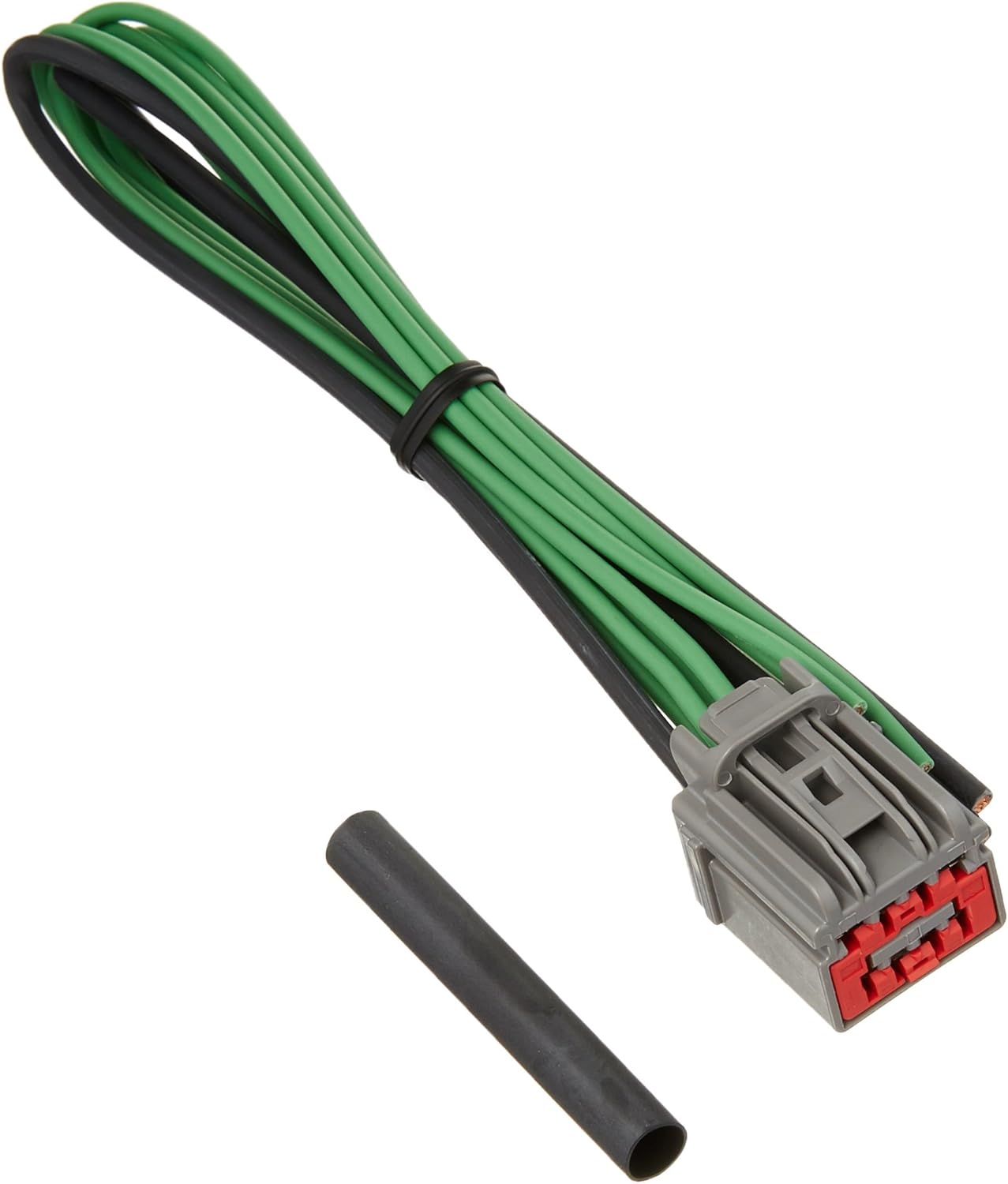
Figure 1: Motorcraft WPT1212 Wiring Kit components.
Setup and Installation
The Motorcraft WPT1212 Wiring Kit is designed to facilitate connections to existing factory wiring. A common application involves connecting an aftermarket subwoofer to a vehicle's audio system, particularly in Ford F-150 models (2015 and up) where a factory plug for a subwoofer may be present but inactive.
- Identify the Factory Connection Point: For Ford F-150 models, locate the empty factory plug in the pillar behind the rear door (driver's side for SuperCab models). This is often the intended connection point for a factory subwoofer.
- Prepare the Wiring Kit: The WPT1212 kit provides the necessary connector and wires. Depending on your aftermarket component (e.g., powered subwoofer), you may need to splice these wires to your component's power, ground, remote, and speaker input wires. Use appropriate connectors (e.g., quick disconnects) and heat shrink tubing for secure and insulated connections.
- Connect Power, Ground, and Remote:
- Connect the power wire from the WPT1212 to the power input of your aftermarket component.
- Connect the ground wire from the WPT1212 to the ground input of your aftermarket component.
- Connect the remote turn-on wire from the WPT1212 to the remote input of your aftermarket component.
- Connect Speaker Signals: The WPT1212 provides speaker-level inputs. Connect these to the corresponding speaker input terminals on your aftermarket component. Ensure correct polarity.
- Activate Factory Output (if necessary): For certain vehicle models, such as the Ford F-150, the factory subwoofer output may need to be "activated" using specialized software (e.g., FORScan). This step is crucial for the wiring kit to receive a signal. Consult vehicle-specific forums or a qualified technician for detailed instructions on activating this output.
- Secure the Wiring: Route all wiring safely, away from moving parts, heat sources, and sharp edges. Use cable ties or clips to secure the wires.
- Test the System: Reconnect the vehicle's battery and test the functionality of your aftermarket component. Adjust settings as needed.
Note: The provided videos in the product listing are for a Rockville SS10P Subwoofer and demonstrate its installation and features. While they illustrate general subwoofer wiring concepts, they are not specific to the Motorcraft WPT1212 Wiring Kit.
Operating Instructions
As a passive wiring kit, the Motorcraft WPT1212 does not have operational controls. Its function is to provide a reliable electrical connection between your vehicle's factory wiring and an aftermarket component. Operation of the connected component will depend on its specific user manual.
Maintenance
The Motorcraft WPT1212 Wiring Kit requires minimal maintenance. Periodically inspect all connections for tightness and signs of wear or corrosion. Ensure that the wiring remains securely routed and free from damage. If any damage is observed, disconnect power immediately and replace the affected components.
Troubleshooting
- No Signal/Component Not Functioning:
- Verify all electrical connections (power, ground, remote, signal) are secure and correctly wired.
- Ensure the vehicle's factory output (if applicable, e.g., subwoofer output in F-150) has been properly activated using the necessary diagnostic tools (e.g., FORScan).
- Check the aftermarket component's power supply and internal fuses.
- Intermittent Connection:
- Inspect wiring for any loose connections, frayed wires, or damaged insulation.
- Ensure the connector is fully seated in the factory receptacle.
- Incorrect Wiring Diagram: Some users have noted that the kit may not come with a detailed wiring diagram. In such cases, it is recommended to consult vehicle-specific wiring schematics or seek assistance from a professional.
Specifications
| Feature | Detail |
|---|---|
| Brand | Motorcraft |
| Model Number | WPT1212 |
| Description | Wiring Kit (Multi-Function Connector Assembly) |
| Part Type | Genuine OEM part |
| Manufacturing Origin | Made in Mexico |
| Connector Type | Spade |
| Terminal Type | Spade |
| Circuit Type | 1-way |
| Package Dimensions (L x W x H) | 7.4 x 4.46 x 5.44 inches |
| Package Weight | 2.3 pounds |
Warranty and Support
For warranty information and technical support regarding the Motorcraft WPT1212 Wiring Kit, please refer to the official Motorcraft website or contact your authorized Motorcraft dealer. Specific warranty terms and support procedures may vary.