
1. Introduction and Product Overview
The Orion LaserMate Deluxe II Laser Collimator is an essential tool designed for precisely aligning the primary and secondary mirrors of your reflector telescope. Proper collimation ensures that your telescope delivers the sharpest possible images, maximizing its optical performance.
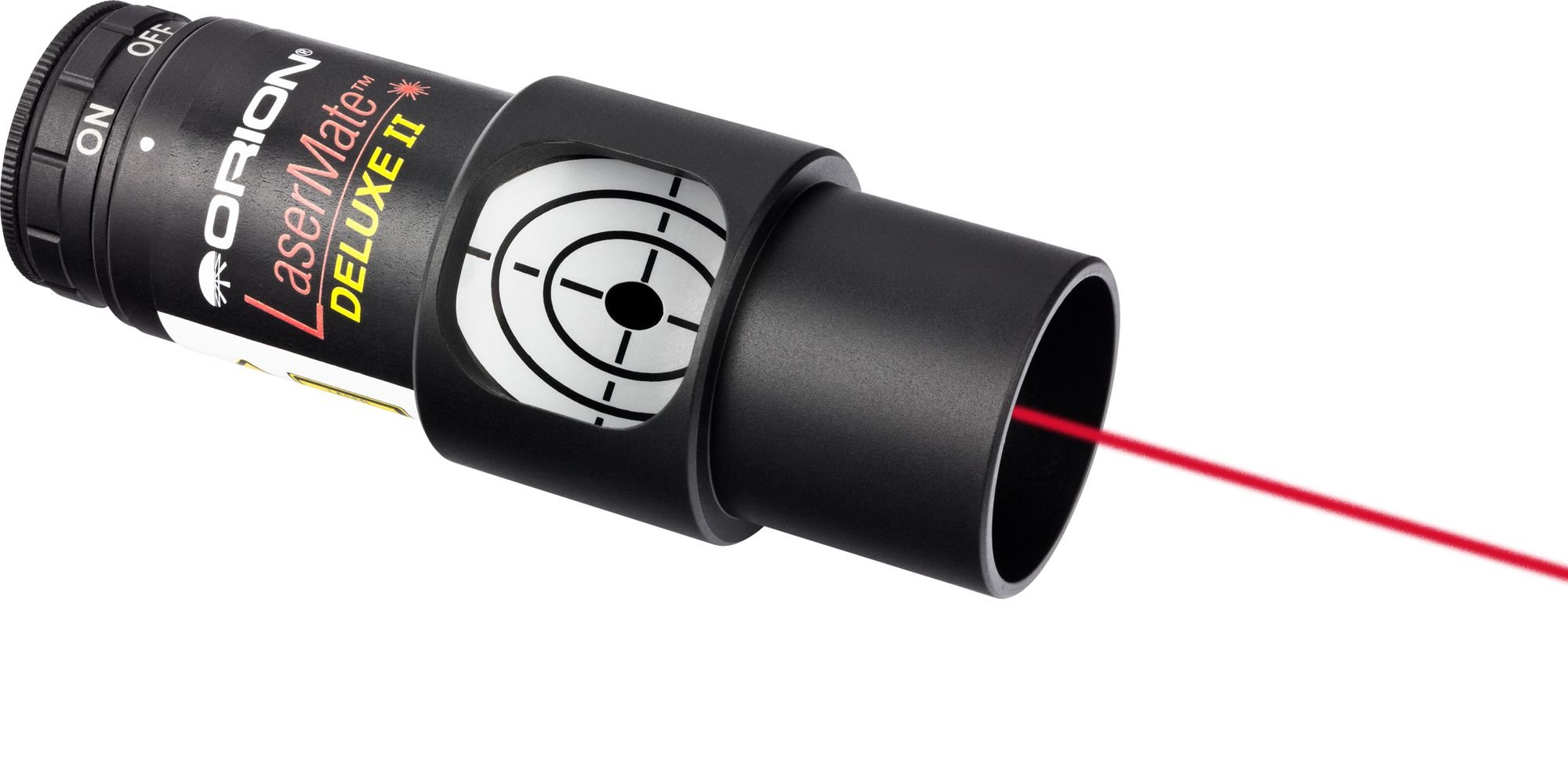
Image of the Orion LaserMate Deluxe II Laser Collimator, a cylindrical device with a laser aperture and a rear viewing port, designed for aligning telescope mirrors.
This second-generation model features an improved aluminum housing and a wider 3mm barrel flange, ensuring a secure and consistent fit in your telescope's focuser. A convenient rear view port allows for easy observation of the laser return beam during the collimation process.
The LaserMate Deluxe II operates on a single CR2032 battery, providing a reliable and portable solution for maintaining your telescope's optical alignment.
2. Safety Information
Please read and understand all safety instructions before using the Orion LaserMate Deluxe II Laser Collimator.
- Never look directly into the laser beam. Direct exposure to the laser can cause permanent eye damage.
- Avoid pointing the laser at people, animals, or reflective surfaces.
- Do not point the laser at aircraft or vehicles.
- Keep the device out of reach of children.
- Use only the specified battery type (CR2032).
- Dispose of batteries properly according to local regulations.
3. Package Contents
Verify that all items are present in your package:
- Orion LaserMate Deluxe II Laser Collimator
- CR2032 Battery (pre-installed or included separately)
- Instruction Manual (this document)
- Primary mirror center markers (may be included for initial setup)
4. Setup
4.1 Battery Installation
The LaserMate Deluxe II uses one CR2032 button cell battery. If the laser does not illuminate, or if the beam appears dim, the battery may need to be installed or replaced.
- Locate the battery compartment cover, usually on the side or rear of the collimator.
- Open the compartment using a small coin or screwdriver if necessary.
- Insert the CR2032 battery with the positive (+) side facing up (or as indicated by the compartment markings).
- Close the battery compartment securely.
- Test the laser by pressing the power button (if present) or rotating the barrel to activate.
4.2 Initial Inspection
Before use, ensure the collimator is clean and free from dust or debris. Check that the laser aperture is clear.
5. Operating Instructions: Telescope Collimation
This section provides a general guide for using the LaserMate Deluxe II to collimate a Newtonian reflector telescope. For detailed, telescope-specific instructions, always refer to your telescope's manual or Orion's official support resources.
5.1 Preparing Your Telescope
- Ensure your telescope is set up on a stable surface.
- Remove any eyepiece or diagonal from the focuser.
- If your primary mirror does not have a center mark, apply one using the provided markers or a suitable alternative. This is crucial for accurate collimation.
5.2 Secondary Mirror Collimation
- Insert the LaserMate Deluxe II into your telescope's focuser. Ensure it is seated firmly and squarely. Tighten the focuser thumbscrews gently to hold it in place.
- Turn on the laser. A red laser dot will project down the optical tube, strike the secondary mirror, and then reflect onto the primary mirror.
- Adjust the secondary mirror's collimation screws (typically three screws around the secondary mirror holder) until the laser dot is centered precisely on the center mark of your primary mirror.
- Make small, incremental adjustments. It may take some practice to achieve precise centering.
5.3 Primary Mirror Collimation
- Once the laser dot is centered on the primary mirror, the laser beam will reflect back up the optical tube, strike the secondary mirror again, and then return to the LaserMate Deluxe II.
- Observe the return beam in the rear view port of the collimator. You should see a red dot or pattern.
- Adjust the primary mirror's collimation screws (typically three screws at the rear of the telescope tube) until the reflected laser dot is centered within the target pattern on the LaserMate Deluxe II's rear view port.
- Again, make small, careful adjustments. The goal is to have the outgoing and returning laser beams perfectly aligned.
- Once the return beam is centered, your telescope is collimated. Remove the LaserMate Deluxe II and insert your eyepiece.
Note: The "rear view port" feature of the LaserMate Deluxe II simplifies observing the return beam without needing to move around the telescope.
6. Maintenance
6.1 Cleaning
- Keep the LaserMate Deluxe II clean and free of dust. Use a soft, lint-free cloth to wipe the exterior.
- Avoid touching the laser aperture. If cleaning is necessary, use a lens brush or compressed air to remove dust. Do not use liquid cleaners directly on the laser aperture.
6.2 Battery Replacement
Replace the CR2032 battery when the laser beam becomes dim or fails to illuminate. Refer to Section 4.1 for battery installation instructions.
6.3 Storage
Store the collimator in a dry, cool place, away from direct sunlight and extreme temperatures. If storing for extended periods, it is advisable to remove the battery to prevent leakage.
7. Troubleshooting
- Laser does not turn on:
- Check if the battery is installed correctly (positive side up).
- Replace the CR2032 battery with a fresh one.
- Ensure the power switch (if applicable) is in the "ON" position.
- Collimation seems inconsistent or inaccurate:
- Ensure the collimator is seated firmly and squarely in the focuser. A loose fit can lead to inaccurate readings.
- Verify that your primary mirror has an accurate center mark.
- The collimator itself may need to be checked for collimation. While factory-calibrated, rough handling can sometimes affect its internal alignment. Consult Orion support if you suspect this.
- Ensure your telescope's focuser is not loose or wobbly.
If you continue to experience issues, please contact Orion customer support for assistance.
8. Specifications
| Brand | Orion |
| Model Number | 5691 |
| Item Weight | 91 g |
| Power Source | Battery Powered (CR2032) |
| Compatible Devices | Reflecting Telescope |
| Manufacturer | Orion |
| UPC | 759270056919 |
| GTIN | 759270056919 |
9. Warranty and Support
The Orion LaserMate Deluxe II Laser Collimator is covered by a manufacturer's warranty. Please refer to the official Orion website or your purchase documentation for specific warranty terms and conditions.
For technical support, troubleshooting assistance, or to inquire about replacement parts, please visit the official Orion Telescopes & Binoculars website at www.telescope.com or contact their customer service department.