
1. Introduction
This manual provides essential information for the proper use and care of your Walimex Pro 8mm f/3.8 VDSLR Fisheye Lens Version II. This lens is specifically designed for videography, offering a unique perspective with a wide field of view and specialized features for film production.
The Walimex Pro 8mm f/3.8 VDSLR Fisheye Lens Version II is engineered to deliver distinct visual effects, characterized by its extremely wide angle and pronounced barrel distortion. It is an ideal tool for creative videographers seeking to capture unique, spherical perspectives.

Image 1.1: The Walimex Pro 8mm f/3.8 VDSLR Fisheye Lens Version II, showcasing its compact design and integrated lens hood.
2. Setup and Installation
2.1 Camera Compatibility
This lens is compatible with the following Sony Alpha camera models:
- Sony Alpha A560
- Sony Alpha A580
- Sony Alpha A33
- Sony Alpha A35
- Sony Alpha A55
- Sony Alpha A65
- Sony Alpha A77
Note: This lens is not compatible with full-frame Sony Alpha cameras.
2.2 Attaching the Lens
- Ensure your camera is powered off.
- Remove the rear lens cap and the camera body cap.
- Align the mounting index mark on the lens with the corresponding mark on the camera body.
- Insert the lens into the camera mount and rotate it clockwise until it clicks securely into place.
- Remove the front lens cap.
2.3 Lens Hood
The lens includes a removable lens hood designed to prevent stray light and lens flares. To attach or remove the lens hood, align it with the front of the lens and twist gently until it locks or unlocks.
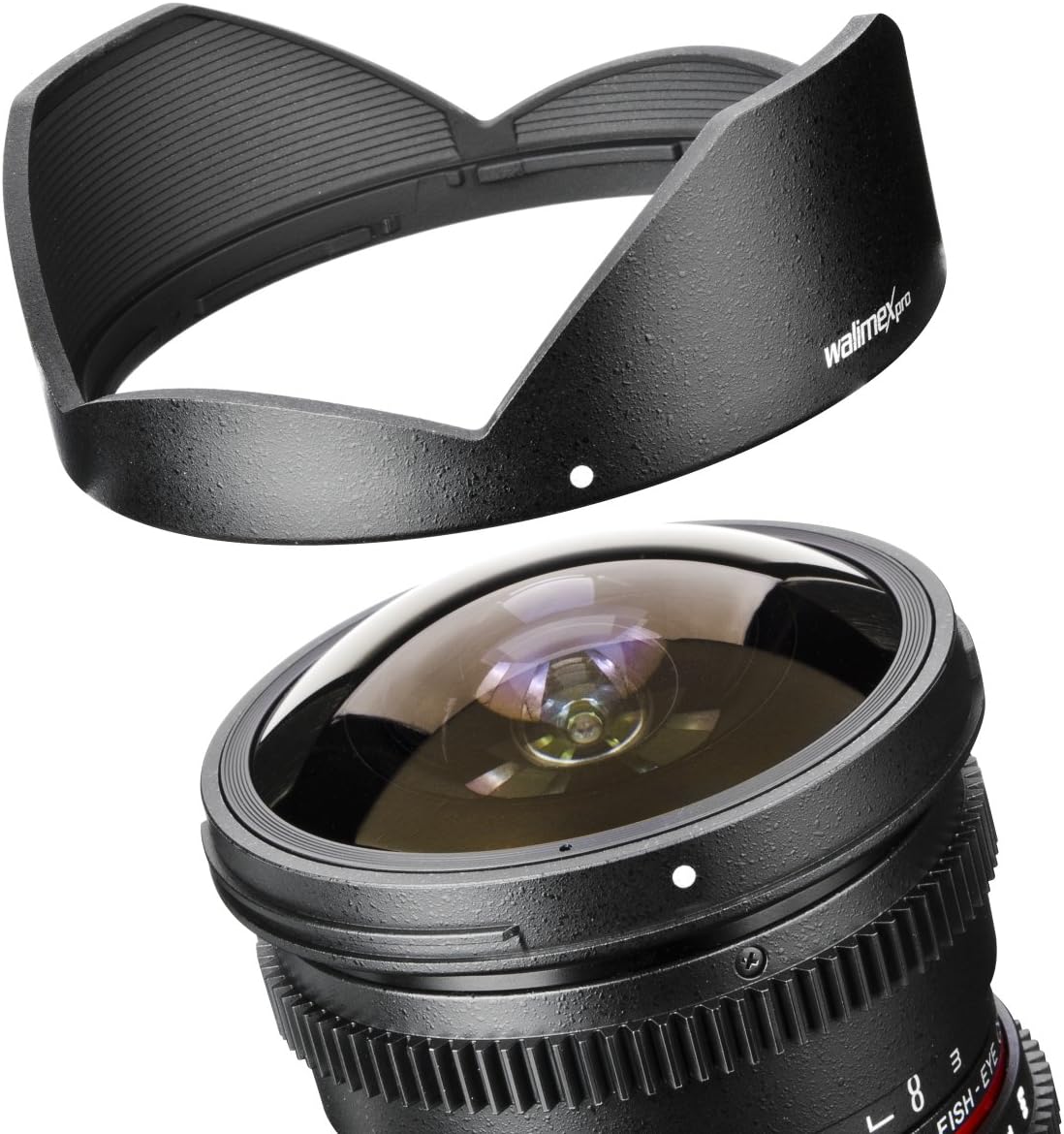
Image 2.1: The Walimex Pro 8mm f/3.8 VDSLR Fisheye Lens with its removable lens hood, illustrating how the hood can be detached for specific shooting scenarios or storage.
3. Operating the Lens
This VDSLR lens is designed for manual control, providing precise adjustments for videography.
3.1 Focus Adjustment
The focus ring allows for soft and smooth adjustments, which is crucial for achieving seamless focus pulls during filming. Rotate the focus ring to achieve the desired sharpness. The minimum focus distance is approximately 0.3 meters.
3.2 Aperture Adjustment
The aperture (f-stop) can be adjusted steplessly from f/3.8 to f/22. This stepless control enables smooth transitions in exposure during video recording, preventing abrupt changes in brightness. The aperture ring is designed with a tooth ring for compatibility with follow focus systems.
3.3 Manual Exposure and Focusing
This lens operates in manual exposure mode and requires manual focusing. Familiarize yourself with your camera's manual settings to achieve optimal results.
3.4 Distance and F-Stop Scale
For enhanced readability, the distance and f-stop scales are displayed sideways on the lens barrel, allowing for easier monitoring during operation, especially when using follow focus rigs.

Image 3.1: A detailed view of the focus and aperture rings on the Walimex Pro 8mm f/3.8 VDSLR Fisheye Lens, highlighting the tooth rings for follow focus systems and the sideways scales.
3.5 Fisheye Characteristics
The unique optical design of this fisheye lens produces a distinct spherical distortion. Straight lines not positioned in the center of the image will appear curved, creating a barrel distortion effect. This characteristic is inherent to fisheye lenses and is utilized for creative photographic and videographic expression.
4. Maintenance and Care
Proper maintenance ensures the longevity and optimal performance of your lens.
4.1 Cleaning the Lens
- Use a soft, lint-free cloth or a lens brush to gently remove dust from the lens surfaces.
- For stubborn smudges or fingerprints, apply a small amount of lens cleaning solution to a clean lens cloth and wipe the lens surface in a circular motion, starting from the center and moving outwards.
- Avoid touching the glass elements directly with your fingers.
- Do not use abrasive cleaners or solvents, as these can damage the lens coatings.
4.2 Cleaning the Lens Body
Wipe the lens body with a soft, dry cloth. For more persistent dirt, a slightly damp cloth can be used, followed by a dry cloth.
4.3 Storage
When not in use, store the lens with both front and rear caps attached in a cool, dry place, away from direct sunlight and extreme temperatures. Consider using a lens pouch or case for added protection.
5. Troubleshooting
If you encounter issues with your lens, consider the following general troubleshooting steps:
- Image not sharp: Ensure the lens is properly focused. Verify that the camera's manual focus assist features (e.g., focus peaking, magnification) are used correctly. Check for dirt or smudges on the lens elements.
- Exposure issues: Confirm that your camera's exposure settings (aperture, shutter speed, ISO) are appropriate for the lighting conditions and that the lens aperture ring is set correctly.
- Lens not attaching securely: Re-check the alignment marks and ensure no obstructions are present in the camera mount or on the lens.
- Unusual noises: If you hear any unusual noises, cease operation and contact customer support.
For persistent problems, refer to the warranty and support section.
6. Specifications
| Feature | Detail |
|---|---|
| Model Number | 18710 |
| Brand | Walimex Pro |
| Focal Length | 8mm |
| Maximum Aperture | f/3.8 |
| Minimum Aperture | f/22 |
| Lens Type | Fisheye, Wide Angle |
| Compatible Mountings | Sony Alpha (A-mount, specific models) |
| Minimum Focus Distance | Approx. 0.3m |
| Product Dimensions | 0.39 x 0.39 x 0.39 inches |
| Item Weight | 14.5 ounces |
7. Warranty and Support
For warranty information and technical support, please refer to the documentation provided with your purchase or visit the official Walimex Pro website. Keep your proof of purchase for warranty claims.