
1. Introduction
This manual provides essential instructions for the safe and effective installation, operation, and maintenance of your Draper 400mm replacement chain, Model 24946. This chain is designed for specific Draper power tools, including models 35485, 45579, 45541, 79942, and 45542. Please read this manual thoroughly before attempting to install or use the chain to ensure proper function and user safety.
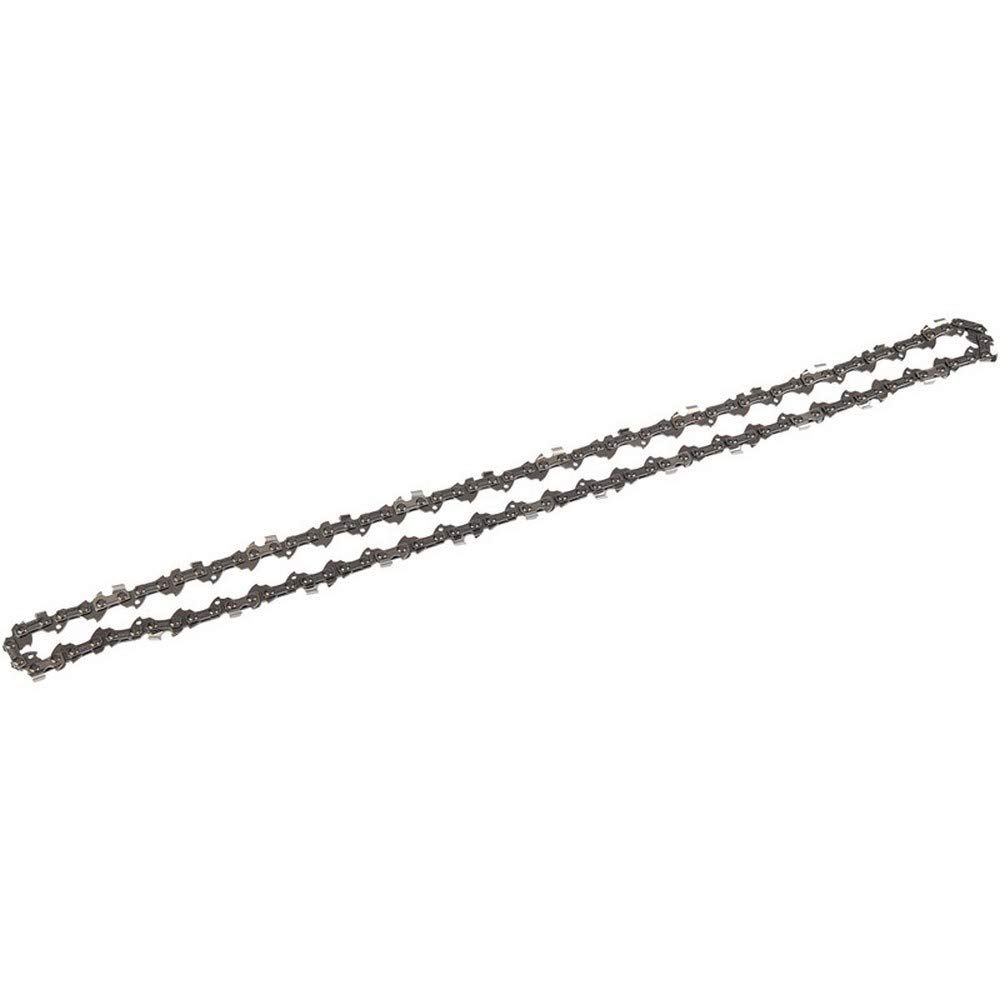
Image of the Draper 400mm replacement chain, Model 24946. This image displays the chain coiled, highlighting its length and tooth design.
2. Setup and Installation
Proper installation is crucial for safety and performance. Always refer to the specific instruction manual of your Draper power tool (e.g., chainsaw) for detailed installation steps, as procedures may vary slightly between models.
Safety Precautions:
- Always disconnect the power tool from its power source (unplug or remove battery) before performing any installation or maintenance.
- Wear appropriate personal protective equipment (PPE), including heavy-duty gloves, eye protection, and sturdy footwear.
- Ensure the work area is clean, well-lit, and free from obstructions.
General Installation Steps:
- Locate the chain cover and tensioning mechanism on your power tool.
- Remove the chain cover according to your tool's manual.
- Carefully remove the old chain, if present. Dispose of it safely.
- Place the new Draper 400mm chain onto the guide bar, ensuring the cutting teeth are facing the correct direction (usually forward on the top side of the bar).
- Fit the chain around the drive sprocket.
- Replace the chain cover and hand-tighten the retaining nuts.
- Adjust the chain tension as specified in your power tool's manual. The chain should be snug but still able to be pulled freely around the guide bar by hand. It should not sag underneath the guide bar.
- Fully tighten the retaining nuts.
- Perform a final check to ensure the chain is correctly seated and tensioned before reconnecting power.
3. Operating Considerations
While this manual focuses on the chain itself, safe and effective operation of the power tool with the new chain is paramount. Always adhere to the operating instructions provided with your specific Draper power tool.
- Chain Lubrication: Ensure your power tool's automatic oiler is functioning correctly and filled with the appropriate chain lubricant. Proper lubrication is essential to reduce friction, heat, and wear on the chain and guide bar.
- Chain Tension Check: Regularly check chain tension during operation, especially during the first hour of use with a new chain. Chains can stretch slightly when new.
- Sharpness: A sharp chain cuts efficiently and safely. A dull chain can cause kickback, excessive vibration, and poor cutting performance. Sharpen or replace the chain as needed.
- Kickback Prevention: Always be aware of potential kickback. Hold the tool firmly with both hands and maintain a stable stance. Avoid cutting with the tip of the guide bar.
4. Maintenance
Regular maintenance extends the life of your Draper 400mm chain and ensures safe operation.
Cleaning:
- After each use, remove the chain and guide bar (if practical) and clean off sawdust, sap, and debris. A stiff brush and appropriate cleaning solution can be used.
- Ensure the oil holes on the guide bar are clear to allow proper lubrication.
Inspection:
- Inspect the chain for damaged, bent, or cracked links.
- Check for excessive wear on the drive links and cutters.
- Examine the guide bar for burrs, uneven wear, or damage. Flip the guide bar periodically to ensure even wear.
- Replace the chain if it shows significant damage, excessive wear, or if it cannot be sharpened effectively.
Sharpening:
- Sharpen the chain regularly using the correct file size and angle for your chain type. Refer to your power tool's manual or a specialized chain sharpening guide for detailed instructions.
- Ensure all cutters are sharpened to the same length and angle.
Storage:
- Store the chain in a dry, clean place to prevent rust.
- If storing for an extended period, lightly oil the chain to prevent corrosion.
5. Troubleshooting
This section addresses common issues related to the chain. For tool-specific problems, consult your power tool's manual.
- Chain not fitting: Ensure you have the correct chain length (400mm) and pitch for your specific Draper power tool model. Double-check the model numbers listed in the introduction.
- Chain dulls quickly:
- Cause: Cutting into dirt, rocks, or metal.
- Solution: Avoid contact with abrasive materials. Sharpen or replace the chain.
- Cause: Improper sharpening angle.
- Solution: Re-sharpen using the correct angles and file size.
- Chain smoking or overheating:
- Cause: Insufficient lubrication.
- Solution: Check oil reservoir, oil pump, and guide bar oil holes. Ensure proper chain oil is used.
- Cause: Chain tension too tight.
- Solution: Adjust chain tension to the recommended specification.
- Cause: Dull chain.
- Solution: Sharpen or replace the chain.
- Chain jumping off guide bar:
- Cause: Chain tension too loose.
- Solution: Adjust chain tension.
- Cause: Worn guide bar or sprocket.
- Solution: Inspect and replace worn components.
6. Specifications
| Specification | Value |
|---|---|
| Brand | Draper |
| Model Number | 24946 |
| Chain Length | 400 mm (15.75 inches) |
| Item Weight | 7 ounces |
| Product Dimensions | 3.43 x 1.38 x 6.06 inches |
| Compatible Draper Models | 35485, 45579, 45541, 79942, 45542 |
7. Warranty and Support
This Draper 400mm chain is manufactured to EU standards and comes with a Draper warranty. For specific details regarding the warranty period and terms, please refer to the documentation provided with your original purchase or visit the official Draper Tools website.
For technical support, spare parts, or warranty claims, please contact Draper Tools customer service directly. Contact information can typically be found on the Draper Tools website or in the original product packaging.