
1. Introduction
This manual provides detailed instructions for the installation, operation, and maintenance of your Heath Zenith HZ-5412-WH 180-Degree Motion Activated Security Light. This hardwired, twin-head floodlight is designed for outdoor use, offering motion detection up to 70 feet with a 180-degree detection zone. Please read these instructions thoroughly before installation and retain this manual for future reference.
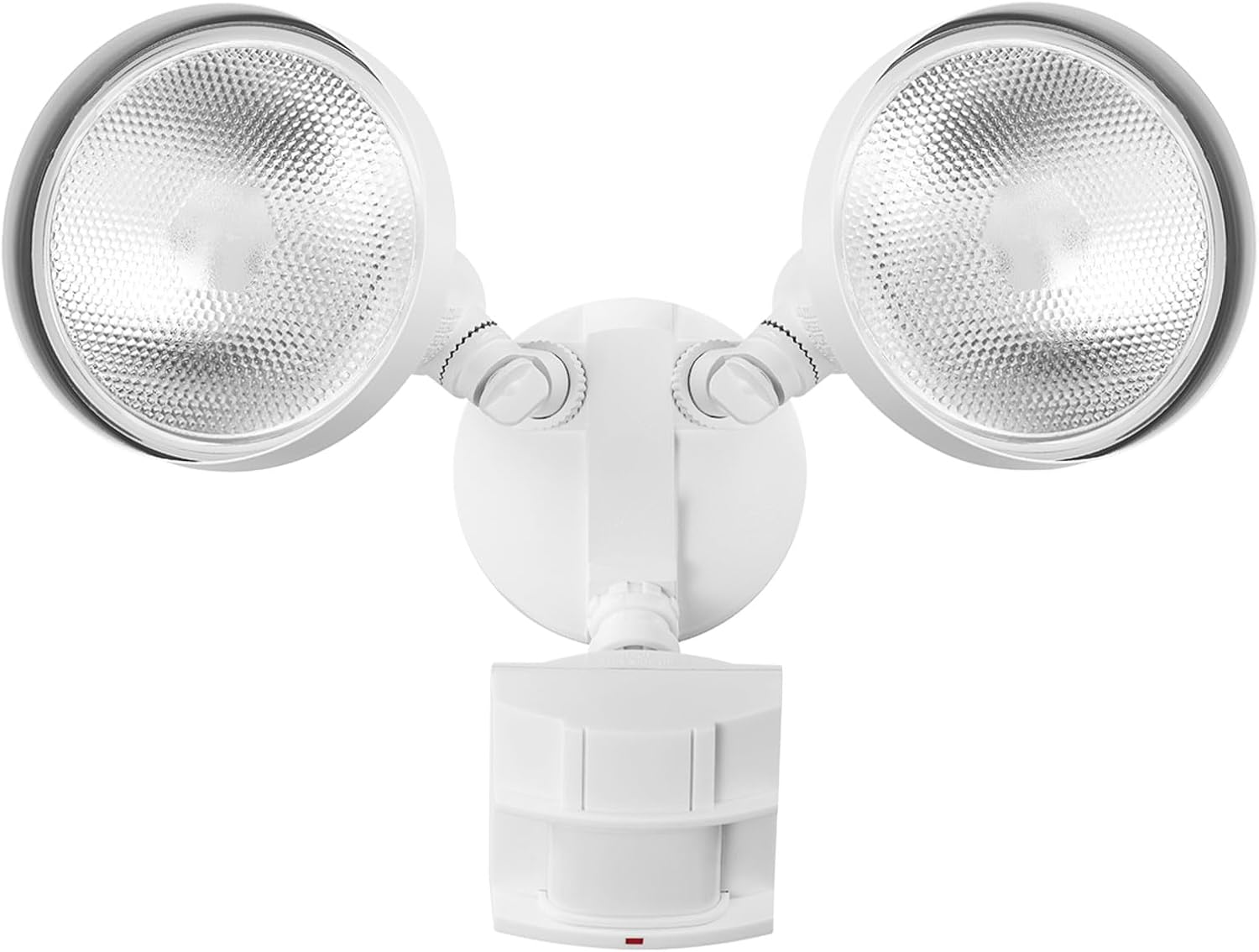
Figure 1: Front view of the Heath Zenith HZ-5412-WH Security Light.
2. Safety Information
WARNING: RISK OF ELECTRIC SHOCK. Disconnect power at the fuse or circuit breaker before installation or servicing.
- Always turn off the power supply at the circuit breaker or fuse box before beginning any electrical work.
- This product must be installed in accordance with the applicable installation code by a person familiar with the construction and operation of the product and the hazards involved.
- Ensure proper grounding to avoid potential electrical hazards.
- Do not attempt to modify the fixture. Any modifications may void the warranty and create safety risks.
- Use only bulbs that meet the specified wattage and type requirements.

Figure 2: The security light is outdoor rated and designed to withstand exposure to elements.
3. Package Contents
Verify that all components are present before beginning installation:
- Security Light Fixture (1)
- Mounting Hardware Kit (includes screws, wire nuts, weather gasket, metal cross piece)
- Nylon Installation Aid (1)
4. Setup and Installation
4.1 Pre-Installation
- Turn off power: Locate the circuit breaker or fuse box controlling the outdoor lighting circuit and turn off the power.
- Prepare mounting surface: Ensure the mounting surface is clean, dry, and structurally sound.
4.2 Mounting Options
The security light can be installed as either a wall mount or an eave mount. The adjustable arm design allows for proper positioning of the motion sensor.
- Attach Mounting Plate: Secure the metal cross piece to your electrical junction box using the provided screws.
- Use Installation Aid: For easier wiring, utilize the included nylon strand. Insert one end into the fixture's center screw hole and the other into a slot on the cross piece. This will temporarily hold the fixture near the box.

Figure 3: Wall mount and eave mount configurations, along with adjustable lamp heads.
4.3 Wiring
- Connect Wires: Connect the house wiring to the fixture wiring using the provided wire nuts. Match black to black (live), white to white (neutral), and green/bare copper to green/bare copper (ground).
- Secure Ground Wire: Ensure the ground wire is securely connected to the fixture and the junction box for safety.
- Position Fixture: Carefully push the wired connections into the junction box. Align the fixture with the mounting plate and secure it with the center screw. Ensure the weather gasket is properly seated to prevent water entry.
4.4 Bulb Installation
This security light requires 2x Standard Base E26 PAR38 Shape 120W Max Bulbs (sold separately). It is compatible with both incandescent and LED PAR38 bulbs.
- Carefully screw the PAR38 bulbs into the sockets. Do not overtighten.
- Ensure bulbs are fully seated to make proper electrical contact.
4.5 Adjusting the Motion Sensor and Lamp Heads
The motion sensor and lamp heads are adjustable to optimize coverage and light direction.
- Gently grasp the motion sensor and rotate it up or down to adjust its angle for wall or eave mounting.
- Swivel the lamp heads to direct light to desired areas.

Figure 4: Example of the security light installed above a garage.
5. Operating Instructions
After installation, restore power to the fixture at the circuit breaker. The light will enter a warm-up period before becoming fully operational.
5.1 Motion Detection
The HZ-5412-WH features a 180-degree motion detection zone with a range of up to 70 feet (21 meters).

Figure 5: The 180-degree motion detection zone provides wide coverage.
5.2 Adjusting Settings
The motion sensor unit includes controls for adjusting sensitivity (range) and the duration the light stays on after motion is detected.

Figure 6: Feature overview including adjustable settings.
- Range Adjustment: Adjust the motion detection range between 8 feet (2.4 meters) and 70 feet (21 meters) to suit your specific outdoor space.
- Time Duration: Select the duration the light remains on after motion is detected: 1 minute, 5 minutes, or 10 minutes. Some models may offer a 20-minute option.
- Photocell: The integrated photocell ensures the light only activates during nighttime hours, conserving energy during daylight.
5.3 Tips for Optimal Motion Sensing
- Motion Direction: The sensor is more sensitive to motion across its lens rather than directly towards or away from it. Position the sensor accordingly.
- Temperature Effects: In hot weather, the difference between ambient temperature and a moving object's heat signature decreases, potentially reducing sensitivity. You may need to increase the sensitivity setting to compensate.
- Warm-up Period: Allow a minute or two after applying power for the unit to adapt to its environment before aiming or testing the sensor.
6. Maintenance
6.1 Cleaning
To maintain the appearance and performance of your security light:
- Ensure power is off before cleaning.
- Wipe the fixture with a soft, damp cloth.
- Do not use abrasive cleaners or solvents, as these can damage the finish or electrical components.
- Periodically clean the motion sensor lens to ensure optimal detection.
6.2 Bulb Replacement
When a bulb needs replacement:
- Turn off power: Disconnect power at the circuit breaker.
- Allow bulbs to cool completely before handling.
- Carefully unscrew the old bulb and replace it with a new E26 PAR38 bulb (max 120W).
- Restore power and test the light.
7. Troubleshooting
If your security light is not functioning as expected, consult the following common issues and solutions:
| Problem | Possible Cause | Solution |
|---|---|---|
| Light does not turn on at night. |
|
|
| Light stays on continuously. |
|
|
| Light turns on during the day. |
|
|
| Motion detection is inconsistent or poor. |
|
|
8. Specifications
| Feature | Detail |
|---|---|
| Brand | Heath Zenith |
| Model Name | HZ-5412-WH |
| Part Number | 17000273 |
| Color | White |
| Material | Aluminum |
| Light Fixture Form | Floodlight |
| Indoor/Outdoor Usage | Outdoor |
| Power Source | Corded Electric |
| Voltage | 120 Volts |
| Wattage (Max) | 120 watts per bulb (2 bulbs total) |
| Bulb Base | E26 |
| Shape | PAR38 |
| Motion Detection Zone | 180 degrees |
| Motion Detection Range | Up to 70 feet (21 meters) |
| Special Feature | Dawn-To-Dusk (Photocell) |
| Product Dimensions | 7.63"L x 5.63"W x 7.13"H |
| Item Weight | 0.96 ounces |
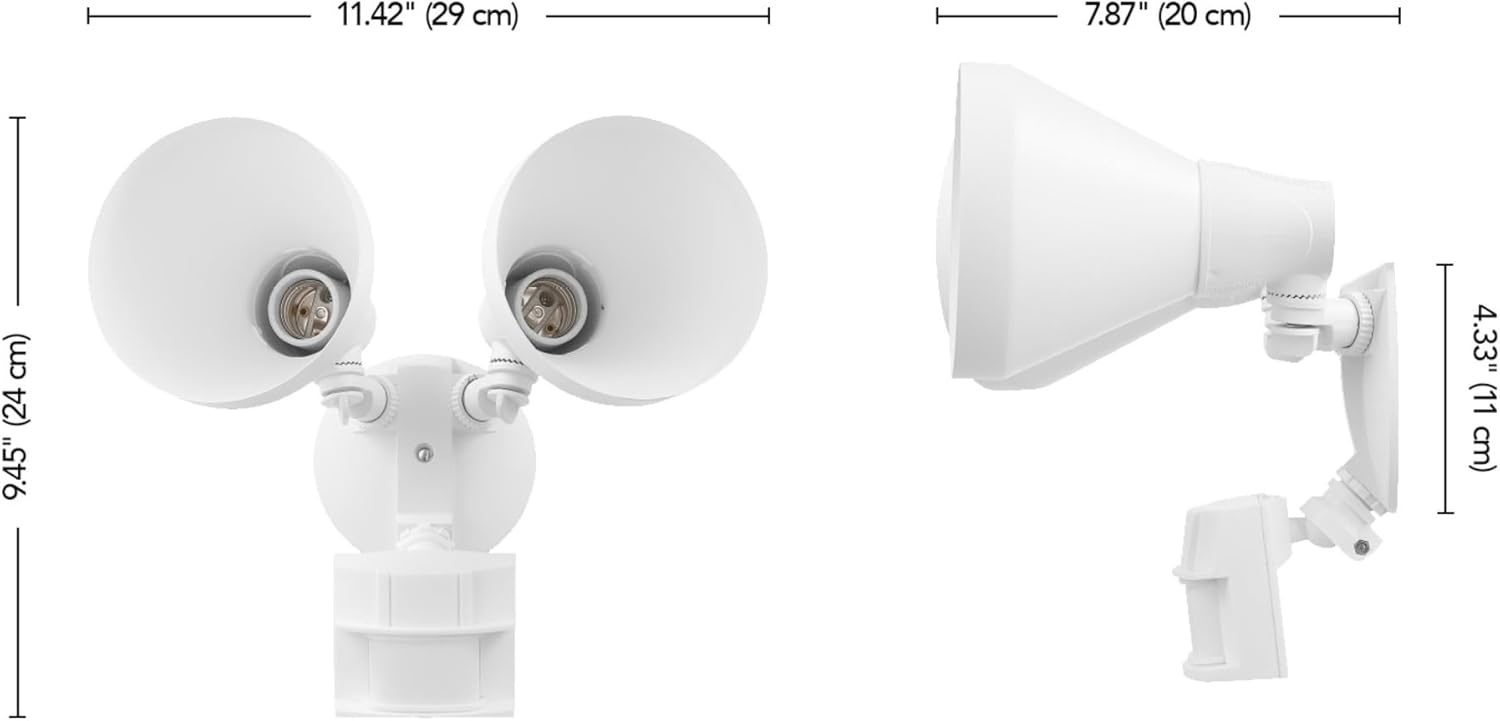
Figure 7: Product dimensions for installation planning.
9. Warranty and Support
9.1 Warranty Information
This Heath Zenith security light is backed by a 2-year warranty covering parts. Please retain your proof of purchase for warranty claims.
9.2 Customer Support
For technical assistance, troubleshooting beyond this manual, or warranty inquiries, please contact Heath Zenith customer support. Refer to the product packaging or the official Heath Zenith website for current contact information.