
PQube P3REARPQU10064
WRC 3 World Rally Championship PS3 User Manual
Model: P3REARPQU10064

Image: Official game cover for WRC 3 World Rally Championship on PlayStation 3.
1. Introduction
Welcome to WRC 3 World Rally Championship, the official game of the FIA World Rally Championship. This manual provides essential information to help you set up, play, and maintain your game, ensuring an optimal rally experience on your PlayStation 3 console. Immerse yourself in the thrilling world of rally racing, navigating diverse terrains and challenging stages.
2. Setup
2.1 System Requirements
- PlayStation 3 console system.
- Minimum available hard drive space: Consult game packaging for specific requirements.
- PlayStation 3 compatible controller.
- Standard definition or high definition television.
2.2 Installation
- Insert the WRC 3 game disc into your PlayStation 3 console's disc drive.
- Follow the on-screen prompts to install the game data to your console's hard drive. This process may take several minutes.
- Once installation is complete, the game will be ready to launch from the XMB (XrossMediaBar) menu.
3. Operating the Game
3.1 Basic Controls
The game utilizes the standard PlayStation 3 controller layout. Key controls include:
- Left Analog Stick: Steering
- Right Analog Stick: Camera control
- R2 Button: Accelerate
- L2 Button: Brake/Reverse
- X Button: Handbrake
- Square Button: Change camera view
- Triangle Button: Reset car to track
- Circle Button: Interact/Confirm
- START Button: Pause menu
- SELECT Button: Co-driver notes display (toggle)
3.2 Game Modes
WRC 3 offers various modes to test your rally skills:
- Road to Glory: The primary career mode where you progress through challenges, earn sponsors, and unlock new cars and liveries.
- Single Stage: Select any unlocked stage and car for a quick race against the clock.
- Rally: Compete in a full rally event across multiple stages.
- Multiplayer: Race against other players online or locally.
3.3 Gameplay Mechanics
Success in WRC 3 relies on precise driving and understanding rally dynamics. Pay close attention to your co-driver's pace notes, which provide crucial information about upcoming turns, hazards, and terrain changes. Car handling varies significantly based on the surface (tarmac, gravel, snow, ice) and weather conditions. Damage to your vehicle will affect performance, requiring strategic repairs during service park stops.

Image: In-car perspective during a rally stage, showing the dashboard and track ahead.

Image: A Citroën DS3 WRC car navigating a dirt track, viewed from an external camera.
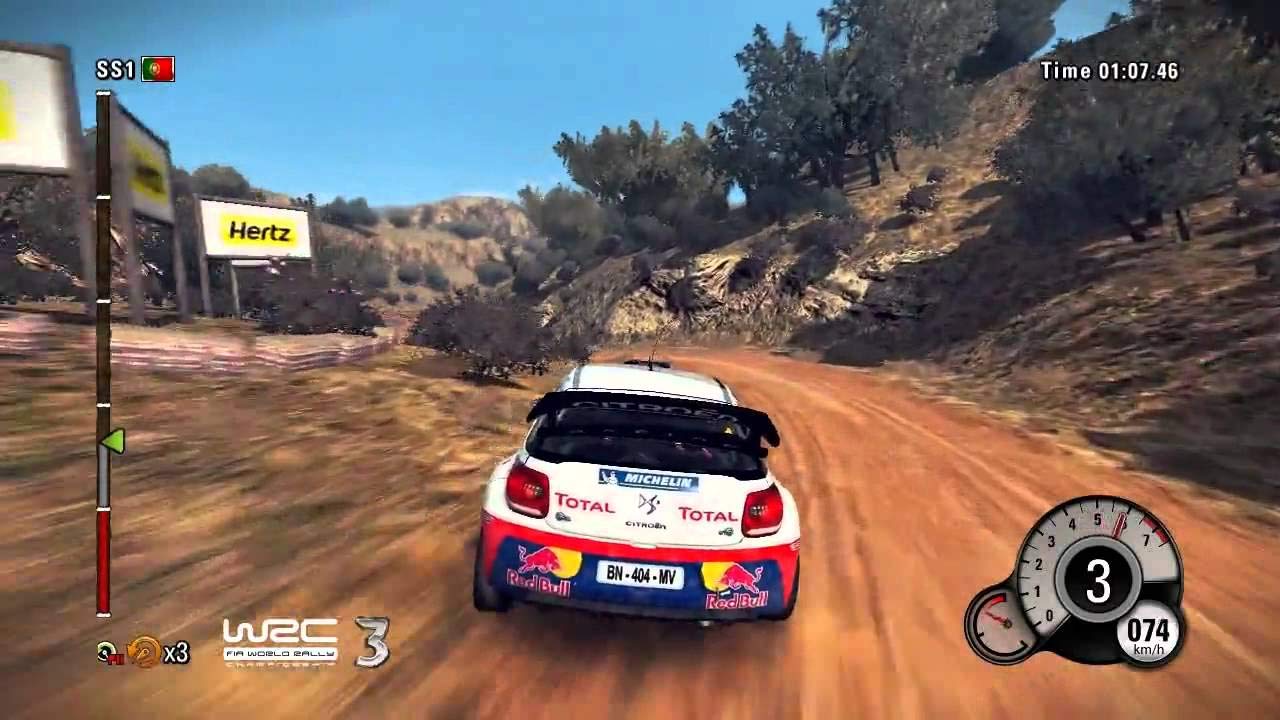
Image: A Mini Cooper WRC car driving through a shallow water crossing on a rally stage.
4. Maintenance
4.1 Disc Care
To ensure the longevity of your game disc and prevent reading errors:
- Always handle the disc by its edges.
- Store the disc in its original case when not in use.
- Keep the disc clean and free from dust, fingerprints, and scratches. Use a soft, lint-free cloth to gently wipe the disc from the center outwards if cleaning is necessary.
4.2 Software Updates
Periodically check for game updates (patches) via your PlayStation 3's internet connection. These updates can improve performance, fix bugs, and add new content. Ensure your console is connected to the PlayStation Network to receive these updates automatically or manually.
4.3 Saving Game Data
The game automatically saves your progress at key points. Do not turn off your PlayStation 3 console or remove the game disc during a save operation, as this may corrupt your save data.
5. Troubleshooting
5.1 Game Not Starting or Freezing
- Ensure the game disc is clean and free of scratches.
- Restart your PlayStation 3 console.
- Verify that your console's system software is up to date.
- If the issue persists, try deleting and reinstalling the game data (note: this will not delete your save data).
5.2 Controller Not Responding
- Check that your controller is properly connected or fully charged if wireless.
- Reset the controller by pressing the small button on the back with a paperclip.
- Try using a different controller if available.
5.3 Graphics or Sound Issues
- Ensure your console is connected to your TV/monitor correctly.
- Check your console's display and audio settings.
- Install any available game updates.
6. Specifications
| Feature | Detail |
|---|---|
| ASIN | B008P9VYEE |
| Product Dimensions | 5.31 x 0.59 x 6.77 inches |
| Item Weight | 10.6 ounces |
| Item Model Number | P3REARPQU10064 |
| Type of Item | CD-ROM |
| Manufacturer | pqube |
| Date First Available | September 7, 2012 |
7. Warranty and Support
For information regarding product warranty, technical support, or frequently asked questions, please refer to the official PQube website or the contact information provided on the game packaging. Keep your proof of purchase for any warranty claims.
Ask a question about this manual
Ask about setup, troubleshooting, compatibility, parts, safety, or missing instructions. Manuals+ will review the question and use this page’s manual context to help answer it.