
Palmer Fixture HD0940-17
Palmer Fixture EcoStorm HD0940-17 Commercial High Speed Hand Dryer User Manual
Model: HD0940-17
Introduction
Thank you for choosing the Palmer Fixture EcoStorm HD0940-17 Commercial High Speed Hand Dryer. This manual provides essential information for the safe and efficient installation, operation, and maintenance of your new hand dryer. The EcoStorm is designed for commercial environments, offering fast and quiet hand drying.
Safety Information
Please read all safety instructions carefully before installation and operation to prevent injury or damage.
- Electrical Safety: This appliance operates on 110/120V. Installation must be performed by a qualified electrician in accordance with all local and national electrical codes. Ensure the power supply is disconnected before any installation or maintenance work.
- Water Exposure: Do not install the hand dryer where it may be directly exposed to water spray or submersion.
- Ventilation: Ensure adequate ventilation around the unit as specified in installation guidelines.
- Children: This appliance is not intended for use by persons (including children) with reduced physical, sensory, or mental capabilities, or lack of experience and knowledge, unless they have been given supervision or instruction concerning use of the appliance by a person responsible for their safety. Children should be supervised to ensure that they do not play with the appliance.
- Maintenance: Only perform maintenance as described in this manual. For repairs, contact qualified service personnel.
Product Overview
The Palmer Fixture EcoStorm HD0940-17 is a compact and efficient hand dryer. Below is an image of the unit for reference.
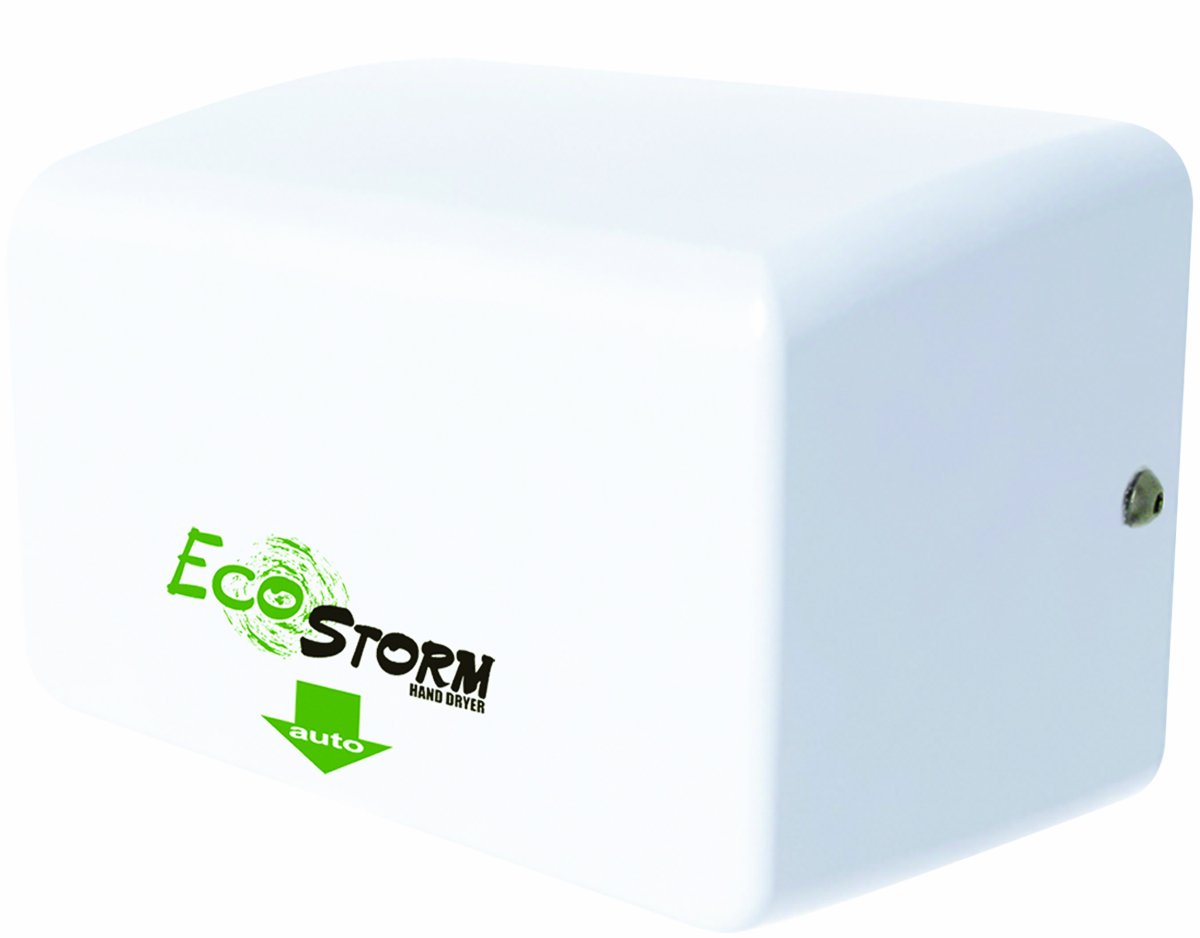
This image displays the Palmer Fixture EcoStorm HD0940-17 hand dryer. It is a compact, white unit designed for commercial use. The front features the 'EcoStorm Hand Dryer' logo in green and black, with a green 'auto' arrow indicating the hand placement area. A small screw or sensor is visible on the right side of the unit.
Key components include the durable outer casing, the air outlet, and the automatic infrared sensor for touch-free operation.
Setup and Installation
Proper installation is crucial for the performance and safety of the hand dryer.
- Choose Location: Select a suitable wall location, ensuring it is away from direct water sources and has adequate space for hand drying. Consider ADA compliance for mounting height if applicable.
- Power Supply: Verify that a dedicated 110/120V AC power supply is available at the installation site. It is recommended to have a dedicated circuit breaker for the unit.
- Mounting: Securely fasten the hand dryer to a sturdy wall surface using appropriate mounting hardware (not included). Ensure the unit is level and firmly attached to prevent vibration or detachment during use. The unit dimensions are approximately 9.5 inches (width) x 9.5 inches (height) x 6.5 inches (depth).
- Electrical Connection: All electrical wiring must be performed by a licensed electrician. Connect the hand dryer to the power supply according to the wiring diagram provided with the unit and local electrical codes. Ensure proper grounding.
- Final Check: After installation, ensure all connections are secure and the unit is properly mounted. Restore power and test the unit.
Operating Instructions
The EcoStorm hand dryer is designed for simple, automatic operation.
- Activation: Place your hands directly under the air outlet. The automatic infrared sensor will detect your hands and activate the airflow.
- Drying: Move your hands slowly back and forth under the airflow for optimal drying. The high-speed air will dry hands efficiently, typically within 10-15 seconds.
- Deactivation: Remove your hands from the sensor's detection area, and the hand dryer will automatically shut off.
Maintenance
Regular maintenance ensures optimal performance and longevity of your hand dryer.
- Exterior Cleaning: Clean the exterior surface of the hand dryer regularly with a soft, damp cloth and mild, non-abrasive cleaner. Do not use harsh chemicals or abrasive materials that could damage the finish.
- Sensor Cleaning: Periodically wipe the sensor lens with a soft, dry cloth to ensure proper operation. Dust or debris on the sensor can affect its responsiveness.
- Air Inlet Grille: Check the air inlet grille for any lint or debris accumulation. Clean as necessary to maintain proper airflow.
- Internal Cleaning: For internal cleaning or filter replacement (if applicable), it is recommended to consult a qualified technician. Always disconnect power before attempting any internal maintenance.
Troubleshooting
Refer to this section for common issues and their solutions.
| Problem | Possible Cause | Solution |
|---|---|---|
| Dryer does not activate. | No power; Sensor obstructed or dirty; Hands not positioned correctly. | Check power supply and circuit breaker; Clean sensor lens; Reposition hands directly under the air outlet. |
| Weak or no airflow. | Air inlet/outlet blocked; Motor issue. | Check and clear any obstructions from air inlet/outlet; If problem persists, contact service. |
| Unusual noise during operation. | Loose components; Internal obstruction. | Disconnect power and inspect for loose parts (if safe to do so); Contact service if noise continues. |
| Unit overheats and shuts off. | Thermal protector activated; Insufficient ventilation. | Allow unit to cool down; Ensure proper ventilation around the unit. The heating element has an automatic thermal protector. |
Specifications
- Model: HD0940-17
- Brand: Palmer Fixture
- Voltage: 110/120V
- Dimensions (H x W x D): Approximately 9.5 x 9.5 x 6.5 inches
- Weight: Approximately 9 Pounds
- Drying Time: 10-15 seconds
- Features: GreenSpec Listed/LED Credits, Automatic Thermal Protector
Warranty
The Palmer Fixture EcoStorm HD0940-17 Hand Dryer comes with a 3-year warranty from the date of purchase. This warranty covers defects in materials and workmanship under normal use. Please retain your proof of purchase for warranty claims. For full warranty terms and conditions, refer to the documentation provided with your product or contact Palmer Fixture customer service.
Support
If you require further assistance, have questions not covered in this manual, or need to report an issue, please contact Palmer Fixture customer support or your authorized dealer. Provide your model number (HD0940-17) and a detailed description of the issue when contacting support.
For more information, you may visit the Palmer Fixture brand page on Amazon.
Related documentsHD0940-17

Ask a question about this manual
Ask about setup, troubleshooting, compatibility, parts, safety, or missing instructions. Manuals+ will review the question and use this page’s manual context to help answer it.