
Excalibur 3526TB
Excalibur 5-Tray Electric Food Dehydrator User Manual
Model: 3526TB
Brand: Excalibur
Introduction
This manual provides essential information for the safe and efficient operation of your Excalibur 5-Tray Electric Food Dehydrator. This appliance is designed for preserving foods through dehydration, concentrating natural flavors and aromas.
The Excalibur 5-Tray Dehydrator offers 8 square feet of drying space, making it suitable for various home dehydration needs. It features flexible polyscreen tray inserts, a 5-inch fan, a built-in on/off switch, an adjustable thermostat, and a convenient 26-hour timer.
Setup
Unpacking
Carefully remove the dehydrator from its packaging. Inspect the unit for any signs of damage. Retain all packaging materials for future storage or transport.
Placement
Place the dehydrator on a stable, level, and heat-resistant surface. Ensure adequate air circulation around the unit. Do not place it near heat sources or in direct sunlight. Ensure the power cord can reach a grounded electrical outlet without strain.
Initial Cleaning
Before first use, wipe down the exterior of the unit with a damp cloth. Wash the trays and polyscreen inserts with warm, soapy water, rinse thoroughly, and dry completely.
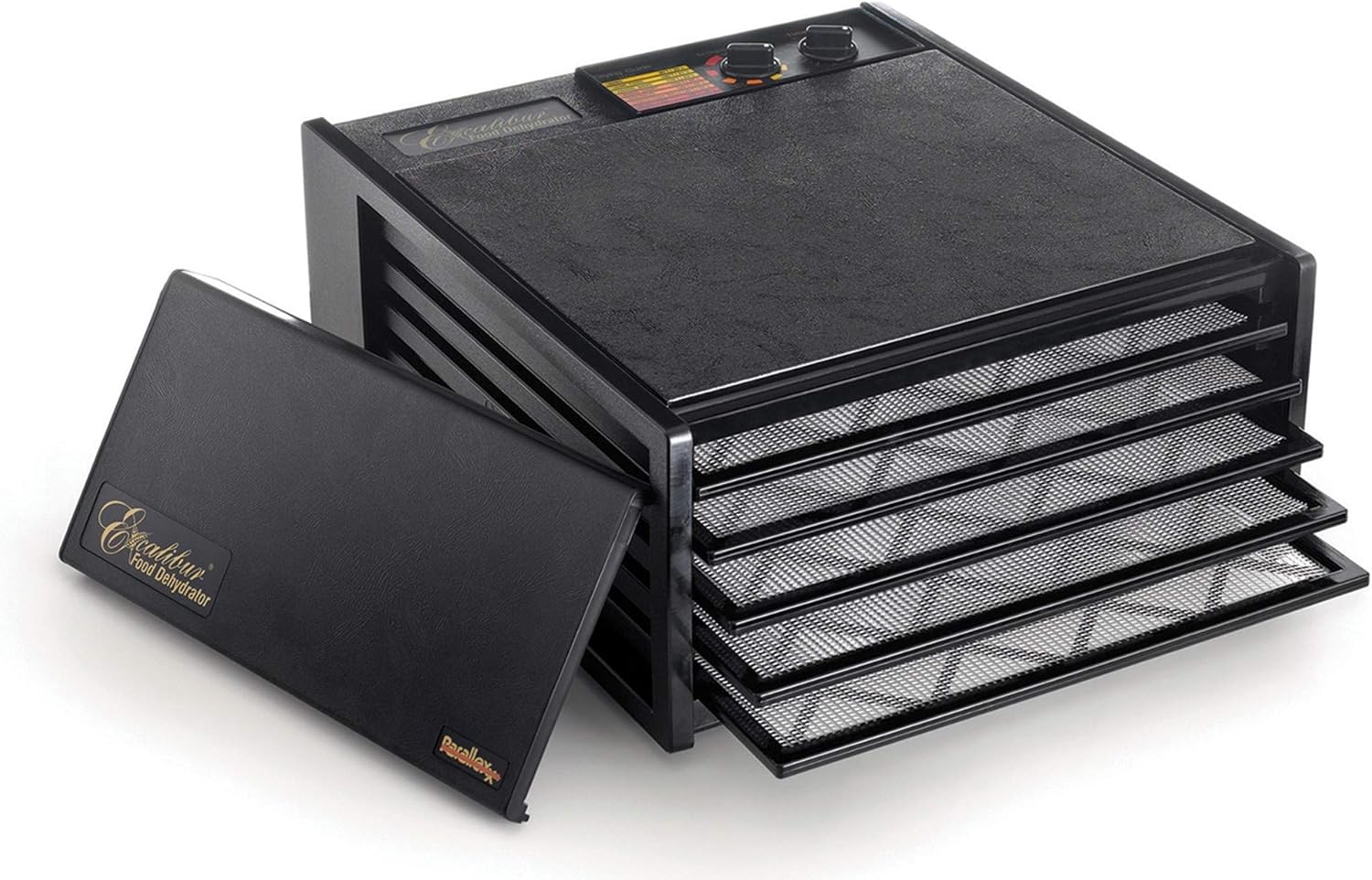
Image: The Excalibur 5-Tray Food Dehydrator with its front door removed, revealing the five drying trays extended. The unit is black with a textured finish.
Operating Instructions
Loading Trays
Prepare your food items by slicing them to uniform thickness for even drying. Place the prepared food directly onto the polyscreen tray inserts. Ensure food items do not overlap excessively to allow for proper airflow.

Image: A close-up view of the five drying trays, each with a black mesh polyscreen insert, partially pulled out from the dehydrator unit.
Temperature and Timer Settings
The dehydrator features an adjustable thermostat with a temperature range from 105°F (41°C) to 165°F (74°C). Select the appropriate temperature based on the type of food you are dehydrating. For example, lower temperatures are suitable for preserving active enzymes in fruits and vegetables, while higher temperatures are required for meat jerky to meet safety standards.
Use the 26-hour timer to set the desired drying duration. The unit will automatically shut off once the timer completes.

Image: A detailed view of the control panel on top of the Excalibur dehydrator, showing the temperature and timer dials, along with a drying guide chart.
Hyperwave Technology and Horizontal Parallexx Airflow
The Excalibur dehydrator utilizes patented Hyperwave Technology and Horizontal Parallexx Airflow. This design ensures cool air is drawn in, heated by the 5-inch fan and heating element located at the back, and then distributed evenly over each tray. This horizontal airflow eliminates the need for tray rotation, promoting faster and more uniform drying while helping to retain nutrients.
On/Off Switch
The unit is equipped with a built-in on/off switch for convenient operation.
Maintenance
Cleaning the Unit
Always unplug the dehydrator before cleaning. Wipe the exterior and interior of the unit with a damp cloth. Do not immerse the main unit in water.
Cleaning Trays and Inserts
The flexible polyscreen tray inserts and trays should be washed with warm, soapy water after each use. Rinse thoroughly and allow them to air dry completely before reassembling or storing.
Note: The trays are not dishwasher safe.
Troubleshooting
Unit Not Turning On
- Ensure the power cord is securely plugged into a functional electrical outlet.
- Check if the on/off switch is in the "On" position.
- Verify that the timer is set and has not expired.
Uneven Drying
- Ensure food items are sliced uniformly.
- Avoid overloading trays; ensure adequate space for airflow between food pieces.
- Confirm the dehydrator is placed in an area with good air circulation.
Food Sticking to Trays
- Ensure polyscreen inserts are used.
- For very sticky foods, consider using parchment paper or non-stick sheets (not included) on top of the polyscreen inserts.
Unusual Noises
- A gentle hum from the fan is normal. If you hear loud or unusual noises, unplug the unit immediately and contact customer support.
Specifications
| Feature | Detail |
|---|---|
| Brand | Excalibur |
| Model Number | 3526TB |
| Material | Plastic |
| Color | Black |
| Wattage | 440 watts |
| Voltage | 110/120 Volts (North America) |
| Product Dimensions (D x W x H) | 19"D x 17"W x 8.5"H |
| Item Weight | 15 Pounds |
| Number of Trays | 5 |
| Drying Space | 8 square feet |
| Temperature Range | 105°F to 165°F (41°C to 74°C) |
| Timer | 26-hour automatic shut-off |
| Fan Size | 5-inch |
| Dishwasher Safe Trays | No |
| Origin | Made in the USA with USA and globally sourced materials |
Warranty and Support
Warranty Information
Excalibur offers a manufacturer's warranty for this product. Based on user experiences, registering your product with Excalibur may provide a 10-year warranty. Please refer to the official Excalibur website or the warranty card included with your product for the most accurate and up-to-date warranty terms and conditions.
Customer Support
For technical assistance, replacement parts, or any inquiries regarding your Excalibur dehydrator, please visit the official Excalibur website or contact their customer service department. You may also refer to the official User Manual (PDF) for additional details.
Related documents3526TB


Ask a question about this manual
Ask about setup, troubleshooting, compatibility, parts, safety, or missing instructions. Manuals+ will review the question and use this page’s manual context to help answer it.