
1. Introduction
This manual provides instructions for the proper use and maintenance of your PLUS 58-437 IS-009NQ Seal Name Cube. Please read this manual thoroughly before using the product to ensure optimal performance and longevity.

Image 1.1: The PLUS 58-437 IS-009NQ Seal Name Cube in black.
2. Product Overview
The PLUS 58-437 IS-009NQ Seal Name Cube is a self-inking stamp designed for ease of use and consistent impressions. Its unique square body prevents rolling and assists in precise alignment.
Key Features:
- Square Body Design: Prevents the stamp from rolling when placed on a desk or in a drawer, and keeps the cap secure when removed during use.
- Straight Impression: The square shape allows for easy alignment with document grids or ruled lines, ensuring straight and accurate stamping.
- High Capacity: Provides approximately 3,000 continuous impressions before needing an ink cartridge replacement.
- Replaceable Ink Cartridge: Designed for easy and mess-free ink cartridge replacement, making the stamp reusable and economical.
- Ink Color: Vermilion (oil-based pigment ink).
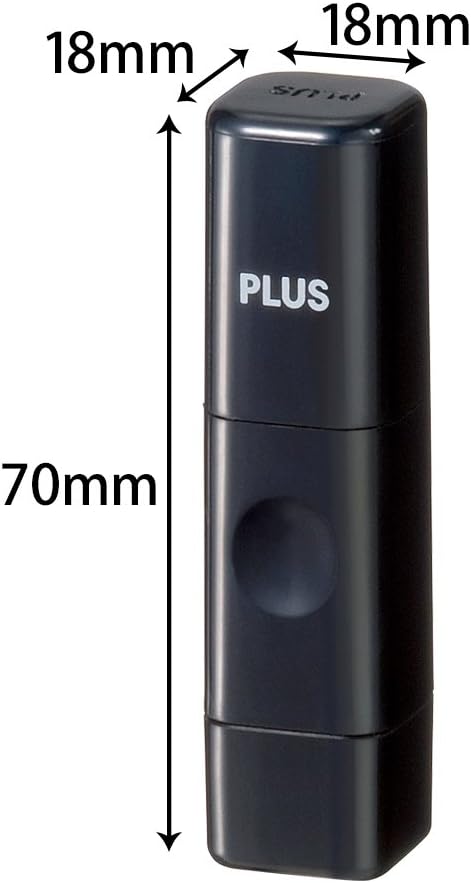
Image 2.1: Product dimensions of the Seal Name Cube (18mm x 18mm x 70mm).

Image 2.2: The square body prevents the stamp from rolling.
3. Setup
The PLUS 58-437 IS-009NQ Seal Name Cube comes pre-inked and ready for immediate use. No initial setup or assembly is required.
- Remove the protective cap from the stamp.
- Place the cap aside. Its square design will prevent it from rolling.
4. Operating Instructions
Follow these steps to achieve clear and straight impressions:
- Positioning: Hold the stamp firmly. Align the square body of the stamp with the grid lines or ruled sections of your document. This helps ensure a perfectly straight impression.
- Stamping: Press the stamp down firmly and evenly onto the desired surface. Apply consistent pressure to ensure the entire impression surface makes contact.
- Release: Lift the stamp straight up to avoid smudging.
- Recap: After use, replace the protective cap to prevent the ink from drying out.
Important Note: This product is designed for general stamping purposes and should not be used for official seals or documents requiring legal authentication.
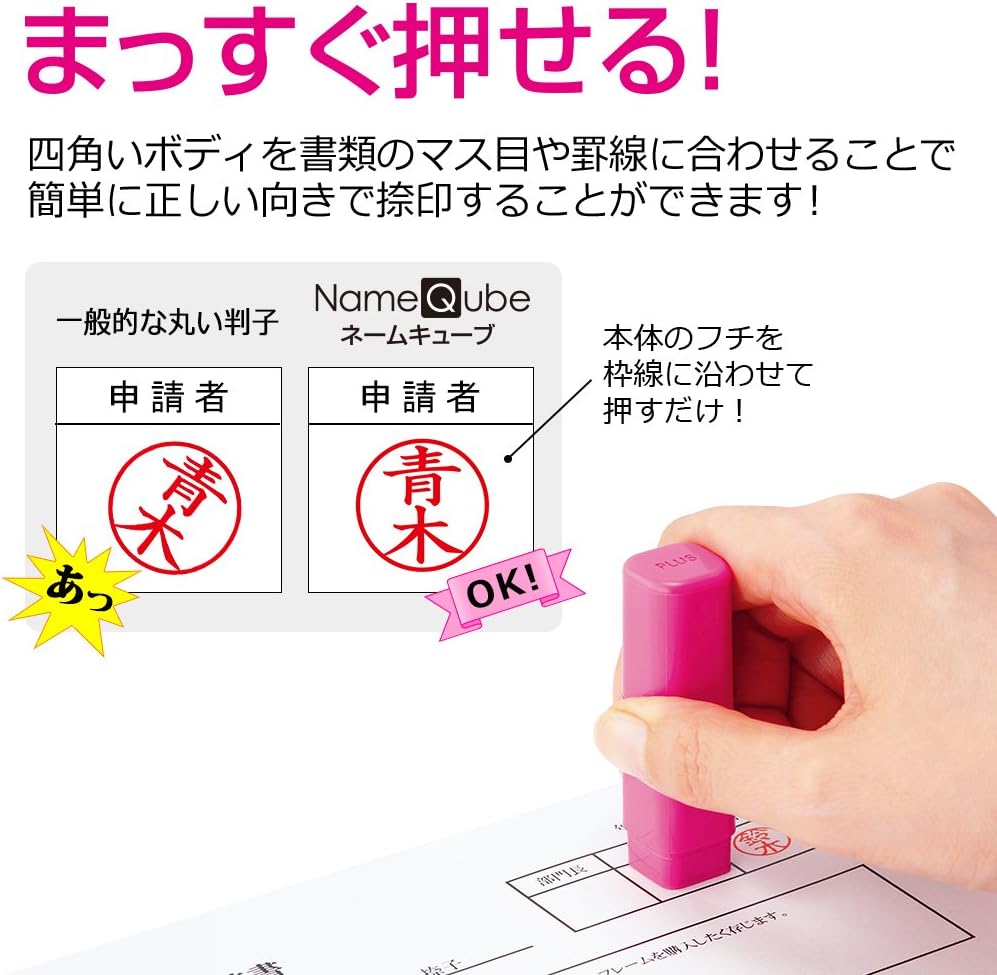
Image 4.1: The square body design facilitates straight and accurate stamping.

Image 4.2: The impression surface has a diameter of 9mm.
5. Maintenance
Ink Cartridge Replacement:
When the impression starts to fade, it is time to replace the ink cartridge. The PLUS 58-437 IS-009NQ uses a replaceable ink cartridge system for convenience and extended product life.
- Identify Cartridge: The ink cartridge is located inside the stamp body.
- Remove Old Cartridge: Carefully separate the stamp body to access the old cartridge. Gently pull out the used cartridge.
- Insert New Cartridge: Insert a new, compatible PLUS ink cartridge (sold separately) into the designated slot. Ensure it clicks securely into place.
- Reassemble: Reassemble the stamp body.
Note: Always use genuine PLUS replacement ink cartridges to ensure proper function and ink quality.

Image 5.1: Illustration of the ink cartridge replacement process.
6. Troubleshooting
| Problem | Possible Cause | Solution |
|---|---|---|
| Faint or incomplete impressions | Ink cartridge is running low or dry. | Replace the ink cartridge (refer to Section 5). |
| Smudged impressions | Stamp was not lifted straight up, or moved during impression. | Ensure to press firmly and lift the stamp straight up without lateral movement. |
7. Specifications
- Model: 58-437 IS-009NQ
- Brand: PLUS
- External Dimensions: 18mm (W) x 18mm (D) x 70mm (H)
- Impression Surface Diameter: 9mm
- Ink Type: Oil-based pigment ink
- Ink Color: Vermilion
- Approximate Impressions per Cartridge: 3,000
- Cartridge Type: Replaceable
8. Warranty and Support
For warranty information or technical support, please contact the manufacturer, PLUS, directly. Refer to the product packaging or the official PLUS website for contact details and warranty terms specific to your region.
Manufacturer: PLUS (プラス)
Website: www.plus.co.jp (This is a general link, specific support links may vary by region)