
1. Introduction
Thank you for choosing the Cooper-Atkins DFP450W08 Digital Pocket Thermometer. This device is designed for accurate temperature measurement in various applications, particularly in food service and industrial settings. It features a wide temperature range and a clear digital display for ease of use. Please read this manual thoroughly before operating the thermometer to ensure proper function and safety.
2. Safety Information
- Probe Safety: The thermometer probe tip is sharp. Handle with care to prevent injury.
- Temperature Limits: Do not expose the thermometer to temperatures outside its specified operating range (-40°F to 450°F / -40°C to 232°C) as this may damage the device.
- Cleaning: Always clean the probe thoroughly before and after each use, especially when used with food products, to prevent cross-contamination. Refer to the Maintenance section for cleaning instructions.
- Battery Handling: Ensure correct battery polarity when installing. Dispose of used batteries responsibly according to local regulations.
- Water Resistance: While designed for durability, avoid submerging the entire unit in water unless specified as fully waterproof. The probe is typically water-resistant, but the main body may not be.
- Storage: Store the thermometer in a clean, dry place away from extreme temperatures and direct sunlight.
3. Product Overview
The DFP450W08 Digital Pocket Thermometer consists of a main body with a digital display, control buttons, and a retractable stainless steel probe.
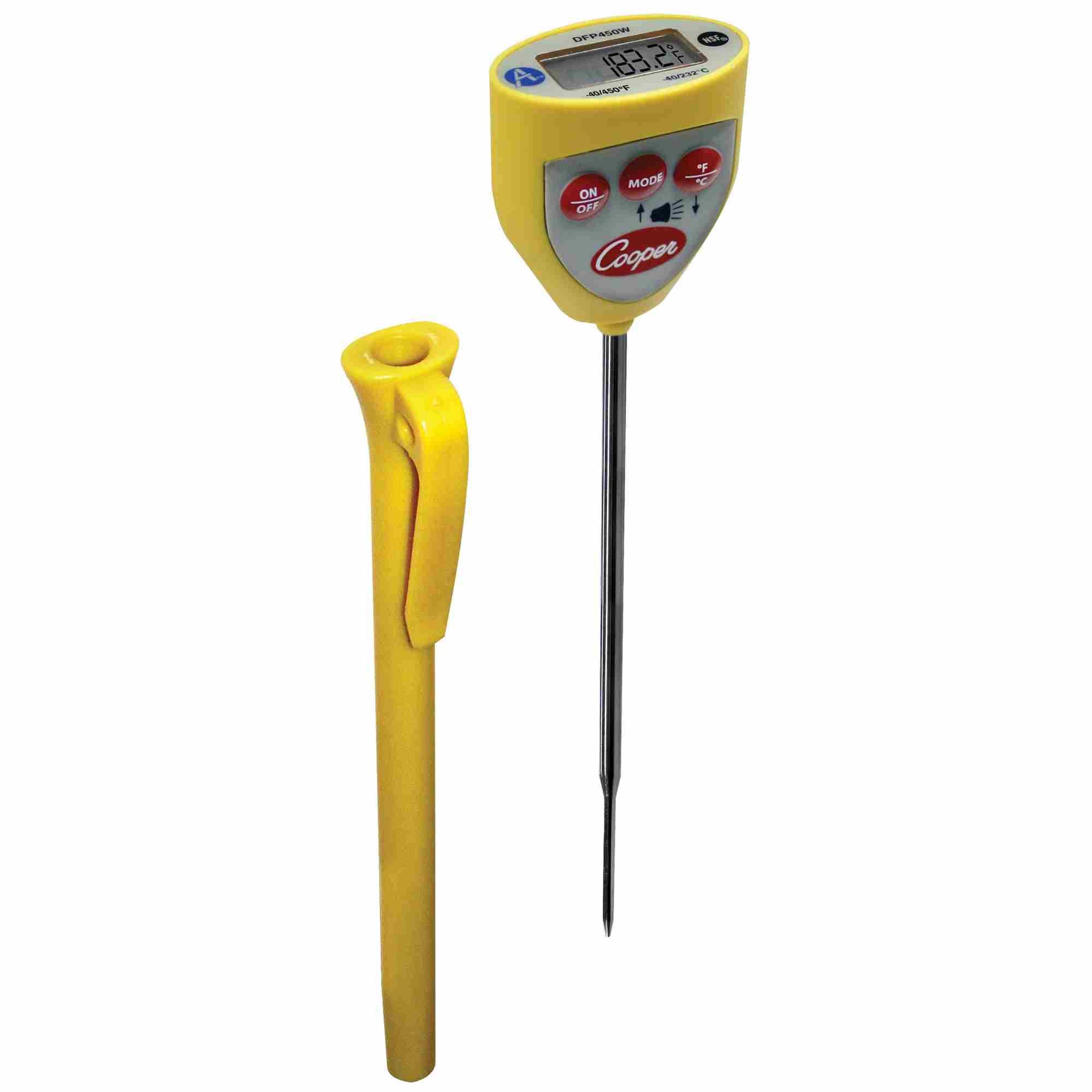
Figure 3.1: Cooper-Atkins DFP450W08 Digital Pocket Thermometer. This image shows the overall design of the thermometer, including the yellow casing, digital display, and the retractable probe.
3.1 Components
- Digital Display: Shows temperature readings in Fahrenheit or Celsius.
- Probe: Stainless steel temperature sensing probe.
- ON/OFF Button: Powers the unit on or off.
- °F/°C Button: Toggles between Fahrenheit and Celsius temperature units.
- Hold Button: Freezes the current temperature reading on the display.
- Battery Compartment: Located on the back, houses the battery.
- Protective Sheath/Pocket Clip: Covers the probe when not in use and allows for convenient carrying.
4. Setup
4.1 Battery Installation
- Locate the battery compartment cover on the back of the thermometer.
- Use a small screwdriver or coin to open the battery compartment.
- Insert the required battery (typically a button cell, e.g., LR44 or equivalent) ensuring correct polarity (+/-).
- Replace the battery compartment cover and secure it.
Figure 4.1: Illustrative image of the battery compartment location (typically on the back of the unit). This image shows the main unit, with the battery compartment usually found on the reverse side.
5. Operating Instructions
5.1 Taking a Temperature Reading
- Remove the protective sheath from the probe.
- Press the ON/OFF button to power on the thermometer.
- If necessary, press the °F/°C button to select your desired temperature unit.
- Insert the stainless steel probe into the substance or area you wish to measure. Ensure the probe tip is fully immersed or positioned correctly for an accurate reading.
- Wait for the reading on the digital display to stabilize. This typically takes a few seconds.
- To hold the current reading, press the HOLD button. Press it again to release and resume live readings.
- After use, press the ON/OFF button to turn off the thermometer. Replace the protective sheath over the probe.
5.2 Alarm Function (if applicable)
The DFP450W08 model includes an alarm feature. Consult the full product documentation or manufacturer's website for specific instructions on setting and using the alarm thresholds. This feature typically alerts the user when a measured temperature exceeds or falls below a preset value.
6. Maintenance
6.1 Cleaning
- Clean the stainless steel probe with a damp cloth and mild detergent before and after each use.
- Wipe the main body of the thermometer with a clean, damp cloth. Do not immerse the entire unit in water.
- Avoid using abrasive cleaners or solvents, as these can damage the plastic casing or display.
- Ensure the thermometer is completely dry before storing.
6.2 Storage
Store the thermometer with its protective sheath in place, in a cool, dry environment. If storing for extended periods, it is recommended to remove the battery to prevent leakage.
7. Troubleshooting
| Problem | Possible Cause | Solution |
|---|---|---|
| Thermometer does not turn on. | Dead or incorrectly installed battery. | Check battery polarity. Replace battery if necessary. |
| Inaccurate readings. | Probe not fully immersed; calibration issue; extreme ambient temperature. | Ensure probe tip is correctly positioned. Refer to calibration instructions (if available) or contact support. Allow thermometer to acclimate to ambient temperature. |
| Display shows "LO" or "HI". | Temperature is outside the thermometer's measurable range. | The thermometer is functioning correctly but the measured temperature is beyond its limits. |
| Display shows "ERR". | Sensor malfunction or internal error. | Turn the thermometer off and then on again. If the error persists, contact customer support. |
8. Specifications
- Model: DFP450W08
- Temperature Range: -40°F to 450°F (-40°C to 232°C)
- Display Type: Digital
- Power Source: Battery Powered (e.g., LR44 button cell)
- Material: Plastic casing, Stainless Steel probe
- Special Features: Alarm, NSF certified
- Product Care: Wipe Clean
- Manufacturer: Cooper-Atkins Corp.
9. Warranty and Support
For detailed warranty information, please refer to the documentation included with your purchase or visit the official Cooper-Atkins Corp. website. If you require technical support, replacement parts, or have questions regarding the operation of your DFP450W08 thermometer, please contact Cooper-Atkins customer service directly.
Manufacturer Contact:
- Brand: Cooper-Atkins Corp.
- Website: www.cooper-atkins.com (Note: This is a placeholder URL, please verify the actual manufacturer's website.)