
1. Introduction and Overview
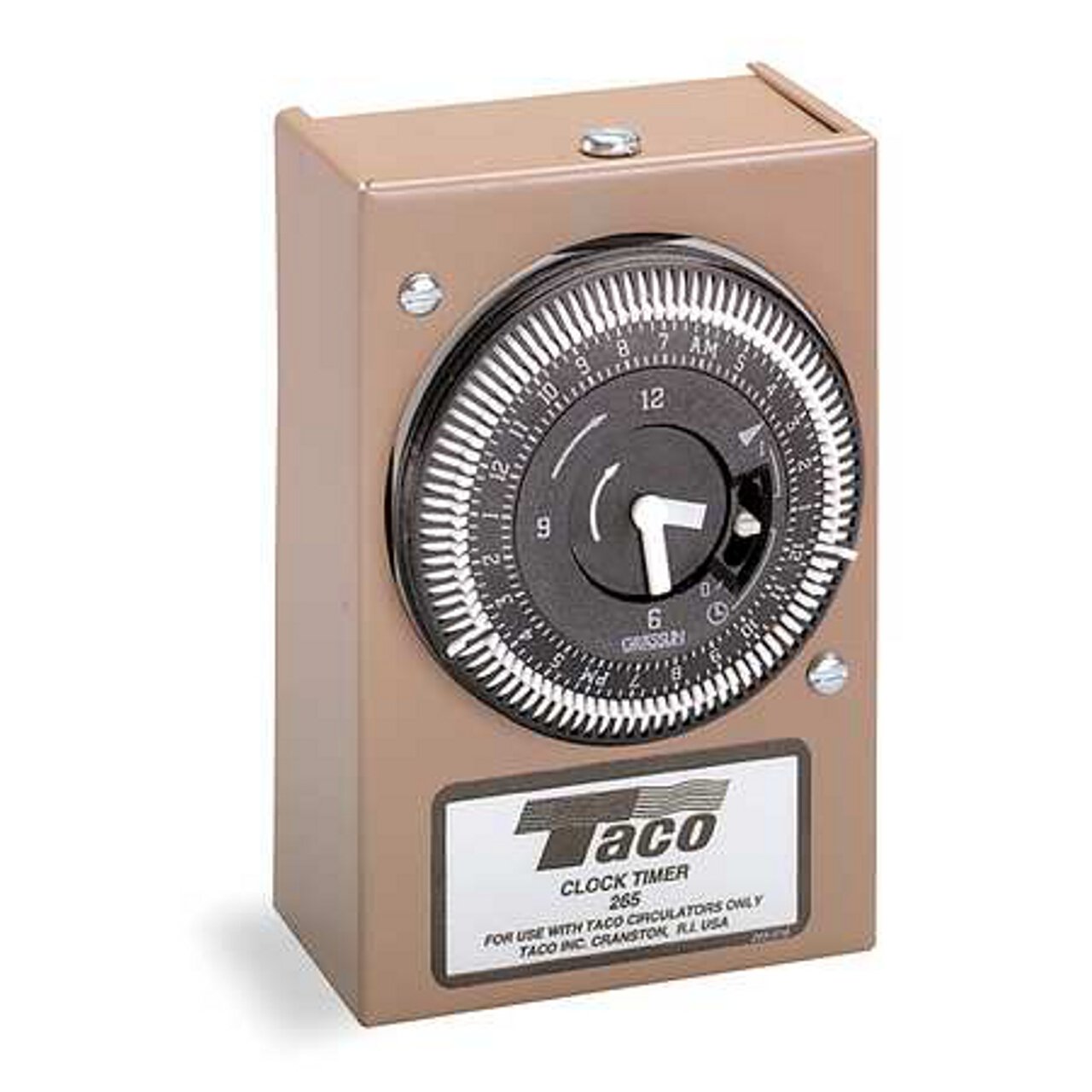
The Taco T265-1 Analog Timer is a 24-hour clock timer designed to control the operation of Taco circulators within Domestic Hot Water Recirculation Systems. Its primary function is to enhance comfort and energy efficiency by activating the circulator during specific, user-defined intervals. This precise, user-friendly timer features an easily adjustable mechanism with a clear two-hand analog display for AM/PM time settings. The T265-1 timer can be utilized independently or in conjunction with an Aquastat.
The timer operates the circulator during selected 15-minute intervals throughout a 24-hour cycle. It is designed for versatile mounting, attaching directly to the capacitor box electrical connection hole of compatible Taco circulators.
2. Product Features
- Clock Timer adjustable in 15-minute intervals within a 24-hour period.
- Equipped with quick-set trippers for easy programming.
- Features an operation switch for Manual ON, Manual OFF, or Automatic modes.
3. Setup and Installation
Safety First: Before beginning installation, ensure that power to the circulator and water heater system is completely disconnected at the main circuit breaker. Failure to do so can result in electrical shock or injury.
The Taco T265-1 Analog Timer is designed for straightforward installation. It can be mounted in any orientation by attaching it directly to the electrical connection hole of the circulator's capacitor box. Ensure all electrical connections are secure and comply with local electrical codes.
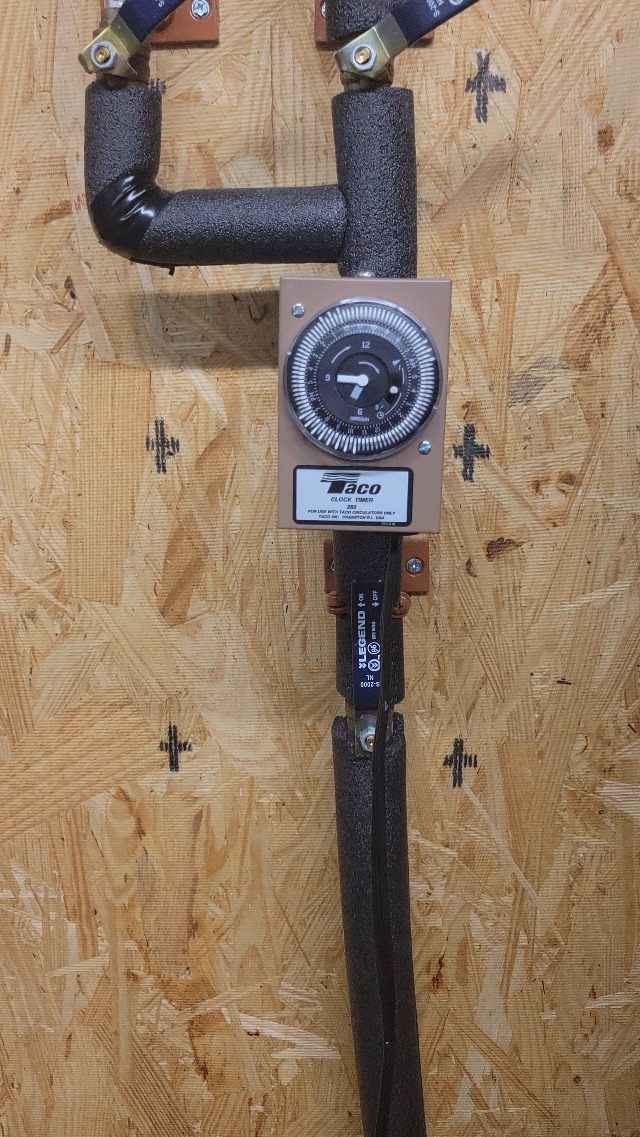
Electrical Connection
- Ensure power is off.
- Connect the timer's electrical wiring to the circulator's power supply according to the wiring diagram provided with your circulator and local electrical codes.
- Secure the timer to the circulator's capacitor box using appropriate fasteners.
- Once connections are complete, restore power to the system.
4. Operating Instructions
Setting the Current Time
- Rotate the outer dial of the timer clockwise until the current time aligns with the fixed time indicator (usually a small arrow or line on the timer's housing).
- Pay attention to the AM/PM markings on the dial to ensure accurate time setting.
Programming On/Off Intervals
The timer uses small, movable trippers around the dial to set the ON and OFF periods. Each tripper typically represents a 15-minute interval.
- To set an ON period: Push the trippers outwards for the desired 15-minute intervals when you want the circulator to operate.
- To set an OFF period: Leave the trippers in their inward position for the intervals when you want the circulator to be off.
- Ensure there are enough trippers pushed out to cover your desired hot water usage times.
Using the Manual Override Switch
The T265-1 timer includes a manual switch with three modes:
- I (Permanently ON): The circulator will run continuously, overriding the programmed schedule.
- O (Permanently OFF): The circulator will remain off, overriding the programmed schedule.
- L (Automatic Operation): The circulator will follow the programmed ON/OFF schedule set by the trippers.
Select the appropriate mode based on your immediate needs. For normal operation, set the switch to 'L' (Automatic).
5. Maintenance
The Taco T265-1 Analog Timer is designed for reliable, long-term operation with minimal maintenance. However, periodic checks can help ensure optimal performance:
- Cleaning: Keep the timer's exterior clean and free of dust and debris. Use a soft, dry cloth for cleaning. Do not use abrasive cleaners or solvents.
- Connection Check: Periodically inspect the electrical connections to ensure they remain secure.
- Functionality Check: Occasionally verify that the timer is accurately keeping time and that the programmed ON/OFF cycles are functioning as expected.
No user-serviceable parts are inside the sealed unit. For any internal issues, contact a qualified technician.
6. Troubleshooting
If the Taco T265-1 Analog Timer is not functioning as expected, consider the following:
- Timer Not Running: Check if the power supply to the circulator and timer is active. Ensure the manual override switch is set to 'L' (Automatic) and not 'O' (Permanently OFF).
- Circulator Not Activating at Programmed Times: Verify that the current time is set correctly on the dial, including AM/PM. Ensure the trippers for the desired ON periods are pushed outwards. Check the manual override switch is set to 'L' (Automatic).
- Inaccurate Time Keeping: If the timer consistently loses or gains time, it may indicate an internal issue.
For persistent issues or complex electrical problems, it is recommended to consult a qualified electrician or HVAC professional.
7. Specifications
| Model Number | T265-1 |
| Brand | Taco |
| Color | Brown |
| Material | Alloy Steel |
| Item Weight | 8 ounces (227 Grams) |
| Product Dimensions | 2.6 x 1.9 x 4 inches |
| Thickness | 1 Inches |
| Item Package Quantity | 1 |
| Special Features | Clock face: Hour and Minute Hands, Electrical Characteristics: 115/60/1, L - Automatic Operation, Manual Switch: I - Permanently ON, O - Permanently OFF, Retrofit both the Clock Timer and Temperature Aquastat to any Taco 00 Series Cartridge Circulator, Timer Interval: 15 Minutes, Timer Switch: 16A at 115V |
| Included Components | Product & Instructions Guide |
| Batteries Required? | No |
| Date First Available | September 13, 2010 |
| UPC | 687752022186 |
8. Warranty Information
Specific warranty details for the Taco T265-1 Analog Timer are typically provided with the product at the time of purchase or can be obtained directly from the manufacturer, Taco. Please refer to the documentation included in your product packaging or visit the official Taco website for the most current warranty terms and conditions.
9. Customer Support
For technical assistance, product inquiries, or support regarding your Taco T265-1 Analog Timer, please contact Taco customer service. Contact information, including phone numbers and online support resources, can typically be found on the manufacturer's official website or in the product documentation.