1. Introduction
This manual provides essential information for the safe and efficient use of your BZONE HTY-1205000 12V 5A Switching Power Supply Adapter. Please read these instructions carefully before installation and operation. Keep this manual for future reference.
2. Safety Information
Your power supply adapter is designed with multiple safety features to ensure reliable operation. Adhere to the following guidelines:
- Indoor Use Only: This device is intended for indoor use in dry locations. Do not expose to water, moisture, or high humidity.
- Ventilation: Ensure adequate ventilation around the power supply to prevent overheating. Do not cover the unit.
- Load Capacity: For optimal safety and longevity, do not exceed 80% of the power supply's full load capacity. For this 12V 5A (60W) power supply, it is recommended for devices up to 48W.
- Protection Features: The adapter includes built-in protections against over-heat, over-current, over-voltage, and short-circuit conditions.
- Certifications: This product is UL, CE, FCC, and RoHS certified, indicating compliance with safety and environmental standards.

Image: Internal components illustrating multiple safety protections.
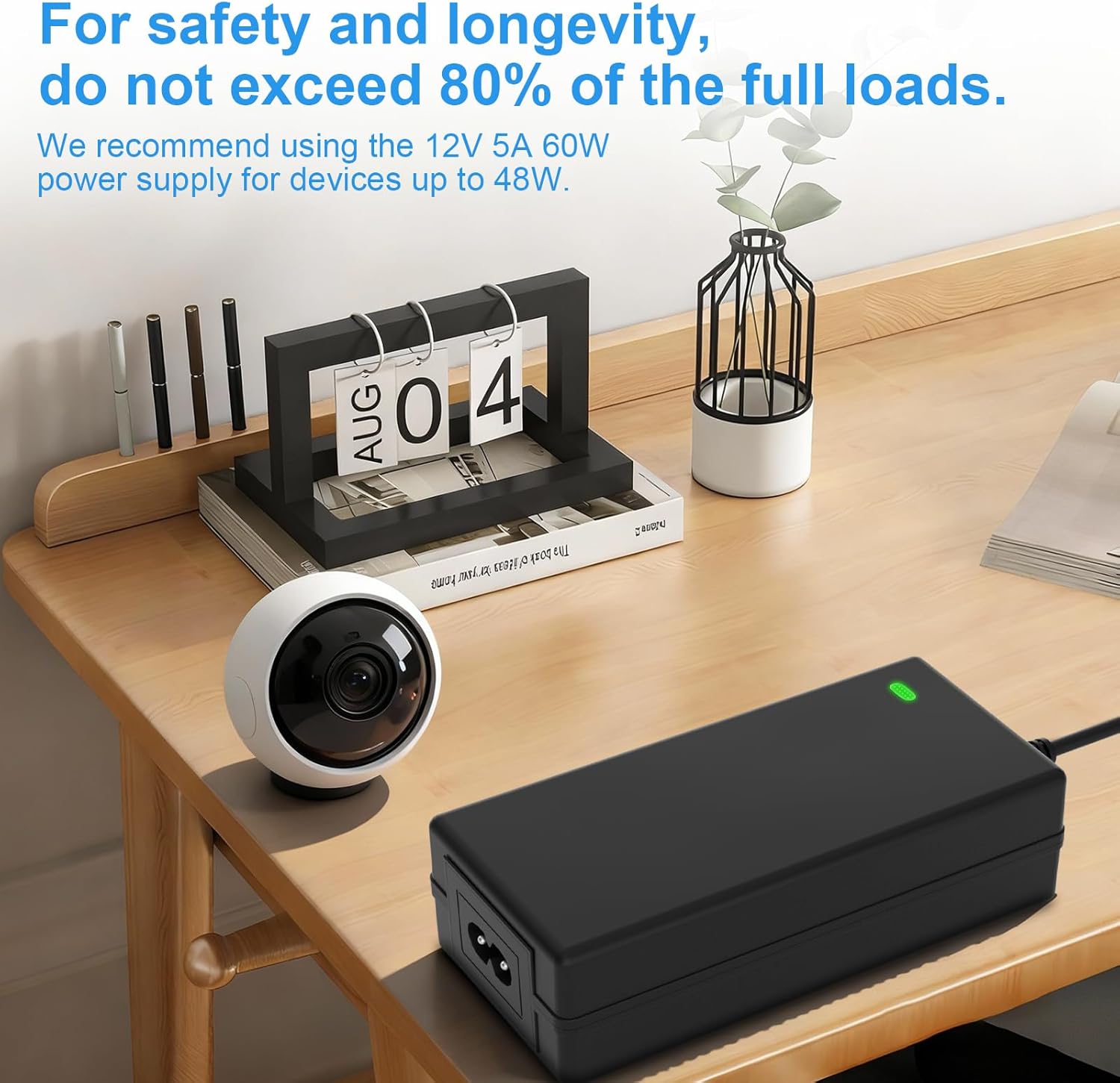
Image: Visual reminder to not exceed 80% of the full load for safety and longevity.
3. Package Contents
Verify that all items are present in the package:
- 1x BZONE HTY-1205000 12V 5A Switching Power Supply Adapter
- 1x AC Power Cord (1.2 meters)
4. Setup
Follow these steps to set up your power supply adapter:
- Connect the AC Power Cord: Insert the C7 connector end of the AC power cord into the input port of the power supply adapter.
- Connect to Device: Plug the DC barrel connector (2.1mm x 5.5mm) from the power supply adapter into the corresponding power input port of your 12V device. Ensure the device requires 12V DC and does not exceed 5A (60W) of current.
- Plug into Wall Outlet: Insert the AC plug of the power cord into a standard 100-240V AC 50/60Hz wall outlet.
- Verify Power: A small LED indicator on the power supply unit will illuminate when power is supplied, indicating it is operational.

Image: Detailed view of the power supply's connectors: AC plug, DC barrel connector, and C7/C8 input.

Image: Examples of connecting the power supply to different devices.
5. Operation
Once properly set up, the power supply adapter will provide stable 12V DC power to your connected device. It is compatible with a wide range of low-voltage electronics.
- Universal Compatibility: Suitable for LED strip lights, wireless routers, ADSL modems, network hubs, switches, security cameras, LCD monitors, and various audio/video power supply needs.
- Continuous Power: Designed for continuous operation within its specified load limits.

Image: Examples of devices compatible with the power supply.
6. Maintenance
Minimal maintenance is required for this power supply adapter:
- Cleaning: Disconnect the power supply from the wall outlet and the device before cleaning. Use a dry, soft cloth to wipe the exterior. Do not use liquid cleaners or solvents.
- Storage: Store in a cool, dry place away from direct sunlight and extreme temperatures when not in use for extended periods.
- Inspection: Periodically check the power cord and adapter housing for any signs of damage. Do not use if damaged.
7. Troubleshooting
If you encounter issues with your power supply, refer to the following common solutions:
| Problem | Possible Cause | Solution |
|---|---|---|
| No power to device / LED indicator off | Loose connection, power outlet issue, faulty adapter, device drawing too much power. | Check all connections. Try a different wall outlet. Ensure device power requirements do not exceed 12V 5A (60W). If issues persist, contact support. |
| Adapter is hot to the touch | Overload, insufficient ventilation. | Reduce the load on the power supply. Ensure it is placed in a well-ventilated area, not covered. If overheating continues, disconnect immediately and contact support. |
| Device flickering or unstable operation | Insufficient power, faulty connection. | Verify the device's power requirements are met by the adapter. Check for secure connections. |
8. Specifications
| Feature | Detail |
|---|---|
| Model Number | HTY-1205000 |
| Input Voltage | 100-240V AC, 50/60Hz |
| Output Voltage | 12V DC |
| Output Current | 5A |
| Output Wattage | 60W |
| DC Connector Size | 2.1mm x 5.5mm (Barrel Connector) |
| AC Power Cord Length | 1.2 meters |
| Product Dimensions | 1.46 x 4.72 x 5.71 inches (approx.) |
| Item Weight | 8.4 ounces (approx.) |
| Safety Features | Over-heat protection, Over-current protection, Over-voltage protection, Short-circuit protection |
| Certifications | UL, CE, FCC, RoHS |

Image: Physical dimensions of the power supply unit and cable lengths.

Image: Product label with technical specifications and certifications.
9. Support
If you encounter any problems or have questions regarding your BZONE power supply adapter, please contact our customer support team. We aim to respond within 1 business day.
- Email: Refer to your product packaging or purchase documentation for specific contact email.
- Online: Visit the BZONE store on Amazon for additional support resources.