
Introduction
This manual provides essential information for the safe and effective use of your Sunbeam Electric Throw Royal Mink Sherpa Heated Blanket. Please read all instructions carefully before use and retain this manual for future reference.
The Sunbeam Electric Throw is designed to provide warmth and comfort. It features a luxurious royal mink fabric on one side and soft sherpa on the reverse, an easy-to-use controller with multiple heat settings, and an automatic shut-off function for safety.

Image: Sunbeam Electric Throw Royal Mink Sherpa Heated Blanket, Honey color.
Important Safety Information
To reduce the risk of burns, electric shock, fire, or injury, this product must be used in accordance with the following instructions:
- Always unplug the electric throw from the electrical outlet when not in use.
- Do not use with infants, children, incapacitated individuals, or anyone insensitive to heat.
- Do not use with pets.
- Never use the throw if it is wet.
- Avoid sharp folds.
- Do not use pins or other metallic objects with this appliance.
- Do not use if the power cord or controller is damaged.
- This product is equipped with an advanced safety system that senses and adjusts for continuous heat and safe operation.
- The throw includes a 4-hour auto shut-off function for added safety.
Setup
- Unpack the Throw: Carefully remove the electric throw from its packaging. Retain all packaging materials for potential future storage or transport.
- Inspect the Product: Before first use, inspect the throw and its controller for any signs of damage. Do not use if any part appears damaged.
- Connect the Controller: Locate the connector on the throw and the corresponding plug on the controller cord. Ensure a firm and secure connection.
- Placement: Lay the electric throw flat on a bed, couch, or chair. Ensure there are no kinks or sharp folds in the fabric or heating wires. Do not tuck in the throw or controller cord.
- Plug into Power: Plug the power cord into a standard 120V AC electrical outlet.

Image: The electric throw draped over a couch, ready for use.
Operating Instructions
The electric throw features a simple push-button controller for ease of use.
- Power On/Off: Press the power button on the controller to turn the throw on. Press it again to turn it off.
- Adjust Heat Settings: The controller offers 4 adjustable heat settings: Warm, Low, Medium, and High. Press the heat setting button to cycle through the desired warmth level. Indicator lights on the controller will show the selected setting.
- Auto Shut-Off: For safety and energy conservation, the electric throw is designed to automatically shut off after 4 hours of continuous use. You can restart the throw by pressing the power button.

Image: The push-button controller for the electric throw, showing power and heat setting indicators.
Video: An official video showcasing the features and use of Sunbeam Royal Mink Sherpa Heated Throws, including their warmth, control, and various colors.
Maintenance and Cleaning
The Sunbeam Electric Throw is machine washable and dryer safe, ensuring easy care and lasting softness.
- Before Washing: Always detach the controller from the electric throw before washing. Ensure the power cord is unplugged from the wall outlet.
- Washing Instructions: Machine wash on a gentle cycle in cold water. Do not bleach.
- Drying Instructions: Tumble dry on low heat or hang dry. Ensure the throw is completely dry before reconnecting the controller and plugging it back in. Do not iron.
- Storage: When not in use, store the electric throw in a cool, dry place. Avoid placing heavy objects on top of the throw, which could damage the heating wires.
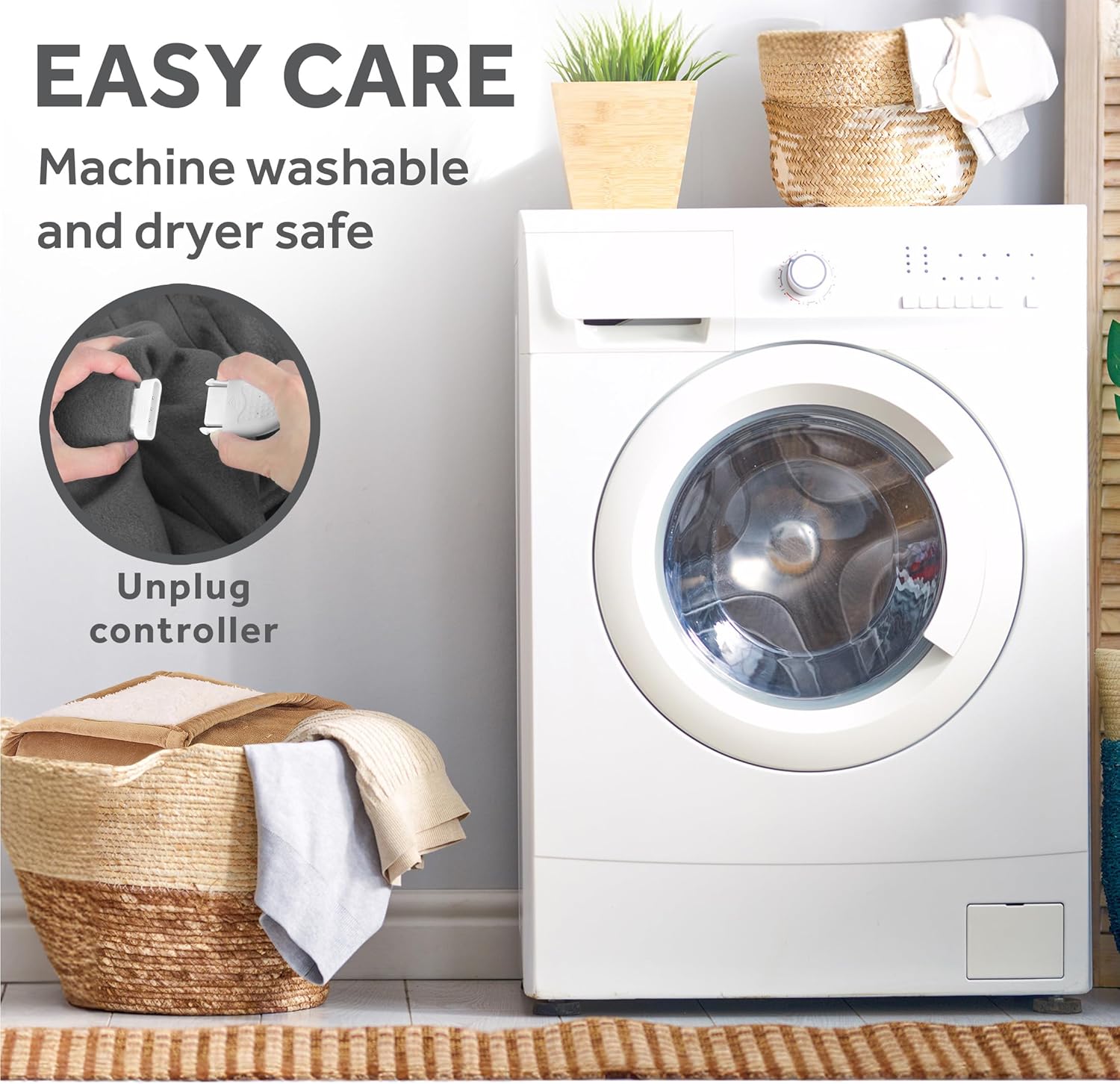
Image: Detaching the controller from the electric throw before placing it in a washing machine for cleaning.
Troubleshooting
If your electric throw is not operating as expected, please refer to the following common issues and solutions:
- Throw is not heating:
- Ensure the power cord is securely plugged into a working electrical outlet.
- Verify that the controller is firmly connected to the throw.
- Check if the power button on the controller has been pressed and an indicator light is on.
- If the controller lights are blinking, unplug the throw from the wall outlet for a few minutes, then plug it back in and try again. This may reset the safety system.
- Throw is too hot or not warm enough:
- Adjust the heat setting using the controller. There are 4 settings to choose from.
- Allow a few minutes for the throw to reach the desired temperature after adjusting the setting.
- Throw automatically turned off:
- The throw has a 4-hour auto shut-off feature. This is a safety mechanism. Simply press the power button on the controller to turn it back on.
- Controller feels warm:
- It is normal for the controller to feel slightly warm during operation. If it becomes excessively hot or emits a burning smell, immediately unplug the throw and discontinue use.
If these steps do not resolve the issue, please contact customer support.
Specifications
- Model Number: TRT8WR-R230-25A00
- Dimensions: 60 inches (L) x 50 inches (W)
- Material: 100% Polyester (Royal Mink and Sherpa fabrics)
- Heat Settings: 4 (Warm, Low, Medium, High)
- Auto Shut-off: 4 hours
- Special Features: Auto Shut-off, Machine Washable, Reversible
- Certifications: ETL Certified
- Item Weight: Approximately 3.52 pounds

Image: Visual representation of the electric throw's dimensions (50" x 60").
Warranty
This Sunbeam Electric Throw Royal Mink Sherpa Heated Blanket is covered by a 5-Year Limited Warranty provided by the manufacturer. Please refer to the warranty documentation included with your product for full details on coverage, terms, and conditions. Retain your proof of purchase for warranty claims.
Customer Support
For further assistance, troubleshooting not covered in this manual, or warranty inquiries, please contact Sunbeam Customer Service. Contact information can typically be found on the product packaging or the official Sunbeam website.
Online Resources: Visit the official Sunbeam website for product registration, FAQs, and additional support resources.


