
1. Introduction
The Sunpak Digiflash 3000 (DF3000C) is an electronic flash unit designed to enhance lighting for digital SLR cameras, specifically compatible with Canon models. It offers advanced features for improved contrast and color in various photographic scenarios.
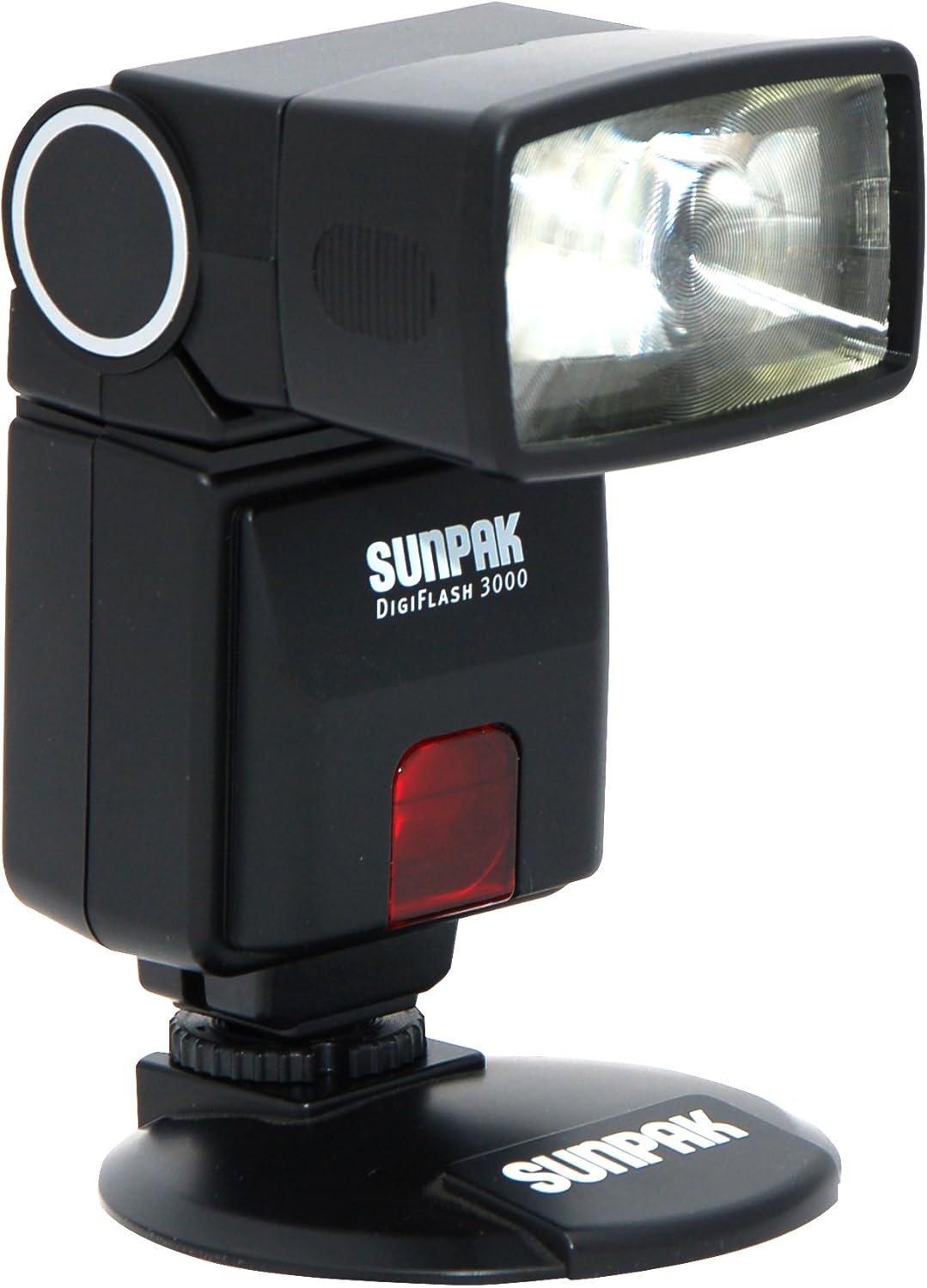
Figure 1: Sunpak Digiflash 3000 Electronic Flash unit.
2. Key Features
- Designed for Canon DSLR cameras.
- High guide number: 92' (ISO 100@35mm).
- Auto focus assist light for low light conditions.
- Bounce flash head with 90-degree vertical range.
- Swivels 180 degrees left and 120 degrees right for flexible lighting.
- Built-in retractable wide panel and reflector panel for versatility.
- Automatic exposure mode.
- Built-in slave for multi-flash use.
- Power saving standby mode after 3 minutes of inactivity.
- Full E-TTL operability with Canon digital SLR cameras.
3. What's in the Box
- Sunpak Digiflash 3000 Electronic Flash unit
- Built-in slave for multi-flash use
- Built-in wide angle panel
- Bounce card
- Requires four AA batteries (not included)
4. Setup
4.1. Battery Installation
The flash unit requires four AA batteries (alkaline or Ni-MH). Open the battery compartment, insert the batteries according to the polarity indicators, and close the compartment securely.
4.2. Mounting the Flash on Your Camera
To attach the flash to your Canon DSLR camera:
- Ensure both the camera and flash unit are powered off.
- Slide the flash unit onto the camera's hot shoe mount.
- Secure the flash by tightening the locking mechanism on the flash unit until it is snug.
Video 1: Demonstrates unboxing, battery installation, and attaching a similar camera flash unit to a camera. (Source: Photon Engine)
Video 2: Shows battery installation and mode selection for a similar flash unit. (Source: CONXTRUE)
Video 3: Demonstrates mounting the Sunpak flash on a Canon camera, battery installation, and basic operation. (Source: Before You Buy!)
5. Operating Instructions
5.1. Power On/Off
Locate the ON/OFF switch on the flash unit. Slide it to the 'ON' position to power on the flash. Slide it to 'OFF' when not in use to conserve battery life.
5.2. Adjusting Flash Intensity
Use the '+' and '-' buttons to adjust the flash output intensity. The indicator lights will show the current power level. Experiment with different settings to achieve desired lighting effects.
5.3. Mode Selection
Press the 'MODE' button to cycle through available flash modes:
- Manual (M): Allows full control over flash output.
- Slave 1 (S1): The flash triggers when it detects a single pre-flash from the master flash.
- Slave 2 (S2): The flash triggers when it detects the second flash (main flash) from the master flash, ignoring the pre-flash. This is useful for cameras that emit a pre-flash for red-eye reduction.
5.4. Using Diffuser and Reflector
The unit includes a built-in retractable wide panel and reflector panel. Pull these out as needed to soften the light or direct it for bounce flash effects.

Figure 2: Sunpak Digiflash 3000 with its head tilted for bounce flash.
Video 4: Overview of a versatile flash for Canon cameras, highlighting features like rotation, tilt, TTL mode, and zoom. (Source: PAGING ZONE)
Video 5: Demonstrates how to attach and use camera flash speedlite filters. (Source: Baimei Tech)
6. Maintenance
To ensure the longevity and optimal performance of your Sunpak Digiflash 3000, follow these maintenance guidelines:
- Cleaning: Use a soft, dry cloth to clean the exterior of the flash unit. For the flash tube and reflector, use a lens cleaning cloth and solution if necessary, ensuring no residue is left.
- Storage: When not in use, store the flash unit in a cool, dry place away from direct sunlight and extreme temperatures. Remove batteries if storing for extended periods to prevent leakage.
- Handling: Avoid dropping the flash unit or subjecting it to strong impacts. Handle the flash head carefully, especially when adjusting its angle.
7. Troubleshooting
If you encounter issues with your flash unit, consider the following:
- Flash Not Firing:
- Check if the flash is powered on.
- Ensure batteries are correctly inserted and have sufficient charge. Replace if necessary.
- Verify the flash is securely mounted on the camera's hot shoe.
- Check camera settings to ensure external flash is enabled.
- Slow Recycling Time:
- This can indicate low battery power. Replace or recharge batteries.
- High power settings require longer recycling times. Reduce flash output if faster recycling is needed.
- Inconsistent Flash Output:
- Ensure the flash head is clean and free from obstructions.
- Check battery levels.
- If using slave mode, ensure the master flash is consistently triggering the slave.
8. Specifications
| Feature | Specification |
|---|---|
| Product Dimensions | 5 x 10 x 7 inches |
| Item Weight | 7.8 ounces |
| Item Model Number | DF3000C |
| Brand | SUNPAK |
| Compatible Mountings | Canon |
| Camera Flash Type | Built-In (referring to the unit's self-contained nature, not camera's pop-up) |
| Flash Sync Speed | 1/250 second |
| Guide Number | 138 (105mm) / 92' (ISO 100@35mm) |
| Bounce Angle | 30°/ 45°/ 60°/ 75°/ 90° |
| Swivel Angle | 180° Left / 90° Right |
| Recycling Time | 0.5-7 seconds |
| Power Source | Four AA batteries (alkaline or Ni-MH) |
9. Warranty and Support
For warranty information, technical support, or service inquiries, please refer to the documentation included with your product or contact SUNPAK customer service directly. Keep your proof of purchase for warranty claims.

