
Electronic Arts 19726
Electronic Arts Battlefield 3 (Model 19726) PC Game Instruction Manual
Your guide to installing, playing, and maintaining Battlefield 3 on PC.
1. Introduction to Battlefield 3
Battlefield 3 is a first-person shooter developed by DICE and published by Electronic Arts. This game utilizes the Frostbite 2 engine, delivering enhanced visual quality, a grand sense of scale, massive destruction, dynamic audio, and lifelike character animations. Players assume the role of elite U.S. Marines, engaging in missions across diverse global locations including Paris, Tehran, and New York.
Experience the impact of bullets and explosions, interact with the environment, and utilize unparalleled vehicle warfare, including fighter jets, tanks, and other land, air, and sea vehicles. The PC version supports up to 64 players in multiplayer modes.
2. Setup and Installation
2.1 System Requirements
To ensure optimal performance, verify your PC meets the minimum and recommended system specifications. Battlefield 3 requires a compatible operating system (e.g., Windows 7 or later), a multi-core processor, sufficient RAM (e.g., 4GB or more), and a DirectX 10 or 11 compatible graphics card with adequate video memory. An internet connection is required for installation, online multiplayer, and game updates.
2.2 Installation Process
- Insert the DVD-ROM: Place the Battlefield 3 game disc into your PC's DVD drive. The installer should launch automatically. If not, navigate to 'My Computer' or 'This PC', right-click on the DVD drive icon, and select 'Open' or 'Run setup.exe'.
- Install Origin Client: Battlefield 3 requires the Origin client for installation, digital rights management, and online play. If you do not have Origin installed, the setup program will prompt you to install it. Follow the on-screen instructions.
- Enter Product Key: During the installation process, you will be prompted to enter your unique product key. This key is typically found on a sticker inside the game case or on a card included with the disc. Ensure the key is entered accurately.
- Follow On-Screen Prompts: Continue to follow the instructions provided by the installer. You may be asked to select an installation directory and agree to the End User License Agreement (EULA).
- Complete Installation: Once the installation is complete, you can launch Battlefield 3 through the Origin client.

Image: Battlefield 3 game cover. This image depicts soldiers in combat, representing the game's core theme.
3. Operating and Gameplay
3.1 Launching the Game
To start Battlefield 3, open the Origin client, navigate to your game library, and click on the Battlefield 3 icon. The game will launch, typically opening a web browser to the Battlelog interface, which manages multiplayer servers and campaign progression.
3.2 Basic Controls
Battlefield 3 uses standard PC first-person shooter controls. The default keybindings are:
- W, A, S, D: Movement (Forward, Left, Backward, Right)
- Mouse: Look/Aim
- Left Mouse Button: Fire Weapon
- Right Mouse Button: Aim Down Sights (ADS)
- Spacebar: Jump/Vault
- Shift: Sprint
- Ctrl: Crouch/Prone
- R: Reload
- E: Interact/Use
- Q: Spot Enemy/Request Ammo/Medic
These controls can be customized within the game's options menu.
3.3 Game Modes
Battlefield 3 offers both a single-player campaign and extensive multiplayer options:
- Campaign: A narrative-driven experience where you play as various military personnel in a global conflict.
- Multiplayer: Engage in large-scale battles with up to 64 players across various maps and modes, including Conquest, Rush, Team Deathmatch, and more. Utilize a wide array of vehicles and classes.

Image: In-game screenshot depicting soldiers moving through an urban environment on an escalator. This illustrates the close-quarters combat scenarios.
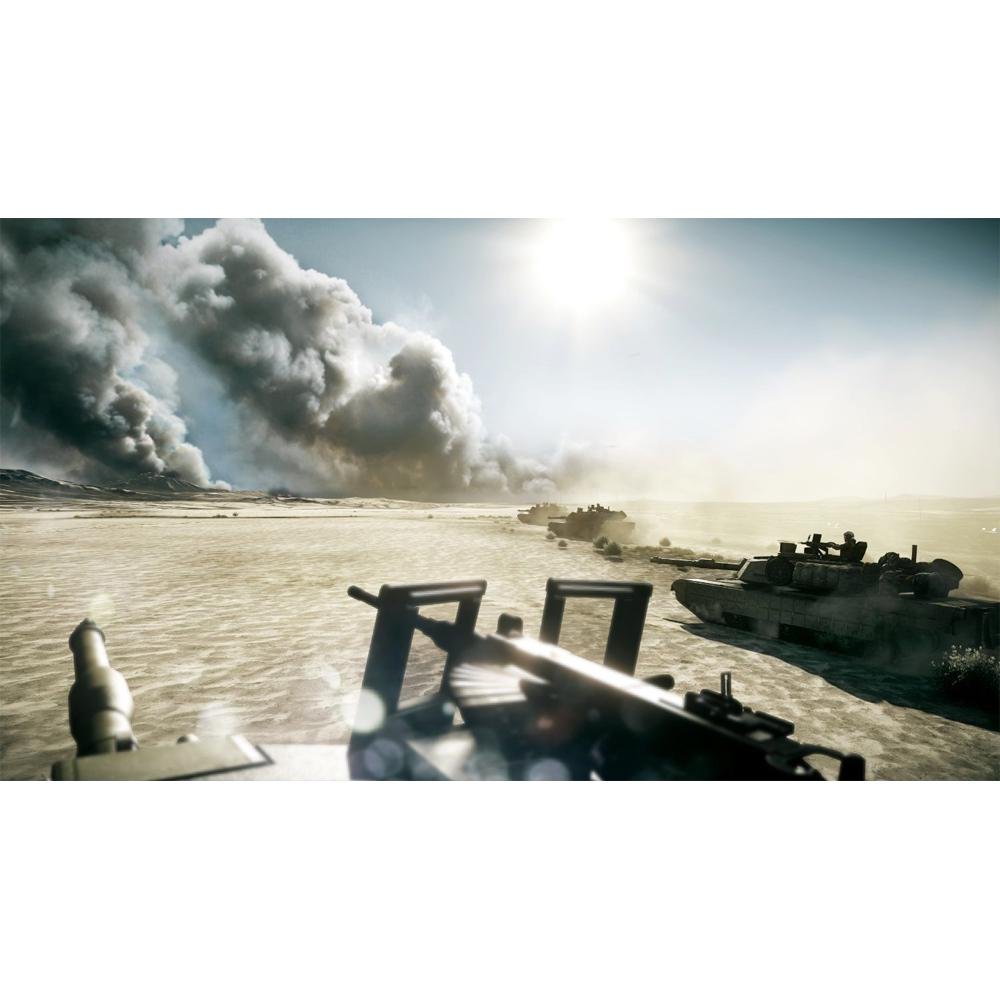
Image: In-game screenshot featuring multiple tanks advancing across a desert landscape with smoke in the background. This highlights the vehicle warfare aspect of the game.
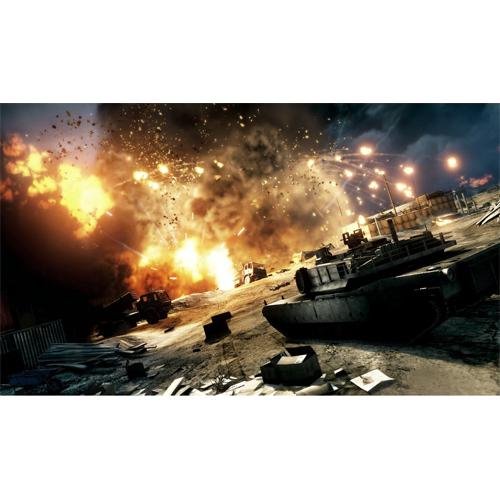
Image: In-game screenshot capturing a large explosion near several tanks in a destructible environment. This demonstrates the game's dynamic destruction and intense combat.
4. Maintenance
To ensure a smooth and up-to-date gaming experience, regular maintenance is recommended:
- Game Updates: The Origin client will automatically check for and download game updates and patches. Ensure your Origin client is set to keep games updated.
- Graphics Drivers: Keep your graphics card drivers updated to the latest version provided by the manufacturer (NVIDIA, AMD, Intel). Outdated drivers can lead to performance issues or graphical glitches.
- Operating System Updates: Ensure your Windows operating system is fully updated. OS updates often include performance improvements and security fixes that can benefit gaming.
- Disk Space: Ensure you have sufficient free disk space on your installation drive for game files and updates.
5. Troubleshooting Common Issues
If you encounter problems while installing or playing Battlefield 3, consider the following troubleshooting steps:
- Product Key Already Used: If you receive an error stating the product key has already been used, verify you have entered the correct key. If the issue persists, contact Electronic Arts Support with proof of purchase.
- Installation Errors: Ensure your DVD-ROM is clean and free of scratches. Try running the installer as an administrator. Temporarily disable antivirus software during installation if it interferes.
- DirectX Errors: Ensure your graphics drivers are up to date and that your system meets the DirectX requirements. Reinstalling DirectX (if prompted by the game or installer) may resolve this.
- Game Crashes/Performance Issues: Lower in-game graphics settings. Ensure your PC meets the recommended system requirements. Close unnecessary background applications. Verify game files through the Origin client.
- Multiplayer Connection Issues: Check your internet connection. Ensure your firewall is not blocking Battlefield 3 or the Origin client. Restart your router/modem.
For persistent issues, consult the official Electronic Arts support website or community forums for specific solutions.
6. Specifications
| Feature | Detail |
|---|---|
| Product Name | Battlefield 3 |
| Manufacturer | Electronic Arts, Inc |
| Model Number | 19726 |
| Distribution Media | DVD-ROM |
| Software Main Type | Game |
| Software Sub Type | First Person Shooter |
| ASIN | B007RY6KYC |
| GTIN / UPC | 014633197266 |
| Product Dimensions | 7.5 x 5.3 x 0.6 inches |
| Item Weight | 2.82 ounces |
| Date First Available | October 21, 2012 |
7. Warranty and Support
7.1 Software License
This software is provided under a limited license. Refer to the End User License Agreement (EULA) presented during installation for full terms and conditions regarding usage, warranty limitations, and intellectual property rights.
7.2 Technical Support
For technical assistance, installation issues, or game-related problems, please visit the official Electronic Arts (EA) Help website. You can find FAQs, troubleshooting guides, and contact options for direct support.
- EA Help Website: https://help.ea.com/
- Origin Support: For issues related to the Origin client or game activation.