
Introduction
The BRIGHTSTAR BR100B Universal TV Remote Control is designed for broad compatibility with various television brands. This manual provides essential information for setting up, operating, maintaining, and troubleshooting your remote control. It is particularly suitable for hospitality and healthcare environments due to its simple design and lack of a menu button, preventing unintended changes to TV settings. This product is typically sold in packs of 100 units.
Product Overview
The BR100B remote is a universal device capable of controlling most televisions. Key features include:
- Universal compatibility with most TV brands.
- Simple, user-friendly design with large buttons.
- Absence of a menu button to prevent accidental setting changes.
- Optional screw for securing the battery compartment.
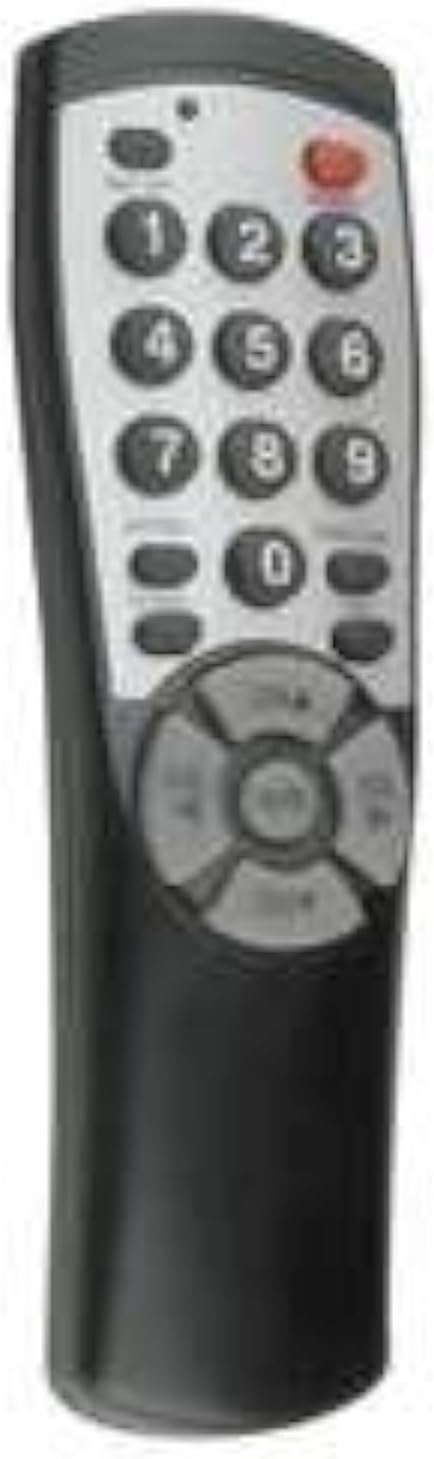
Figure 1: Front view of the Brightstar BR100B Universal TV Remote. The remote is black with a silver-colored keypad area. It features a red power button at the top right, number buttons (0-9), and a circular directional pad with an 'OK' button in the center, along with volume and channel controls.
Setup
1. Battery Installation
- Locate the battery compartment on the back of the remote control.
- Slide open the battery compartment cover.
- Insert two AAA batteries (not included), ensuring correct polarity (+ and -) as indicated inside the compartment.
- Close the battery compartment cover. An optional screw is included to secure the cover, which can be used for added security in public environments.
2. Programming the Remote
The BR100B remote may work with some TV brands without programming. For other brands or if initial operation fails, follow these steps to program the remote:
- Ensure your TV is turned on.
- Press and hold the SET button (if available, or a similar programming button) on the remote until the indicator light illuminates.
- Enter the 3-digit code for your TV brand. A list of common codes is typically provided with the remote's packaging. If no code list is available, try the auto-search method.
- After entering the code, the indicator light should turn off. Test the remote by pressing the POWER button. If the TV turns off, the programming was successful.
- If the remote does not control the TV, repeat the process with a different code for your TV brand or use the auto-search method.
Auto-Search Method (if applicable):
- Turn on your TV.
- Press and hold the SET button (or equivalent) until the indicator light turns on.
- Repeatedly press the POWER button until your TV turns off. This may take several presses as the remote cycles through codes.
- Once the TV turns off, press the SET button again to save the code. The indicator light should turn off.
- Test the remote's functions.
Operating Instructions
Once programmed, the BR100B remote operates like a standard TV remote control. Its design focuses on essential functions for ease of use.
- POWER Button: Turns the TV on or off.
- Number Buttons (0-9): Used to directly enter channel numbers.
- CH+/CH- Buttons: Changes the TV channel up or down.
- VOL+/VOL- Buttons: Increases or decreases the TV volume.
- MUTE Button: Mutes or unmutes the TV audio.
- Directional Pad (Up/Down/Left/Right) and OK Button: Used for navigation within TV menus or selecting options, though the remote is designed to prevent access to complex TV settings.
Note: This remote is specifically designed without a dedicated "Menu" button to prevent users from altering TV settings, making it ideal for environments where consistent TV configurations are desired.
Maintenance
- Cleaning: Wipe the remote with a soft, dry cloth. For stubborn dirt, slightly dampen the cloth with water or a mild, non-abrasive cleaner. Do not use harsh chemicals or immerse the remote in liquid.
- Battery Replacement: Replace batteries when the remote's response becomes sluggish or it stops functioning. Always replace both batteries at the same time with new ones of the same type (AAA). Dispose of old batteries responsibly.
- Storage: Store the remote in a cool, dry place away from direct sunlight and extreme temperatures.
Troubleshooting
| Problem | Possible Cause | Solution |
|---|---|---|
| Remote not working. | Batteries are dead or incorrectly inserted. | Replace batteries, ensuring correct polarity. |
| Remote not working. | Remote is not programmed or programmed incorrectly. | Reprogram the remote using the appropriate code or auto-search method. |
| Remote only controls some functions. | Incorrect code used during programming. | Try a different code for your TV brand or use the auto-search method. |
| Indicator light does not turn on during programming. | Batteries are low or dead. | Replace batteries. |
| Remote range is poor. | Low batteries or obstruction between remote and TV. | Replace batteries. Ensure a clear line of sight to the TV's IR receiver. |
Specifications
| Feature | Detail |
|---|---|
| Model Number | BR100B |
| Brand | BRIGHT STAR |
| Compatibility | Universal (works with most TV brands) |
| Power Source | 2 x AAA Batteries (not included) |
| Color | Black |
| Item Weight | 0.01 ounces (approx. 0.28 grams) |
| Package Dimensions | 16.5 x 15.86 x 12.99 inches (for 100-pack) |
| Special Feature | Universal, No Menu Button |
Warranty and Support
For information regarding product warranty, returns, or technical support, please contact the seller or the manufacturer directly. Details are typically provided with your purchase documentation or on the product packaging.
For general inquiries or to purchase replacement units, please refer to the official BRIGHT STAR store or your original point of purchase.
BRIGHT STAR Store Link: Visit the BRIGHT STAR Store on Amazon


