
1. Introduction
The Parmak 813 Precision Digital Tester is a reliable and easy-to-use device designed for accurately measuring the voltage on electric fences. This digital tester provides clear, precise readings, helping you ensure your electric fence system is operating at optimal performance for effective animal containment or security.
This manual provides essential information on the proper setup, operation, maintenance, and troubleshooting of your Parmak 813 Digital Tester. Please read it thoroughly before using the device to ensure safe and correct operation.
2. Safety Information
WARNING: Electric fences can deliver a powerful shock. Always exercise extreme caution when working near or testing electric fences. Failure to follow safety instructions can result in serious injury or death.
- Do not use the tester in wet conditions or during a lightning storm.
- Ensure hands are dry before handling the tester or electric fence components.
- Keep children and unauthorized personnel away from electric fences and testing equipment.
- Always hold the tester by its insulated body. Avoid touching the probe or ground wire during operation.
- Do not attempt to test household electrical outlets or other high-voltage sources not intended for this device.
3. Package Contents
Upon opening the package, verify that all components are present and undamaged:
- Parmak 813 Precision Digital Tester (Yellow/Black)
- Integrated ground wire and probe
- User Manual (this document)
4. Product Overview
The Parmak 813 Digital Tester features a robust design for outdoor use and an easy-to-read digital display. It consists of a main body housing the digital display, a metal probe for contacting the fence wire, and a separate ground wire with a clip for grounding the tester.
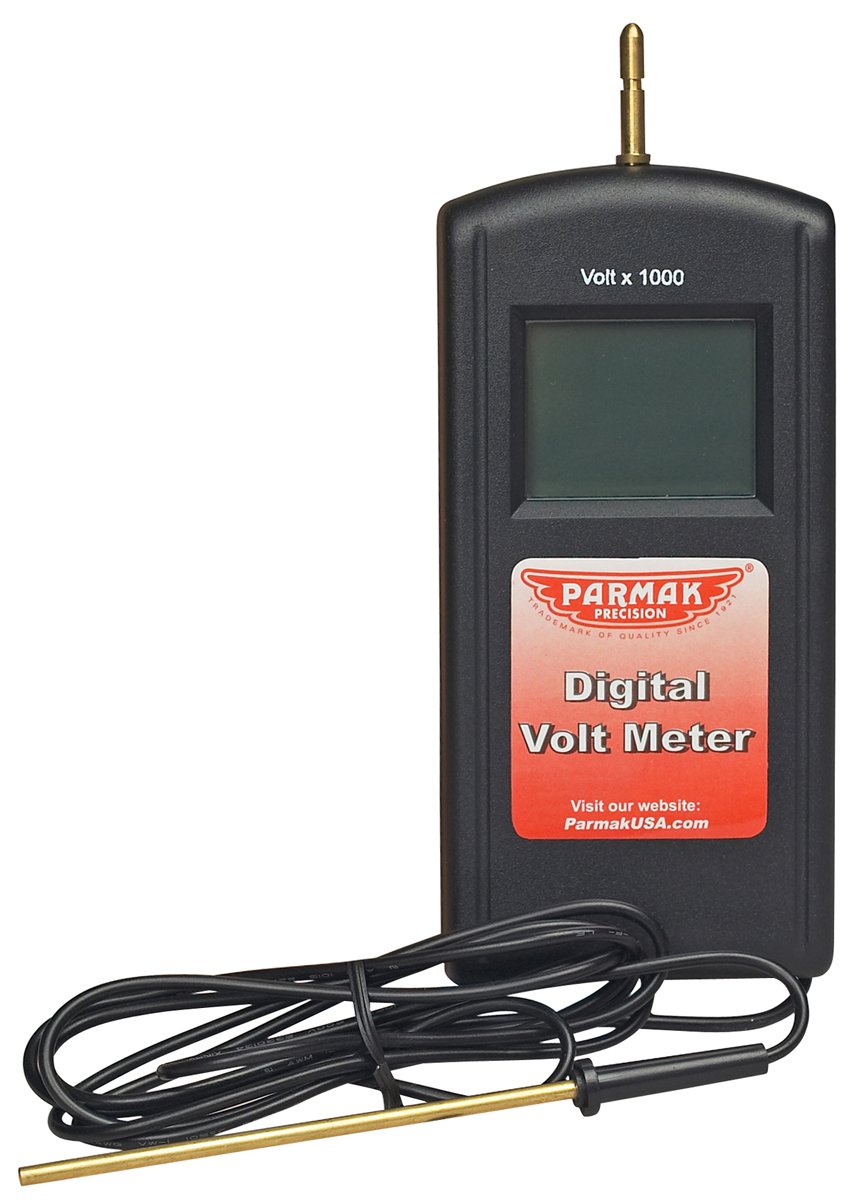
Figure 1: Parmak 813 Precision Digital Tester. This image displays the tester's yellow and black casing, the clear digital readout screen, the metal probe extending from the top, and the attached ground wire with its clip, ready for use in testing electric fence voltage.
5. Setup
The Parmak 813 Digital Tester is battery-powered. Before first use, or if the display becomes dim, ensure fresh batteries are installed. The battery compartment is typically located on the back or side of the unit. Refer to the markings on the device for correct battery orientation and type (usually standard AA or AAA batteries).
- Locate the battery compartment cover.
- Open the cover and insert the required batteries, observing the correct polarity (+/-).
- Securely close the battery compartment cover.
6. Operating Instructions
Follow these steps to accurately measure the voltage of your electric fence:
- Prepare the Tester: Ensure the tester is clean and dry.
- Ground the Tester: Attach the ground wire's clip securely to a ground rod or a reliable earth ground. For best results, use a dedicated ground rod for the fence system.
- Contact the Fence: Carefully touch the metal probe of the tester to the live electric fence wire. Ensure good contact.
- Read the Display: The digital display will show the voltage reading in kilovolts (kV). The easy-to-read digital design ensures clear visibility of the measurement.
- Remove the Tester: Once the reading is stable, carefully remove the probe from the fence wire, then detach the ground clip.
Take multiple readings along different sections of your fence to identify any voltage drops or issues.
7. Maintenance
Proper maintenance ensures the longevity and accuracy of your Parmak 813 Digital Tester.
- Cleaning: Wipe the tester with a dry, soft cloth after each use. Do not use abrasive cleaners or immerse the unit in water.
- Battery Replacement: Replace batteries promptly when the display becomes dim or unresponsive. Remove batteries if the tester will not be used for an extended period to prevent leakage.
- Storage: Store the tester in a dry, cool place, away from direct sunlight and extreme temperatures. Keep the probe and ground wire free from kinks or damage.
8. Troubleshooting
If you encounter issues with your Parmak 813 Digital Tester, refer to the following common problems and solutions:
| Problem | Possible Cause | Solution |
|---|---|---|
| No display or dim display | Dead or low batteries; incorrect battery installation. | Replace batteries with fresh ones, ensuring correct polarity. |
| Inaccurate or inconsistent readings | Poor ground connection; poor contact with fence wire; damaged probe/wire. | Ensure ground clip is firmly attached to a good earth ground. Make sure the probe makes solid contact with the fence wire. Inspect probe and wire for damage. |
| Tester does not turn on | Completely dead batteries; internal fault. | Replace batteries. If problem persists, contact customer support. |
9. Specifications
| Feature | Detail |
|---|---|
| Model Number | 813 |
| Brand | Parmak |
| Style | Digital |
| Power Source | Battery Powered |
| Color | Yellow/Black |
| Item Weight | 4.8 Ounces (approx. 136 grams) |
| Product Dimensions (L x W x H) | 10 x 6 x 1 inches (approx. 25.4 x 15.2 x 2.5 cm) |
| Compliance | UL 61010-1, IEC 61010-2-030 |
| UPC | 054711008138 |
10. Warranty and Support
Parmak products are manufactured to high-quality standards. For specific warranty information regarding your Parmak 813 Precision Digital Tester, please refer to the warranty card included with your purchase or visit the official Parmak website. Keep your proof of purchase for warranty claims.
For technical assistance, troubleshooting beyond this manual, or to inquire about replacement parts, please contact Parmak customer support. Contact details are typically available on the product packaging or the manufacturer's official website.