
Gardena 1874-U
Gardena 1874-U Water Computer C 2030 Duo Plus
Instruction Manual
1. Introduction
The Gardena 1874-U Water Computer C 2030 Duo Plus is designed for automatic irrigation of two independent garden areas. It features a large, easy-to-read display for straightforward programming. This water computer allows for flexible watering schedules, with times configurable from 1 minute up to 3 hours and 59 minutes, and watering days freely selectable. Up to three watering cycles per day are possible for each outlet.
Key Features:
- Detachable control panel for easy programming.
- Modern, attractive, and user-friendly design.
- Total control over watering schedules.
- Connectivity for GARDENA rain or soil moisture sensors (not included).
- Battery level display for monitoring battery life.

Figure 1: The Gardena Water Computer C 2030 Duo Plus, showing its dual outlets and control panel.
2. Setup
Follow these steps to set up your Gardena Water Computer:
- Install Batteries: The unit requires one 9V battery (not included). Open the battery compartment, insert the battery, and close the compartment securely. The battery level display will show the current battery life.
- Attach to Faucet: Screw the water computer onto your outdoor faucet. Ensure a tight seal to prevent leaks.

Figure 2: The water computer securely attached to an outdoor faucet, ready for hose connection.
- Connect Hoses: Attach your garden hoses to the two outlets (V1 and V2) at the bottom of the water computer.
- Detachable Control Panel: The control panel can be detached from the main unit for easier programming. Simply slide it upwards to remove and downwards to reattach.

Figure 3: The control panel being detached from the main unit for convenient programming.
3. Operating Instructions
The large display and intuitive buttons make programming your Gardena Water Computer simple.
3.1 Programming Watering Cycles
Use the 'Menu' button to navigate through programming options and the arrow buttons to adjust values. The 'OK' button confirms your selections.
- Set Current Time: Ensure the current time is accurately set for precise scheduling.
- Select Outlet (V1/V2): You can program each outlet independently. Use the V1/V2 buttons to switch between them.
- Set Start Time: Define when each watering cycle should begin. Up to 3 cycles per day are possible per outlet.
- Set Watering Duration: Specify the length of each watering session, from 1 minute to 3 hours 59 minutes.
- Select Watering Days: Choose specific days of the week for irrigation or set a recurring interval (e.g., every 2nd day, every 3rd day).

Figure 4: The water computer actively irrigating a garden area via a connected sprinkler.
3.2 Manual Watering
To initiate watering manually, press the 'Man.' button. You can then select the outlet and duration for immediate watering, overriding the programmed schedule temporarily.
3.3 Sensor Connectivity
The Gardena Water Computer is compatible with Gardena rain or soil moisture sensors (sold separately). Connecting a sensor allows the unit to automatically adjust watering based on environmental conditions, preventing unnecessary watering and conserving water.

Figure 5: The water computer is designed to work with external sensors, such as a rain sensor, to optimize watering schedules.

Figure 6: A Gardena soil moisture sensor can be connected to ensure watering only occurs when the soil is dry enough.
3.4 Instructional Video
Video 1: An official Gardena video demonstrating the setup and programming of the Water Computer C 2030 Duo Plus, including its dual outlet functionality and sensor integration.
4. Maintenance
To ensure the longevity and optimal performance of your Gardena Water Computer, follow these maintenance guidelines:
- Battery Replacement: When the battery level display indicates low power, replace the 9V battery promptly to avoid interruption of watering schedules.
- Cleaning: Periodically clean the exterior of the unit with a soft, damp cloth. Avoid using harsh chemicals or abrasive materials.
- Winter Storage: Before the first frost, disconnect the water computer from the faucet and hoses. Drain any remaining water and store the unit in a frost-free environment to prevent damage.
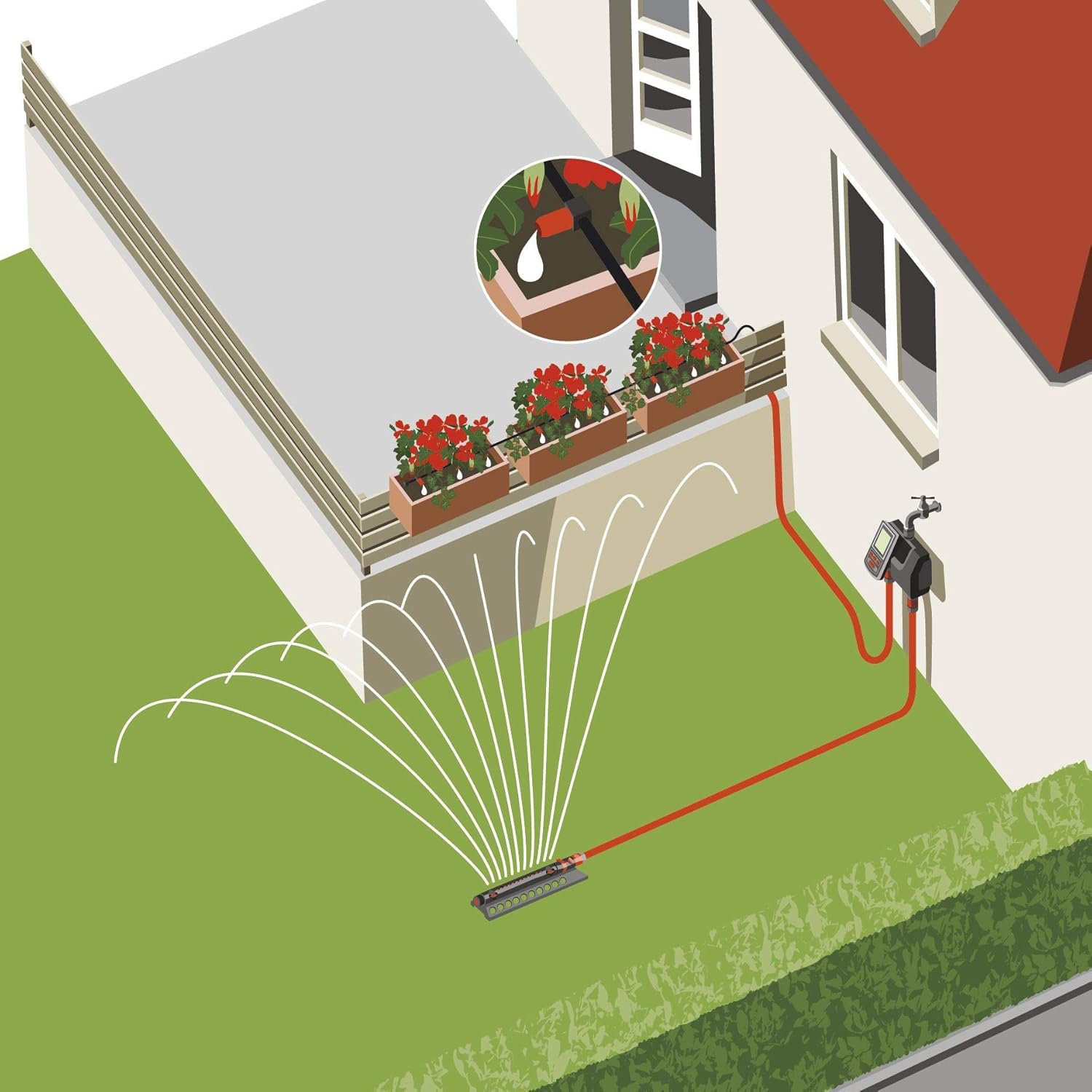
Figure 7: The water computer is designed for outdoor use, but proper maintenance ensures its durability.
5. Troubleshooting
If you encounter issues with your Gardena Water Computer, consider the following common problems and solutions:
- No Water Flow:
- Check if the faucet is fully open.
- Ensure the battery is not depleted; replace if necessary.
- Verify that the programming is correct and a watering cycle is scheduled.
- Inspect hoses for kinks or blockages.
- Water Dripping from Unit:
- Ensure all connections to the faucet and hoses are tightened securely.
- Check the rubber washers in the connections for wear or damage and replace if needed.
- Incorrect Watering Times:
- Re-check your programming settings for start times, durations, and selected days.
- Ensure the current time on the unit is accurate.
- If a sensor is connected, verify its functionality and settings, as it may override programmed schedules.
- Display Not Working:
- Check and replace the battery.
- Ensure the control panel is correctly seated on the main unit.
6. Specifications
| Feature | Detail |
|---|---|
| Brand | Gardena |
| Model Number | 1874-U |
| Color | Orange/Black |
| Item Weight | 2.88 pounds (1.31 Kilograms) |
| Product Dimensions | 10 x 10 x 5.5 inches |
| Number of Settings | 3 (Watering Cycles per day per outlet) |
| Batteries Required | 1 x 9V (not included) |
| Watering Duration | 1 min to 3 hours 59 minutes |
| Watering Frequency | Freely selectable days, or every 2nd/3rd day |
7. Warranty
Gardena typically offers a 2-year warranty on its products. Please retain your proof of purchase for warranty claims. For specific warranty terms and conditions, refer to the documentation included with your product or visit the official Gardena website.
8. Support
For further assistance, technical support, or to inquire about replacement parts, please contact Gardena customer service. Contact information can typically be found on the product packaging or the official Gardena website. When contacting support, please have your product model number (1874-U) and purchase details ready.
You can visit the official Gardena store for more information and products: Gardena Store on Amazon