
1. Introduction
The Peavey PVX 12 is a passive loudspeaker designed for live sound reinforcement and speech applications. It features a lightweight, durable molded polypropylene enclosure, a heavy-duty 12-inch woofer, and a Peavey RX14 1.4-inch titanium diaphragm compression driver coupled to a constant directivity horn. This manual provides essential information for the safe and effective setup, operation, and maintenance of your PVX 12 loudspeaker.

Figure 1: Front angled view of the Peavey PVX 12 Passive Loudspeaker. This image shows the speaker's robust grille and overall cabinet design.
2. Safety Information
Please read and understand all safety instructions before operating this product. Retain this manual for future reference.
- Power Handling: Do not exceed the specified power ratings (400 watts program, 800 watts peak). Overpowering can cause permanent damage to the speaker components.
- Ventilation: Ensure adequate ventilation around the loudspeaker. Do not block ventilation openings.
- Moisture: This product is not waterproof. Do not expose it to rain, moisture, or excessive humidity.
- Placement: Position the loudspeaker on a stable, level surface or use appropriate mounting hardware. Ensure any suspended installations are performed by qualified personnel using certified equipment.
- Hearing Protection: Prolonged exposure to high sound pressure levels can cause permanent hearing damage. Use appropriate hearing protection when operating the loudspeaker at high volumes.
- Servicing: Refer all servicing to qualified service personnel. Do not attempt to service this product yourself.
3. Features
The Peavey PVX 12 Passive Loudspeaker incorporates several design elements for performance and durability:
- 400 watts program power handling.
- 800 watts peak power handling.
- Top, bottom, and right side flying point inserts for versatile mounting options.
- Full-coverage heavy-duty perforated steel grille with a powder-coat finish for speaker protection.
- Rugged construction with a lightweight, roadworthy molded polypropylene exterior.
4. Setup
4.1 Unpacking
Carefully remove the loudspeaker from its packaging. Inspect the unit for any signs of damage that may have occurred during shipping. Retain the original packaging for future transport or storage.
4.2 Placement
The PVX 12 can be used in various configurations:
- Floor Standing: Place the speaker directly on a stable floor surface.
- Tabletop Mount: Position the speaker on a sturdy table or elevated platform.
- Monitor Use: The cabinet design allows for use as a floor monitor, angled towards the performer.
- Suspended Installation: Utilize the integrated flying point inserts on the top, bottom, and right side for suspended mounting. Always consult with a qualified professional for overhead installations to ensure safety and compliance with local regulations.

Figure 2: The Peavey PVX 12 loudspeaker positioned for use as a floor monitor.
4.3 Connections
The PVX 12 is a passive loudspeaker and requires an external power amplifier. Connect the loudspeaker to a suitable amplifier using high-quality speaker cables. Ensure the amplifier's output impedance matches the speaker's 8 Ohm impedance. Use the input connector located on the rear panel.
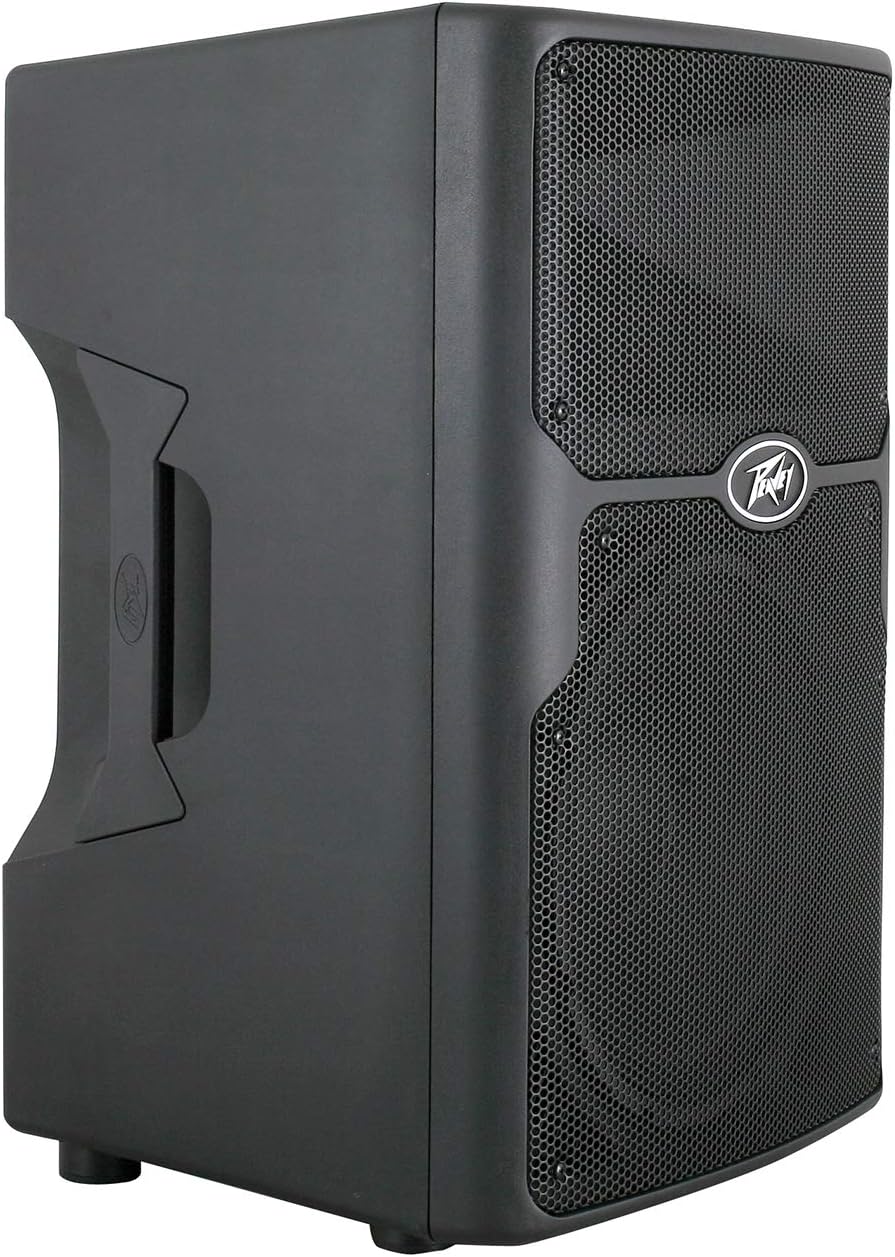
Figure 3: Rear panel of the PVX 12, highlighting the input connector and impedance rating.
5. Operating Instructions
Once the PVX 12 loudspeaker is properly connected to a power amplifier and audio source, follow these steps for operation:
- Power On Sequence: Always power on your audio source (mixer, etc.) first, then your amplifier.
- Volume Control: Adjust the volume levels using your amplifier or mixer. Start with the amplifier volume at its lowest setting and gradually increase it to the desired listening level.
- Power Off Sequence: When finished, turn off your amplifier first, then your audio source. This helps prevent pops and thumps that can damage speakers.
- Monitoring Levels: Pay attention to the sound quality. If you hear distortion, reduce the volume immediately to prevent damage.
6. Maintenance
Proper maintenance ensures the longevity and performance of your PVX 12 loudspeaker.
- Cleaning: Use a soft, dry cloth to clean the exterior of the cabinet. For stubborn dirt, a slightly damp cloth can be used, followed by a dry cloth. Avoid using abrasive cleaners or solvents.
- Grille Care: The steel grille protects the speaker components. If it becomes dusty, use a soft brush or vacuum cleaner with a brush attachment to gently remove dust.
- Storage: When not in use for extended periods, store the loudspeaker in a dry, temperature-controlled environment. If possible, use the original packaging or a protective cover.
- Inspection: Periodically check speaker cables and connectors for wear or damage. Replace any faulty cables immediately.
7. Troubleshooting
If you encounter issues with your PVX 12 loudspeaker, refer to the following common troubleshooting steps:
- No Sound:
- Ensure the amplifier is powered on and functioning correctly.
- Check all cable connections between the audio source, amplifier, and loudspeaker. Ensure they are secure and not damaged.
- Verify the audio source is active and sending a signal.
- Confirm the amplifier's volume is not set to minimum or muted.
- Distorted Sound:
- Reduce the volume level on both the amplifier and the audio source. Distortion often occurs when the signal is too strong for the amplifier or speaker.
- Check if the amplifier's output power is appropriate for the PVX 12's power handling capabilities.
- Inspect speaker cables for damage or short circuits.
- Low Volume:
- Increase the volume on the amplifier and audio source.
- Ensure all connections are correct and tight.
- Verify that the amplifier is providing sufficient power.
If these steps do not resolve the issue, contact Peavey customer support or a qualified service technician.
8. Specifications
| Feature | Specification |
|---|---|
| Brand | Peavey |
| Model Name | PVX 12 |
| Model Number | 03602440 |
| Speaker Type | Passive Loudspeaker (Woofer) |
| Program Power | 400 Watts |
| Peak Power | 800 Watts |
| Woofer Diameter | 12 Inches |
| Tweeter Diameter | 1.4 Inches |
| Impedance | 8 Ohms |
| Connectivity Technology | Wired |
| Mounting Type | Floor Standing, Tabletop Mount, Flying Point Inserts |
| Item Weight | 43 Pounds |
| Color | Black |
9. Warranty and Support
9.1 Warranty Information
The Peavey PVX 12 Passive Loudspeaker comes with a 1-year limited warranty. Please refer to the warranty card included with your product or visit the official Peavey website for full details regarding warranty terms and conditions.
9.2 Customer Support
For technical assistance, service inquiries, or to purchase replacement parts, please contact Peavey customer support. You can find contact information and additional resources on the official Peavey website: www.peavey.com/support


