
Introduction
This manual provides essential information for the safe and efficient operation of your GE JES1460DSWW 1.4 cu. ft. Countertop Microwave Oven. Please read these instructions thoroughly before using your appliance and retain them for future reference.

Front view of the GE JES1460DSWW 1.4 cu. ft. Countertop Microwave in white.
Safety Information
Always follow basic safety precautions when using electrical appliances to reduce the risk of burns, electric shock, fire, injury to persons, or exposure to excessive microwave energy.
- Do not attempt to operate this oven with the door open as this can result in harmful exposure to microwave energy.
- Do not place any object between the oven front face and the door or allow soil or cleaner residue to accumulate on sealing surfaces.
- Do not operate the oven if it is damaged. It is particularly important that the oven door closes properly and that there is no damage to the: (1) door (bent), (2) hinges and latches (broken or loosened), (3) door seals and sealing surfaces.
- The oven should not be adjusted or repaired by anyone except properly qualified service personnel.
- Ensure the microwave is placed on a stable, level surface.
Setup and Installation
Unpacking
Carefully remove the microwave oven from its carton. Remove all packing materials and accessories. Check the oven for any damage, such as dents or a misaligned door. Do not install if the oven is damaged.
Placement
This microwave oven is designed for countertop use only. Ensure there is adequate ventilation space around the unit. Maintain a minimum of 3 inches (7.5 cm) of clearance on the top, sides, and rear of the oven for proper airflow.

The GE JES1460DSWW microwave placed on a kitchen countertop, demonstrating appropriate clearance.
Electrical Requirements
The microwave oven requires a standard 120V, 60Hz, AC only, 15-amp or 20-amp electrical outlet with a grounded 3-prong plug. Do not use an extension cord.
Turntable Assembly
Before operation, ensure the glass turntable and roller ring are correctly placed inside the oven cavity. The turntable rotates food throughout the cooking cycle for even heating.

A glass bowl with frozen berries placed on the microwave's glass turntable, illustrating its function.
Operating Instructions
Your GE JES1460DSWW microwave features an intuitive control panel designed for ease of use. Below are instructions for common functions.
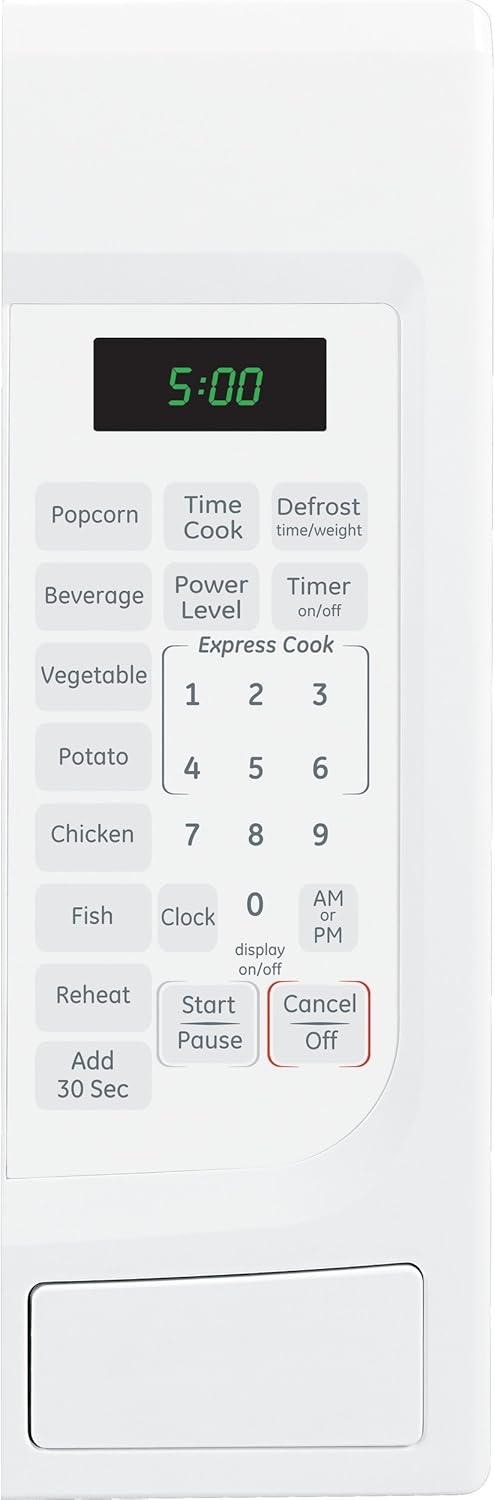
Detailed view of the microwave's control panel, showing various buttons and the digital display.
Setting the Clock
- Press the Clock button.
- Enter the current time using the number pad.
- Press AM/PM to select AM or PM.
- Press Clock again to confirm.
Time Cook
Use this function to cook food for a specific duration.
- Place food in the microwave.
- Press Time Cook.
- Enter the desired cooking time using the number pad.
- (Optional) To adjust power level, press Power Level and enter a number from 1 (lowest) to 10 (highest).
- Press Start/Pause.
Express Cook (Instant On)
For quick cooking, simply press any number button (1-6) to start cooking immediately for that many minutes at 100% power.
Sensor Cooking Controls
The microwave automatically adjusts cooking time and power for optimal results with these pre-programmed settings.
- Popcorn: For pre-packaged microwave popcorn.
- Beverage: Heats beverages to an ideal temperature.
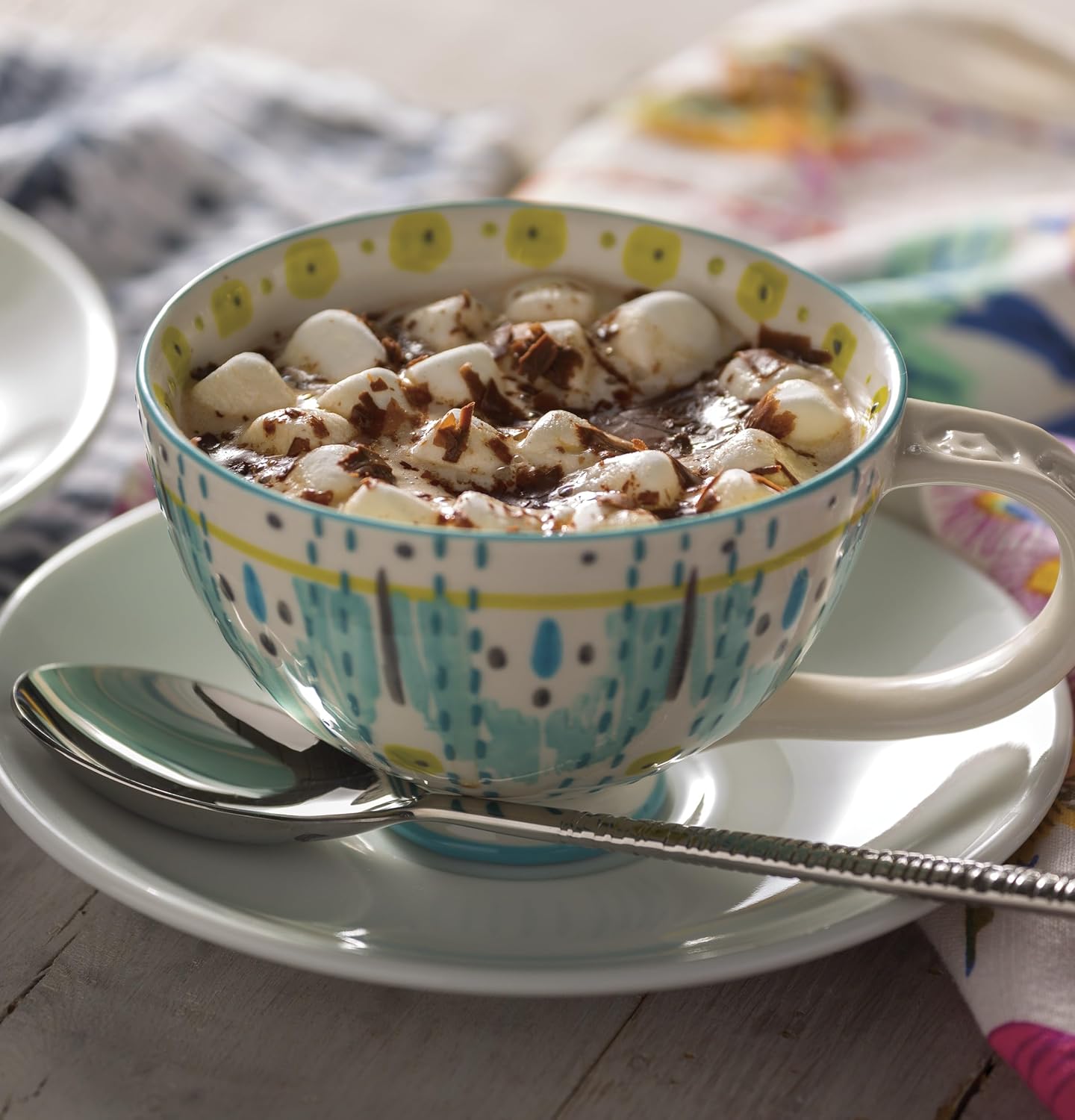
A mug of hot chocolate with marshmallows, suitable for the Beverage sensor cook setting.
- Vegetable: Cooks fresh or frozen vegetables.

A plate of cooked carrots, demonstrating use of the Vegetable sensor cook setting.
- Potato: Ideal for baking potatoes.

A baked potato with cheese and chives, a typical result from the Potato sensor cook setting.
- Chicken: For cooking chicken pieces.
- Fish: For cooking fish fillets.
- Reheat: Reheats leftovers.
Defrost (Time/Weight)
This feature allows you to defrost food by either entering the weight or a specific time.

A close-up of the "Defrost time/weight" button on the control panel.
- Press Defrost time/weight.
- Enter the weight of the food in pounds (e.g., 1.0 for 1 pound) or the desired defrosting time.
- Press Start/Pause.
Add 30 Sec
Press this button to add 30 seconds of cooking time at 100% power during or at the end of a cooking cycle.
Child Lock Feature
This model may include a child lock feature to prevent accidental or unsupervised use. Refer to the specific instructions provided with your unit for activation and deactivation. Some models may require a physical latch release button or a specific button sequence.
Care and Maintenance
Cleaning the Exterior
Wipe the exterior with a damp cloth and mild soap. Dry thoroughly. Avoid abrasive cleaners or harsh chemicals.
Cleaning the Interior
Clean the interior cavity regularly with a damp cloth and mild detergent. For stubborn food splatters, place a bowl of water with lemon slices inside and microwave for a few minutes to loosen residue, then wipe clean.
Turntable Care
The glass turntable and roller ring can be removed for cleaning. Wash them in warm, soapy water or in the dishwasher. Ensure they are completely dry before placing them back in the oven.
Troubleshooting
If you encounter issues with your microwave, refer to the following common problems and solutions.
| Problem | Possible Cause | Solution |
|---|---|---|
| Microwave does not start. | Door not closed properly; Power cord unplugged; Blown fuse/tripped circuit breaker. | Ensure door is securely latched; Check power cord connection; Check household fuse/circuit breaker. |
| No heat/food not cooking. | Incorrect cooking time/power level; Door sensor issue. | Verify settings; If issue persists, contact service. |
| Turntable does not rotate. | Turntable or roller ring not positioned correctly; Obstruction. | Ensure turntable and ring are seated properly; Remove any obstructions. |
| Oven light not working. | Bulb needs replacement. | Contact qualified service personnel for bulb replacement. |
| Display shows error message. | Internal malfunction. | Unplug the unit for 30 seconds, then plug back in. If error persists, contact service. |
If troubleshooting steps do not resolve the issue, please contact GE customer support for assistance.
Specifications
- Model: JES1460DSWW
- Capacity: 1.4 cu. ft.
- Wattage: 1100 watts
- Voltage: 120V
- Product Dimensions (D x W x H): 16.38 x 21.88 x 12.5 inches
- Item Weight: 30 pounds
- Color: White
- Material: Glass (turntable)
- Installation Type: Countertop
- Included Components: Roller Ring, Turntable Tray
Warranty and Support
Specific warranty details for your GE JES1460DSWW microwave oven are typically provided with the product packaging or on the manufacturer's official website. Please refer to those documents for the most accurate and up-to-date warranty information.
For technical support, service, or to order replacement parts, please visit the official GE Appliances website or contact their customer service line. Contact information can usually be found in the product's original documentation or on the GE Appliances website.
You can visit the GE Store on Amazon for more product information.