
1. Introduction
The EATON BREQS125 Hold Down Screw Kit is designed to securely fasten Type BR circuit breakers within compatible load centers or panelboards. This kit ensures that the circuit breaker remains firmly in place, preventing accidental dislodgement during operation or maintenance. Proper installation is crucial for electrical system safety and compliance.
2. Safety Information
- WARNING: Risk of electric shock or electrocution. Always disconnect power at the main service panel before installing or servicing electrical equipment.
- Installation should only be performed by a qualified electrician or licensed professional in accordance with all national and local electrical codes.
- Do not install this kit if the product appears damaged.
- Ensure all connections are tight and secure to prevent overheating and potential fire hazards.
- Wear appropriate personal protective equipment (PPE), including insulated gloves and safety glasses.
3. Package Contents
Verify that all components are present and undamaged before beginning installation.
- 1x Hold Down Screw
- 1x Hold Down Clip/Bracket (if applicable, specific design may vary)
- Installation Instructions (this document)
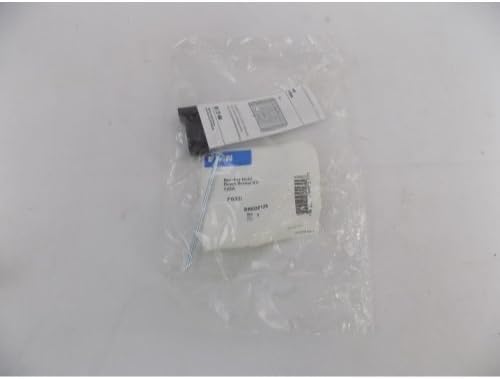
Figure 3.1: The EATON BREQS125 Hold Down Screw Kit, shown in its clear plastic packaging. The package contains the hold-down screw and associated components, along with product labeling.
4. Setup and Installation
This kit is specifically designed for use with EATON Type BR circuit breakers in compatible load centers or panelboards. Refer to your load center's manual for specific instructions regarding hold-down screw locations.
- Disconnect Power: Locate the main service disconnect for your electrical system and turn off all power to the load center where the circuit breaker will be installed. Verify power is off using a voltage tester.
- Remove Panel Cover: Carefully remove the cover of the load center, exposing the circuit breaker bus bars and wiring.
- Install Circuit Breaker: If not already installed, position the Type BR circuit breaker onto the appropriate bus bar stabs in the load center. Ensure it is fully seated and makes proper electrical contact.
- Locate Hold Down Point: Identify the designated location for the hold-down screw on the load center's interior, typically near the circuit breaker's mounting point. This may be a threaded hole or a slot designed to accept the hold-down clip.
- Install Hold Down Screw/Clip:
- If your kit includes a clip, attach the clip to the circuit breaker or load center as specified by the load center's instructions.
- Insert the hold-down screw through the designated opening in the circuit breaker or clip and into the threaded hole in the load center.
- Tighten Screw: Using an appropriate screwdriver, carefully tighten the hold-down screw until the circuit breaker is firmly secured and cannot be easily dislodged. Do not overtighten, as this can damage the breaker or panelboard.
- Verify Security: Gently attempt to move the circuit breaker. It should feel solid and not shift.
- Replace Panel Cover: Once the circuit breaker and hold-down kit are securely installed, replace the load center cover.
- Restore Power: Turn the main service disconnect back on.
5. Operating Principle
The EATON BREQS125 Hold Down Screw Kit functions by providing a mechanical restraint that prevents the circuit breaker from inadvertently disconnecting from the bus bar. This is particularly important in applications where vibration or physical impact could otherwise cause the breaker to loosen or detach, ensuring continuous and safe operation of the electrical circuit.
6. Maintenance
The EATON BREQS125 Hold Down Screw Kit requires minimal maintenance. Periodically, during routine electrical system inspections (performed by a qualified professional), verify that the screw remains tight and the circuit breaker is still securely held in place. If any loosening is detected, disconnect power and retighten the screw.
7. Troubleshooting
- Breaker is not secure after installation:
- Ensure the hold-down screw is fully engaged in the threaded hole and tightened appropriately.
- Verify that the circuit breaker is correctly seated on the bus bar.
- Confirm that the correct hold-down kit is being used for your specific Type BR circuit breaker and load center model.
- Screw does not fit:
- Check the model number of your load center and circuit breaker to ensure compatibility with the BREQS125 kit.
- Do not force the screw. Forcing can damage the threads in the load center.
8. Specifications
- Model Number: BREQS125
- Compatibility: EATON Type BR Circuit Breakers
- Manufacturer: EATON
- Part Number: BREQS125
- Item Weight: Approximately 0.352 ounces (10 grams)
- Product Dimensions: Approximately 3 x 1.4 x 0.8 inches (7.6 x 3.6 x 2.0 cm)
- Color: Black (screw)
- Item Package Quantity: 1
9. Warranty and Support
For warranty information or technical support regarding the EATON BREQS125 Hold Down Screw Kit, please contact Eaton customer service or visit the official Eaton website. Keep your purchase receipt for warranty claims.
Eaton Customer Service: Refer to your regional Eaton contact information or the official Eaton website for support details.