
1. Introduction
The EasyTouch Glucose Monitoring System is designed for self-testing of blood glucose levels. This system provides fast and accurate results, assisting individuals in managing their diabetes effectively. It features a user-friendly design with automatic functions and memory storage for tracking your readings.

Image 1.1: The EasyTouch Glucose Monitoring System kit.
Key Features:
- Rapid Results: Provides blood glucose readings in just 5 seconds.
- Tiny Blood Sample: Requires only 0.5 µL of blood.
- No Coding Required: Simplifies the testing process.
- Memory Storage: Stores up to 300 recent test results.
- Averaging Function: Calculates 7, 14, and 30-day averages.
- Alarm Reminders: Includes 4 customizable alarm reminders.
- Auto On/Off: Automatically powers on when a test strip is inserted and off after use.
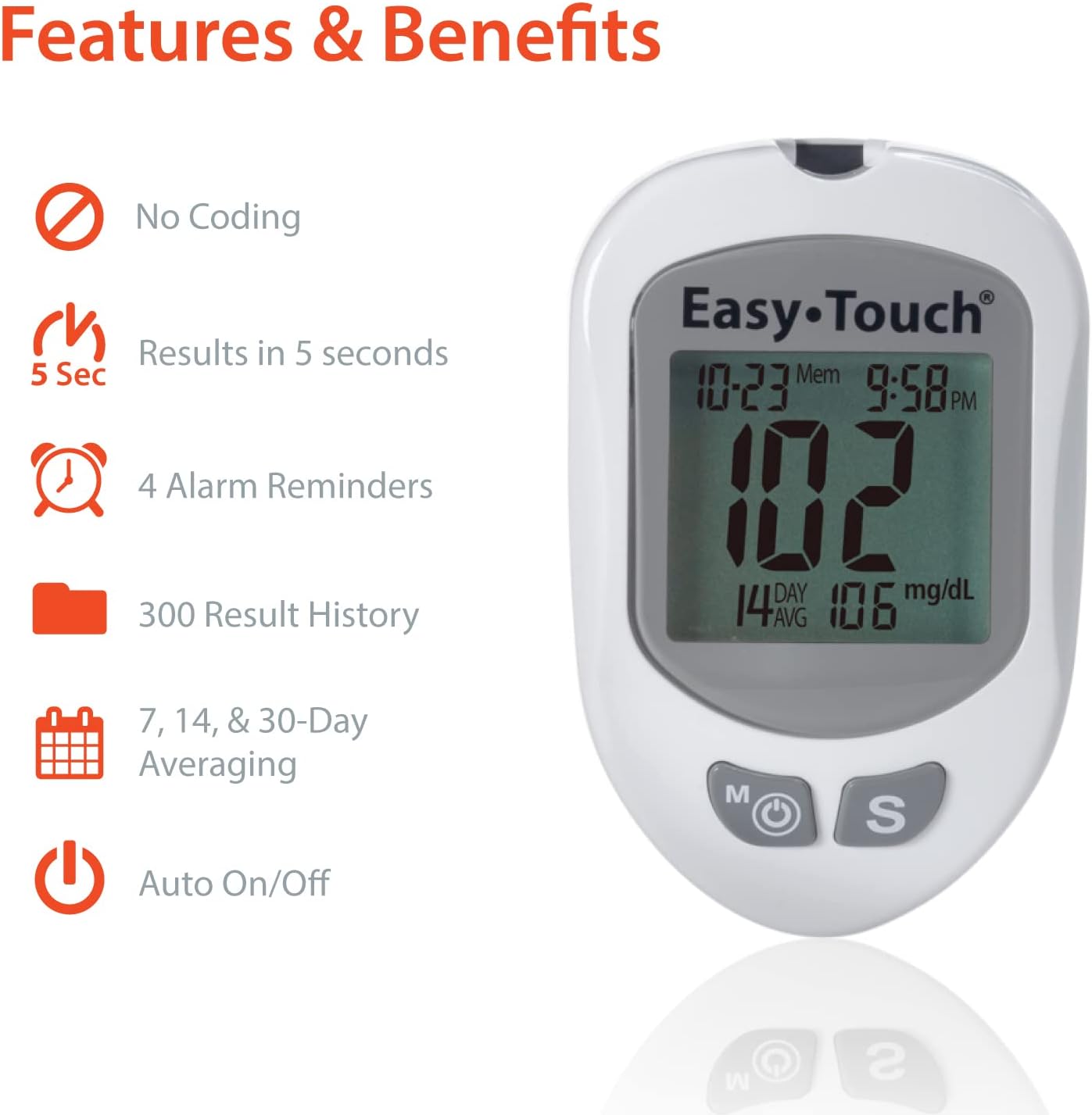
Image 1.2: Key features displayed on the EasyTouch Glucose Meter.
2. What's Included
Your EasyTouch Glucose Monitoring System kit contains the following components:
- 1 EasyTouch Glucose Meter
- 1 Lancing Device
- 10 Twist Lancets (30 gauge)
- 1 CR2032 Battery (pre-installed or included separately)
- 1 Carrying Case
- 1 Instruction Manual (this document)
- 1 Logbook
- 1 Quick Reference Guide
Note: EasyTouch Glucose Test Strips and Control Solution are sold separately and are required for testing.

Image 2.1: All components included in the EasyTouch Glucose Monitoring System kit.

Image 2.2: The lancing device and twist lancets.

Image 2.3: The deluxe carrying case for convenient storage.
3. Setup
3.1. Installing the Battery
The EasyTouch Glucose Meter uses one CR2032 lithium manganese dioxide battery. If the battery is not pre-installed, open the battery compartment on the back of the meter and insert the battery with the positive (+) side facing up. Close the compartment securely.
3.2. Preparing the Lancing Device
- Unscrew the lancing device cap.
- Insert a new twist lancet firmly into the lancet holder.
- Twist off the protective cap from the lancet and save it for safe disposal.
- Replace the lancing device cap.
- Adjust the penetration depth by rotating the cap. Start with a shallower setting (e.g., 1 or 2) and increase if needed for an adequate blood sample.
- Pull back the cocking mechanism until it clicks, indicating it is ready for use.
3.3. Initial Meter Settings (Time and Date)
Refer to the Quick Reference Guide or the full Instruction Manual for detailed steps on setting the time and date on your meter. Correct time and date settings ensure accurate record-keeping.
Video 3.1: An overview of the EasyTouch Glucose Meter and initial setup steps. This video demonstrates how to get started with your device.
4. Operating Instructions
Performing a Blood Glucose Test (3 Easy Steps):
- Insert Test Strip: With clean, dry hands, insert a new EasyTouch Glucose Test Strip into the meter's test strip port. The meter will automatically turn on and display a blood drop symbol, indicating it is ready for a blood sample.
- Apply Tiny Blood Sample: Use the prepared lancing device to obtain a small drop of blood from your fingertip or an alternate site (forearm or palm). Touch the tip of the test strip to the blood drop. The blood will be drawn into the strip automatically.
- Accurate Results in Just 5 Seconds: The meter will begin counting down. After 5 seconds, your blood glucose result will be displayed on the screen.

Image 4.1: Visual guide to the 3 easy steps for blood glucose testing.

Image 4.2: Applying a blood sample to the test strip.
Alternate Site Testing (AST)
The EasyTouch Glucose Monitoring System allows for testing from alternate sites such as the forearm or palm. Consult your healthcare professional before using AST, as results from alternate sites may differ from fingertip results, especially during periods of rapid glucose change.
5. Maintenance
5.1. Cleaning and Care
- Wipe the meter and lancing device with a soft, damp cloth. Do not immerse the meter in water or use harsh cleaning agents.
- Keep the test strip port clean and free of dust or debris.
- Store the meter and all accessories in the provided carrying case when not in use to protect them from damage and environmental factors.
5.2. Storage
Store the EasyTouch Glucose Monitoring System and test strips in a cool, dry place, away from direct sunlight and extreme temperatures. Refer to the test strip packaging for specific storage conditions.
5.3. Disposal
Dispose of used lancets and test strips in a sharps container or according to local regulations for biohazardous waste. Do not dispose of them in household trash.
6. Troubleshooting
Common Display Messages and Solutions:
- "HI": Indicates a blood glucose level higher than 600 mg/dL (33.3 mmol/L). This is a critical high reading. Seek immediate medical attention.
- "LO": Indicates a blood glucose level lower than 20 mg/dL (1.1 mmol/L). This is a critical low reading. Seek immediate medical attention.
- Ambient Temperature Error: If the ambient temperature is too low or too high for accurate testing, the meter will display an error message. Move to an area with a suitable temperature range (typically 50°F - 104°F or 10°C - 40°C) and retest.
- Control Solution Testing: If you suspect your meter or test strips are not working correctly, perform a control solution test. Control solution contains a known amount of glucose and allows you to verify the accuracy of your system. EasyTouch Control Solution is sold separately.

Image 6.1: EasyTouch Control Solution and Glucose Test Strips, sold separately.
For a complete list of error codes and troubleshooting steps, please refer to the Quick Reference Guide or the detailed Instruction Manual included with your kit.
7. Specifications
| Feature | Specification |
|---|---|
| Model Number | 807001 |
| Result Time | 5 Seconds |
| Blood Sample Volume | 0.5 µL |
| Memory Capacity | 300 Test Results |
| Battery Type | 1 x CR2032 Lithium Manganese Dioxide |
| Approximate Battery Life | 5 Months |
| Product Dimensions | 5.5"L x 2.9"W x 7.5"H |
| Lancet Gauge | 30 Gauge Twist Lancets |
8. Warranty and Support
Warranty Information:
The EasyTouch Glucose Monitoring System is backed by a Power Lifetime Warranty. For specific terms and conditions, please refer to the warranty card included with your product or contact customer support.
Customer Support:
For assistance with setup, operation, troubleshooting, or any other inquiries regarding your EasyTouch Glucose Monitoring System, please contact MHC Medical Products customer support. You can also find helpful video tutorials by searching for "Easy Touch glucose meter setup" on YouTube.
Manufacturer: EasyTouch (MHC Medical Products)


