
Introduction
This manual provides essential information for the safe and effective use of your Sony Cyber-shot DSC-TX20 digital camera. Please read it thoroughly before operating the camera and retain it for future reference. The DSC-TX20 is a ruggedized 16.2 MP digital camera designed to capture high-quality photos and Full HD videos, featuring waterproof, dustproof, and shockproof capabilities.
Safety Information
- Do not expose the camera to extreme temperatures or direct sunlight for extended periods.
- Ensure all covers and seals are properly closed before exposing the camera to water or dust.
- Use only genuine Sony batteries and accessories to prevent malfunction or damage.
- Keep the camera away from strong magnetic fields.
- Avoid dropping the camera, even though it is shockproof, excessive force can cause damage.
Package Contents
Verify that all items are present in the box:
- Sony Cyber-shot DSC-TX20 Digital Camera
- Battery (NP-BN)
- Wrist Strap
- AC Adaptor (AC-UB10)
- Paint Pen
- Multi USB Cable
- Instruction Manual (this document)
Setup
1. Charging the Battery
- Insert the supplied NP-BN battery into the camera.
- Connect the camera to the AC Adaptor (AC-UB10) using the Multi USB Cable.
- Plug the AC Adaptor into a wall outlet. The charge lamp will illuminate during charging and turn off when complete.
2. Inserting a Memory Card
The camera supports SD/SDHC/SDXC and Memory Stick Duo/Pro Duo/Pro-HG Duo memory cards.
- Open the battery/memory card cover.
- Insert the memory card into the slot with the correct orientation until it clicks into place.
- Close the cover securely to maintain waterproof and dustproof integrity.
3. Initial Power On
- Slide the lens cover down to expose the lens and power on the camera.
- Follow the on-screen prompts to set the date, time, and language.
Operating the Camera
Camera Overview
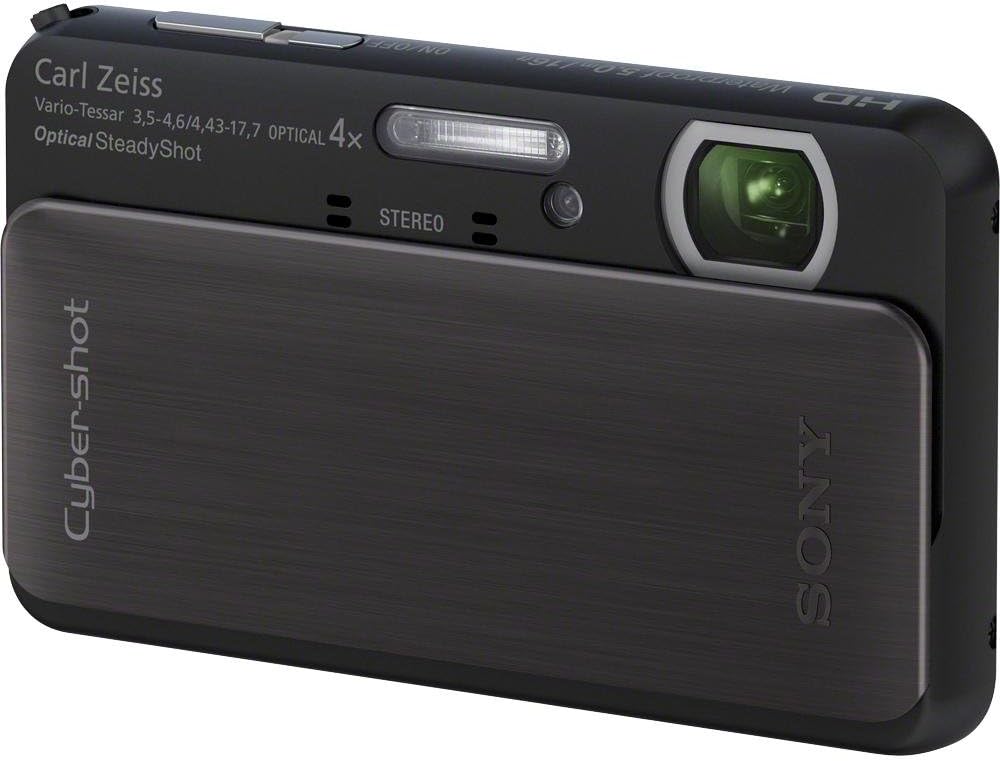
Image 1: Front view of the Sony Cyber-shot DSC-TX20 digital camera with its sliding lens cover closed, showcasing its sleek, compact design. The camera is black.

Image 2: Front view of the Sony Cyber-shot DSC-TX20 digital camera with the lens cover slid open, revealing the Carl Zeiss lens, flash, and stereo microphones. The camera is ready for use.

Image 3: Rear view of the Sony Cyber-shot DSC-TX20 digital camera, displaying its 3.0-inch Xtra-fine touch-screen LCD. The screen is black, indicating it is off or in standby mode.
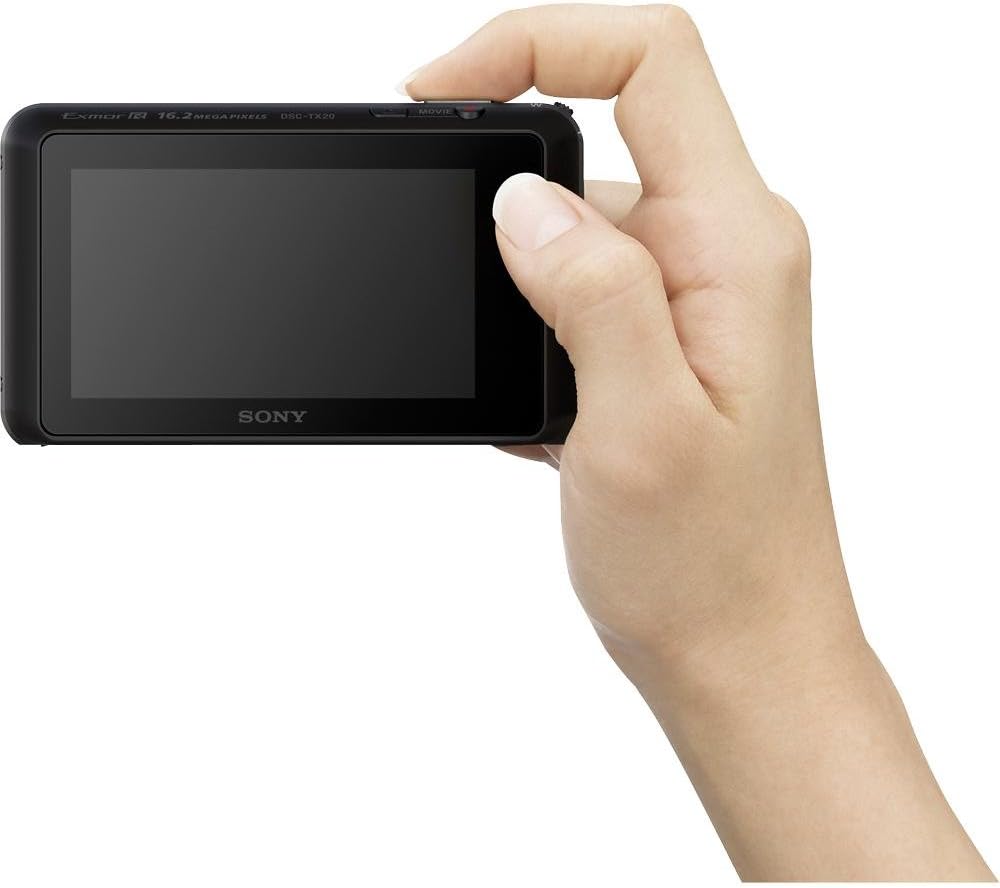
Image 4: A hand holding the Sony Cyber-shot DSC-TX20 digital camera, demonstrating its compact size and ergonomic design for easy handling.
Basic Controls
- Power On/Off: Slide the lens cover down to power on. Slide it up to power off.
- Shutter Button: Press halfway to focus, fully to take a picture.
- Zoom Lever: Use to adjust optical zoom (4x) and Clear Image Zoom (up to 8x).
- Movie Button: Press to start/stop video recording.
- LCD Touch Screen: Navigate menus, select settings, and review images by touching the screen.
Shooting Modes
The DSC-TX20 offers various shooting modes to optimize settings for different scenes:
- Intelligent Auto Mode: Automatically detects 36 scenes for still images and movies, applying optimal settings.
- Superior Auto Mode: Combines up to six shots to produce images with greater clarity, optimum dynamic range, and lower noise.
- Program Auto Mode: Allows manual adjustment of certain settings while the camera sets exposure.
- Scene Selection: Choose from specific scene modes like Landscape, Night Portrait, Underwater, etc., for tailored settings.
Key Features and Functions
- 16.2MP Exmor R CMOS Sensor: Delivers high resolution and excellent low-light performance.
- 4x Optical Zoom / 8x Clear Image Zoom: Provides versatile magnification for various subjects.
- Full HD 1080/60i Video: Records high-definition video with smooth motion.
- Optical SteadyShot with Active Mode: Minimizes blur in photos and videos, even while walking.
- Waterproof, Dustproof, Shockproof: Certified for use in challenging environments (waterproof to 16 ft, shockproof from 5 ft, dustproof).
- 10fps Continuous Shooting: Captures fast-moving action sequences.
- 3D Still Image and 3D Sweep Panorama: Creates three-dimensional photos and panoramic images.
- Picture Effect: Apply creative filters to photos for artistic expression.
- Photo Creativity: Adjust brightness, color, and vividness in real-time on the LCD.
- Background Defocus: Blurs the background to emphasize the subject, similar to DSLR effects.
- Face Detection Technology: Optimizes focus, exposure, and white balance for up to eight faces.
- Smile Shutter Technology: Automatically captures a photo when a smile is detected.
- Anti-Blink Function: Helps prevent photos with subjects blinking or squinting.
- Soft Skin Mode: Reduces the appearance of blemishes and wrinkles in portraits.
- Natural Flash: Corrects flash color for more lifelike images.
- Motion Detection: Adjusts ISO and shutter speed to reduce blur in moving subjects.
Maintenance
- Cleaning: Use a soft, dry cloth to clean the camera body. For the lens and LCD screen, use a lens cleaning cloth. Do not use alcohol or organic solvents.
- Water Exposure: After using the camera in water, rinse it gently with fresh water and dry it thoroughly with a soft cloth. Ensure no water remains in crevices or around seals.
- Storage: Store the camera in a cool, dry place away from direct sunlight and humidity. Remove the battery if storing for an extended period.
Troubleshooting
Common Issues and Solutions
- Camera does not power on: Check if the battery is charged and correctly inserted. Ensure the lens cover is fully open.
- Cannot take pictures: Verify that a memory card is inserted and has sufficient free space. Check if the battery level is adequate.
- Images are blurry: Ensure the lens is clean. Use Optical SteadyShot. Check lighting conditions and adjust ISO if necessary.
- Water leakage after underwater use: Immediately power off the camera, remove the battery and memory card, and allow it to dry completely. Contact Sony support if the issue persists. Always ensure all covers are securely closed before water exposure.
- Touch screen unresponsive: Gently clean the screen. If unresponsive, try restarting the camera.
Specifications
| Feature | Specification |
|---|---|
| Model Name | DSCTX20/B |
| Photo Sensor Resolution | 16.2 MP |
| Sensor Type | BSI CMOS |
| Optical Zoom | 4x |
| Digital Zoom | 16x |
| Screen Size | 3 Inches |
| Display Type | LCD (Touch Screen) |
| Image Stabilization | Optical SteadyShot |
| Video Resolution | Up to 1920 x 1080 (60 fps) |
| Supported File Format | JPEG (Exif 2.3), 3D: MPF |
| Flash Memory Type | SD/SDHC/SDXC/Memory Stick Duo/Pro Duo/Pro-HG Duo |
| Special Feature | Waterproof, Dustproof, Shockproof |
| Item Weight | 0.29 Pounds |
| Battery Type | Lithium Ion (NP-BN) |
| Battery Average Life | Approx. 250 Photos |
Warranty and Support
This product is covered by a manufacturer's warranty. For specific warranty terms and conditions, please refer to the warranty documentation included with your purchase or visit the official Sony support website.
For technical assistance, troubleshooting, or service inquiries, please contact Sony customer support. You can find contact information on the Sony website or in your product registration materials.