
1. Introduction and Overview
The ASUS SDRW-08D2S-U is an external slim DVD writer designed for portability and efficient optical media handling. It supports 8x DVD write speeds and features a compact, lightweight design. The device incorporates USB 2.0 connectivity and E-Green Engine technology for optimized power consumption and performance. Its exterior features a distinctive diamond-cut pattern.
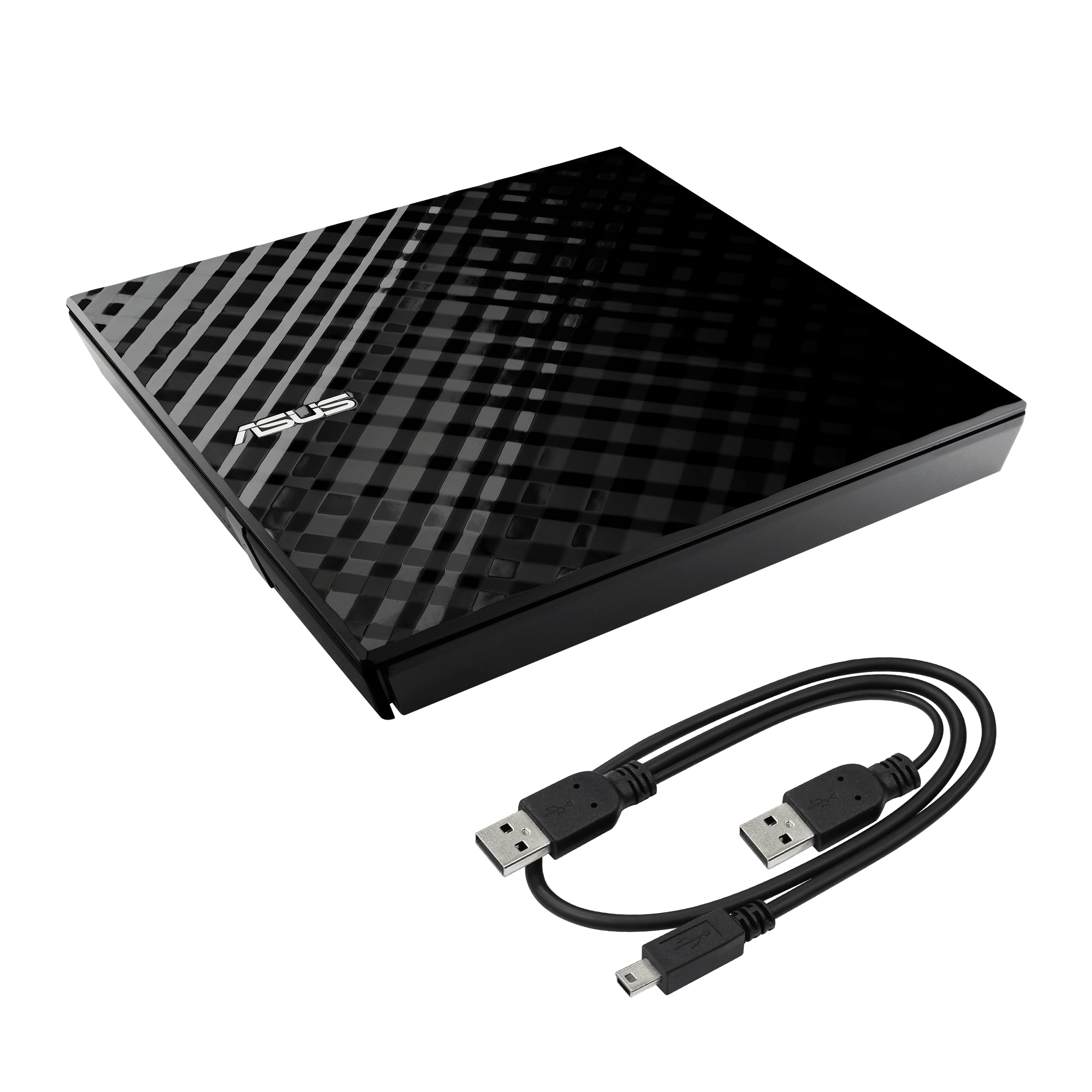
The ASUS SDRW-08D2S-U external DVD writer, showcasing its compact and slim design.
Key Features:
- 8x DVD Write Speed: Provides efficient data backup and disc creation.
- Disc Encryption: Enhances data security with password-controlled and hidden-file functionality.
- Drag-and-Burn Interface: Simplifies the disc burning process into three easy steps.
- Cross-Platform Compatibility: Fully compatible with both Windows and Mac operating systems.
- E-Green Engine Technology: Optimizes power consumption for energy efficiency.
- Portable Design: Slim and lightweight for easy transport.
2. Setup Instructions
The ASUS SDRW-08D2S-U is designed for plug-and-play functionality, requiring no additional software installation for basic operation on most systems.
Connecting the Device:
- Locate the USB cable provided with your DVD writer. This cable typically features a micro-USB connector for the drive and two standard USB-A connectors for your computer.
- Connect the micro-USB end of the cable to the port on the ASUS SDRW-08D2S-U.
- Connect one or both standard USB-A ends to available USB ports on your computer.
Important Note on Power: For optimal performance, especially when burning discs, it is recommended to connect both USB-A connectors to your computer. The device may require additional power that a single USB port cannot provide. Ensure your computer has two available USB ports within approximately four inches of each other, as the splitter cable has a short span between the two USB-A connectors.

The portable DVD writer positioned next to a laptop, illustrating its compact size for easy integration with portable computing setups.

The external DVD writer shown with its vertical stand, allowing for space-saving placement on a desk.
3. Operating Instructions
Inserting and Ejecting Discs:
- To open the disc tray, press the eject button located on the front of the drive.
- Carefully place the disc onto the tray with the label side facing up. Ensure the disc is seated correctly on the spindle.
- Gently push the tray back into the drive until it clicks shut.
- To eject, press the eject button again or use the eject function within your operating system.

The DVD writer with its tray extended, demonstrating where to place a CD or DVD for reading or writing.
Disc Burning and Data Management:
- Drag-and-Burn: Utilize the intuitive drag-and-burn interface for quick and easy disc creation. Simply drag your desired files to the designated area, and follow the on-screen prompts to complete the burning process.
- Disc Encryption: For sensitive data, use the disc encryption feature to protect your files with password control and the option to create hidden files.
- Backup Software: The device includes backup software (for Windows operating systems) that allows you to select backup targets, set schedules, and perform automatic backups.
- M-Disc Support: The SDRW-08D2S-U supports M-Disc technology, providing an archival-grade storage solution with an estimated data longevity of up to 1,000 years.

This graphic demonstrates the M-Disc technology's capability for long-term data preservation, offering an average storage lifetime of 1,000 years, significantly longer than traditional storage media.

This image highlights the product's adherence to quality standards, including CE & RoHS compliance, TUV certification, EMC compliance, shielded design, and resistance to operating temperatures (5°C-40°C), humidity (15%-80%), vibration (5-500Hz), and a drop test height of 105cm.
4. Maintenance
To ensure the longevity and optimal performance of your ASUS SDRW-08D2S-U, follow these general maintenance guidelines:
- Cleaning: Use a soft, dry, lint-free cloth to gently wipe the exterior of the drive. Avoid using harsh chemicals or abrasive materials.
- Disc Care: Always handle discs by their edges to prevent fingerprints and scratches. Store discs in protective cases when not in use.
- Storage: Store the drive in a cool, dry place away from direct sunlight and extreme temperatures.
- Dust Prevention: Keep the disc tray closed when not in use to prevent dust accumulation inside the drive.
5. Troubleshooting
If you encounter issues with your ASUS SDRW-08D2S-U, refer to the following common troubleshooting tips:
Common Issues and Solutions:
- Device Not Recognized:
- Ensure both USB-A connectors of the cable are securely plugged into your computer's USB ports. Insufficient power from a single port can prevent detection.
- Try connecting the drive to different USB ports on your computer.
- Restart your computer and try connecting the drive again.
- Disc Reading/Writing Errors:
- Verify that the disc is clean and free from scratches or smudges.
- Ensure the disc is correctly seated in the tray.
- For writing, ensure you are using a compatible blank disc type (CD-R, CD-RW, DVD-R, DVD+R, etc.) and that the disc is not full or damaged.
- Confirm that your computer's operating system and software are up-to-date.
- Excessive Noise During Operation:
- Some noise during disc access, especially during high-speed operations like burning, is normal for optical drives.
- Ensure the drive is placed on a stable, flat surface to minimize vibrations.
- Compatibility Issues with Specific Systems (e.g., Windows 8 HP Envy):
- While the device is broadly compatible with Windows and Mac, specific system configurations or older operating system versions might require updated drivers or firmware. Check the ASUS support website for your model.
- Ensure your operating system has the necessary updates installed.
6. Specifications

The device is shown compatible with both Mac and Windows operating systems, including the latest Windows 11, ensuring broad usability.
| Feature | Detail |
|---|---|
| Model Number | SDRW-08D2S-U/BLK/G/AS |
| Brand | ASUS |
| Hardware Interface | USB 2.0 |
| Optical Storage Write Speed | 8x |
| Optical Storage Read Speed | 8x |
| Compatible Devices | Devices running on Windows and Mac OS |
| Operating System Support | Windows and Mac OS |
| Color | Black |
| Enclosure Material | Plastic |
| Item Weight | 45 g |
| Cache Memory Installed Size | 512 KB |
| Special Features | E-Green Engine Technology, Portable |
| Included Accessories | Space-saving stand |

A view of the internal components of the DVD writer, emphasizing its robust design for enhanced performance and reliability, with an industry-rated MTBF of 60,000 power-on hours.

A diagram showing the compact dimensions of the device, measuring 14.2 cm in length and width, and 2 cm in thickness, highlighting its portability.
7. Warranty and Support
Warranty Information:
This product comes with a manufacturer's warranty. Please refer to the warranty card included in the product packaging or visit the official ASUS website for detailed warranty terms and conditions specific to your region.
Customer Support:
For further assistance, technical support, or to access additional resources, please visit the official ASUS support channels. You can find more information and contact options by visiting the ASUS Store or the main ASUS support website.


