
1. Introduction
This manual provides essential information for the proper installation, operation, and maintenance of your EBC Front Stainless Steel Brake Rotor MD520. Adhering to these instructions will help ensure optimal performance and longevity of the product. Please read this manual thoroughly before proceeding with installation or use.
2. Safety Information
Brake system components are critical for vehicle safety. Incorrect installation or maintenance can lead to serious injury or death. Always follow these safety guidelines:
- Professional Installation Recommended: Installation of brake components should ideally be performed by a qualified mechanic with experience in motorcycle or powersports brake systems.
- Wear Protective Gear: Always wear appropriate personal protective equipment, including safety glasses and gloves, during installation.
- Use Correct Tools: Ensure all tools used are in good condition and are the correct type for the task.
- Torque Specifications: Adhere strictly to the manufacturer's torque specifications for all fasteners. Over-tightening or under-tightening can compromise safety.
- Inspect All Components: Before and after installation, inspect all brake system components for wear, damage, or incorrect assembly.
- Brake Fluid: Use only the recommended type of brake fluid. Avoid contact with skin and painted surfaces.
- Test Brakes: After installation, perform thorough brake tests in a safe environment before operating the vehicle at speed.
3. Product Overview
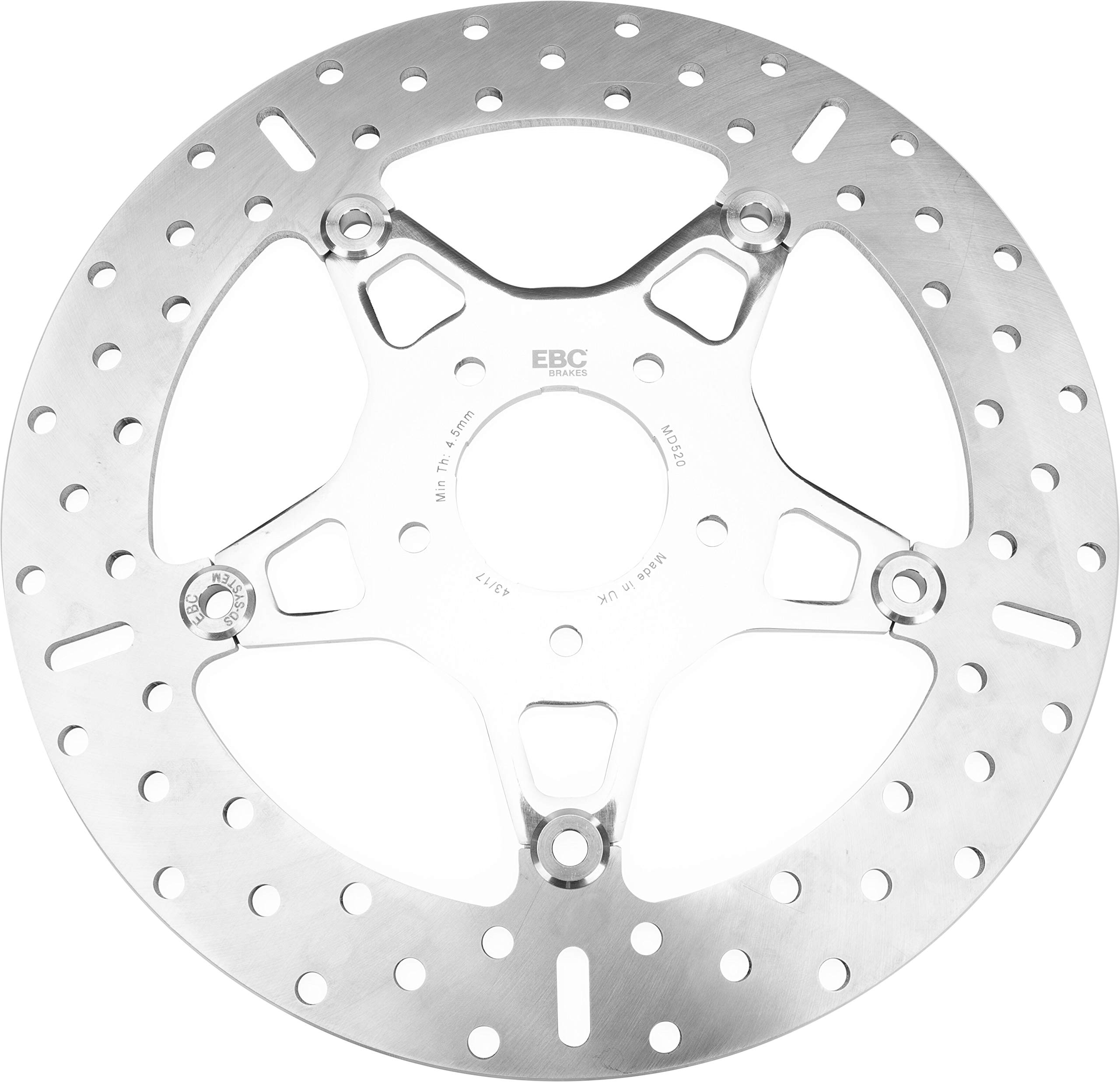
The EBC MD520 is a high-quality front brake rotor designed for specific motorcycle and powersports applications. It features:
- Stainless Steel Construction: Manufactured from heat-treated stainless steel for durability and consistent performance.
- Stainless Steel Center Hubs: Ensures a robust and reliable connection to the wheel.
4. Setup and Installation
Proper installation is crucial for the performance and safety of your brake system. Refer to your vehicle's service manual for specific instructions and torque values.
4.1. Pre-Installation Checks
- Verify that the EBC MD520 rotor is the correct part for your vehicle's make, model, and year.
- Inspect the new rotor for any shipping damage or manufacturing defects.
- Ensure you have all necessary tools, including a torque wrench, appropriate sockets, and brake cleaner.
- Have new brake pads ready, as it is highly recommended to replace pads when installing new rotors.
4.2. Installation Procedure (General Guidelines)
- Secure the vehicle on a stable stand or lift.
- Remove the wheel according to your vehicle's service manual.
- Carefully remove the brake caliper and suspend it without stressing the brake line.
- Remove the old brake rotor. Note the orientation and any spacers.
- Clean the wheel hub mounting surface thoroughly to remove any rust, dirt, or debris.
- Install the new EBC MD520 rotor onto the hub, ensuring it seats flush.
- Secure the rotor with the appropriate fasteners, tightening them to the vehicle manufacturer's specified torque. Use a torque wrench for accuracy.
- Reinstall the brake caliper with new brake pads. Ensure the pads are correctly seated and the caliper slides freely.
- Reinstall the wheel, tightening lug nuts/bolts to specified torque.
- Pump the brake lever/pedal several times to ensure the pads are seated against the rotor and brake pressure is restored. Check brake fluid level.
Note: Always consult your vehicle's specific service manual for detailed, model-specific installation instructions and torque specifications.
5. Operating and Break-in Procedure
Proper break-in of new brake rotors and pads is essential for optimal performance, longevity, and to prevent issues like warping or glazing.
5.1. Brake System Break-in
Follow these steps for a proper break-in:
- Find a safe, open area away from traffic.
- Perform 10-15 moderate stops from approximately 30-40 mph (50-65 km/h) down to about 5-10 mph (8-16 km/h). Avoid coming to a complete stop.
- Allow approximately 30 seconds between each stop for the brakes to cool slightly.
- After the series of stops, ride for several minutes without using the brakes to allow them to cool completely.
- During the break-in period (first 100-200 miles or 160-320 km), avoid hard braking, prolonged braking, or sudden stops. This allows the pad material to properly transfer to the rotor surface.
After the break-in period, your brakes should provide consistent and reliable performance.
6. Maintenance
Regular inspection and maintenance will ensure the continued safe operation of your EBC brake rotor.
6.1. Regular Inspection
- Visual Check: Periodically inspect the rotor surface for signs of excessive wear, deep grooves, cracks, or discoloration (blue spots indicate overheating).
- Thickness Measurement: Consult your vehicle's service manual for the minimum allowable rotor thickness. Replace the rotor if it falls below this specification.
- Brake Pad Wear: Always check brake pad wear when inspecting rotors. Worn pads can damage rotors.
- Fastener Security: Ensure all rotor mounting bolts are secure and torqued to specification.
6.2. Cleaning
Clean rotors with a dedicated brake cleaner to remove dirt, oil, or grease. Avoid using petroleum-based cleaners that can contaminate brake pads.
6.3. When to Replace
Replace your EBC MD520 rotor if:
- It reaches or falls below the minimum thickness specification.
- It exhibits severe warping, causing pulsation during braking.
- There are visible cracks or significant damage to the rotor surface.
7. Troubleshooting
This section addresses common issues that may arise with brake rotors.
| Symptom | Possible Cause | Solution |
|---|---|---|
| Brake pulsation or vibration | Warped rotor, uneven pad transfer, loose wheel bearings, caliper issues. | Inspect rotor for runout, re-bed pads, check wheel bearings and caliper function. Replace rotor if warped. |
| Squealing or grinding noise | Worn brake pads, foreign object, improper pad installation, glazed rotor. | Inspect and replace pads, clean rotor and caliper, ensure proper pad seating. |
| Reduced braking performance | Contaminated pads/rotor, air in brake lines, worn pads, incorrect break-in. | Clean components, bleed brake lines, replace pads, re-perform break-in. |
If you are unable to resolve an issue, consult a qualified mechanic.
8. Specifications
- Model: MD520
- Material: Stainless Steel
- Exterior Finish: Stainless Steel
- Item Weight: Approximately 4.39 pounds (2 kg)
- Product Dimensions: Approximately 1 x 1 x 1 inches (2.54 x 2.54 x 2.54 cm) - Note: These dimensions may represent packaging or general product size, not the precise rotor dimensions. Refer to vehicle-specific fitment guides for exact rotor measurements.
- Manufacturer Part Number: MD520
- UPC: 847943002032
9. Warranty Information
EBC products are manufactured to high standards. For specific warranty terms and conditions, please refer to the official EBC Brakes website or contact EBC customer service directly. Keep your proof of purchase for any warranty claims.
10. Customer Support
For technical assistance, product inquiries, or warranty support, please contact EBC Brakes through their official channels:
- Website: Visit the official EBC Brakes website for contact information and FAQs.
- Authorized Dealers: Contact the authorized EBC dealer from whom you purchased the product.