
Introduction
Thank you for choosing the Rip Curl Cortez 2 XL Tidemaster 2 Watch. This advanced timepiece is designed for surfers and water enthusiasts, featuring analog and digital displays, pre-programmed tide charts for over 200 beaches, and various other functions including moon phase, sunrise/sunset times, stopwatch, and alarm. This manual provides essential information for setting up, operating, and maintaining your watch to ensure optimal performance and longevity.
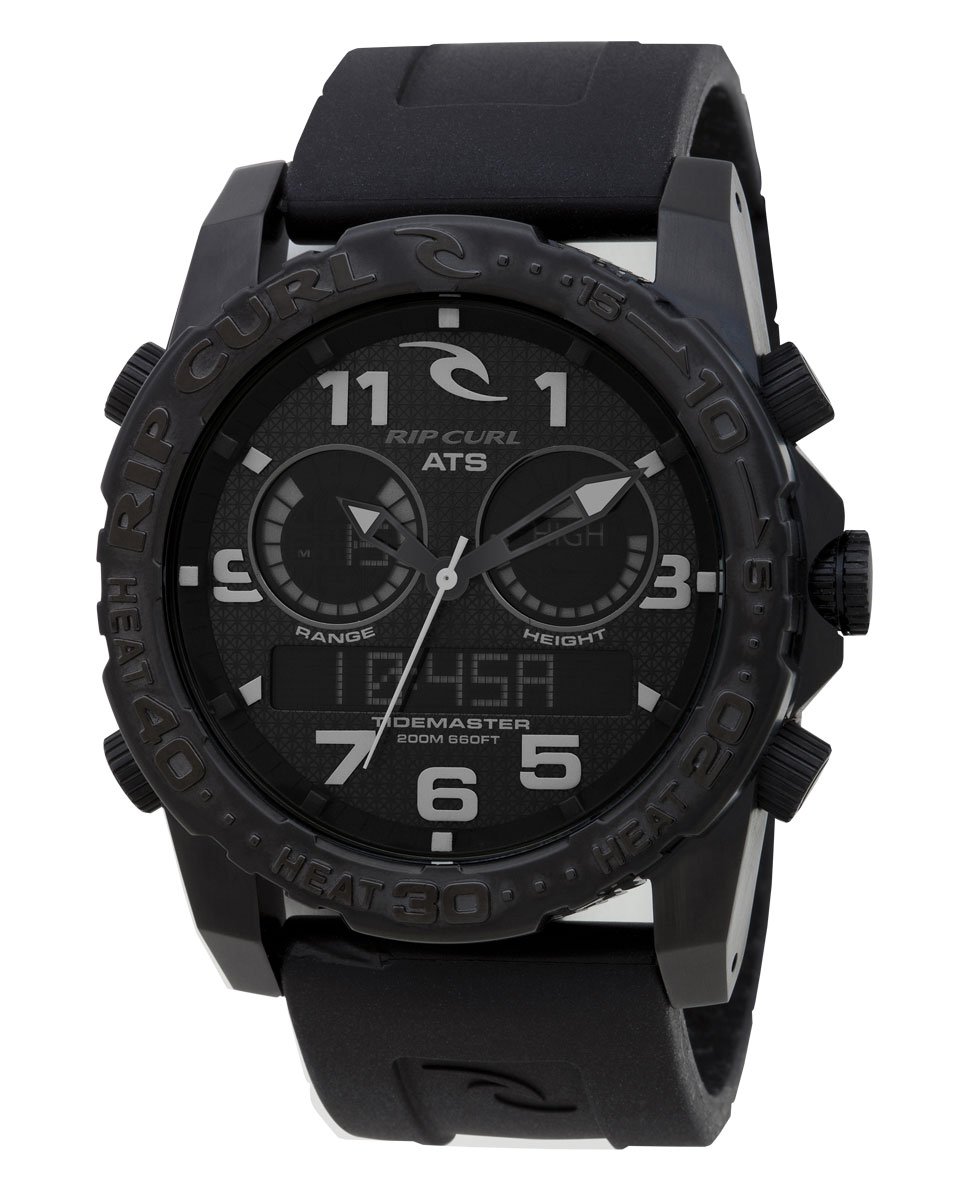
Image: The Rip Curl Cortez 2 XL Tidemaster 2 Watch, showcasing its robust design and display.
Setup
1. Initial Time and Date Setting
- Pull the Crown: Gently pull the crown (the knob on the side of the watch) out to the first or second position, as indicated in the watch's specific diagram (refer to the watch's physical markings for exact positions).
- Set Time: Rotate the crown to adjust the analog hands to the correct time. For digital time, use the pushers (buttons) as described in the digital display section.
- Set Date: If applicable, rotate the crown in the opposite direction or pull it to a different position to set the date.
- Push Crown Back: Once set, push the crown back in firmly to ensure water resistance.
2. Digital Display Configuration
Your watch features a digital display for advanced functions. Use the designated pushers (buttons) on the watch case to navigate and set these features.
- Mode Button: Typically cycles through different modes (Time, Tide, Chronograph, Timer, Alarm).
- Adjust Button: Used to enter and exit setting modes within each function.
- Set/Scroll Buttons: Used to change values (e.g., hours, minutes, tide location) when in setting mode.
3. Tide Chart Setup
The Cortez 2 XL Tidemaster 2 comes with pre-programmed tide charts for over 200 beaches worldwide. To set your local tide:
- Enter Tide Mode: Press the Mode button until the watch enters Tide mode.
- Select Location: Use the Adjust or Set buttons to scroll through the pre-programmed beach locations. Select the location closest to your current position.
- Confirm: Confirm your selection, and the watch will display the current tide information for that location.
Operating Instructions
1. Time Display (Analog & Digital)
The watch displays time both with traditional analog hands and a digital readout. The digital display can be configured for 12-hour or 24-hour format.
2. Tide Functions
- Pre-programmed Tides: Access tide data for over 200 locations by selecting your desired beach.
- Automatic Tide System (ATS): The watch automatically calculates and displays tide data based on your selected location.
- Future Tide: In Tide mode, you can often scroll forward to view future tide predictions.
3. Sunrise, Sunset, and Moon Phase
The watch provides pre-programmed sunrise, sunset, and moon phase information. Navigate to the respective mode using the Mode button to view this data for your selected location.
4. Chronograph (Stopwatch)
To use the stopwatch function:
- Enter Chronograph Mode: Press the Mode button until 'CHR' or 'STOP' appears on the digital display.
- Start/Stop: Press the Start/Stop button (usually one of the pushers) to begin and end timing.
- Lap/Split: If available, press the Lap/Split button to record lap times without stopping the main timer.
- Reset: Press the Reset button to clear the chronograph.
5. Countdown Timer
The countdown timer allows you to set a specific duration for an event.
- Enter Timer Mode: Press the Mode button until 'TMR' or 'TIMER' appears.
- Set Time: Use the Adjust and Set buttons to set the desired countdown duration.
- Start/Stop: Press the Start/Stop button to begin and pause the countdown. An alarm will sound when the timer reaches zero.
6. Alarm
Set a daily alarm to alert you at a specific time.
- Enter Alarm Mode: Press the Mode button until 'ALM' or 'ALARM' appears.
- Set Alarm Time: Use the Adjust and Set buttons to set the desired alarm time.
- Activate/Deactivate: Toggle the alarm on or off using the designated button.
7. Dual Time
The dual time function allows you to track a second time zone simultaneously.
- Enter Dual Time Mode: Press the Mode button until 'DT' or 'DUAL TIME' appears.
- Set Second Time Zone: Use the Adjust and Set buttons to set the time for the second zone.
Maintenance
1. Cleaning Your Watch
To maintain the appearance and functionality of your watch:
- Rinse After Saltwater Exposure: After exposure to saltwater, rinse your watch thoroughly with fresh water to prevent salt buildup and corrosion.
- Gentle Cleaning: Use a soft, damp cloth to wipe the watch case and strap. Avoid harsh chemicals or abrasive materials.
- Strap Care: For silicone straps, mild soap and water can be used. Ensure the strap is completely dry before wearing.
2. Battery Replacement
The watch is powered by a Lithium Metal battery. When the display dims or functions become erratic, it may be time for a battery replacement.
- Professional Service Recommended: Battery replacement should ideally be performed by a qualified watch technician to ensure proper sealing and maintain water resistance.
- Battery Type: Refer to the specifications section for the correct battery type.
3. Water Resistance
Your watch is water resistant to 200 meters (660 feet), suitable for recreational scuba diving. To maintain water resistance:
- Ensure Crown is Pushed In: Always ensure the crown is fully pushed in and the screw-in case back is secure before exposing the watch to water.
- Avoid Button Operation Underwater: Do not operate any buttons or the crown while the watch is submerged in water.
- Regular Checks: Have the water resistance seals checked periodically by a professional, especially after battery replacement.
Troubleshooting
| Problem | Possible Cause | Solution |
|---|---|---|
| Digital display is dim or blank. | Low battery. | Replace battery (professional service recommended). |
| Analog hands are not moving or incorrect. | Battery issue or mechanical fault. | Check battery. If issue persists, seek professional repair. |
| Tide data is inaccurate. | Incorrect beach location selected or time zone setting. | Verify the selected beach location and ensure the watch's time and date are correctly set. |
| Watch fogging up internally. | Loss of water resistance. | Immediately take the watch to a professional for inspection and seal replacement. Avoid further water exposure. |
| Buttons are unresponsive. | Dirt/debris, or internal malfunction. | Clean around buttons. If still unresponsive, seek professional service. |
If you encounter problems not listed here, or if the suggested solutions do not resolve the issue, please contact customer support or a certified watch repair center.
Specifications
- Model Number: A1063
- Case Diameter: 46 Millimetres
- Case Material: 316L Marine Grade Stainless Steel with Titanium Carbide Plating
- Band Material Type: Silicone
- Band Colour: Black
- Watch Movement Type: Quartz
- Water Resistance Depth: 200 Meters (660 Feet)
- Crystal: Hardened Mineral Crystal
- Battery: 1 Lithium Metal battery (included)
- Features: Pre-programmed tide charts (200+ beaches), ATS, pre-programmed sunrise/sunset/moon phase, countdown timer, stopwatch, alarm, dual time.
- Item Weight: 454 g (approximately 1 Pound)
Warranty and Support
For warranty information and claims, please contact the seller of record or the official Rip Curl customer service. Keep your proof of purchase for any warranty-related inquiries.
For further assistance or technical support, please refer to the official Rip Curl website or contact their customer support channels.