1. Introduction
The Janome Sew Mini 2-Stitch Sewing Machine is a compact and lightweight sewing machine designed for ease of use, making it ideal for beginners, young enthusiasts, or as a secondary machine for experienced users. It offers essential features for various sewing projects, from quick mending to crafting. This manual provides detailed instructions for safe and efficient operation, maintenance, and troubleshooting.
2. Safety Instructions
- Always unplug the machine from the electrical outlet when cleaning, making adjustments, or when not in use.
- Keep fingers away from all moving parts, especially the needle area, while the machine is operating.
- Never operate the machine with any air openings blocked. Keep air openings free from lint, dust, and loose cloth.
- Do not operate where aerosol (spray) products are being used or where oxygen is being administered.
- This appliance is not intended for use by persons (including children) with reduced physical, sensory or mental capabilities, or lack of experience and knowledge, unless they have been given supervision or instruction concerning use of the appliance by a person responsible for their safety.
- Children should be supervised to ensure that they do not play with the appliance.
3. Machine Overview
Familiarize yourself with the main components of your Janome Sew Mini sewing machine.

Figure 1: Front view of the Janome Sew Mini, showing the stitch pattern guide on the machine body.

Figure 2: Close-up of the stitch selector dial, used to choose different stitch types.
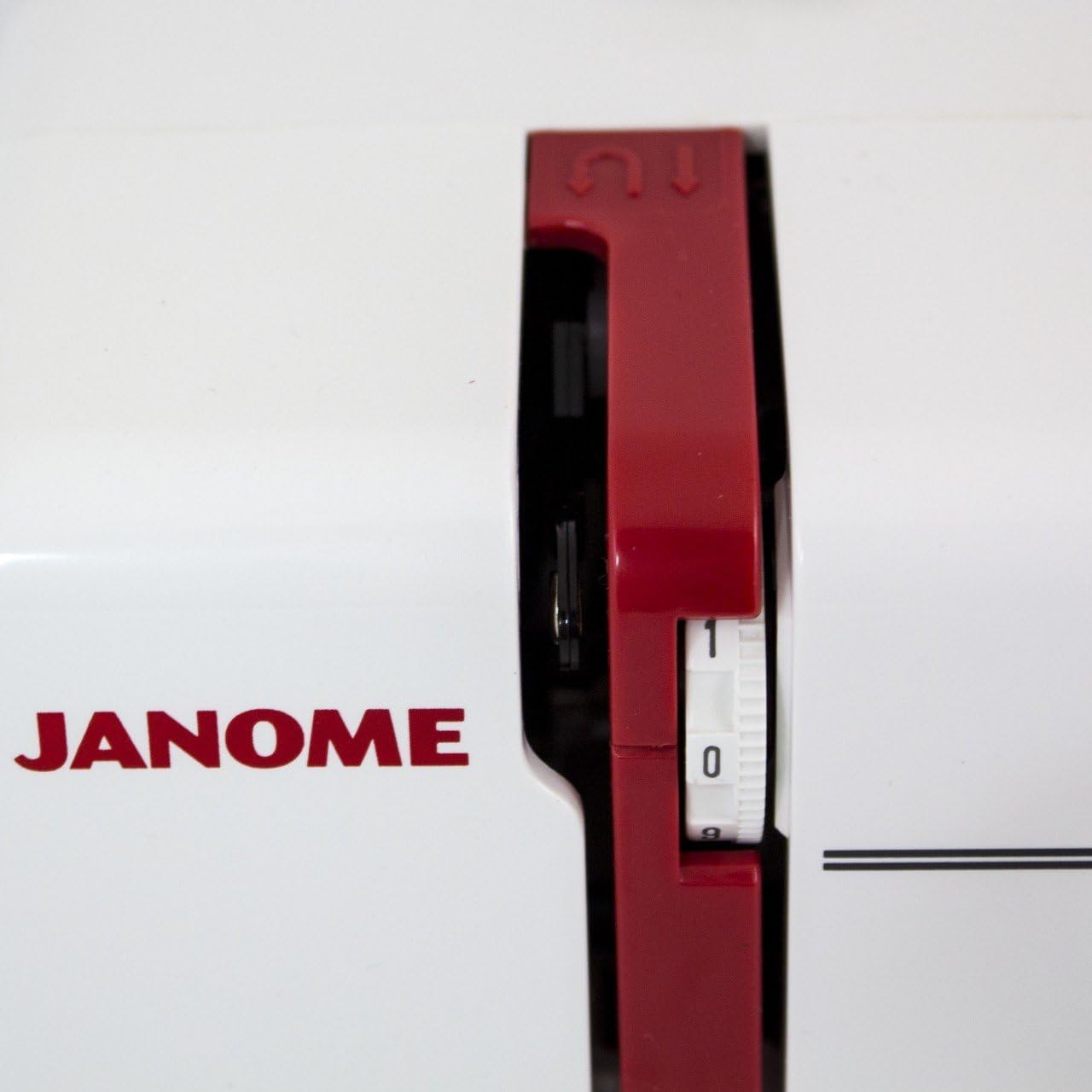
Figure 3: Close-up of the tension dial, which controls the tightness of the thread.

Figure 4: View of the top drop-in bobbin area with its clear cover.

Figure 5: Close-up of the needle, needle bar, and presser foot.
4. Setup
4.1. Power Connection
- Ensure the machine's power switch is in the OFF position.
- Connect the foot controller plug into the machine's foot controller jack.
- Connect the power supply cord into the machine's power supply jack.
- Plug the power supply cord into a suitable electrical outlet.
4.2. Thread Spool Installation
- Place the thread spool onto the spool pin located on the top of the machine.
- Secure the spool with the spool cap to prevent the thread from unwinding too quickly.
4.3. Bobbin Winding
- Place an empty bobbin onto the bobbin winder spindle.
- Guide the thread from the spool through the thread guide and around the tension disc for bobbin winding.
- Insert the thread end into the small hole on the bobbin.
- Push the bobbin winder spindle to the right.
- Gently press the foot controller (or turn the handwheel if applicable) to start winding. Stop when the bobbin is full.
- Cut the thread and push the bobbin winder spindle back to the left. Remove the wound bobbin.
4.4. Upper Threading
- Raise the presser foot lever.
- Guide the thread from the spool through the upper thread guide.
- Bring the thread down the right channel, around the tension dial (Figure 3), and up the left channel.
- Hook the thread into the take-up lever from right to left.
- Bring the thread down through the needle bar thread guide.
- Thread the needle from front to back. Pull about 6 inches of thread through the needle eye.
4.5. Lower Threading (Bobbin Insertion)
- Remove the bobbin cover plate (Figure 4).
- Insert the wound bobbin into the bobbin case, ensuring the thread unwinds in the correct direction (usually counter-clockwise).
- Guide the bobbin thread through the tension spring in the bobbin case.
- Hold the upper thread lightly with one hand and turn the handwheel towards you to lower and raise the needle. This will catch the bobbin thread.
- Pull both the upper and bobbin threads under the presser foot and towards the back of the machine.
- Replace the bobbin cover plate.
5. Operating Instructions
5.1. Stitch Selection
The Janome Sew Mini offers a selection of straight and zigzag stitches. Refer to the stitch pattern guide on the machine body (Figure 1) and use the stitch selector dial (Figure 2) to choose your desired stitch.
- Straight Stitch: Available in 4 lengths.
- Zigzag Stitch: Available in 3 widths.
5.2. Sewing Basics
- Place your fabric under the presser foot, aligning the edge with the desired seam allowance.
- Lower the presser foot lever.
- Gently press the foot controller to start sewing. The machine operates at a single, slow speed, which is beneficial for beginners.
- To sew in reverse (for securing stitches), locate the reverse lever or button (if available on your model) and hold it down while sewing.
- When finished, raise the needle to its highest position, lift the presser foot, and gently pull the fabric away from the machine.
- Cut the threads using scissors or the built-in thread cutter (if available).
5.3. Free Arm Usage
The Janome Sew Mini features a free arm, which is useful for sewing cylindrical items. To access the free arm, slide off the accessory storage compartment located at the base of the machine. This allows you to easily sew cuffs, sleeves, pant hems, and small children's clothing.
6. Maintenance
6.1. Cleaning
- Regularly clean the bobbin area and feed dogs using a small brush to remove lint and dust.
- Wipe the exterior of the machine with a soft, dry cloth. Do not use harsh chemicals.
6.2. Needle Replacement
- Always use the correct type and size of needle for your fabric.
- Replace bent or dull needles immediately to prevent skipped stitches or fabric damage.
7. Troubleshooting
If you encounter issues, refer to the following common solutions:
- Skipped Stitches: Check if the needle is inserted correctly, not bent, and is the appropriate type for the fabric. Re-thread the machine completely.
- Thread Breaking: Ensure the machine is threaded correctly, the tension is not too tight (Figure 3), and the thread is not snagging on the spool. Use good quality thread.
- Fabric Not Moving: Check if the presser foot is lowered and if the feed dogs are engaged.
- Machine Not Starting: Verify the power cord and foot controller are securely plugged in, and the power switch is ON.
8. Specifications
| Feature | Specification |
|---|---|
| Product Dimensions | 13.25 x 6.5 x 11.5 inches |
| Item Weight | 5 pounds |
| Manufacturer | JANOME |
| ASIN | B005TL10AY |
| Item Model Number | Sew Mini |
| Date First Available | October 7, 2011 |
| Brand | Janome |
| Color | Red, White |
| Power Source | Corded Electric |
| Is Electric | Yes |
| UPC | 732212171222 |
9. Warranty and Support
The Janome Sew Mini 2-Stitch Sewing Machine typically comes with a 1-year manufacturer's warranty. For specific warranty details, please refer to the documentation included with your product or contact Janome customer support directly.
Online technical support may also be available for assistance with product operation or troubleshooting.


